theniceboy/nvim moves insert mode to k and cursor keys to u, e, n and i for Colemak
The Ultimate NeoVim Config for Colemak Users
At a glance
- What is it?
- theniceboy/nvim is a Neovim configuration written for Colemak keyboards, with its own remapped movement, window and plugin keys. This article covers which keys change meaning, what has to be installed first, which plugins it wires together and why the repository is not a drop-in starter.
- Who is it for?
- Use theniceboy/nvim as a reference for a Colemak Neovim layout if you want coc, FZF and a long list of ready plugin mappings, and read it before copying anything, as the author asks. Do not install it as a daily config on a QWERTY machine without testing, since it moves i, k, u, e, n, h and l. First confirm Neovim is 0.6.0 or newer and run :checkhealth.
- Can I use it commercially?
- Not without permission. GitHub finds no licence file in the repository, and without a licence all rights are reserved by default: you may read the code but not reuse it. Check the README, or ask the authors, before using it.
- Is it still maintained?
- Yes. The repository last received commits 173 days ago.
- What is it written in?
- Mainly Vim Script, according to GitHub's language statistics.
Answers come from the project's GitHub data, last synced on November 7, 2026, and from our analysis. They are not legal advice.
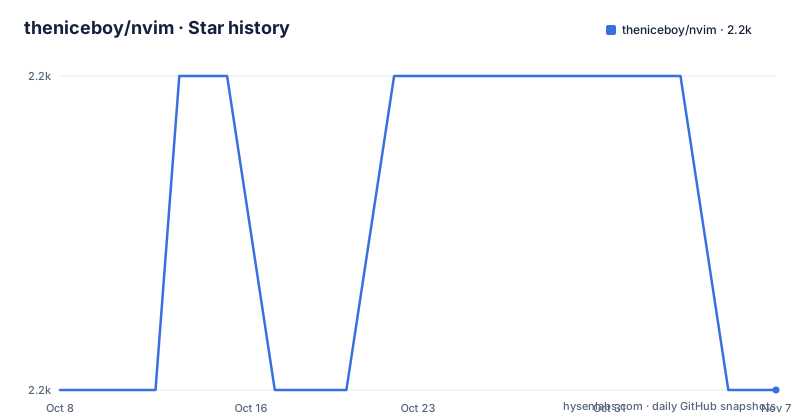
Star history
- theniceboy/nvim2,181 ★ · +0
| Repository | 2026-10-08 | 2026-11-07 |
|---|---|---|
| theniceboy/nvim | 2.2k | 2.2k |
0 Stars in the last 30 days, measured from the daily GitHub snapshot. Compare with other projects
Editorial analysis
The i key now moves right, and insert mode lives on k
The configuration begins from a Colemak layout and changes Vim's grammar to match. Insert mode is entered with k, which does what i does in vanilla Vim. Q quits the current window, the same as :q, and S saves, the same as :w.
The README flags the consequence in capitals: since i has been mapped to k, every command combination that involves i must use k instead. Its own example is that ciw becomes ckw. Text objects such as inner word follow the same swap, so muscle memory from standard Vim breaks in a precise and predictable way. Any tutorial, plugin documentation or colleague's pairing session that says i will be wrong on this machine.
The author's warning at the top is the honest framing: do not just copy this configuration folder without really looking at it, and at least read the README. That warning is earned. A config that moves insert mode cannot be dropped onto an existing setup without relearning the editor.
The repository also ships cursor.vim and cursor_for_qwerty.vim as separate files, which signals that the cursor key layer is kept in its own file for a layout swap.
Up, down, left and right become u, e, n and i
The movement table maps Colemak home-row positions to the directions that hjkl normally cover. u moves the cursor up a terminal line, equivalent to k. e moves down, equivalent to j. n moves left, equivalent to h, and i moves right, equivalent to l.
Capital letters scale the move. U goes up 5 terminal lines, E goes down 5, N jumps to the start of the line like 0, and I jumps to the end like $. Ctrl-u and Ctrl-e scroll the view port by 5 lines without moving the cursor. h now moves to the end of a word, as e does in standard Vim. W moves five words forward, and the table gives B the same description, so read the mapping in the files before depending on B.
Undo has moved too. In normal mode l is undo, and angle brackets indent and un-indent. Pressing space twice jumps to the next placeholder, written <++>, which is the hook the custom snippets use.
In insert mode, Ctrl-a moves the cursor to the end of the line, and Ctrl-u moves the character on the right of the cursor to the end of the line.
The cost is that every Vim reference you read is in a different alphabet from your hands, and the translation table above is what you carry in your head.
Neovim 0.6.0 and two language bridges must exist before it works
The README states one hard requirement: Neovim 0.6.0 or newer. Anything older fails.
After installation, three steps are mandatory. Install pip3 and run pip3 install --user pynvim. Install node and run npm install -g neovim. Install nerd-fonts, which the README calls actually optional though it looks very good.
pip3 install --user pynvim
npm install -g neovim
The first command gives Neovim its Python provider and the second its Node provider. Plugins that run in those languages, including the coc family, depend on them. Skipping them yields errors on startup or silently missing features rather than a clean message from the config.
The next recommended step is to run :checkhealth, and it comes first in the optional list for a reason. It is the quickest way to see which provider or external program is absent.
The config has a Python path setting too. The README says to make sure you have python and to see _machine_specific.vim, a per-machine file for the Python path. Because the path differs per computer, the file is the one you must edit by hand after cloning.
Optional tools unlock the debugger, taglist, FZF and clipboard
Several features stay dormant until an external program is installed. The Python debugger, driven through vimspector, needs debugpy from pip. The repository carries sample_vimspector_json/ for the debug configuration files.
The taglist, which shows a function, class and variable list, needs ctags. FZF needs the fzf binary and ag, the silver searcher. figlet is needed for inputting ASCII art text, which ties to the tx mapping described under the config's odd features. xclip provides system clipboard access, and the README restricts it to Linux and xorg only, so a Wayland or macOS user gets no clipboard bridge from this item.
None of these are installed by the config. The README gives a list and leaves the package manager to you. The result is a long first session of pressing a key, seeing nothing happen and tracing which binary is missing, which :checkhealth shortens but does not eliminate for plugin-specific tools.
The config's file layout reflects the same split. init.vim and lua/ hold the core, autoload/ and ftplugin/ hold loaders and per-filetype settings, default_configs/ holds defaults, and coc-settings.json holds the language server setup.
The plugin set covers completion, file browsing, editing and git
The README's plugin section lists what it wires up, with screenshots or GIFs for each. Completion runs through COC and coc-snippets. File navigation uses coc-explorer as a file browser, rnvimr, FZF as the fuzzy file finder, and xtabline for the tab line.
Text editing plugins include vim-table-mode, Undotree, vim-visual-multi, vim-surround, vim-subversive, vim-easy-align, an AutoFormat step and vim-markdown-toc for generating a table of contents in Markdown files. Vista.vim handles navigation within a buffer. Far.vim does find and replace. For git there are vim-gitgutter and fzf-gitignore. The remaining items are vim-calendar, Goyo for distraction-free work, suda.vim and coc-translator.
The repository also carries Ultisnips/ and md-snippets.vim for custom snippets, with a Markdown section in the README.
This is a lot of surface. Each plugin has its own bindings, remapped to the Colemak layout, and the README documents them one by one. The cost is maintenance: a config with this many plugins depends on all of them continuing to work together on a given Neovim version. The repository's last push was 2026-05-19, and the repository has no tagged releases, so you track the master branch and nothing else.
Window, tab and terminal shortcuts get their own tables
The shortcut documentation is organised in four numbered groups: basic editor features, window management, tab management and terminal keyboard shortcuts. Window management is broken into creating windows through split screen, moving the cursor between windows, resizing them and closing them. Tab management and terminal shortcuts follow.
The basic group has six subsections: the most basics, remapped cursor movement, remapped insert mode keys, remapped text manipulating commands in normal mode, other useful normal mode remappings and remapped commands in visual mode. The README cuts off inside the fifth, so the bindings for visual mode and the later groups are in the full file.
The README is also available in Chinese, README_cn.md, and the repository keeps an older one as README-legacy.md. If you find a mapping that contradicts the main README, the legacy file is the first suspect for stale text, though the repository does not say which one is current beyond naming it legacy.
One consequence of this structure is that the README works as the only manual. There is no help file listed among the top-level entries, so :help will not describe these mappings.
Some Weird Stuff and a repository with no license field
The README closes its contents with a section called Some Weird Stuff. It names two items. Pressing tx and entering your text, which pairs with the figlet requirement for ASCII art. And a customised vertical cursor movement.
These are personal conveniences, and they show what the config is: one person's working environment, published. The subtitle claims the ultimate Neovim config for Colemak users, a self-description, not a measured comparison.
On licensing, the metadata shows the license as unknown. No license file appears in the top-level entries, which list .gitignore, README-legacy.md, README.md, README_cn.md, Ultisnips, autoload, coc-settings.json, cursor.vim, cursor_for_qwerty.vim, default_configs, demo.png, ftplugin, init.vim, lua, md-snippets.vim, sample_vimspector_json and tmp. Without a license, you can read and learn from it, but you do not have documented permission to redistribute it.
The repository is not archived, but the last push was on 2026-05-19, about five months before this article. Neovim plugins break across versions, so test the config against your Neovim before trusting it, and keep a copy of your current config to return to.
Editorial conclusion
Use theniceboy/nvim as a reference for a Colemak Neovim layout if you want coc, FZF and a long list of ready plugin mappings, and read it before copying anything, as the author asks. Do not install it as a daily config on a QWERTY machine without testing, since it moves i, k, u, e, n, h and l. First confirm Neovim is 0.6.0 or newer and run :checkhealth.
Frequently asked questions
What does theniceboy/nvim require?
It requires Neovim 0.6.0 or newer. After installation you also need pip3 with pynvim, and node with the neovim npm package.
Why does ciw become ckw in theniceboy/nvim?
The i key is mapped to k for Colemak, so every command combination that involves i must use k instead. For example, ciw should be ckw.
Which keys move the cursor in theniceboy/nvim?
u moves up, e moves down, n moves left and i moves right. Capital U and E move five lines, and N and I jump to the start and end of the line.
Does theniceboy/nvim have a license?
The repository metadata shows the license as unknown, and no license file appears among the top-level entries. It also has no GitHub releases.
Official sources
Add this badge to your README
If you maintain this project, the badge below links readers to this analysis and shows its maintenance status from the daily GitHub snapshot. Paste the markdown into your README; add ?metric=license or ?metric=stars to the image URL for a different field.

[](https://hysenlabs.com/projects/theniceboy-nvim)Star history chart for your README
[](https://hysenlabs.com/projects/theniceboy-nvim)Was this useful?