standalone-migrations and the case for Rails migrations without Rails
A gem to use Rails Database Migrations in non Rails projects
At a glance
- What is it?
- standalone-migrations is a small MIT licensed Ruby gem that gives a non-Rails project, including a non-Ruby one, the Rails migration system: versioned migration files, Rake tasks, rollback, schema dumps and multi-database setups. Its maintenance is tied to Rails releases, and its configuration file is one dotfile away from the project root.
- Who is it for?
- standalone-migrations fits a team that already knows Rails migrations and wants that workflow in a service, a script or a non-Ruby application, and it does not fit a project that wants to avoid the ActiveRecord dependency or the Ruby runtime entirely. Before adopting it, pin the gem to the Rails line your project already uses, because 8.1.1 drops Rails 6.0 through 7.1, and put the environments_config block below StandaloneMigrations::Tasks.load_tasks.
- Can I use it commercially?
- Yes. MIT is a permissive licence: you can use, modify and sell software built on it, as long as you keep its copyright and licence notices.
- Is it still maintained?
- Yes. The repository last received commits 61 days ago.
- What is it written in?
- Mainly Ruby, according to GitHub's language statistics.
Answers come from the project's GitHub data, last synced on November 7, 2026, and from our analysis. They are not legal advice.
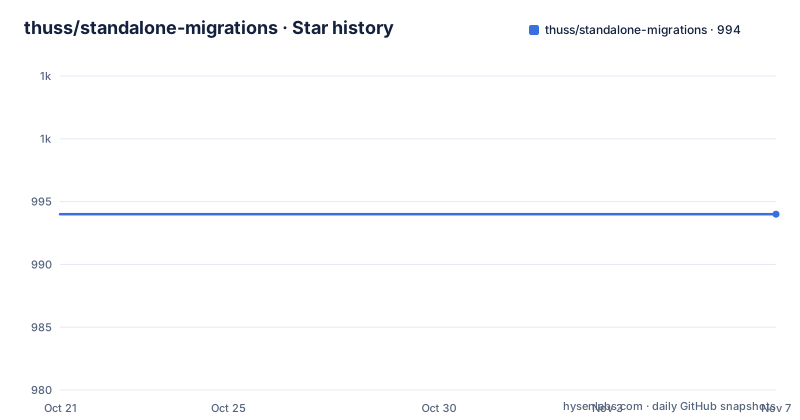
Star history
- thuss/standalone-migrations994 ★ · +0
| Repository | 2026-10-21 | 2026-11-07 |
|---|---|---|
| thuss/standalone-migrations | 994 | 994 |
0 Stars in the last 17 days, measured from the daily GitHub snapshot. Compare with other projects
Editorial analysis
A migration runner for projects that are not Rails
standalone-migrations is a Ruby gem whose stated purpose is to use Rails database migrations in non-Rails projects. The README puts it more broadly, as Rails migrations in non-Rails and non Ruby projects.
That second phrase is the interesting one. The gem wraps ActiveRecord::Migration and gives a project the numbered migration file convention, the schema dump, the Rake tasks and the rollback semantics that Rails developers already know, without the rest of the framework. A Python service that owns a Postgres schema, a Go worker with a database, or a Ruby script that is not a Rails application can all keep their migrations in the same format, in the same table, with the same tool to run them.
The audience is therefore a team that has already adopted the Rails migration workflow somewhere else and wants consistency, or a team that wants a well understood migration format without adopting a web framework. The gem ships as a normal RubyGems package with a gemspec, a Rakefile, a spec/ directory with rspec configuration, and an example/ directory holding a worked sample application with its own Gemfile, Rakefile, boot.rb and db/ tree.
What the gem is not is a database tool in general. It is specifically the Rails migration subsystem, extracted, with a small amount of configuration plumbing around it. That is a feature if you want the Rails semantics and a limitation if you wanted something like a schema diffing tool or a data migration framework.
The version table is the compatibility policy
The gem version tracks the newest Rails version it supports, and the README states the mapping plainly:
| standalone_migrations | Rails | Ruby | | --- | --- | --- | | 8.1.1 | 7.2 - 8.1 | 3.2+ | | 8.1.0 | 6.0 - 8.1 | 2.7+ | | 8.0.0 | 6.0 - 8.0 | 2.7+ |
The 8.1.1 release drops Rails 6.0, 6.1, 7.0 and 7.1, all of which the README notes are past their end-of-life. The resolution advice is practical. If a Gemfile pins a Rails version, Bundler resolves you to 8.1.0 automatically and nothing changes. If there is no pin, or you install with gem install, you get 8.1.1 with Rails 8.1 alongside it, and the fix is to pin gem 'standalone_migrations', '8.1.0' to stay where you are.
That last sentence is the one to internalise. A plain gem install is a floating dependency, and the Ruby side has moved too, from 2.7+ to 3.2+. An adopter who wants the old Rails line has to say so explicitly in the Gemfile.
The second compatibility question is about existing migration files, and the answer is reassuring. Dropping those Rails versions does not affect migration files you already have, because Rails 8.1 still ships ActiveRecord::Migration compatibility shims all the way back to [4.2], so migrations written years ago continue to run unchanged. In practice, upgrading the gem is a version bump rather than a rewrite, which is the main reason the release was possible at all.
Rake tasks over a db/ directory you may have to rename
The runtime model is small. The gem looks for a db/ directory in your project, and from there it reads migrations, seeds and schema. The configuration file, db/config.yml, tells it how to reach each database, per environment:
production:
  adapter: mysql2
  encoding: utf8
  reconnect: false
  database: somedatabase_dev
  pool: 5
  username: root
  password:
  socket: /var/run/mysqld/mysqld.sock
The task set is the familiar Rails one. Creating a migration is rake db:new_migration with a name argument, which produces a timestamped file such as db/migrate/20081220234130_foo_bar_migration.rb that you then edit. Applying is rake db:migrate, targeting a specific version is rake db:migrate VERSION=20081220234130, and choosing the environment is rake db:migrate RAILS_ENV=test. Single step control exists too, with rake db:migrate:up VERSION=20081220234130, and rollback is rake db:rollback or rake db:rollback STEP=3 for the last three migrations.
The migration body itself can be plain SQL if you prefer, which the README shows as an option:
def up
  execute "insert into foo values (123,'something');"
end

def down
  execute "delete from foo where field='something';"
end
The assumption that a db/ directory exists is the friction point. The README acknowledges it directly, saying that by default Standalone Migrations will assume there exists a db/ directory in your project, and that if you need a different structure you can use a configuration file named .standalone_migrations in the root of your project with the db and config keys. The gem will assume the default values for any key you leave out, so the file can be as small as the two paths you actually need to move.
Installing the gem and loading the tasks
Installation assumes Ruby 3.2 or newer for the current release, along with RubyGems and a database driver. The README gives the driver step explicitly, with pg and mysql2 as the examples, and then the gem itself:
gem install pg
gem install standalone_migrations
The Gemfile route is the one you should use in a project, because it lets you pin the Rails line as described above:
source 'https://rubygems.org'

gem 'standalone_migrations'
gem 'pg' # or mysql2
Wiring the tasks into an existing Rakefile takes two lines, and it is the same two lines for any project that uses Rake:
require 'standalone_migrations'
StandaloneMigrations::Tasks.load_tasks
The load_tasks call is what registers the db: tasks in the Rake namespace, which is why it has to run in the Rakefile rather than in application code.
There is a hook for projects that need extra setup after the gem has loaded. The README shows an on_loaded callback used with an external library called foreigner, which is the pattern for any gem that needs to hook into the migration lifecycle:
require 'foreigner'

StandaloneMigrations.on_loaded do
  Foreigner.load
end
After that, a first run is a new migration, an edit, and a migrate. The example/ directory in the repository contains a complete worked application, including an article.pdf and a boot.rb, which is the fastest way to see the whole layout assembled.
Multiple databases through dotfiles and a DATABASE variable
Support for more than one database is built on the same configuration mechanism, with one extra convention. Instead of a single .standalone_migrations file, you create a configuration file per database named .database_name.standalone_migrations, and the same keys apply, though the README suggests specifying all of the options in that case to avoid conflicts and errors.
The example layout in the README puts per-database migration folders under a shared db/migrate, with a config, seeds and schema file for each:
db:
    seeds: db/seeds_db1.rb
    migrate: db/migrate/db1
    schema: db/schema_db1.rb
config:
    database: db/config_db1.yml
The selection at run time is a DATABASE environment variable passed to the task, and it combines with the environment selector:
rake db:version DATABASE=db1
rake db:migrate DATABASE=db2 RAILS_ENV=production
The Rake tasks are otherwise the same set, which is the point. The same db:migrate, db:rollback and db:new_migration vocabulary works whether you have one database or six, and the difference between configurations lives entirely in dotfiles that live next to your code.
The one wrinkle the README calls out is that in the multi-database case you are most likely to want to specify all options rather than rely on defaults, because the defaults assume a single db/ layout. Get that wrong and the migrations for one database can land in another database's folder, which is exactly the class of mistake that the separate per-database config files exist to prevent.
environments_config and the return that breaks your Rakefile
The most valuable piece of documentation in the README is the one that explains a bug rather than a feature. StandaloneMigrations::Configurator.environments_config lets a project compute its connection configuration at runtime, which matters on platforms like Heroku where the connection details come from environment variables.
The example is a block that switches on the environment and returns a hash:
env.on "production" do
  if ENV['DB_HOST']
    {
      :adapter  => 'postgresql',
      :host     => ENV['DB_HOST'],
      :username => ENV['DB_USER'],
      :password => ENV['DB_PASSWORD'],
      :database => ENV['DB_NAME'],
      :encoding => 'utf8'
    }
  end
end
The rule the README spells out is that the block's value is what gets used, so you must not use return inside it, because a return inside the block aborts the rest of your Rakefile instead of handing the hash back. The if has to be the last expression. It evaluates to your new config hash when the branch is taken, and to nil otherwise, which leaves the environment unchanged.
There is a second trap, and it is the one that will cost you an afternoon on Heroku. The README states that on Heroku you do not need this at all, because Rails reads DATABASE_URL itself and merges it into the current environment's configuration after this block runs, so a hash returned here is discarded whenever DATABASE_URL is set. The recommendation is to set DATABASE_URL and let Rails handle it, and to use environments_config only for settings that Rails' URL handling does not already cover.
One more placement detail: the block goes in your Rakefile below the StandaloneMigrations::Tasks.load_tasks call, because that call is what locates the configuration.
MIT, no tags, and a version that follows Rails
The gem is MIT licensed, with the text in the LICENSE file, and the repository is not archived. The last push was on 2026-09-08. The project has no GitHub releases, so there is no tag to pin and the version history lives in the git history and in the compatibility table at the top of the README rather than in a release feed.
That matters more here than in most projects, because the gem's version number is not its own. It tracks the newest Rails version it supports, which means the upgrade path is coupled to Rails' own release cycle. When a Rails version reaches end of life, the corresponding Rails line drops out of the table, and the gem releases a new number to reflect it. An adopter who pins the gem is effectively pinning a Rails compatibility range, and the correct procedure is to read the table before upgrading rather than to take the newest number by reflex.
The repository layout is a conventional small gem: a standalone_migrations.gemspec, a VERSION file, a Gemfile and Rakefile at the root, the library under lib/, rspec specs under spec/ with a .rspec configuration, a vendor/ directory, and the example/ application used as a working reference. There is also a CI workflow, which the README links as a build status badge.
The upgrade cost in practice is low. A version bump changes which Rails versions are permitted and can require a Ruby bump from 2.7 to 3.2, and the migration files themselves keep working because the ActiveRecord::Migration shims extend back to [4.2].
Editorial conclusion
standalone-migrations fits a team that already knows Rails migrations and wants that workflow in a service, a script or a non-Ruby application, and it does not fit a project that wants to avoid the ActiveRecord dependency or the Ruby runtime entirely. Before adopting it, pin the gem to the Rails line your project already uses, because 8.1.1 drops Rails 6.0 through 7.1, and put the environments_config block below StandaloneMigrations::Tasks.load_tasks.
Frequently asked questions
How do I install standalone-migrations and load the Rake tasks?
Install Ruby 3.2 or newer, RubyGems and a driver such as pg or mysql2, then run gem install standalone_migrations, or add gem 'standalone_migrations' to a Gemfile. In your Rakefile require 'standalone_migrations' and call StandaloneMigrations::Tasks.load_tasks, which registers the db: tasks.
Which Rails and Ruby versions does standalone-migrations support?
The gem version tracks the newest Rails version it supports. Version 8.1.1 covers Rails 7.2 to 8.1 on Ruby 3.2 and newer, 8.1.0 covers Rails 6.0 to 8.1 on Ruby 2.7 and newer, and 8.0.0 covers Rails 6.0 to 8.0 on Ruby 2.7 and newer. Version 8.1.1 drops Rails 6.0, 6.1, 7.0 and 7.1 because they are past end of life.
Will upgrading standalone-migrations break my existing migration files?
The README states that dropping those older Rails versions does not affect existing migration files, because Rails 8.1 still ships ActiveRecord::Migration compatibility shims back to [4.2], so migrations written years ago continue to run unchanged.
How do I use standalone-migrations with more than one database?
Create one configuration file per database named .database_name.standalone_migrations, each pointing at its own migrate, seeds, schema and database config paths, then select the database at run time by passing the DATABASE environment variable, for example rake db:migrate DATABASE=db2 RAILS_ENV=production.
Why does my environments_config block break the Rakefile on Heroku?
A return inside the block aborts the rest of your Rakefile rather than handing the hash back, so the if must be the last expression. On Heroku the returned hash is also discarded whenever DATABASE_URL is set, because Rails merges that URL into the environment configuration after the block runs, so the recommended approach is to set DATABASE_URL and let Rails handle it.
Official sources
Add this badge to your README
If you maintain this project, the badge below links readers to this analysis and shows its maintenance status from the daily GitHub snapshot. Paste the markdown into your README; add ?metric=license or ?metric=stars to the image URL for a different field.

[](https://hysenlabs.com/projects/thuss-standalone-migrations)Star history chart for your README
[](https://hysenlabs.com/projects/thuss-standalone-migrations)Was this useful?