alloy: the MVC framework TiDev maintains for the Titanium SDK
Alloy is an MVC framework for the Appcelerator Titanium SDK
At a glance
- What is it?
- Alloy is the MVC application framework from TiDev for building Titanium apps, published on npm as the alloy package. It compiles a declarative project layout into Titanium resources, and the README documents a lot more about its test runner and its bundled libraries than about the framework itself.
- Who is it for?
- Adopt alloy if you build Titanium apps and want the declarative MVC structure it provides over the raw Titanium project layout, and you are prepared to work inside the Titanium toolchain rather than a mainstream mobile framework.
- Can I use it commercially?
- Check first. The repository uses a licence we do not classify automatically, so read its LICENSE file before any commercial use.
- Is it still maintained?
- Yes. The repository last received commits 25 days ago.
- What is it written in?
- Mainly JavaScript, according to GitHub's language statistics.
Answers come from the project's GitHub data, last synced on November 7, 2026, and from our analysis. They are not legal advice.
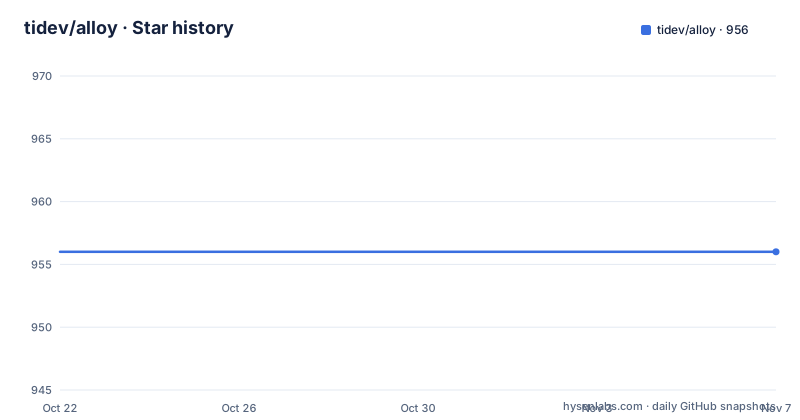
Star history
- tidev/alloy956 ★ · +0
| Repository | 2026-10-22 | 2026-11-07 |
|---|---|---|
| tidev/alloy | 956 | 956 |
0 Stars in the last 16 days, measured from the daily GitHub snapshot. Compare with other projects
Editorial analysis
An MVC layer for a specific mobile SDK
Alloy is an MVC application framework by TiDev for the Titanium SDK, and that second clause does most of the work in describing who it is for.
Titanium is a JavaScript SDK for building native mobile and desktop applications, and Alloy sits on top of it as the structured way to write one. The framework gives you controllers, views, models, widgets, style and configuration in a declared project layout, and compiles that into the resources Titanium builds.
The npm package is named alloy, described in its metadata as the TiDev Titanium MVC Framework, with keywords covering titanium, mobile, ios, iphone, android and html5. The package declares preferGlobal, which is why every install instruction in the README uses the -g flag, and it exposes a single binary named alloy.
The documentation lives off GitHub, on the Titanium SDK guide site: a Quick Start Guide that covers installation through building a first app, a complete collection of Alloy Guides, and a set of sample apps. That arrangement is normal for this project. The README is an operations manual for the tool itself, and the framework documentation is elsewhere.
For an engineer deciding whether to use it, the first question is not which features it has but whether your project is a Titanium project at all.
Installing globally, pinned or from source
The installation section gives three ways in, all through npm, and all global because of the preferGlobal setting in the package metadata.
The first installs the latest stable release:
# install the latest stable
[sudo] npm install -g alloy
The second pins a specific version, and the README's example uses 1.4.1, which is a useful reminder that the version numbers in the documentation are not kept current:
# install a specific version
[sudo] npm install -g [email protected]
The third installs from the repository itself, which the README presents as the newest code:
[sudo] npm install -g git://github.com/tidev/alloy.gitThe sudo in front of the global installs is there for the usual reason on Unix systems, npm writing into a global prefix that the invoking user does not own.
The runtime requirement is stated in the package metadata rather than the README: the engines field requires Node >=20.18.1. That is a much newer floor than the version of Alloy the README's install example refers to, so anyone working from older documentation should check the current package rather than assume.
The package also brings a substantial dependency set: the Babel toolchain for parsing and generating JavaScript, commander for the command line, ejs for templating, fs-extra for file operations, lodash, moment, node.extend, resolve, source-map, walk-sync, xml2tss for XML to TypeScript definition conversion, async, colors, global-paths, pkginfo and a JSON linter.
Running a sample app as your first project
The README explains how to run the sample and test apps that live in the sample/apps folder, and it documents two ways.
The first is the route most people should take, because it uses a normal Alloy installation. Beginning with Alloy 1.6 you can create a Titanium Classic project and then convert it into an Alloy project, using a test app as the template:
# first, create a Titanium Classic project
titanium create --name yourAppName
cd yourAppName

# then, convert it to an Alloy project, using the test app as a template
alloy new . --testapp basics/simple
The second route clones the repository and uses the Jake test runner, which is what a contributor needs and what a plain user does not.
That split is the useful part. The first route gives you a project in your own directory that you own, built from a known-good template, and it is the path the framework authors intended for trying the tool. The second route is a development setup: it installs jake globally, installs alloy globally from the cloned tree, installs the local testing dependencies, and then runs a single app by directory.
The samples directory is the reference implementation. The repository listing shows samples/apps for the sample applications, samples/lib for library code and samples/todo, and the README calls out basics/simple as the one to start from.
The Jake runner and its documented Windows problems
The Additional Notes on Jake section is the longest part of the README, and it is a list of platform caveats rather than a description of the framework.
On macOS and Linux the advice is short: if you hit permission errors, try running jake with sudo.
On Windows the notes are longer and more specific. Do not run jake from within a user folder such as C:\Users\tony\alloy, because you can get non-obvious permission failures from the child processing Alloy does; the suggested fix is to clone the repository directly to C:\alloy.
The next note is about Node.js itself. There is a known issue with piping output between node processes on Windows, and the author describes the workaround he managed to apply, while warning that errors may still appear. The recommendation is to run the automated testing via jake test:all or npm test on a non-Windows operating system, to avoid red herring failures until that Node.js issue is resolved.
Two further Windows notes follow. If you imported the Harness into TiStudio, do not have TiStudio running, because Windows creates locks on key files in the project that the testing process needs, and the tests will fail erroneously. And if you are stubborn enough to run the suite on Windows anyway, run one spec at a time with jake test:spec[SPEC_NAME] rather than jake test:all, where SPEC_NAME is a JS file in the test specs folder.
That is a striking amount of documentation about how to run the tests, and it tells you the framework itself is well behaved while the test harness around it is fragile on one platform.
Bundled libraries you have to update by hand
The section on updating Moment, Backbone and the collection library is a maintenance manual for libraries that ship inside the Alloy distribution, and it is unusual enough to be worth reading carefully.
For Moment, download the latest ZIP from the Moment repository and copy the file moment.js, explicitly not the one in dist, into Alloy/builtins. The locale files also go into Alloy/builtins/moment/lang, again not from dist. After that, a search and replace turns every require('../moment') into require('/alloy/moment').
For Backbone, download the development version, place it in Alloy/lib/alloy/backbone with the correct version number, open Alloy/common/constants.js and add the version to SUPPORTED_BACKBONE_VERSIONS, then you can select that version from your app's config.json. Making it the default means editing DEFAULT_BACKBONE_VERSION and the config.json files in all template projects. There is one more required edit: the require of the collection library has to point at the copy bundled in Alloy/lib/alloy instead of the bare module name, and you can check the result with console.log(Backbone.VERSION).
The collection library is the simplest: download the UMD development version from its own site and replace the bundled copy in Alloy/lib/alloy, then verify with console.log(_.VERSION).
The design decision here is that these libraries are vendored into the distribution and pinned by version, with a documented upgrade path rather than an automated one. That is defensible for a build tool where reproducibility matters, but it means the shipped Moment, Backbone and the collection library are only as current as the last person who ran these steps, which is a genuine supply-chain consideration for anyone auditing a Titanium app.
Repository layout: where the framework and its scaffolding live
The top level of the repository shows how the project is organised, and it separates the framework from the project templates it generates.
The Alloy directory holds the framework code itself and is the package main entry, ./Alloy/alloy. The bin directory holds the command line entry, referenced by the bin field as ./bin/alloy, and cli_config.json sits at the root as the command line configuration.
The templates directory holds the project scaffolding that alloy new generates from, and the platforms directory holds platform-specific assets. The jakelib directory holds the Jake task definitions, with its own readme describing the arguments and flags the runner accepts, and the Jakefile at the root wires them together.
There are also docs for documentation, hooks for build hooks, locales for translated strings, tools for helper scripts, a test directory containing the specs, and samples for the sample apps, plus CHANGELOG.md and CONTRIBUTING.md.
For a contributor, the loop is visible in the package scripts: npm test runs jake test:all, lint runs eslint over the project with the configuration in .eslintrc.js, and release runs semantic-release. The devDependencies are small, just diff, eslint and jake, which means the test framework itself is not one of the heavy parts of this project.
Licence, contributor agreement and release cadence
The licence needs a word of care. The package metadata declares Apache-2.0 in its license field and points at a LICENSE file with license-files, and the LICENSE file sits at the repository root, but the project is published under a custom licence that GitHub's classifier could not categorise. If the terms matter to you, the LICENSE file is the text that governs, and the metadata field is a summary rather than the agreement.
Contributions require a Contributor License Agreement before a pull request can be accepted, with the process described on the TiDev contribute page. The project also points at a donation page, explaining that the money goes to compensate the engineers and maintainers who keep the project going, and it adopts the TiDev Code of Conduct. Security issues go to an email address rather than a public ticket, which is the convention you would want and is a small sign of how the project is run.
The legal note at the end of the README is worth reading if you are building a product on this: Titanium is a registered trademark of TiDev Inc, and all Titanium trademark and patent rights were transferred and assigned to TiDev Inc on 4/7/2022. Using the framework is separate from using the mark.
On releases, the tagged versions are v3.0.1 on 2026-05-12 and v3.0.0 on 2025-11-24, with 2.1.0 before that on 2024-01-09. The version in package.json is 3.1.0, so the default branch is ahead of the latest tag. The repository is not archived and the last push was on 2026-10-13, so work on the framework continues even though tagged releases are infrequent.
Editorial conclusion
Adopt alloy if you build Titanium apps and want the declarative MVC structure it provides over the raw Titanium project layout, and you are prepared to work inside the Titanium toolchain rather than a mainstream mobile framework. Do not adopt it if your team has moved to React Native or Flutter, since the value here is specifically the Titanium integration, and do not expect the bundled libraries to be current, because the README documents upgrading Moment, Backbone and the collection library by hand. Verify first that your Node version satisfies the >=20.18.1 requirement in package.json, that the version you install from npm matches the version your Titanium SDK expects, and that you read the LICENSE file, since the package metadata declares Apache-2.0 while the project is published under a custom licence.
Frequently asked questions
How do I install the Alloy framework for Titanium?
From npm, globally, with [sudo] npm install -g alloy for the latest stable release. You can pin a version with npm install -g [email protected] or install from the repository with npm install -g git://github.com/tidev/alloy.git. The package metadata requires Node >=20.18.1.
How do I run an Alloy sample app?
Create a Titanium Classic project with titanium create --name yourAppName, change into it, then convert it with alloy new . --testapp basics/simple using the sample as a template. The README notes this route works beginning with Alloy 1.6.
Why does the Alloy test suite fail on Windows?
The README documents several Windows-specific problems: a Node.js issue with piping output between node processes, file locks created by TiStudio if it is running, and non-obvious permission failures when the project is cloned into a user folder. It recommends running jake test:all or npm test on a non-Windows operating system.
How do I update Moment, Backbone or the collection library inside Alloy?
The README describes a manual procedure for each: copy the Moment source into Alloy/builtins and the locale files into Alloy/builtins/moment/lang then rewrite the require paths, place the Backbone development build in Alloy/lib/alloy/backbone and register its version in SUPPORTED_BACKBONE_VERSIONS in Alloy/common/constants.js, or replace the bundled collection library file in Alloy/lib/alloy with the UMD development build.
What licence is the Alloy framework released under?
The package metadata declares Apache-2.0, and the project is published under a custom licence with the LICENSE file at the repository root as the authoritative text.
Official sources
Add this badge to your README
If you maintain this project, the badge below links readers to this analysis and shows its maintenance status from the daily GitHub snapshot. Paste the markdown into your README; add ?metric=license or ?metric=stars to the image URL for a different field.

[](https://hysenlabs.com/projects/tidev-alloy)Star history chart for your README
[](https://hysenlabs.com/projects/tidev-alloy)Was this useful?