precognition.nvim: Visual Vim Motions in Neovim
💭👀precognition.nvim - Precognition uses virtual text and gutter signs to show available motions.
At a glance
- What is it?
- precognition.nvim adds virtual text, gutter signs, and same-line character targets to Neovim motions. It suits Vim users who want motion destinations visible, but hint collisions and buffer-specific behavior require configuration.
- Who is it for?
- Adopt precognition.nvim if frequent `f`, `t`, paragraph, word, line, and matching-pair motion helps your editing and you can tolerate a configurable visual layer. Do not adopt it if you prefer an uncluttered buffer or need uniform hints without resolving priority conflicts.
- Can I use it commercially?
- Yes. MIT is a permissive licence: you can use, modify and sell software built on it, as long as you keep its copyright and licence notices.
- Is it still maintained?
- Yes. The repository last received commits 24 days ago.
- What is it written in?
- Mainly Lua, according to GitHub's language statistics.
Answers come from the project's GitHub data, last synced on November 7, 2026, and from our analysis. They are not legal advice.
Star history
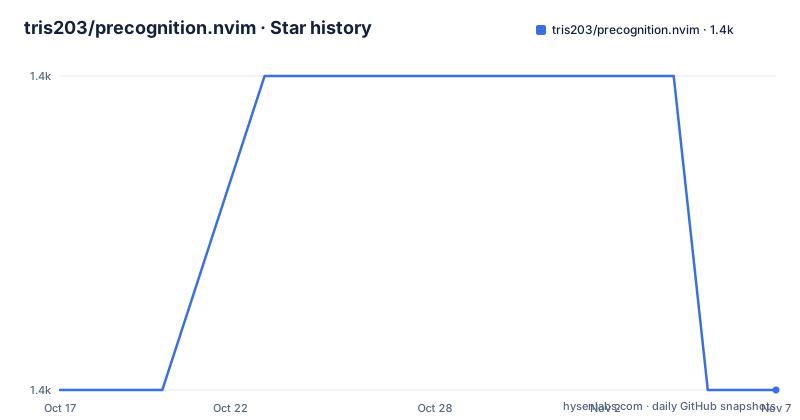
- tris203/precognition.nvim1,389 ★ · +0
| Repository | 2026-10-17 | 2026-11-07 |
|---|---|---|
| tris203/precognition.nvim | 1.4k | 1.4k |
0 Stars in the last 21 days, measured from the daily GitHub snapshot. Compare with other projects
Editorial analysis
Why precognition.nvim Exists for Vim Motion Discovery
precognition.nvim addresses a specific gap in Vim's normal editing interface. Motions such as `w`, `b`, `G`, `{`, `}`, `%`, and targeted `f` or `t` moves can be efficient once remembered, but the base editor does not display every possible destination ahead of the cursor. This plugin makes those destinations visible through virtual text and gutter signs without replacing the underlying motions.
The intended audience is Neovim users who already know Vim motions and want visual help while learning or recalling them. Precognition can advertise change and delete motions associated with `a` and `i`, common paragraph boundaries, word movements, zero, dollar, caret, and matching-pair destinations. Its targeted motion support also previews printable characters reachable through `f` and `F` on the current line. This is a learning and navigation aid for an existing motion-based workflow, not a replacement for Neovim's motion engine.
The visual approach introduces a real design trade-off. More available motions means more potentially useful guidance, but it can also create crowded virtual lines and competing signs. The README explicitly warns that hints occupying the same location should have unique priorities. Precognition therefore treats display configuration as a central part of normal use rather than presenting every motion as an overlay that should always appear simultaneously.
How precognition.nvim Renders Motion Destinations
The plugin derives hints from the cursor's current position and buffer context, then places inline destinations in a virtual line and line-level destinations in the gutter. Inline hints cover motions such as words, `0`, `$`, caret, and matching pairs. Gutter hints cover `G`, `gg`, and the next or previous paragraph. Their text and priority are controlled separately through `hints` and `gutterHints`.
Targeted motion hints add a more dynamic path. According to the configuration documentation, first-occurrence `f` and `F` hints are available for single-width, printable, non-whitespace characters on the current line. When one of those motions becomes pending, the hint changes from `f` or `F` to the actual target character. Leading counts also participate in the preview, so `2f` represents the second reachable occurrence of a character. After `f`, `F`, `t`, or `T` is used, repeat targets are represented by `;` and `,`.
The plugin temporarily suppresses these targeted hints during macro recording and restores them when recording ends. Optional text-object range highlights use `PrecognitionTextObjectRange1`, `PrecognitionTextObjectRange2`, and subsequent groups, while `targetedMotionHighlightColor` distinguishes pending targeted motions from ordinary hints. This separation is useful when a colorscheme does not provide enough contrast by itself.
Installing precognition.nvim with lazy.nvim
The README provides a lazy.nvim configuration. The plugin repository is declared with `opts`, so adding the supplied table installs precognition.nvim and applies its defaults. The shown options are commented out, which means the initial configuration does not override those defaults.
The larger README example documents the available settings, including `startVisible`, `debounceMs`, `showBlankVirtLine`, `highlightFullVirtLine`, `highlightColor`, and `disabled_fts`. If automatic loading is preferred, the same example includes an uncommented `event = "VeryLazy"` option. The documentation does not provide a separate installation path for another plugin manager, so it should not be inferred from this example.
The project supports stable and nightly Neovim versions above 0.9 at the time the README was written. The documented API and command examples use `require("precognition")`, so the repository is intended to be loaded as a normal Neovim Lua plugin rather than as a standalone command-line program.
Peeking and Toggling Precognition Hints
A practical first use is to let Precognition display hints, move the cursor, and then perform one of the advertised motions. The plugin can be controlled through the `Precognition` user command or through its Lua API. Toggling is useful when a particular buffer needs an unobstructed view.
The command form is:
:Precognition toggleThe equivalent Lua call is:
require("precognition").toggle()For temporary inspection, `peek` shows the hints until the next cursor movement:
:Precognition peekThe corresponding API call is:
require("precognition").peek()The README also states that `show` and `hide` are available as subcommands and functions. This gives a new user three levels of control: permanent visibility through the default state, temporary visibility with `peek`, and explicit switching with `show`, `hide`, or `toggle`. The return value from the Lua `toggle()` can be used when a caller needs to notify another part of a Neovim configuration about the resulting state.
Resolving Hint Density and Highlight Conflicts
Precognition's configuration system is mainly about deciding which hints deserve screen space. Setting a hint's priority to `0` hides that item. Hiding every element with `prio = 0` can leave a blank virtual line, so `showBlankVirtLine = false` is the documented companion setting for suppressing it.
This gives editors two levels of visual cleanup. First, individual hints can be removed. Second, an otherwise empty inline area can be left unrendered. `highlightFullVirtLine` addresses a different issue: it pads inline virtual lines to the window width, allowing a background defined by `highlightColor` to cover the full visible row.
Priorities also resolve conflicts between hints that seek the same destination. The README states that hints capable of appearing in the same place should have unique priorities. The documented defaults assign values such as `10` to `w` and `gg`, `9` to `b` and `gg` in their respective groups, and `1` to `Dollar` and `Zero`. Targeted hints have their own priority setting, with `1` as the documented default. A setup that leaves several motions enabled should be checked for crowded or surprising selections rather than assuming every advertised destination will be visible.
For filetype exceptions, `disabled_fts` accepts Neovim filetype names. The README gives `"startify"` as its example. No automatic filetype detection policy is documented beyond this explicit disable list.
Targeted Motions, Delays, and Situations to Avoid
The most substantial limitation is visual competition. Precognition computes many possible destinations, while the editor has finite virtual-line and gutter space. Priorities control conflicts, but the README does not describe an automatic strategy for selecting a universally readable subset. Users who want nearly every movement visualized must be prepared to assign non-conflicting priorities and remove hints that interfere with their editing.
`debounceMs` is another boundary. Its default is `0`, which updates hints immediately after cursor movement. A positive value delays updates by the specified number of milliseconds. That may reduce rapid redraw work in some configurations, but the documentation does not provide performance measurements or recommend a particular delay. The plugin should therefore not be described as having a confirmed performance benefit.
Targeted hints have narrower semantics than their labels can initially suggest. They cover single-width, printable, non-whitespace characters on the current line, not every possible buffer target. Repeat hints appear only after the documented targeted motions have been used, and they disappear during macro recording. This makes Precognition less suitable for users who need a consistent visualization of every character, multi-line search target, or macro replay state.
Compared with conventional Neovim motions used without overlays, Precognition's distinctive approach is prospective display: it advertises destinations before the user presses a key. Conventional motion use requires the user to remember or query destinations but leaves the buffer visually uncluttered. Precognition is the better fit for discovery; plain motions are the better fit when decoration, collisions, or display configuration are unacceptable.
precognition.nvim Releases, Upgrades, and MIT Terms
The repository was not archived, and its last push was on 2026-10-15. Recent tagged releases are `v1.3.0` on 2026-05-12, `v1.2.0` on 2026-01-30, and `v1.1.0` on 2024-10-12. Those dates provide concrete upgrade checkpoints, although the README does not include migration instructions for any particular version.
The project uses the MIT license. The practical implication for adoption is that the code is distributed under a permissive open source license, subject to its notice and conditions. This article does not interpret the license or provide legal advice. Because custom motion work is part of the project, contributors are directed to `lua/precognition/motions/interface.lua` for integration points. Upgraders who customize motions should check that file and `CHANGELOG.md` after changing versions.
The repository includes `tests/`, `scripts/minimal_init.lua`, and a `Makefile`. Its documented test target launches headless Neovim through `MiniTest.run()`, while the `dts` target divides randomized test work into fresh Neovim processes. These files support project maintenance, but the README does not document a user-facing upgrade command for the plugin itself. Plugin managers therefore remain responsible for fetching a new release.
Editorial conclusion
Adopt precognition.nvim if frequent `f`, `t`, paragraph, word, line, and matching-pair motion helps your editing and you can tolerate a configurable visual layer. Do not adopt it if you prefer an uncluttered buffer or need uniform hints without resolving priority conflicts. Before installation, verify its behavior with your colorscheme, preferred vim motions, and any filetypes listed in `disabled_fts`.
Frequently asked questions
How do I install precognition.nvim with lazy.nvim?
Add `tris203/precognition.nvim` to the lazy.nvim configuration and supply an `opts` table. The README's example provides the exact configuration and documents optional settings such as `debounceMs`, `startVisible`, and `disabled_fts`.
How can I show precognition.nvim hints only until the next cursor movement?
Use `:Precognition peek` or call `require("precognition").peek()`. The README defines peeking as showing hints until the next cursor movement.
How do I hide a precognition.nvim hint or an empty virtual line?
Set the relevant hint or `gutterHints` priority to `0`. To avoid an empty virtual line after hiding all inline elements, set `showBlankVirtLine = false`.
Official sources
Add this badge to your README
If you maintain this project, the badge below links readers to this analysis and shows its maintenance status from the daily GitHub snapshot. Paste the markdown into your README; add ?metric=license or ?metric=stars to the image URL for a different field.

[](https://hysenlabs.com/projects/tris203-precognition-nvim)Star history chart for your README
[](https://hysenlabs.com/projects/tris203-precognition-nvim)Was this useful?