requestium lets a Requests script switch to Selenium and back
Integration layer between Requests and Selenium for automation of web actions.
At a glance
- What is it?
- Requestium merges Requests, Selenium and Parsel into one Python library so a script written mostly with plain HTTP can hand over to a real browser for the JavaScript heavy part of a site and then return to Requests, with the session carried across. The parts it adds to Selenium, the ensure methods and the cookie transfer, are what make the handover work.
- Who is it for?
- requestium is worth adopting if you have a scraper that works with plain HTTP for most pages and breaks on a few single page applications, because the handover between the two modes is the feature and the cookie transfer in both directions is what makes it reliable.
- Can I use it commercially?
- Yes. BSD-3-Clause is a permissive licence: you can use, modify and sell software built on it, as long as you keep its copyright and licence notices.
- Is it still maintained?
- Yes. The repository last received commits 4 days ago.
- What is it written in?
- Mainly Python, according to GitHub's language statistics.
Answers come from the project's GitHub data, last synced on October 23, 2026, and from our analysis. They are not legal advice.
Star history
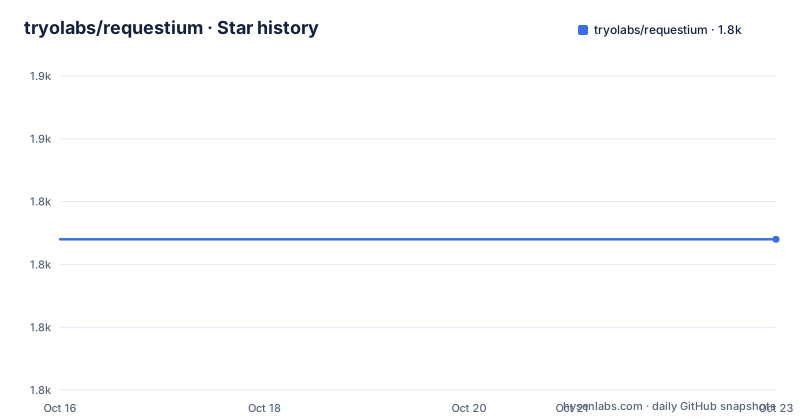
- tryolabs/requestium1,834 ★ · +0
| Repository | 2026-10-16 | 2026-10-23 |
|---|---|---|
| tryolabs/requestium | 1.8k | 1.8k |
0 Stars in the last 7 days, measured from the daily GitHub snapshot. Compare with other projects
Editorial analysis
The problem is a script that half works
Requestium is a Python library that merges the power of Requests, Selenium and Parsel into a single integrated tool for automating web actions.
The readme explains the origin precisely, and it is a very common situation. The library was created for writing web automation scripts that are written using mostly Requests but that are able to seamlessly switch to Selenium for the JavaScript heavy parts of the website, while maintaining the session.
So the problem is not that you cannot use Selenium. It is that a script that uses Selenium for everything is slow, fragile and hard to write, because every request goes through a real browser. And a script that uses Requests for everything breaks the moment a page renders its content with JavaScript. The typical script does a hundred requests with Requests, hits one page that needs a browser, and then has to solve the problem of getting the browser's cookies back into the Requests session, or logging in again.
That handover is the whole product, and the readme is honest about the rest. Requestium adds independent improvements to both Requests and Selenium, and every new feature is lazily evaluated, so it is useful even if you write scripts that use only Requests or only Selenium. The improvements listed are better handling of dynamically loading elements in Selenium, more flexible cookie handling, more reliable clicking, and Chromedriver support natively plus the ability to add a custom webdriver.
The audience is a Python developer who has already been caught by this and written the cookie copy by hand at least once. The motivation is written up in a blog post from 2017, which is also a useful signal about the age of the design.
Cookie transfer in both directions is the mechanism
The part of the library that makes the handover work is the cookie transfer, and it is two calls with symmetric names.
When you are about to drive the browser, you call transfer_session_cookies_to_driver, with the comment that you can maintain the session if needed, and then use the driver as usual. When you have finished with the browser and want to go back to plain HTTP, you call transfer_driver_cookies_to_session and then post as you would with Requests:
s.transfer_driver_cookies_to_session()
s.post("http://www.samplesite.com/sample2", data={"key1": "value1"})
That symmetry is the design. The Session object is, in the readme's words, just a regular Requests session object, so all of its methods are available, including proxies, which the example sets with s.proxies.update. And because the same object exposes a driver attribute, the Selenium API is available on the same object once a driver has been attached.
The result is that a script reads as one document with a mode switch in the middle, rather than as two scripts that hand files to each other. The workflow in the readme is exactly that: fetch with Requests, transfer the cookies, drive the page with the browser, transfer the cookies back, post with Requests.
And the readme makes the point about what has to be parsed manually otherwise. You do not need to parse the response, it is done automatically when calling xpath, css or re.
Parsel comes along, so every response can be queried
The second element Requestium brings is Parsel, the parser from Scrapy, and the readme describes the effect in one line: it integrates Parsel's parser into the library, making xpath, css and regex much cleaner to write.
The session's responses get the helpers directly. Responses from all HTTP verbs, get, post, put, patch, delete, head and options, have the xpath, css and re helpers, so the parsing surface does not depend on which method you used.
The xpath example shows the style, with a default value for the case where nothing matches:
title = s.get("http://samplesite.com").xpath("//title/text()").extract_first(default="Default Title")The regex helpers are the same idea, and the readme says regex require less boilerplate when compared to Python's standard re module:
response = s.get("http://www.samplesite.com/sample_path")

# Extracts the first match
identifier = response.re_first(r"ID_\d\w\d", default="ID_1A1")

# Extracts all matches as a list
users = response.re(r"user_\d\d\d")
So the library is three things at once, and the readme says as much: Requests for the transport, Parsel for the parsing, and Selenium for the pages that need a browser. What it adds on top is the session continuity between them.
The ensure methods wait, instead of raising
The Selenium workarounds section is where the library earns its keep on the browser side, and the reason is stated plainly: Selenium is known to be very finicky about selecting elements and cookie handling.
The ensure_element and ensure_element_by_ methods wait for the element to be loaded in the browser and return it as soon as it loads. They are named after Selenium's find_element and find_element_by_ methods, which immediately raise an exception if they cannot find the element.
The element can be waited for in any of four states. Present is the default. Clickable waits until the element can be clicked. Visible waits until it is visible. And invisible is described as useful for things like waiting for loading gifs to disappear.
The usage in the readme shows both forms:
s.driver.ensure_element("xpath", "//div[@attribute='button']").click()
s.driver.ensure_element_by_xpath("//div[@attribute='button']").click()
And there is a second family of helpers on the driver, since the readme says Requestium also adds xpath, css and re methods to the Selenium driver object:
if s.driver.re(r"ID_\d\w\d some_pattern"):
    print("Found it!")
So the same Parsel extraction that works on a Requests response also works on a page the browser has rendered, which means a script can check the live DOM with the same syntax it uses for static HTML. For a single page application, where the content arrives after a fetch, that is the difference between a script that works and one that needs a sleep.
Local, remote and third party drivers, and one flag that changes everything
The driver setup is flexible, and the readme covers the cases you will actually hit.
A session is created the way you would create a Requests session, optionally with webdriver arguments:
from requestium import Session, Keys

options = {"arguments": ["headless"]}
s = Session(webdriver_path="./chromedriver", default_timeout=15, webdriver_options=options)
Since headless mode is common, there is a shortcut for it by specifying headless=True, which is the form used in the context manager example at the end of the readme.
You can also create a Selenium webdriver outside Requestium and hand it over, with a Firefox example, and a remote one through webdriver.Remote with a command_executor of http://localhost:4444/wd/hub. A third party webdriver class works too, with the Selenium-Wire example, which lets you get the XHR requests of a web page, and the readme notes that when driver is given, webdriver_path is ignored.
The detail that changes the calculus for a new adopter is in the installation section. Selenium 4.6 and later includes Selenium Manager, which downloads the matching driver, such as Chromedriver, automatically, so you do not need to install one yourself. If you prefer to manage the driver yourself, you download it and pass its location with the webdriver_path argument.
That removes the main historical reason to use a wrapper like this one, since the driver installation was the annoying part. What is left is the session handover and the element waiting, which is still worth having if your script crosses that line, and is not worth a dependency if it does not.
One closing detail from the usage section. When you are done, close the session, which quits the webdriver if one was started, including a driver you passed in, and it also works as a context manager.
Packaging, versions and a beta classifier
The project metadata is modern, which tells you where the maintenance effort has gone.
The package is requestium at version 0.6.0, requires Python 3.10 or newer, and is built with setuptools 77 or newer. The runtime dependencies are four, parsel at 1.8 or newer, requests at 2.27 or newer, selenium at 4.32 or newer, and tldextract at 5.3 or newer. That last one is for public suffix handling, which is the kind of detail that shows the library has been used against real hosts with awkward cookie domains.
The classifiers list Python 3.10 through 3.14, MacOS, Microsoft Windows and POSIX, and the development status is 4 - Beta.
The development tooling is where the effort is visible. The dev group has pytest 9 with pytest-cov for coverage and pytest-xdist for parallel runs, ruff at a pinned version for linting, mypy at 2.3.1 for types, bandit pinned with the sarif extra for a security lint, pre-commit for the hook configuration, and ssort for import sorting. The repository has a .pre-commit-config.yaml, a uv.lock for the dependency resolution, a CLAUDE.md, and a GitHub Actions workflow for the Python checks with a coverage badge.
So the library itself is small and the tooling around it is not, which is the right balance for a package that most people will use as a dependency and only a few will modify.
On the state of the project: the repository is not archived and the last push was on 2026-10-15, a few days before this writing. There are no GitHub releases, so the version on PyPI is the version to track, and the readme links a coverage report on a separate branch, python-coverage-comment-action-data, which is where the badge comes from.
Where requestium is the wrong tool
There is a clear case where this library is the wrong answer, and it is the case the readme itself describes.
If your script only ever needs one of the two modes, requestium is an extra layer for nothing. The readme says every new feature is lazily evaluated, so it is useful even if you write scripts that use only Requests or only Selenium, which is a fair statement about the code. But the value of the library is the handover, and if there is no handover in your script, the value is the handful of improvements to Selenium's element handling and cookie handling, which you could take as a patch.
The second case is a script that drives a modern single page application end to end. If every page needs JavaScript, then the Requests half of the library is not saving you anything, because you are going to end up in the browser for most of the work, and a plain Selenium or Playwright script with a good wait strategy is the simpler artefact.
The third is the operational one. A browser session with a real webdriver is a resource you have to manage, and a library that makes it easy to reach for a browser makes it easy to reach for a browser in a place where you did not need one. The performance difference between a Requests call and a Chromium page load is large enough that the design choice, not the library, is what determines your throughput.
And there is a fourth consideration for a team. This is a third party wrapper around two libraries that both change. The wrapper adds value precisely where the underlying libraries are awkward, and that is also where it breaks first, because a Selenium release that changes the driver contract or an element location model will show up in this library before it shows up in your own code.
Editorial conclusion
requestium is worth adopting if you have a scraper that works with plain HTTP for most pages and breaks on a few single page applications, because the handover between the two modes is the feature and the cookie transfer in both directions is what makes it reliable. It is the wrong choice if you only need one of the two modes, since the readme is explicit that every feature is lazily evaluated so the library is still useful with only Requests or only Selenium, but it is still an extra layer. Before you adopt it, check the driver situation, because Selenium 4.6 and later include Selenium Manager, which removes the main historical reason to reach for this library, and note that the current version is 0.6.0 classified as beta with the last push on 2026-10-15.
Frequently asked questions
What does requestium combine?
It merges the power of Requests, Selenium and Parsel into a single tool for automating web actions, so a script written mostly with Requests can switch to Selenium for the JavaScript heavy parts of a site while maintaining the session, and every response can be queried with xpath, css or regex.
How do I switch from Requests to Selenium and back in requestium?
Call transfer_session_cookies_to_driver before using the driver, and transfer_driver_cookies_to_session when you want to go back to plain HTTP. The Session object is a regular Requests session with a driver attribute attached, so both APIs are available on the same object.
What do the ensure_element methods in requestium do?
They wait for an element to be loaded in the browser and return it as soon as it loads, instead of raising immediately the way Selenium's find_element does. The element can be waited for until it is present, which is the default, clickable, visible or invisible.
Do I need to install Chromedriver to use requestium?
Not with Selenium 4.6 or later, which includes Selenium Manager and downloads the matching driver automatically. If you prefer to manage the driver yourself, you download it and pass its location with the webdriver_path argument, and you can also pass a driver instance directly with the driver argument, in which case webdriver_path is ignored.
What is the current version of requestium and what does it require?
The project metadata is at version 0.6.0, classified as beta, and it requires Python 3.10 or newer with runtime dependencies on parsel, requests, selenium and tldextract. The repository was pushed to on 2026-10-15 and there are no GitHub releases, so the version on PyPI is the one to track.
Official sources
Add this badge to your README
If you maintain this project, the badge below links readers to this analysis and shows its maintenance status from the daily GitHub snapshot. Paste the markdown into your README; add ?metric=license or ?metric=stars to the image URL for a different field.

[](https://hysenlabs.com/projects/tryolabs-requestium)Star history chart for your README
[](https://hysenlabs.com/projects/tryolabs-requestium)Was this useful?