quiz-app: the Android scholarship cohort project
This application is a collaborative project made by the Google Udacity Android Developer Scholars.
At a glance
- What is it?
- A collaborative Android app built by the Google Udacity Android Developer Scholars to help their own cohort attempt, track and revise the scholarship quizzes, including after the three month challenge ends. The repository is a normal Gradle project whose README is mostly a map to wikis, a Slack channel and a request to open pull requests against the development branch.
- Who is it for?
- quiz-app fits anyone looking at how a scholarship cohort organised a shared codebase, since the contribution rules are unusually explicit and the documentation split between repository and wiki is a useful example of how a volunteer project hands work to newcomers. Three things to know before you clone it.
- Can I use it commercially?
- Not without permission. GitHub finds no licence file in the repository, and without a licence all rights are reserved by default: you may read the code but not reuse it. Check the README, or ask the authors, before using it.
- Is it still maintained?
- Probably not. The repository last received commits 97 months ago, on October 7, 2018.
- What is it written in?
- Mainly Java, according to GitHub's language statistics.
Answers come from the project's GitHub data, last synced on October 22, 2026, and from our analysis. They are not legal advice.
Star history
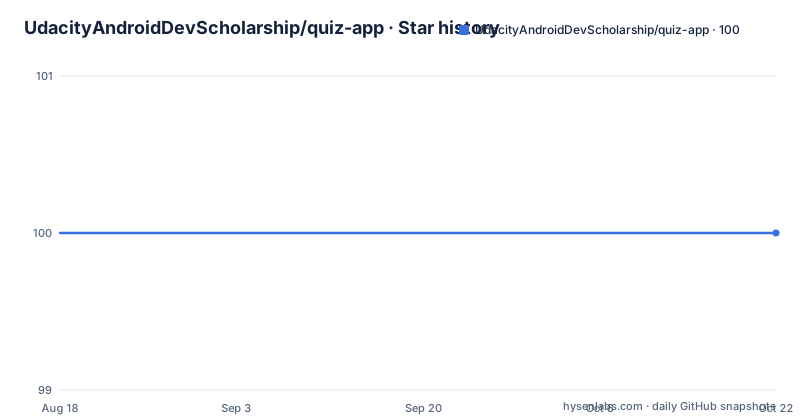
- UdacityAndroidDevScholarship/quiz-app100 ★ · +0
| Repository | 2026-08-18 | 2026-10-22 |
|---|---|---|
| UdacityAndroidDevScholarship/quiz-app | 100 | 100 |
0 Stars in the last 65 days, measured from the daily GitHub snapshot. Compare with other projects
Editorial analysis
The app exists because of a three month challenge
The project is described as a collaborative project made by the Google Udacity Android Developer Scholars, and that context explains almost every requirement. The scholars worked through a structured programme with quizzes attached to it, and one of the stated purposes is access to the quiz material for revision even after the three months challenge has ended. That is the item that turns an app into an archive rather than a practice tool, since without it the useful life of a quiz ends with the cohort's own deadline. The other stated purpose is simply that attempting all the quizzes will be easy for everyone, which is the baseline goal the rest of the list refines: reminders and notifications for the quizzes, easy management of quizzes, and keeping track of all attempted quizzes rather than relying on memory.
Five purposes, and one of them is not about quizzes
The purpose list has five items and the fifth is the odd one out. Four concern the quiz work itself: making all the quizzes easy to attempt, sending reminders and notifications about them, keeping revision access after the three months challenge, and tracking which quizzes have been attempted. The fifth is a resource search feature, described as useful Android resources found from a search keyword. That is a different product inside the same app, aimed at the other half of what a developer in a scholarship does, which is reading about Android rather than being tested on it. Nothing in the README says how the two halves relate, whether the resource search shares the same accounts or the same screens, so whether it shipped as part of the same product is not something this repository will tell you.
Pull requests go to development, and the default branch is master
There is one line in the README that will save a new contributor a rejected pull request: create the pull request to the development branch. That instruction is worth noticing because the default branch in this repository is master, so the branch you land on by cloning is not the branch you are asked to target. That arrangement is normal for a volunteer project that keeps a stable line and an integration line, but it is invisible unless you read the README. The rest of the on-ramp is documents rather than code. There is a CONTRIBUTING.md in the repository to start with, a code style guidelines page in the wiki to read before committing anything, an app requirements wiki, a project boards page, and an app mockups wiki holding the mockups for all screens. Requirements, screens and process live in three different places.
Requirements live in wikis, questions live in Slack
The communication channels are as specific as the branch. Questions go to a Slack channel named for the project, #cp_quiz_app, on the Android Developers India scholars workspace, and that is the only support route the README gives; there is no issue tracker guidance beyond the pull request instruction. Understanding comes from three linked artefacts. There is a video hosted on Google Drive that the README offers for better understanding, a prototype link on invis.io pointing at a dark theme home screen, and a YouTube link about how to contribute to collaborative projects along with the basics of git and GitHub, which tells you the intended reader is someone who has not done this before. Put together, the documentation strategy is: watch, look at the mockup, learn the tools, then read the contributing guide. None of it is in the repository except the contributing guide.
Three mods and four co-mods are named, with their handles
The README credits seven people with GitHub handles attached, which is unusual to find in a student project and useful when you need to know who answers a question. Three are listed as mods: Aditi Soni, Vishal Sehgal and Parth Joshi. Four are listed as co-mods: Kaushal Dhruw, Vansh Badkul, Sagarsrao and Thayumaanavan. That division of seven people for a scholarship cohort project also tells you the intended shape of a contribution, since a pull request to the development branch goes to a maintainer group rather than to an individual. The README opens by thanking people for showing interest and asking them to work together on it, which is consistent with how the project was run: as an open invitation rather than a curated roadmap.
A standard Gradle project with one app module
The repository itself is unremarkable in the best way. At the root there is an app/ directory holding the Android application, a build.gradle and a settings.gradle for the Gradle build, gradle.properties, a gradle/ directory with the wrapper configuration, gradlew and gradlew.bat for Unix and Windows, a .gitignore, the CONTRIBUTING.md, a docs/ directory and a single vector asset, india_text.svg, sitting at the root rather than in the app resources. The primary language recorded for the project is Java, which is the expected language for a cohort project of this vintage and for a build that predates the Kotlin tooling most Android projects use today. There is no library module, no continuous integration configuration referenced in the README, and no test or lint instructions, so the repository tells you what to contribute but not how your change will be verified.
Three releases inside a week, then nothing after October 2018
The release history is short and compressed. Version 1.0, labelled the first version of the quiz app, was published on 14 May 2018, v1.1.3 followed later the same day, and v1.1.4 on 20 May 2018. So the entire tagged history of the app covers one week in May 2018, which is consistent with a project built to a challenge deadline. The last recorded push to the repository is 7 October 2018, several months after the final release, which suggests cleanup and documentation work rather than further features. The repository is not archived, the default branch is master, and there is no licence file at the root, only the README and the contributing guide. Anyone planning to build on this code should settle the licensing question first, because nothing in the repository states one.
Editorial conclusion
quiz-app fits anyone looking at how a scholarship cohort organised a shared codebase, since the contribution rules are unusually explicit and the documentation split between repository and wiki is a useful example of how a volunteer project hands work to newcomers. Three things to know before you clone it. Pull requests go to the development branch while the default branch is master, which is the first thing to get right. Nearly all requirements live in wiki pages rather than in the repository, so the README alone will not tell you what to build. And the project stopped moving in 2018, with the last release in May and the last commit in October, so treat it as a finished artefact to study rather than a codebase to extend. Java, no licence file at the root, maintainers named in the README.
Frequently asked questions
What is the Udacity Android quiz-app?
A collaborative Android project by the Google Udacity Android Developer Scholars. Its purposes are making the scholarship quizzes easy to attempt, sending reminders and notifications, keeping revision access after the three months challenge ends, tracking which quizzes were attempted, and searching Android resources by keyword.
How do I contribute to the quiz-app?
Read CONTRIBUTING.md first, then open your pull request against the development branch rather than master. The code style guidelines, app requirements, project boards and app mockups all live in the project wiki, and questions go to the Slack channel #cp_quiz_app.
Does the quiz-app still get updates?
No. The releases are v1.0 and v1.1.3 from 14 May 2018 and v1.1.4 from 20 May 2018, and the last recorded push is 7 October 2018. The repository is not archived, but nothing has been published since.
Who maintains the quiz-app?
Three mods are named in the README, Aditi Soni, Vishal Sehgal and Parth Joshi, along with four co-mods, Kaushal Dhruw, Vansh Badkul, Sagarsrao and Thayumaanavan. The project was made by the Google Udacity Android Developer Scholars.
What is in the quiz-app repository?
A Gradle Android project: an app module, build.gradle, settings.gradle, gradle.properties, the Gradle wrapper with gradlew and gradlew.bat, a docs directory, an india_text.svg asset at the root, a .gitignore, CONTRIBUTING.md and the README. The primary language is Java.
Official sources
Add this badge to your README
If you maintain this project, the badge below links readers to this analysis and shows its maintenance status from the daily GitHub snapshot. Paste the markdown into your README; add ?metric=license or ?metric=stars to the image URL for a different field.

[](https://hysenlabs.com/projects/udacityandroiddevscholarship-quiz-app)Star history chart for your README
[](https://hysenlabs.com/projects/udacityandroiddevscholarship-quiz-app)