Vyper: a smart contract language that treats Python as a starting point
Pythonic Smart Contract Language for the EVM
At a glance
- What is it?
- A Python-syntax language for the EVM with a compiler that is still shipping pre-releases. Worth understanding how it compiles, installs and versions itself before you write contracts in it.
- Who is it for?
- Vyper makes sense for teams that want a contract language with fewer footguns than Solidity and are willing to accept a compiler that is still labelled a pre-release and warns in its own README to use it with care. The version history is the deciding factor: the recent tags are all 0.5.0 pre-releases.
- Can I use it commercially?
- Check first. The repository uses a licence we do not classify automatically, so read its LICENSE file before any commercial use.
- Is it still maintained?
- Yes. The repository last received commits 2 days ago.
- What is it written in?
- Mainly Python, according to GitHub's language statistics.
Answers come from the project's GitHub data, last synced on November 7, 2026, and from our analysis. They are not legal advice.
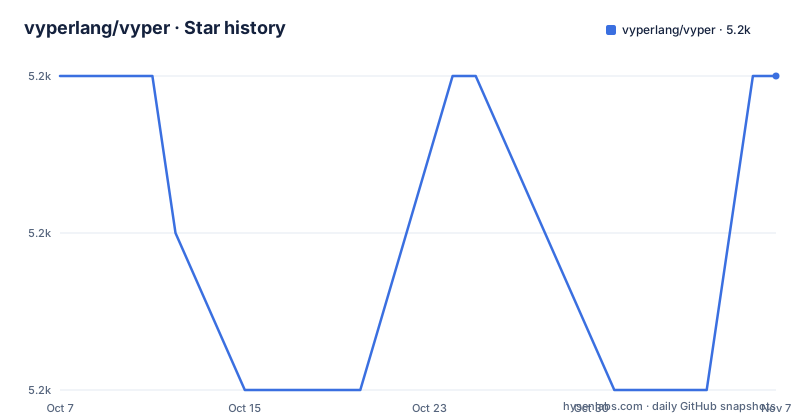
Star history
- vyperlang/vyper5,184 ★ · +0
| Repository | 2026-10-07 | 2026-11-07 |
|---|---|---|
| vyperlang/vyper | 5.2k | 5.2k |
0 Stars in the last 31 days, measured from the daily GitHub snapshot. Compare with other projects
Editorial analysis
What the compiler actually does with a .vy file
Vyper is a Python-syntax language that compiles to EVM bytecode. The README keeps the compiler section deliberately short, and it is worth quoting the shape of it because it tells you what the tool is for.
Compiling a contract is one command:
vyper your_file_name.vyOutput format is chosen with a flag, and the two the README names are bytecode and abi, each redirected to a file:
vyper -f bytecode file-name.vy > file-name.bin
vyper -f abi file-name.vy > file-name.abi
The `-f` flag in practice accepts more than those two. The README's Docker example uses `-f abi_python`, so the interface format is a menu rather than a binary switch.
This is a compiler, not a framework. It takes a file and produces artifacts. Deployment is somebody else's problem, and the README says so by never mentioning a deployment library.
Two install paths and a Docker image meant for contributors
The README routes installation to a documentation page rather than spelling it out, but it does give you both a pip route and a container route, and it is careful about what the container is for.
The package is `vyper` on PyPI, and the Docker image is `vyperlang/vyper` on Docker Hub. The build recipe is a `Dockerfile` on `python:3.11-slim` that installs build tooling including libgmp-dev, copies the source, forces a clean git state so the version string resolves, and sets `ENTRYPOINT ["/usr/local/bin/vyper"]`. Because the entrypoint is the compiler itself, arguments pass straight through:
docker run -v $(pwd):/code vyper --help
docker run -v $(pwd):/code vyper -f abi_python /code/examples/name_registry/name_registry.vy
The README marks the Docker setup as useful for contributors, and points anyone who just wants to use Vyper at the installation documentation instead. That distinction matters more than it sounds: the contributor image builds from source with `pip install .` including the test group, while a user image should be a prebuilt wheel.
The naming difference is the giveaway. The PyPI package is `vyper`. The launcher in the contributor documentation is a local `vyper` entry point created by `make init` and activated from a virtual environment, which is why the same word means both the installed program and your checkout's build output.
Python 3.11 floor, and a dependency list worth reading
`pyproject.toml` requires Python 3.11 or later and below 4, with the build backend set to setuptools using setuptools_scm for versioning. That floor is a real constraint if you are on an older interpreter for other reasons, and it is not negotiable from the source side.
The runtime dependency list is short and tells you what the compiler actually needs: `cbor2`, `pycryptodome`, `packaging`, `lark`, `wheel` and `immutables`. The presence of `lark` explains the parsing architecture. `immutables` matters more than it looks, since a compiler doing repeated graph rewrites benefits from persistent data structures.
Two details in the packaging are easy to miss. The `Makefile` has a `freeze` target that runs pyinstaller to produce a single binary named with the version and operating system, which is how a compiler that needs an interpreter gets distributed to machines without one. And setup.py deliberately strips the local version segment and appends the commit hash into a separate file, because setuptools_scm cannot write that metadata into the package version and `vyper --version` still needs it. Small decisions, both of them consequences of doing version inference from git tags.
Pre-release tags and a compiler backend being rewritten underneath
The three most recent releases are v0.5.0b1, v0.5.0a3 and v0.5.0a2, dated 2026-09-01, 2026-06-14 and 2026-05-29. Every one is an alpha or beta of the same minor version. There is no stable 0.5.0 in this list.
The README carries a bolded note: Vyper is constantly evolving, use with care and understand the risks associated with smart contract development. If you are deploying contracts that hold value, treat a pre-release compiler as a moving target and pin exactly.
Testing, fuzzing and the symbolic execution path
The contributor documentation describes a test setup that says more about the project than any feature list would. `pytest` runs the suite with `-n auto --dist worksteal --strict-markers`, and the configuration deselects fuzzing by default with a marker expression, because fuzzing tests are described as very slow.
Three separate testing paths exist:
pytest -m "fuzzing"
pytest -m "hevm" --hevm
make mypy
The hevm path is the interesting one. It requires installing hevm from its releases page, making sure it is on your PATH, and passing the `--hevm` flag, with tests selected by the `hevm` marker. hevm is a symbolic execution tool for EVM bytecode, which means it can check paths that a unit test with concrete inputs would never reach. For a compiler that lowers source into EVM code, that is the difference between testing that your compiler works and testing that the code it emits is correct.
The marker list in `pyproject.toml` is worth a look too. It defines `requires_evm_version(version)` for tests needing a specific EVM version, and `skip_at_optimization(*levels, reason)` for tests tied to particular optimization levels. Both marker names imply a compiler with multiple optimization levels and multiple target EVM versions, which is more configuration surface than the short README suggests.
A contradiction in how Vyper describes itself
The repository description calls Vyper a Pythonic Smart Contract Language for the EVM. The Dockerfile in the same repository labels the image with the description that Vyper is an experimental programming language. The README warns that the project is constantly evolving and should be used with care.
All three can be true at once, and they are not equally load-bearing. The Dockerfile label is a set string in a packaging recipe and is the least current of the three. The repository description is a one-line summary. The README warning is written by the people shipping the compiler and is the one to take seriously.
On licensing, the same pattern appears. `setup.py` declares the license as Apache License 2.0 and a `LICENSE` file is present at the root of the tree, while GitHub reports the repository license as NOASSERTION.
One more gap worth naming. There is an online compiler at vyper.online, and the README warns in the same paragraph that while its Vyper version is updated regularly, it can lag behind the master branch of this repository. That is exactly why you should not use a hosted compiler for anything you intend to deploy.
Editorial conclusion
Vyper makes sense for teams that want a contract language with fewer footguns than Solidity and are willing to accept a compiler that is still labelled a pre-release and warns in its own README to use it with care. The version history is the deciding factor: the recent tags are all 0.5.0 pre-releases. Compile and inspect bytecode for your target EVM version before committing, keep the online compiler out of any workflow where version drift matters, and read the language documentation rather than assuming Python semantics carry over.
Frequently asked questions
What is Vyper?
Vyper is a programming language for writing smart contracts on the EVM that uses Python-like syntax. It compiles a source file to bytecode, an ABI, or formats such as abi_python, using the vyper command with a -f flag.
Is Vyper ready for production use?
The repository description calls it a smart contract language, the Dockerfile calls it experimental, and the README says it is constantly evolving and should be used with care while readers understand the risks. Recent releases are all 0.5.0 pre-releases, so pin an exact version.
What license does Vyper use?
setup.py declares the license as Apache License 2.0 and a LICENSE file sits at the repository root. GitHub reports the repository license as NOASSERTION, so the source declaration and the license file are the reliable references.
How do I compile a Vyper contract to bytecode?
Run vyper against the source file and choose the output with a flag: vyper -f bytecode file-name.vy writes the bytecode. The same flag also produces an abi, and abi_python output is used in the README's own example commands.
Official sources
Add this badge to your README
If you maintain this project, the badge below links readers to this analysis and shows its maintenance status from the daily GitHub snapshot. Paste the markdown into your README; add ?metric=license or ?metric=stars to the image URL for a different field.

[](https://hysenlabs.com/projects/vyperlang-vyper)Star history chart for your README
[](https://hysenlabs.com/projects/vyperlang-vyper)Was this useful?