Wansmer/treesj for Neovim block splitting and joining
Neovim plugin for splitting/joining blocks of code
At a glance
- What is it?
- TreeSJ is a Lua Neovim plugin that uses Tree-sitter nodes to split and join blocks such as arrays, objects, and statements. It suits Neovim users who want context-aware formatting without placing the cursor at a delimiter.
- Who is it for?
- TreeSJ is a good fit for Neovim users who edit structured code frequently and already work with Tree-sitter parsers. It is less suitable for editors without Neovim 0.9+, code whose parsers or node types are not configured, or formatting rules that require exact language-specific whitespace decisions.
- Can I use it commercially?
- Yes. MIT is a permissive licence: you can use, modify and sell software built on it, as long as you keep its copyright and licence notices.
- Is it still maintained?
- Yes. The repository last received commits 46 days ago.
- What is it written in?
- Mainly Lua, according to GitHub's language statistics.
Answers come from the project's GitHub data, last synced on November 7, 2026, and from our analysis. They are not legal advice.
Star history
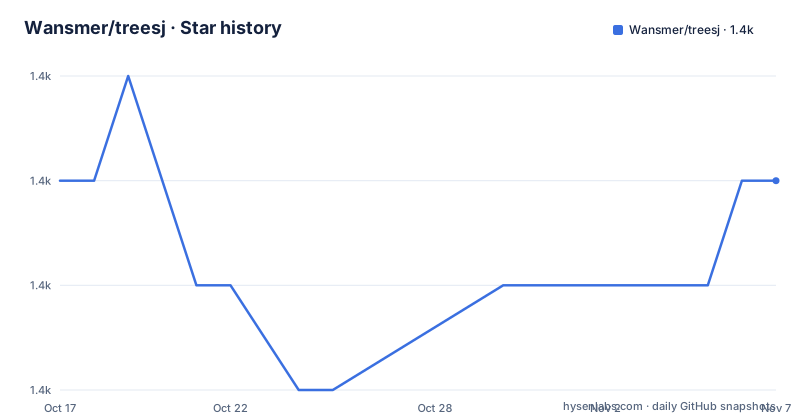
- Wansmer/treesj1,364 ★ · +0
| Repository | 2026-10-17 | 2026-11-07 |
|---|---|---|
| Wansmer/treesj | 1.4k | 1.4k |
0 Stars in the last 21 days, measured from the daily GitHub snapshot. Compare with other projects
Editorial analysis
What TreeSJ changes in Neovim
TreeSJ solves a focused editing problem: turning a compact block into a multiline block, or collapsing a multiline block into fewer lines, without requiring the cursor to sit on a particular opening or closing character. The README describes arrays, hashes, statements, objects, and dictionaries as examples, so the scope is syntax structures rather than ordinary line wrapping. It is intended for Neovim users who want a quick local edit while remaining inside a file, especially users who already rely on Tree-sitter for language-aware editing.
The plugin offers a toggle command, separate split and join commands, and Lua functions for the same operations. It also supports recursive changes, which can expand or collapse nested nodes rather than stopping at the first matching block. The README states that the cursor can follow the text on which the action was invoked, or can be moved to the start or end of the formatted node. Dot-repeat support is enabled by default, allowing an action to be repeated with `.` according to the documented configuration.
TreeSJ is not documented as a full formatter, parser installer, or language server. It depends on Tree-sitter data to recognize syntax nodes, and its behavior for a particular language depends on the presets shipped with the plugin or added by the user. That boundary is important when judging adoption. A project can support a language in its configuration list without guaranteeing that every parser version or custom syntax is already available in the user's Neovim installation.
Tree-sitter node detection and recursive edits
The documented workflow starts when TreeSJ is invoked. It detects the node under the cursor, identifies the language with Tree-sitter, and looks for that node in the language presets. If the current node has no direct preset, it checks parent nodes. The search continues until it finds a configured node or reaches a point where no preset applies.
There are two preset forms. A self preset is applied to the matching node itself. A reference preset points to nested nodes or fields through entries such as `target_nodes`. In that case, TreeSJ continues searching among descendants and formats the first configured target that matches the example described in the README. For example, a cursor inside a number can lead TreeSJ to its enclosing `array`, while a cursor inside a variable declaration can lead through a configured declaration node to an `array` or `object` descendant.
This design explains both the plugin's flexibility and its main failure mode. A syntax tree can contain many possible ancestors and descendants, so the result depends on the selected preset. If a language uses node names or structures that TreeSJ does not expect, the plugin may not find a useful target. The README directs users to inspect node names with nvim-treesitter/playground or parser source code when adding a language. Recursive mode is available as a preset option, including through a Lua mapping that passes `{ split = { recursive = true } }`, but the exact formatting rules for every node type remain configuration data rather than a documented universal algorithm.
Installing TreeSJ with lazy.nvim
The README requires Neovim 0.9 or later. It lists nvim-treesitter as optional, specifically for users who install parsers through nvim-treesitter. The lazy.nvim example assigns the plugin to `<space>m`, `<space>j`, and `<space>s`, declares nvim-treesitter as a dependency, and calls the plugin's `setup()` function. The example contains an empty configuration placeholder, so the documented default settings apply when no custom options are supplied.
Add the plugin specification to the lazy.nvim configuration. The `keys` entries create the plugin's default mappings, while `dependencies` installs nvim-treesitter for parser management. The setup callback is optional in the sense that the plugin provides defaults, but the example shows the intended place for project-specific settings.
return {
  'Wansmer/treesj',
  keys = { '<space>m', '<space>j', '<space>s' },
  dependencies = { 'nvim-treesitter/nvim-treesitter' },
  config = function()
    require('treesj').setup({})
  end,
}
After starting Neovim with this configuration, place the cursor inside a supported block and invoke one of the documented mappings. The README does not describe a separate TreeSJ command for installing parsers, so parser installation should be handled through the parser tooling already used by the Neovim setup. If the parser is missing or the language has no usable preset, TreeSJ cannot provide a documented formatting result.
First split and join operations
TreeSJ exposes user commands and equivalent Lua calls. `:TSJToggle` selects whether the node should be split or joined based on its current form. `:TSJSplit` and `:TSJJoin` perform the named operation directly. These commands are useful for a first use because they avoid guessing which key mapping is configured in a particular environment.
Start with a simple array or object whose Tree-sitter language is supported. Put the cursor anywhere inside the block, run `:TSJSplit`, and inspect the expanded node. Then run `:TSJJoin` to collapse it. If the node is already one line, `:TSJToggle` is the documented combined operation. The README does not promise that every arbitrary block can be split or joined, because the operation depends on the detected node and the language preset.
The Lua API supports direct mappings and optional preset overrides. The default `use_default_keymaps = true` setting controls the default `<space>m`, `<space>j`, and `<space>s` mappings. A custom mapping can call `toggle()` normally or pass a preset fragment for a particular action. The `both` key is ignored when a preset is passed, according to the README.
vim.keymap.set('n', '<leader>m', require('treesj').toggle)
vim.keymap.set('n', '<leader>M', function()
  require('treesj').toggle({ split = { recursive = true } })
end)
The second mapping requests recursive behavior for the split side of the toggle. The README does not specify a command-line interface or a server endpoint, so this is a Neovim-side workflow rather than a standalone command-line tool.
Configuration limits and formatting safeguards
The default configuration exposes several controls that can prevent disruptive edits. `check_syntax_error = true` leaves nodes with syntax errors unformatted. `max_join_length = 120` prevents a node from being joined when the resulting line would exceed the configured maximum. These settings are safeguards, not guarantees that all code will parse correctly or that every joined result will satisfy a project's style guide.
Cursor behavior is configurable as `hold`, `start`, or `end`. The default is `hold`, which follows the node or location where the action was invoked. Notifications can be disabled with `notify = false`, dot-repeat can be disabled with `dot_repeat = false`, and an error callback can be assigned through `on_error`. The settings table also accepts language presets under `langs`.
The default preset list covers JavaScript, TypeScript, TSX, JSX, Lua, CSS, SCSS, HTML, Pug, Vue, Svelte, JSON, JSONC, JSON5, TOML, YAML, Perl, PHP, Ruby, Python, Starlark, Go, Java, Rust, R, C/C++, C#, Nix, Kotlin, Bash, Zsh, SQL, Dart, Elixir, Haskell, Zig, Julia, Terraform, Typst, and QML. The README does not document every preset's exact output or explain how parser grammar changes are handled. For a language not covered, or a node type not represented, the user must add configuration and inspect the resulting behavior.
A practical first check is to compare TreeSJ's output with the project's existing formatter on representative blocks. The plugin changes code layout, so whitespace choices, comments, nested structures, and syntax-error handling can affect reviewability. TreeSJ's maximum line length is configurable, but its presence does not mean the output conforms to an external formatting standard.
TreeSJ versus splitjoin.vim and full formatters
TreeSJ is inspired by splitjoin.vim and partly repeats its functionality, but its implementation and configuration approach differ. TreeSJ is a Lua Neovim plugin built around Tree-sitter nodes. Its preset model includes direct node configurations, descendant references, language settings, recursive options, cursor behavior, and syntax-error handling. splitjoin.vim is identified in the README as the source of inspiration, but the README does not document a detailed comparison of its configuration or implementation.
Compared with a full file formatter, TreeSJ is narrower. The README describes local split and join actions triggered by the cursor rather than a complete file-formatting pipeline. This can be useful when the desired change is one block and the rest of the file should remain untouched. A formatter that owns the entire file may be preferable when a project requires consistent formatting across all files, but the README does not document a specific formatter's behavior, so the practical distinction is scope rather than a claim about output quality.
The alternative to consider is splitjoin.vim when the user specifically wants the plugin from which TreeSJ takes inspiration, or another Neovim editing approach documented for the user's language set. TreeSJ is the closer match when Tree-sitter node awareness, Neovim 0.9+, Lua configuration, recursive operations, and cursor tracking are the deciding requirements. The choice should be based on preset coverage and observed results for the target language.
Maintenance, licensing, and repository status
The repository is not archived. Its last push was on 2026-09-23. That supports describing the project as recently pushed, but it does not establish a release cadence or guarantee compatibility with future Neovim and parser changes. The repository has no GitHub releases, so there is no release version or changelog to use as an upgrade anchor. The README and repository layout show Lua source under `lua/`, documentation under `doc/`, tests under `tests/`, and a `Makefile` with test and lint targets.
The project uses the MIT license. That identifier permits use under the terms of the license, but license interpretation and compliance are separate from whether a particular integration works. An upgrade can also require checking Neovim version requirements, parser availability, configuration changes, and changes in the repository because the project does not publish GitHub releases.
The Makefile documents a parser preparation target and test commands using headless Neovim and PlenaryBusted. It also documents `lint-fix` using `stylua`. These are repository development commands, not installation instructions for end users. The `docs` target references a local `panvimdoc.sh` path, so it is not a portable user installation step.
Editorial conclusion
TreeSJ is a good fit for Neovim users who edit structured code frequently and already work with Tree-sitter parsers. It is less suitable for editors without Neovim 0.9+, code whose parsers or node types are not configured, or formatting rules that require exact language-specific whitespace decisions. Verify parser availability, the relevant language preset, the cursor behavior, and the maximum joined line length before adopting it for a project.
Frequently asked questions
What is Wansmer/treesj used for in Neovim?
It splits and joins code blocks such as arrays, objects, statements, and dictionaries. The README says TreeSJ uses Tree-sitter to detect the node under the cursor and can toggle between one-line and multiline forms.
Does Wansmer/treesj require nvim-treesitter?
The README lists Neovim 0.9+ as a requirement and describes nvim-treesitter as optional, specifically when parsers are installed with it. TreeSJ still needs Tree-sitter language data to recognize syntax nodes.
How do I configure Wansmer/treesj for a language or custom node?
Pass a `langs` table to `require('treesj').setup()`. A language entry can contain presets for nodes such as `array` and `object`, and references can use `target_nodes`. The README recommends inspecting node names with nvim-treesitter/playground or parser source code.
Does Wansmer/treesj keep the cursor in place?
The default `cursor_behavior` is `hold`, which makes the cursor follow the node or place where the action was called. It can also be set to `start` or `end`.
What commands does Wansmer/treesj provide?
The documented commands are `:TSJToggle`, `:TSJSplit`, and `:TSJJoin`. Equivalent Lua calls are `require('treesj').toggle()`, `require('treesj').split()`, and `require('treesj').join()`.
Official sources
Add this badge to your README
If you maintain this project, the badge below links readers to this analysis and shows its maintenance status from the daily GitHub snapshot. Paste the markdown into your README; add ?metric=license or ?metric=stars to the image URL for a different field.

[](https://hysenlabs.com/projects/wansmer-treesj)Star history chart for your README
[](https://hysenlabs.com/projects/wansmer-treesj)Was this useful?