ibm-watson Node.js SDK: setup, authentication, and service boundaries
:comet: Node.js library to access IBM Watson services.
At a glance
- What is it?
- The ibm-watson package provides typed Node.js clients for IBM Watson services such as Assistant, Discovery, Natural Language Understanding, Speech to Text, and Text to Speech. It is suited to server-side applications that can use IAM credentials or downloaded IBM credential files, but browser support remains conditional on CORS and server-generated tokens.
- Who is it for?
- Adopt ibm-watson when a Node.js or TypeScript application needs an official client for the covered IBM Watson services and its IAM or credential-file authentication fits the deployment. Do not choose it as a generic AI platform or assume browser compatibility without checking CORS and token handling.
- Can I use it commercially?
- Yes. Apache-2.0 is a permissive licence: you can use, modify and sell software built on it, as long as you keep its copyright and licence notices.
- Is it still maintained?
- Yes. The repository last received commits 1 day ago.
- What is it written in?
- Mainly TypeScript, according to GitHub's language statistics.
Answers come from the project's GitHub data, last synced on November 7, 2026, and from our analysis. They are not legal advice.
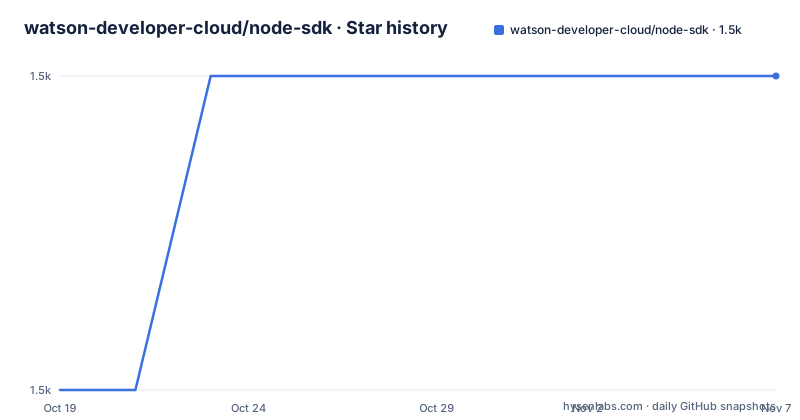
Star history
- watson-developer-cloud/node-sdk1,475 ★ · +1
| Repository | 2026-10-19 | 2026-11-07 |
|---|---|---|
| watson-developer-cloud/node-sdk | 1.5k | 1.5k |
1 Stars in the last 19 days, measured from the daily GitHub snapshot. Compare with other projects
Editorial analysis
What ibm-watson covers in a Node.js application
The ibm-watson package is a service-specific client library rather than a general-purpose model runtime. It gives JavaScript and TypeScript applications interfaces for IBM Watson APIs, including Assistant, Discovery, Natural Language Understanding, Speech to Text, and Text to Speech. Those names correspond to directories in the repository, which also contain an auth entry point, shared library code, tests, and examples.
This package is aimed at developers who already have an IBM Cloud account and a provisioned Watson service instance. The README directs users to the IBM Cloud resource list or AI catalog, then to the Manage page of the selected instance to obtain credentials. It does not create an application from a prompt, train a model, or replace the Watson service endpoints. Instead, it handles the Node.js client layer around those services.
The fit is strongest for server-side Node.js applications. Browser use is possible with most bundlers according to the README, but the SDK does not make every service browser-ready. Service-side CORS support is required, and most compatible browser flows still need an authorization token generated on the server. That boundary makes the package different from a browser-only library designed to hold a service API key in client code.
Service modules, imports, and request construction
The repository is organized around individual service surfaces. The top-level entries include assistant/, discovery/, natural-language-understanding/, speech-to-text/, and text-to-speech/, while auth/ contains authentication-related exports. The README demonstrates a direct import from a service path rather than a single undifferentiated client object:
import AssistantV2 from 'ibm-watson/assistant/v2';
import { IamAuthenticator } from 'ibm-watson/auth';
That structure allows an application to load the API surface it needs instead of importing every Watson module. The service constructor receives an authenticator and configuration such as the API version. Assistant examples also show CommonJS imports, so the documentation does not impose ES module syntax on every project.
The repository contains dedicated example files for Assistant V1, Natural Language Understanding V1, Speech to Text V1, and Text to Speech. It also includes WebSocket-oriented Text to Speech examples, browser bundles, and resources. These entries indicate that the SDK covers request-oriented APIs as well as streaming or browser-related integration cases. The README does not provide a complete request-body tutorial for every service, so the correct endpoint and parameters should be taken from the example corresponding to the service being integrated.
Installing ibm-watson and constructing AssistantV2
The documented installation is a normal npm dependency. The prerequisites section says Node >= 20, although the same section also says the SDK is tested with Node versions 16 and up. Those statements do not establish equal support for every earlier release. For a new deployment, Node 20 or a newer compatible runtime is the clearer choice based on the stated prerequisite.
Install the package in the project:
npm install ibm-watsonThe README's first ES module example creates an Assistant V2 client with IAM authentication. Replace the documented credential and version placeholders with values for the provisioned service:
import AssistantV2 from 'ibm-watson/assistant/v2';
import { IamAuthenticator } from 'ibm-watson/auth';

const assistantClient = new AssistantV2({
  authenticator: new IamAuthenticator({ apikey: '{apikey}' }),
  version: '{version}',
});
The constructor establishes the client configuration, while `IamAuthenticator` supplies the IAM API key. This example stops before an API method call, so it confirms setup rather than a complete assistant interaction. The `examples/` directory is the documented place for basic and advanced calls, and its service-specific files provide more realistic starting points than treating the constructor snippet as a full application.
IAM, username and password, and credential-file discovery
Authentication is separated from service clients through authenticator objects. The README lists IAM, username and password, ICP authentication, and mcsp for services running on AWS. It also says the SDK can read externally configured credentials from a file or environment variables. This matters because a service instance's Manage page may provide credentials for one scheme or another, and choosing the wrong authenticator will leave the application unable to authenticate as intended.
The least explicit code path uses a downloaded `ibm-credentials.env` file. By default, the SDK searches the path in `IBM_CREDENTIALS_FILE`, the system home directory, and then the current working directory. The environment variable takes precedence. A directory may be supplied, in which case the SDK looks for `ibm-credentials.env` inside it:
export IBM_CREDENTIALS_FILE="<path>"With a credential file and no explicit authenticator, the README shows this Assistant V2 construction:
const AssistantV2 = require('ibm-watson/assistant/v2');
const assistant = new AssistantV2({ version: '2024-08-25' });
There is an important Assistant-specific exception. Because of legacy behavior in Assistant V1 and V2, the README says `serviceName` must be added when relying on credential-file resolution:
const AssistantV2 = require('ibm-watson/assistant/v2');
const assistant = new AssistantV2({
  version: '2024-08-25',
  serviceName: 'assistant',
});
That requirement reverses when the application relies on `VCAP_SERVICES`. The README says `serviceName` must be removed in that case or `VCAP_SERVICES` authentication will fail. This is a concrete configuration trap, not a cosmetic option.
Credential handling and browser deployment limits
The SDK supports browser bundling, but it does not turn browser deployment into a single-step configuration. The README says that, starting with v5.0.0, the SDK should work in the browser out of the box with most bundlers. It separately warns that not all services support CORS and that most services require a server-side token generation flow through the Authorization Service. The `examples/browserify/` and `examples/webpack/` entries demonstrate that bundling is an intended path, not merely a theoretical claim.
The deployment responsibility therefore remains split. A server-side component must obtain or generate the authorization token, while the client code receives the token and calls a CORS-enabled Watson service. Putting an IAM API key directly into browser-delivered JavaScript would conflict with the README's described server-side token approach. The documentation does not enumerate which current service supports CORS, so an engineer must verify that for the selected service before designing the browser flow.
This limitation also affects how the package should be evaluated for mobile, desktop, or edge deployments. Browser compatibility does not mean every Watson endpoint can be reached from every runtime. It means the JavaScript module can be bundled where network policy and CORS permit the request.
Versioning, release maintenance, and upgrade cost
The repository is not archived. Its last push was on 2026-10-11, so the project has recent repository activity. The package metadata lists version 12.2.0, and the release history includes v12.2.0 on 2026-01-22, v12.1.1 on 2025-11-12, and v12.1.0 on 2025-11-11. The release workflow and semantic-release configuration in the repository indicate a versioned package release process, although the README does not define a long-term support policy.
The package uses semantic versioning, so an upgrade may change dependency requirements or generated service interfaces. The README also requires an explicit Assistant `version` value. That API date or version is part of service behavior, distinct from the npm package release number. Teams should review changes to service clients, authentication behavior, and Node.js requirements rather than treating `npm update` as the entire migration.
The Apache-2.0 license permits use and modification under its terms, but license review remains an organization-specific decision. The repository's `LICENSE`, `CHANGELOG.md`, and release documentation are the relevant files for examining exact obligations and release changes. No claim about compatibility with every Watson service or every Node.js release follows from the license or the version number alone.
When the SDK is the wrong abstraction
The package is the wrong tool when the application does not need one of the IBM Watson services represented in its service modules. It does not provide a general HTTP client that automatically makes arbitrary Watson products usable, and the README does not claim compatibility with every current Watson offering. A developer needing a newer or unlisted service should check its API documentation and assess whether `ibm-watson` exposes a corresponding module.
It is also a poor fit for a purely local application that has no IBM Cloud service instance or credentials. The SDK can simplify authentication and request construction, but it cannot replace provisioning the service, selecting the correct authentication method, or obtaining an API key.
For browser-only prototypes, the CORS limitation can eliminate the SDK as a direct option. A server-side proxy, a service with confirmed CORS support, or a different client architecture may be required. The repository examples can guide bundling, but they cannot remove that deployment constraint.
Editorial conclusion
Adopt ibm-watson when a Node.js or TypeScript application needs an official client for the covered IBM Watson services and its IAM or credential-file authentication fits the deployment. Do not choose it as a generic AI platform or assume browser compatibility without checking CORS and token handling. Verify the required Node.js version, service credential type, Assistant version and serviceName requirement, credential-file location, and the first API call against the intended service before integrating the package.
Frequently asked questions
How do I install and authenticate the ibm-watson Node.js SDK?
Run `npm install ibm-watson`, then create the relevant service client with an authenticator such as `IamAuthenticator`, or place a downloaded `ibm-credentials.env` file where the SDK can find it. The README documents Node >= 20 as the prerequisite, while also stating that the SDK is tested with Node versions 16 and up.
Where does ibm-watson look for ibm-credentials.env?
It searches the directory specified by `IBM_CREDENTIALS_FILE`, the system home directory, and the current working directory, in that order. The environment variable takes precedence and may point to a file or a directory containing `ibm-credentials.env`.
Does AssistantV2 need serviceName when using ibm-credentials.env?
The README says yes. For Assistant V1 and V2, set `serviceName: 'assistant'` when using the credential-file flow because of documented legacy behavior. If authentication comes from `VCAP_SERVICES`, the README says to remove `serviceName`.
Can I use ibm-watson in a browser?
The README says the SDK should work with most bundlers, but not all services support CORS. Most browser-compatible services also require an authorization token generated server-side, so direct browser deployment depends on both CORS and server-side token handling.
Official sources
Add this badge to your README
If you maintain this project, the badge below links readers to this analysis and shows its maintenance status from the daily GitHub snapshot. Paste the markdown into your README; add ?metric=license or ?metric=stars to the image URL for a different field.

[](https://hysenlabs.com/projects/watson-developer-cloud-node-sdk)Star history chart for your README
[](https://hysenlabs.com/projects/watson-developer-cloud-node-sdk)Was this useful?