websocket-client has zero runtime dependencies, no compression, and one long-lived example aimed at a live exchange
WebSocket client for Python
At a glance
- What is it?
- An Apache-2.0 Python WebSocket client that exposes low-level protocol access and depends on nothing at all, with optional extras for proxying, tests and documentation. The readme documents two exact performance multipliers and the issue number for a suggestion that was removed, links the protocol to an obsolete draft, repeats that a graceful server close is not retried, and its documentation extra lists two packages where the packaging requires three.
- Who is it for?
- websocket-client is worth choosing when you want control over the protocol rather than a convenience wrapper, because it gives you the low-level client, an application class with event callbacks, and a single function for the short-lived case, with no runtime dependencies to audit and no compression support to trip over. Two things to know before you build on it.
- Can I use it commercially?
- Yes. Apache-2.0 is a permissive licence: you can use, modify and sell software built on it, as long as you keep its copyright and licence notices.
- Is it still maintained?
- Yes. The repository last received commits 5 days ago.
- What is it written in?
- Mainly Python, according to GitHub's language statistics.
Answers come from the project's GitHub data, last synced on November 23, 2026, and from our analysis. They are not legal advice.
Star history
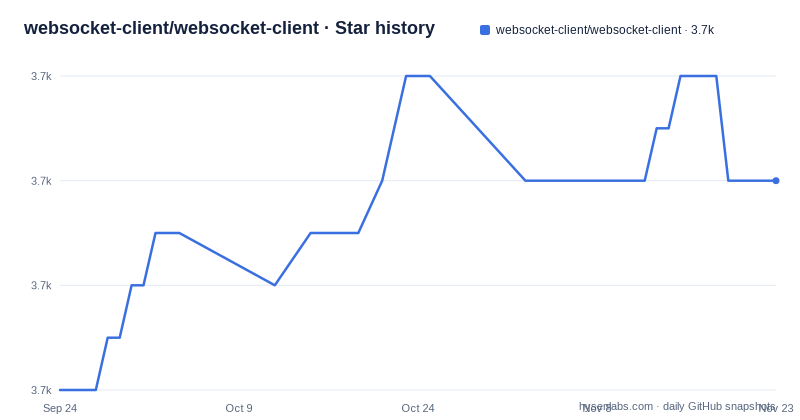
- websocket-client/websocket-client3,710 ★ · +4
| Repository | 2026-09-24 | 2026-11-23 |
|---|---|---|
| websocket-client/websocket-client | 3.7k | 3.7k |
4 Stars in the last 60 days, measured from the daily GitHub snapshot. Compare with other projects
Editorial analysis
Zero runtime dependencies and three optional extras
The packaging script declares an explicitly typed empty list of runtime requirements, so there is nothing to audit, nothing to conflict with, and nothing that can break under a resolution. Feature-gated packages sit behind three extras instead: one for proxy support and a validation accelerator, one for running the test suite, and one for building documentation. Two of those are worth a second look. The test extra pulls in a different WebSocket library entirely, because the suite runs against a local echo server and needs a server implementation that is not the code under test. And the documentation extra requires three packages where the readme's installation section names two, so following the readme exactly leaves you one package short of a working documentation build.
No compression support, stated twice and in the specification
The readme says twice, in two different sections, that the client does not support the compression extension defined in a later specification, and it links the extension by number rather than describing it. That is a real interoperability constraint rather than an omission: a server that requires or prefers compression will not negotiate successfully, and the failure will look like a connection problem rather than a missing feature. What is more interesting is what surrounds it. The paragraph names the protocol version it implements and links it to a draft URL on the old document host, while a later paragraph in the same file links a close-code section on the current specification host. So the project links a superseded draft for its core protocol reference while linking the published specification for a detail.
Two performance numbers and the issue that retired a third suggestion
The performance section is the most honest documentation in the file, because it names the two methods that can bottleneck, tells you which parameter turns off the expensive one, and then gives exact multipliers for the accelerator: it doubles the speed of text validation and offers a ten percent boost on payload masking, which the readme describes as very minor. Then comes the sentence nobody writes, which is that an array library used to be suggested as a way to make this faster until an issue found that it did not help, and the issue is linked. That is a project recording a failed recommendation and citing the evidence, which is rarer than it should be and more useful than another two multipliers would have been.
A graceful server close is treated as final
The current README documents automatic reconnection with a non-zero delay, for example `ws.run_forever(reconnect=5)`. Its built-in dispatcher supports this directly, while a custom dispatcher is optional. It also states that the current version retries after a WebSocket close frame, including a normal close; use `reconnect=0` or call `ws.close()` to stop retries. Check the documentation for the version you install, because older releases may behave differently.
The long-lived example points at a live commercial feed
Both worked examples depend on somebody else's server. The short one creates a connection to a public echo endpoint, prints what comes back, sends a message and receives it, which is the right shape for a smoke test. The long-lived one is the interesting problem: it connects to a production market data feed belonging to a commercial exchange, and it enables the library's own protocol tracing before doing so. Nobody can run that example without an account and credentials at that exchange, which means the one piece of code a real user most wants is the one piece they cannot paste and run. The example is also cut off partway through its list of callbacks, so it ends mid-argument. The repository's own example scripts are all echo-server clients, which is the right default and quietly confirms the point.
Author and maintainer are different people, and the copyright names the maintainer
The packaging script lists one person as the author and a different one as the maintainer, and the file's own licence header carries a copyright line naming the maintainer with the current year. So the library has changed hands at some point, the original author is still credited in the metadata, and the person actually doing the work is the one in the copyright. That is ordinary and handled correctly. It is worth reading closely because the readme credits neither party, so a user looking for who to contact finds nothing there, and the only route is the metadata or the issue tracker. For a library with this many users, the readme is where a maintainer's name belongs.
Three packaging files and a shell script that publishes the package
The repository carries a modern project metadata file, a setup script, and a legacy configuration file. The project file contains a build-backend block and nothing else, so every piece of metadata lives in the setup script, which is the file you have to read to learn the package's name, its version, its extras, its maintainer and its interpreter floor. Publishing is a shell script at the root rather than a workflow, so the release path is a person running a command on a machine. Alongside that: a coverage configuration, a type-checker configuration, a documentation build configuration, a change log file with an older naming convention than most projects use now, and a compliance directory for third-party licence paperwork.
A footnote about escaping brackets is the most practical line in the readme
At the end of the installation section, past the extras and past the note about the optional reconnect library, there is a one-line footnote: some shells require you to escape the square brackets in an extras specification with a backslash. It is the kind of line that saves an afternoon for someone whose shell treats brackets as a pattern, and it is there because the readme tells you to install three extras with bracketed names and that is the failure mode. A custom dispatcher is optional in the current documented version; the built-in dispatcher supports a non-zero reconnect delay. Read top to bottom the file is a little disordered, but the three things a new user needs, the extras, shell escaping and reconnection options, are all in it. The short-lived example is the copy-and-paste path, and it is eight lines between the import and the close:
from websocket import create_connection

ws = create_connection("ws://echo.websocket.events/")
print(ws.recv())
print("Sending 'Hello, World'...")
ws.send("Hello, World")
print("Sent")
print("Receiving...")
result =  ws.recv()
print("Received '%s'" % result)
ws.close()
Notice the doubled space in the line assigning the result, which is the kind of thing that survives in a file nobody has opened in years, and notice too that the readme's own worked example depends on a third-party public echo host staying online. Both are reasons to write your two-line test against your own server rather than copying this one.
Editorial conclusion
websocket-client is worth choosing when you want control over the protocol rather than a convenience wrapper, because it gives you the low-level client, an application class with event callbacks, and a single function for the short-lived case, with no runtime dependencies to audit and no compression support to trip over. Two things to know before you build on it. It does not implement the compression extension, so if your server negotiates it, that negotiation is your problem, and its threading story is documented as minimal rather than designed. And the reconnect behaviour is narrower than the word suggests: it retries a lost network connection, but a graceful server close is treated as final, which is a deliberate decision with a linked explanation and needs handling in your close callback.
Frequently asked questions
how to install websocket-client
With pip from the index, or from a local copy in editable mode. The package is tested on Python 3.10 and newer. Optional features come from three extras: one for proxying and validation speed, one for the test suite, one for building the documentation.
what is websocket client
This project is a Python client that provides access to low-level WebSocket APIs, implementing version 13 of the WebSocket protocol. It is not a server, and it does not implement the per-message compression extension.
websocket client vs websockets python
The other library is a dependency of this project's test extra rather than an alternative to it: the test suite runs against a local echo server and needs a server-side implementation. This client is the one that exposes the low-level client and the application class.
Does websocket-client support compression?
No. The readme states in two places that it does not support the per-message deflate extension, and lists the absence of compression alongside minimal threading documentation as known issues.
Why does my websocket-client connection not reconnect?
In the current documented version, pass a non-zero reconnect delay to run_forever, such as reconnect=5. The built-in dispatcher supports this; a custom dispatcher is optional. The README says this also retries after close frames, including normal closure. Use reconnect=0 or close the app to stop automatic retries; behavior may differ in older releases.
Official sources
Add this badge to your README
If you maintain this project, the badge below links readers to this analysis and shows its maintenance status from the daily GitHub snapshot. Paste the markdown into your README; add ?metric=license or ?metric=stars to the image URL for a different field.

[](https://hysenlabs.com/projects/websocket-client-websocket-client)Star history chart for your README
[](https://hysenlabs.com/projects/websocket-client-websocket-client)Was this useful?