rubyXL: reading and editing .xlsx workbooks from Ruby without losing the structure
Ruby lib for reading/writing/modifying .xlsx and .xlsm files
At a glance
- What is it?
- rubyXL is an MIT licensed Ruby gem that parses and modifies Open XML spreadsheet files, with an emphasis on opening files produced by Excel, changing a few things and saving them back with as much of the original structure intact as possible. It suits a Ruby service that produces or patches spreadsheets, and it does not handle the legacy binary .xls format at all.
- Who is it for?
- rubyXL fits a Ruby codebase that has to read Excel output or patch a workbook and hand it back to a user, because the gem keeps the OOXML structure rather than rebuilding the file, which is what stops Excel from complaining about the result.
- Can I use it commercially?
- Yes. MIT is a permissive licence: you can use, modify and sell software built on it, as long as you keep its copyright and licence notices.
- Is it still maintained?
- Yes. The repository last received commits 5 days ago.
- What is it written in?
- Mainly HTML, according to GitHub's language statistics.
Answers come from the project's GitHub data, last synced on November 7, 2026, and from our analysis. They are not legal advice.
Star history
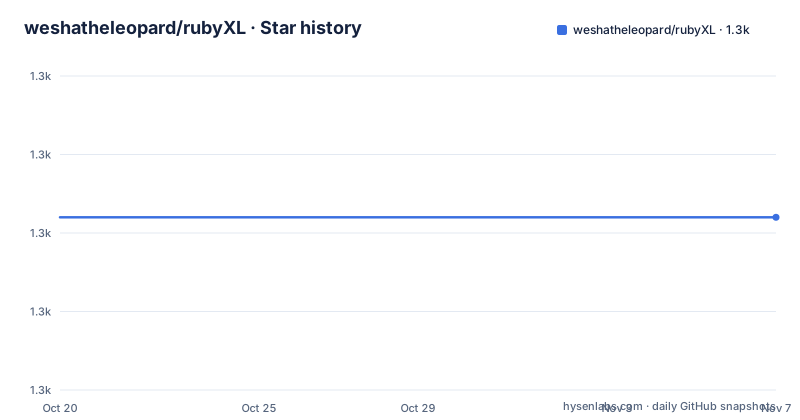
- weshatheleopard/rubyXL1,322 ★ · +0
| Repository | 2026-10-20 | 2026-11-07 |
|---|---|---|
| weshatheleopard/rubyXL | 1.3k | 1.3k |
0 Stars in the last 18 days, measured from the daily GitHub snapshot. Compare with other projects
Editorial analysis
The stated goal is a round trip that keeps the file intact
rubyXL is described as supporting operating on xlsx files in the Open XML format, and the README is careful about the emphasis. While the gem is capable of properly parsing the entire OOXML structure, its current main emphasis is on reading files produced by MS Excel, making minor modifications to them and saving them to be opened again, while preserving as much of the structure as possible. That is a much narrower claim than being a general spreadsheet library, and it is the right one to read first. The typical use is not building a spreadsheet from nothing, it is taking a file somebody else made, changing a value, and returning it in a form Excel still opens without a repair prompt. The library is written in Ruby, with the gemspec, lib/ directory, spec/ and test/ directories at the repository root and a RubyGems badge in the README.
Memory is why the convenience methods are opt-in
Since version 3.4.0 the main data structure has been separated from the convenience methods that give access to individual features of the xlsx format, and the reason given is to decrease the memory footprint. If you intend to use those features you have to require the specific files yourself.
require 'rubyXL/convenience_methods/cell'
require 'rubyXL/convenience_methods/color'
require 'rubyXL/convenience_methods/font'
require 'rubyXL/convenience_methods/workbook'
require 'rubyXL/convenience_methods/worksheet'
If you do not care about RAM usage, requiring them all at once keeps the old behaviour.
require 'rubyXL/convenience_methods'The split is per feature area, cell, color, font, workbook and worksheet, so a script that only reads values can avoid loading the font and color machinery. That is a meaningful design decision for a gem that has to open large workbooks inside a service with a fixed memory budget.
Sparse arrays are the trap, and the README says so twice
The accessors are convenient, but the README repeats a warning in two places that a reader should not skip. The worksheet is a sparse array of rows and your code must expect that any row it plucks from the array may be nil, and the same warning applies to rows being sparse arrays of cells. The indexing is layered, with sheet_data giving the raw array and the bracket form giving the same thing more tersely.
worksheet = workbook[0]
worksheet.sheet_data[0]   # Returns first row of the worksheet
worksheet[0]            # Returns first row of the worksheet

worksheet.sheet_data[0][0] # Returns cell A1 in the worksheet
worksheet[0][0]            # Returns cell A1 in the worksheet
A cell exposes a converted value, so a cell the file claims holds a number comes back as an Integer or a Float rather than a string, and there is an Excel-style accessor for single cells.
cell = worksheet.cell_at('B11')A worksheet can also be fetched by name, and the README notes the Excel limit that sheet names are restricted to 31 characters.
Cell wrappers read formatting, and the row and column ones are being retired
A cell object exposes wrappers for its properties, with is_struckthrough returning true when the cell is struck through and the other booleans following the same pattern, plus font_name, font_size, font_color, fill_color, horizontal_alignment, vertical_alignment, get_border and get_border_color for a given edge, and text_rotation.
cell = workbook[0][0][0]
cell.is_struckthrough
cell.font_name
cell.get_border(:top)
The row and column equivalents are marked differently. The README states that these methods are being phased out in favour of the OOXML object model, so worksheet.get_row_fill, get_row_font_name, get_row_height, get_column_width and their relatives are on the way out, while the cell-level wrappers are not. If you are writing new code against this gem, the object model is the direction to go.
Modification is per cell, per row and per column
The writing side mirrors the reading side. A worksheet is added with workbook.add_worksheet('Sheet2') and renamed by assigning to sheet_name, again within the 31 character limit. Cells are added with add_cell taking row, column, value and optionally a formula, so the first example sets A1 to the string A1 and the second sets the formula in B1 to =A1. Changing a cell preserves the formula with change_contents, and shared strings are created with add_shared_string so the same string can be shared across cells rather than duplicated.
worksheet.add_cell(0, 0, 'A1')      # Sets cell A1 to string "A1"
worksheet.add_cell(0, 1, '', 'A1')  # Sets formula in the cell B1 to '=A1'
Formatting is changed through change_font_bold on a cell, change_row_italics and change_column_font_name on the worksheet, change_fill for backgrounds with a hex colour, and change_border for edges with a weight of hairline, thin, medium or thick and a direction of top, bottom, left, right or diagonal, with a separate change_border_color call, and the README notes you should set the border style first so there is something to colour.
Installation is one gem command, and .xls is a dead end
The install is a single command, and the require is a single line.
gem install rubyXLrequire 'rubyXL' # Assuming rubygems is already requiredThe limitation to check first is format. The gem supports the xlsx Open XML format, and the proprietary binary xls format is not supported at all, with the README pointing to the spreadsheet gem if you need to parse those. That is a hard boundary rather than a limitation of the current implementation, and it is the first thing to confirm before designing anything around this library, since a lot of spreadsheets still arrive in the older format from older systems even when Excel itself has moved on. The repository also carries a .rubocop.yml, a CircleCI badge, a Rakefile, a CHANGELOG.md and a VERSION file, and the last push was on 2026-10-14 with the repository not archived.
Editorial conclusion
rubyXL fits a Ruby codebase that has to read Excel output or patch a workbook and hand it back to a user, because the gem keeps the OOXML structure rather than rebuilding the file, which is what stops Excel from complaining about the result. It is a poor fit for anything that has to open the old binary .xls format, since the README is explicit that that is not supported, and a poor fit if you need charts, pivot tables or conditional formatting preserved, because the documented emphasis is on cell-level content and simple formatting. Verify first whether the spreadsheets you need are .xlsx or .xlsm, and note that requiring the convenience methods pulls in a memory cost the gem is explicitly designed to let you avoid.
Frequently asked questions
Can rubyXL read the old binary .xls format?
No. The README states that the proprietary binary xls format is not supported by the gem, and points to the spreadsheet gem if you need to parse those files. Only the xlsx Open XML format is handled.
Why do I have to require the convenience methods separately?
Since version 3.4.0 the main data structure has been separated from the convenience methods in order to decrease the memory footprint, so you require the specific files for cell, color, font, workbook or worksheet, or require rubyXL/convenience_methods to get them all at once as before.
How do I read a cell value from a worksheet in rubyXL?
Index the worksheet, then the row, then the cell, for example worksheet[0][0] for A1, or use worksheet.cell_at('B11') for Excel-style single cell references. The value comes back converted, so a cell the file claims holds a number returns an Integer or Float.
How do I add a cell with a formula using rubyXL?
Call add_cell on the worksheet with the row index, the column index, the value and the formula, so worksheet.add_cell(0, 1, '', 'A1') sets the formula in B1 to =A1. Worksheets themselves are added with workbook.add_worksheet.
Official sources
Add this badge to your README
If you maintain this project, the badge below links readers to this analysis and shows its maintenance status from the daily GitHub snapshot. Paste the markdown into your README; add ?metric=license or ?metric=stars to the image URL for a different field.

[](https://hysenlabs.com/projects/weshatheleopard-rubyxl)Star history chart for your README
[](https://hysenlabs.com/projects/weshatheleopard-rubyxl)Was this useful?