sortgs: ranking Google Scholar hits by citations, with a CSV at the end
Ranking Google Scholar search results based on the number of citations
At a glance
- What is it?
- sortgs is a Python command line tool that queries Google Scholar and reorders the results by citation count, adding a citations-per-year column and writing a CSV. It works through requests and falls back to selenium, and the tool is explicit that repetitive queries can trip Google's CAPTCHA checks.
- Who is it for?
- sortgs fits a researcher or librarian who needs a reproducible ranked reading list for one field, exported as CSV, and it does not fit a scheduled pipeline that pulls thousands of results, because the tool's own documentation warns that Google Scholar blocks access after too many repetitive requests.
- Can I use it commercially?
- Not without permission. GitHub finds no licence file in the repository, and without a licence all rights are reserved by default: you may read the code but not reuse it. Check the README, or ask the authors, before using it.
- Is it still maintained?
- Yes. The repository last received commits 8 days ago.
- What is it written in?
- Mainly Python, according to GitHub's language statistics.
Answers come from the project's GitHub data, last synced on November 7, 2026, and from our analysis. They are not legal advice.
Star history
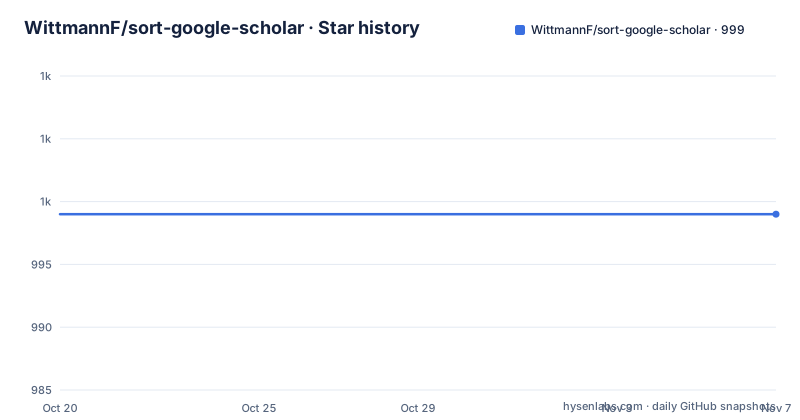
- WittmannF/sort-google-scholar999 ★ · +0
| Repository | 2026-10-20 | 2026-11-07 |
|---|---|---|
| WittmannF/sort-google-scholar | 999 | 999 |
0 Stars in the last 18 days, measured from the daily GitHub snapshot. Compare with other projects
Editorial analysis
What the tool actually collects from a Scholar query
sortgs is described as a Python tool for ranking Google Scholar publications by the number of citations, and it is presented as useful for finding relevant papers in a specific field. The data it acquires from Google Scholar includes Title, Citations, Links, Rank, and a new column with the number of citations per year. That last column is the substantive addition, because raw citation counts mislead badly in fields where older papers have had more time to accumulate them. The tool is published on PyPI under the package name sortgs, with the console entry point declared in pyproject.toml as sortgs = sortgs.sortgs:main. The author is Fernando Marcos Wittmann, and the package is classified as MIT in the packaging metadata, though the repository itself does not carry a LICENSE file at the top level.
requests first, selenium as the fallback
The fetching strategy is described in one sentence in the README: in the background, it first tries to fetch results using python requests, and if that fails it uses selenium to fetch the results. That ordering is a deliberate trade-off. A plain HTTP request is fast and light, but Scholar's response to a non-browser client is often a block page, and the fallback exists precisely for that case. The selenium path needs a browser driver, which is why the dependency list in pyproject.toml includes selenium alongside requests, and why the Docker image and the Colab notebooks matter for people who do not want to manage a browser locally. Both notebooks ship in the examples directory: a no-code Colab version and a code version for people who want to control what runs.
Installing from pip and running the first query
The published package installs with pip.
pip install sortgsThen the command line takes a keyword and writes a CSV named after that keyword in the current directory.
sortgs "your keyword"A file called your_keyword.csv appears next to where you ran the command, holding the ranked results. The step-by-step installation section in the documentation gives the fuller picture: install Python 3.10 or later, and from a checkout use uv.
uv sync --group dev
uv run sortgs "your keyword"
The README notes that a published release uses pip install sortgs, and that a from-checkout setup uses the uv workflow. The examples folder also contains pre-generated CSVs for deep_learning, machine_learning, neural_networks and non_intrusive_load_monitoring, plus an update_examples.py script that appears to regenerate them, which is a useful reference if you want to see the output shape before running anything.
The keyword syntax and the flags that change the result set
The command line interface is documented in full, and two details catch people out. The first is quoting. The positional argument is a keyword to be searched, and the usage text says to use double quote followed by simple quote for an exact keyword, giving the example sortgs "'exact keyword'". A keyword wrapped in single quotes inside double quotes is matched exactly, and a keyword that is not quoted is treated as a broader search. The second is that multiple keywords can be combined with OR, as in sortgs '"deep learning" OR "neural networks" OR "machine learning"' --sortby "cit/year", which is how you widen a search without running the tool several times. The sort column defaults to Citations, and --sortby "cit/year" switches the ranking to the per-year figure. The year range is controlled by --startyear and --endyear, with the end year defaulting to the current year.
Language filtering and where the CSV lands
The --langfilter option restricts results to a list of language codes, and the documentation enumerates the supported ones: zh-CN, zh-TW, nl, en, fr, de, it, ja, ko, pl, pt, es, tr. The documented example passes several codes at once, sortgs "machine learning" --langfilter pt es fr de, and the result includes only articles in those languages. That flag matters for anyone building a bibliography in a specific language, since Scholar's default behaviour mixes results across the languages of the queried terms. Output handling is separate from ranking. By default results are exported to a CSV file in the current folder, --csvpath redirects that to another directory, and --notsavecsv prints the results without storing them, which is the right flag for a quick look or for a scripted pipe. The --plotresults option plots the original Scholar rank on the x-axis against the number of citations on the y-axis, which makes the reordering visible as a scatter rather than a table.
CAPTCHA blocking is the documented failure mode
The warning in the README is blunt: Google Scholar may block access after too many repetitive requests due to CAPTCHA checks, so proceed mindfully. The usage text repeats the point from another angle, noting that the --nresults default is 100 and to be careful with robot checking if the value is high. This is the tool's central constraint, and it is a structural one rather than a bug. The tool works by scraping a search engine, so the traffic pattern that makes it useful, many queries in a row across many keywords, is exactly the pattern that triggers abuse protection. There is no proxy rotation, no account handling and no CAPTCHA solving described anywhere in the documentation, and the tests make the boundary explicit, with a pytest marker named live that hits the network and is excluded from the default run through the addopts setting. The --debug flag is documented as the mode that gets pages from the web archive, which is how the test suite avoids Scholar entirely.
A Docker image and a published image reference for repeatable runs
The project also ships a Dockerfile and documents a container route, which is the sensible way to run it on a machine you do not want to pollute with a browser driver. The image is built on python:3.11-slim, sets PYTHONUNBUFFERED=1 so the progress output is not buffered, installs the package with pip install sortgs, and sets the entrypoint to sortgs with a default command of --help. The documented workflow pulls the fernandowittmann/sort-google-scholar image after installing Docker, and the README spells out Docker Desktop on Windows and Mac, and the apt-based install plus systemctl start docker on Linux, then verifying with docker --version. The package itself requires Python 3.10 or later and depends on beautifulsoup4, matplotlib, pandas, requests and selenium. Note that the Docker path installs the published package rather than a checkout, so it tracks PyPI rather than the working tree.
Editorial conclusion
sortgs fits a researcher or librarian who needs a reproducible ranked reading list for one field, exported as CSV, and it does not fit a scheduled pipeline that pulls thousands of results, because the tool's own documentation warns that Google Scholar blocks access after too many repetitive requests. Before you rely on it, check the --nresults default of 100 against the robot checking warning in the usage text, and confirm the licence situation, since the repository does not name a licence file at the top level while the packaging metadata carries an MIT classifier.
Frequently asked questions
How do I install and run sortgs?
Install the published package with pip install sortgs, then run sortgs "your keyword". A CSV file named after the keyword is created in the current directory. From a checkout the documentation uses uv sync --group dev followed by uv run sortgs "your keyword".
How do I sort Google Scholar results by citations per year?
Pass --sortby "cit/year" instead of the default sort column of Citations. The tool adds a column with the number of citations per year to the data it collects alongside Title, Citations, Links and Rank.
Does sortgs get blocked by Google Scholar?
It can. The README warns that Google Scholar may block access after too many repetitive requests due to CAPTCHA checks, and the usage text notes to be careful with robot checking if --nresults is set high, since the default is 100.
What licence does sortgs use?
The packaging metadata in pyproject.toml classifies the project as an MIT licensed package and names Fernando Marcos Wittmann as author. The repository tree does not list a LICENSE file at the top level, so check the PyPI page before redistributing it.
Official sources
Add this badge to your README
If you maintain this project, the badge below links readers to this analysis and shows its maintenance status from the daily GitHub snapshot. Paste the markdown into your README; add ?metric=license or ?metric=stars to the image URL for a different field.

[](https://hysenlabs.com/projects/wittmannf-sort-google-scholar)Star history chart for your README
[](https://hysenlabs.com/projects/wittmannf-sort-google-scholar)Was this useful?