workflowr: an R project template that versions its results, not just its code
Organize your project into a research website
At a glance
- What is it?
- workflowr is an R package that scaffolds a research project from a template, combines R Markdown with Git so results are versioned alongside code, and builds a website of the output. It is aimed at researchers who want reproducibility records and shareable results without assembling that setup by hand.
- Who is it for?
- workflowr fits an R researcher who wants each result to carry the code version, session information and random seed that produced it, and who wants a browsable site instead of a folder of R Markdown output, and the CRAN install plus wflow_start and wflow_build path is short enough to try in one sitting.
- Can I use it commercially?
- Check first. The repository uses a licence we do not classify automatically, so read its LICENSE file before any commercial use.
- Is it still maintained?
- Yes. The repository last received commits 129 days ago.
- What is it written in?
- Mainly R, according to GitHub's language statistics.
Answers come from the project's GitHub data, last synced on November 7, 2026, and from our analysis. They are not legal advice.
Star history
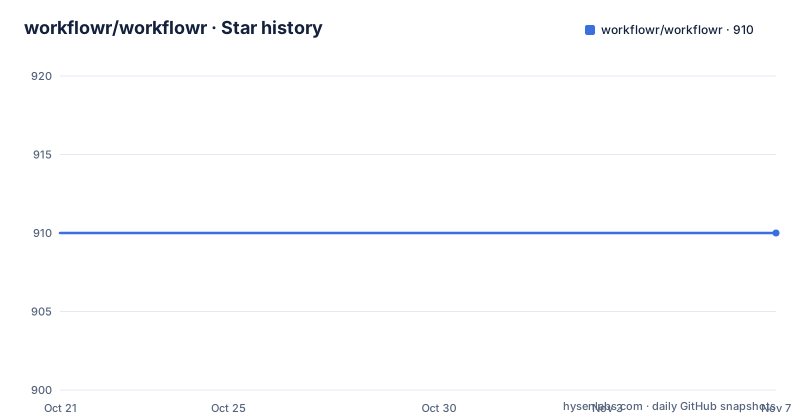
- workflowr/workflowr910 ★ · +0
| Repository | 2026-10-21 | 2026-11-07 |
|---|---|---|
| workflowr/workflowr | 910 | 910 |
0 Stars in the last 17 days, measured from the daily GitHub snapshot. Compare with other projects
Editorial analysis
A template project that generates a website instead of a folder of output
workflowr starts from a problem that ordinary R Markdown does not solve on its own. A researcher has a set of analyses, each written in R Markdown, and wants them to be reproducible, versioned and shareable. Doing that by hand means deciding on a directory layout, wiring Git to commit results as well as code, recording the software versions used, and then building a site to present the output.
The workflowr R package does that setup for you. Its stated purpose is to help researchers organize their analyses in a way that promotes project management, reproducibility, collaboration and sharing of results, and it works by combining literate programming through knitr and rmarkdown with version control through Git via git2r. The result is a website containing time-stamped, versioned and documented results.
The audience is researchers and analysts who live in R, and the pitch is that any R user can adopt it quickly. The scope is worth being precise about. workflowr is not a general data pipeline tool, and it is not a replacement for Git. It is a project template plus a build and publish workflow, and the value it adds over plain R Markdown comes from what it puts around your analysis files.
The repository is a normal R package layout, with DESCRIPTION, NAMESPACE, R/, tests/, vignettes/, inst/, man/ and a workflowr.Rproj file, which tells you the intended entry point is the R console and RStudio rather than a standalone binary. The homepage is the documentation site, and the README also points to an example project and to a registry of projects that use it.
Git commits the generated results, not only the source
The design decision that separates workflowr from a plain R Markdown workflow is what goes under version control. The project uses Git to version both source code and results, and the publish step exists to commit the source code and the HTML results together in one action, with a message. That is why the workflow has a publish command at all rather than just a build command.
The reason to do this is that results drift. A result file is the only record of what the analysis actually produced, and if only the .Rmd source is in Git, the output that informed a paper or a decision cannot be recovered later. Committing the HTML means every published state of the project is recoverable, and it means the website itself is versioned rather than being a build artefact that changes without record.
The project also creates links to past versions of results, so the site exposes history rather than only the current state. Combined with the time-stamping, that gives a reader a trail: which version of the analysis produced this page, and what did that page look like before.
Two supporting details make the Git integration work in practice. The package uses git2r, an R package that wraps libgit2, which is how it can commit results without shelling out and without requiring a Git binary on the path. And the README's quick start makes the first step a one-time Git configuration call, because every publish needs an author name and email. The version control is not an optional extra you can ignore; it is the backbone of how results become durable.
Each analysis runs in its own session with a fixed seed
Reproducibility in workflowr is handled by three specific mechanisms, and all three are visible in the project structure rather than left to the reader's discipline.
First, each analysis runs in an isolated R session. That means a variable defined in one analysis file cannot leak into the next, so the order in which you run the files does not change the results. For a project with many analysis files, that isolation is worth more than it first appears, because it is exactly the class of bug that only shows up on someone else's machine.
Second, the session information of each analysis is recorded, so the output page carries the R version, the package versions and the platform that produced it. Third, the same seed for random number generation is set for each analysis, so a stochastic step does not silently change between runs.
The display of the code version used to create each result is the fourth piece, and it is the one that connects back to Git. Each result page shows the code version behind it, which means a reader of the website can tell what the analysis was at the time.
The seed mechanism has a limit worth naming. A fixed seed makes a random procedure repeatable, not correct. If an analysis draws a sample and the result depends on the draw, the seed makes the draw reproducible for that seed and says nothing about whether the sampling was sound. Reproducibility here means the pipeline can be re-run and will land in the same place, which is a narrower claim than correctness and should be presented as such in a methods section.
Three commands from an empty directory to a built site
The install path is deliberately short. R is required, RStudio is recommended, pandoc and Git are listed as optional, and the package itself comes from CRAN:
install.packages("workflowr")Before starting a project, the README asks you to create an account on GitHub or GitLab, since that is where the site will be hosted later. Git also has to be configured once per computer, and workflowr exposes that as a function rather than making you edit a config file by hand:
library("workflowr")
wflow_git_config(user.name = "Full Name", user.email = "email@domain")
wflow_start("myproject")
wflow_build()
The first two calls set the Git identity and scaffold a new project directory. The third builds the site from the project. From there the loop is edit, build, publish. The publish call versions the source and the HTML results together:
wflow_publish("analysis/*", "Start my new project")The first argument is a set of paths, and the second is the commit message. The README notes the same pattern in prose, and the pattern is the one you will repeat for every change: edit the R Markdown files in analysis/, edit the theme and layout in analysis/_site.yml, add or copy analysis files as needed, build to preview, and publish when you are satisfied.
Two configuration points are easy to miss. The site layout lives in analysis/_site.yml, so restyling a project is a YAML edit rather than a code change. And the build is what you run to preview, so a site that looks wrong is usually a build you have not rerun, not a broken project.
Hosting on GitHub Pages or GitLab Pages for free
The shareable half of the promise is that the built site can be published as a static website at no hosting cost, on GitHub Pages or GitLab Pages. The README documents how to host for free on either platform, and points at a vignette for sharing results online.
The architectural consequence is that the site is a set of files, not a running application. There is no server-side component, no database and no account system, which is why free static hosting is enough. That is a genuine strength for a research website, whose traffic pattern is a burst when a paper is published and silence afterwards, and it also removes the usual operational burden of keeping something running.
It also defines the limits. Because the site is static, anything interactive has to happen in the reader's browser, and anything that changes per visitor cannot come from the site itself. The content that the site shows is exactly the content that was committed, which is another way of saying the versioning scheme and the publication model are the same thing here.
The README also points to a registry of reproducible research projects built with workflowr at workflowr.io, and to an example exploration project. For judging fit, those are more useful than the feature list, because they show what a finished site looks like in a real analysis. The README also links a related tools list, and there is a vignette explaining how the package works internally if you want the mechanics behind the template and the build.
Where the tool stops, and what to check before adopting it
Several boundaries are worth stating plainly, because the feature list is generous and the constraints are not discussed in it.
The first is language. workflowr is an R package, and its reproducibility features depend on R, knitr and rmarkdown. A data analysis in Python is out of scope entirely, and even a mixed project would have to keep the Python parts outside the template, which means outside the versioning of results and the recorded session information.
The second is the hosting dependency. The documented path to a public site runs through a GitHub or GitLab account, and the Git identity has to be configured before the first publish. For a lab with an existing account setup that is trivial. For a collaborator whose data cannot leave the institution, or a reviewer who wants to reproduce a result without publishing anything, the publish half of the workflow does not apply and you are left with the local build.
The third is granularity. The customisation instructions are to add or copy R Markdown files into analysis/, and the publish call in the quick start targets analysis/*, so a project is organised as a set of analysis files rather than one large script. There is no dependency graph, no scheduled re-run and no partial rebuild of a single file, so the granularity of the project becomes your problem to design.
On maintenance, the repository is not archived and the last push was on 2026-07-01, on the main branch. The release tags are v1.7.2 from 2025-08-19, v1.7.1 from 2023-08-23 and v1.7.0 from 2021-12-21, so the published version moves less often than the commits do, and an upgrade may mean a long gap behind the CRAN release. A production project should pin a version and read NEWS.md in the repository root before moving.
The licence deserves a note because the repository and the README disagree in wording. The licence field on the repository says Other, a custom licence GitHub cannot classify, and the tree contains both a LICENSE file and a LICENSE.md, while the README states that the package is available under the MIT license and points at the MIT license text. Read both files in the repository root and decide for yourself what applies to your redistribution; this review does not interpret the terms. The README also asks that the accompanying manuscript be cited for proper attribution, and it gives a BibTeX entry through the standard citation call in R.
Editorial conclusion
workflowr fits an R researcher who wants each result to carry the code version, session information and random seed that produced it, and who wants a browsable site instead of a folder of R Markdown output, and the CRAN install plus wflow_start and wflow_build path is short enough to try in one sitting. It does not fit work outside R, work that must stay on a laptop with no Git account on GitHub or GitLab, or teams that need a hosted collaboration service rather than a static site, and the documented project layout is a flat set of analysis files, so the file structure has to be designed up front. Before you commit, read the LICENSE file and LICENSE.md in the repository root, since the licence field on the repository is a custom one while the README describes the package as MIT licensed, and check the vignettes for the migrating and customization workflows before restructuring an existing project.
Frequently asked questions
How do I install workflowr and create a new project?
Install the package from CRAN with `install.packages("workflowr")`, configure Git once with `wflow_git_config(user.name = ..., user.email = ...)`, then call `wflow_start("myproject")` and `wflow_build()`. You also need R, and an account on GitHub or GitLab if you intend to publish the site.
Does workflowr version my analysis results as well as my code?
Yes. The project uses Git to version both source code and results, and `wflow_publish` commits the source code and the HTML results together. The published site also links to past versions of results.
How does workflowr make an analysis reproducible?
Each analysis runs in an isolated R session, the session information of each analysis is recorded, the same random number generation seed is set for each analysis, and each result displays the code version used to create it.
Can I use workflowr in an existing project instead of starting a new one?
The README points to a migrating vignette that covers how to integrate workflowr into an existing project, and to a customisation vignette for ideas on shaping the research website.
Where is the workflowr site hosted?
The README documents how to host the research website for free via GitHub Pages or GitLab Pages. The site is a set of static files, so there is no server-side component to maintain.
What licence does workflowr use?
The licence field on the repository says Other, a custom licence GitHub cannot classify, and the repository contains both a LICENSE file and a LICENSE.md, while the README describes the package as available under the MIT license. Read the files in the repository root to see the terms that apply to your use.
Official sources
Add this badge to your README
If you maintain this project, the badge below links readers to this analysis and shows its maintenance status from the daily GitHub snapshot. Paste the markdown into your README; add ?metric=license or ?metric=stars to the image URL for a different field.

[](https://hysenlabs.com/projects/workflowr-workflowr)Star history chart for your README
[](https://hysenlabs.com/projects/workflowr-workflowr)Was this useful?