Faust.js: Next.js Headless WordPress Toolkit
Faust.js™ - The Headless WordPress Toolkit
At a glance
- What is it?
- Faust.js combines TypeScript packages with the FaustWP WordPress plugin for headless WordPress applications built with Next.js. It addresses data fetching, authentication, previews, and rendering, while its custom license requires review before adoption.
- Who is it for?
- Faust.js fits teams that have chosen Next.js for the frontend and WordPress for editorial content, and that accept responsibility for coordinating npm packages with a WordPress plugin. It does not fit projects seeking a conventional classified open source license, a backend-independent content API, or a simple README-based deployment guide.
- Can I use it commercially?
- Check first. The repository uses a licence we do not classify automatically, so read its LICENSE file before any commercial use.
- Is it still maintained?
- Yes. The repository last received commits 1 day ago.
- What is it written in?
- Mainly TypeScript, according to GitHub's language statistics.
Answers come from the project's GitHub data, last synced on October 24, 2026, and from our analysis. They are not legal advice.
Star history
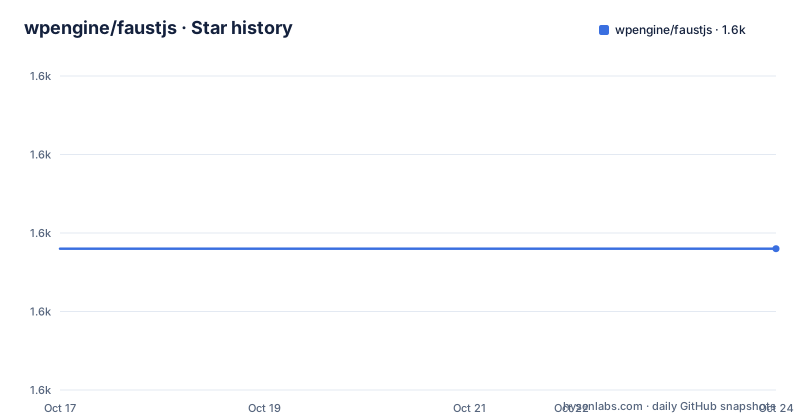
- wpengine/faustjs1,608 ★ · +0
| Repository | 2026-10-17 | 2026-10-24 |
|---|---|---|
| wpengine/faustjs | 1.6k | 1.6k |
0 Stars in the last 7 days, measured from the daily GitHub snapshot. Compare with other projects
Editorial analysis
Faust.js connects WordPress publishing to a Next.js frontend
Faust.js solves a specific separation problem: WordPress continues to provide the editorial environment while a Next.js application renders the public site. In this arrangement, publishers work with WordPress content, but visitors receive pages produced by the JavaScript application. The project is aimed at teams that understand both systems and can assign responsibility for the integration boundary.
The README identifies data fetching, authentication, previews, and SSR or SSG as the principal concerns addressed by the toolkit. Data fetching connects WordPress content to frontend code. Preview support belongs to editorial workflows, where a publisher may need to inspect content before it becomes public. Authentication determines how protected requests and sessions cross the frontend and WordPress boundary. SSR and SSG affect when pages are generated and where their content comes from.
Faust.js is not presented as a standalone CMS or a replacement for WordPress. It is a connection layer for a headless architecture. That makes it more relevant to developers who want control over a React and Next.js presentation layer than to operators who only need to publish pages through an installed WordPress theme. A team that cannot support both the WordPress backend and the Next.js application would gain little from this architecture, regardless of the packages it provides.
Faust.js consists of npm workspaces and a WordPress-side plugin
The project uses a monorepo structure. The root `package.json` declares workspaces for `packages/blocks`, `packages/block-editor-utils`, `packages/faustwp-cli`, `packages/faustwp-core`, `examples/next/faustwp-getting-started`, and `plugins/faustwp`. This layout separates the published JavaScript packages from an example application and the WordPress plugin. It also shows that Faust.js covers more than one page-fetching function.
The package names indicate several roles, but their names alone do not prove detailed behavior. `@faustwp/core` is the package most directly associated with application integration. `@faustwp/cli` supplies command-line tooling. `@faustwp/blocks` and `@faustwp/block-editor-utils` concern WordPress blocks and editor utilities. The repository also contains the FaustWP plugin. A complete headless setup may cross both JavaScript and WordPress code, rather than remaining inside one npm dependency.
The README calls the npm packages and WordPress plugin the "two key parts of Faust.js." It states that installing the plugin in addition to the npm packages is necessary to take full advantage of headless WordPress. That is an explicit installation boundary. Teams must decide when the plugin is deployed, which environments receive it, and how its version is coordinated with the frontend packages.
The root build script names the main package outputs:
npm run buildThis command builds `@faustwp/cli`, `@faustwp/core`, `@faustwp/blocks`, and `@faustwp/block-editor-utils`. It is a repository build command, not the documented first step for an application developer. Likewise, `examples/next/faustwp-getting-started` is a reference implementation, but the README does not call it a production starter or prescribe it as a template.
Faust.js installation requires Node.js, npm, and two setup paths
The README specifies Node.js v18 or newer and npm v8 or newer. It lists macOS, Windows, including WSL, and Linux as supported platforms. These are the complete local prerequisites stated in the README. Check them before installing packages or configuring the example project.
For an application setup, the README directs developers to the Getting started documentation at `https://faustjs.org/docs/getting-started`. The README does not provide a copyable package installation command, package selection step, environment variable list, or first Next.js page. It would be misleading to invent those instructions. The linked guide is the actual source to consult for application scaffolding, environment configuration, and the first content request.
The WordPress installation path is separate. FaustWP can be installed from the WordPress Plugin Directory or through the zip linked by the README. The project requires this plugin in addition to the npm packages for the full headless WordPress setup it describes. The README does not document a local command that packages `plugins/faustwp`, so a source checkout alone should not be treated as an installable plugin archive.
A first use should follow the Getting started guide after confirming the platform requirements. That guide should determine which npm packages are installed and how the example connects to WordPress. The reader should end with a configured Next.js application, an installed FaustWP plugin, and the specific preview or content-fetching flow described there. The README does not document that output in enough detail to claim which file, endpoint, or command produces it.
Faust.js rendering and preview behavior needs version-specific verification
Faust.js states that it supports data fetching, authentication, previews, SSR, and SSG, but the README does not show the mechanism behind those features. It contains no GraphQL query, REST request, React component, Next.js route, authentication hook, or preview configuration. That limitation affects architectural evaluation. A team cannot determine from the README whether content is requested through GraphQL, which cache applies to a response, or how authenticated state is represented.
The presence of the FaustWP plugin suggests that WordPress contributes project-specific behavior, but the README does not enumerate its responsibilities. It does not say whether the plugin adds an API endpoint, exposes preview URLs, changes editor behavior, stores configuration, or handles authentication. The block packages suggest attention to the WordPress editing experience, yet no README section explains how blocks created in WordPress map to components in Next.js.
This documentation gap matters more for Faust.js than for a simple utility because authentication and preview workflows can affect production data exposure. The reviewer should inspect documentation for the exact package version rather than infer behavior from package names. In particular, verify whether previews bypass normal caching, whether requests are made on the server or browser, how credentials are passed, and how a published page differs from a draft response.
The absence of these details does not establish that the behavior is missing. It establishes that the README does not document it. Those runtime and security boundaries must be confirmed from package documentation, configuration files, and plugin source before the toolkit receives production approval.
Faust.js creates a WordPress plugin upgrade boundary
The npm packages and FaustWP plugin create a coordinated deployment surface. Updating a JavaScript package can change frontend behavior, while updating the WordPress plugin can change backend or editorial behavior. The README does not publish a compatibility matrix between `@faustwp/core`, `@faustwp/cli`, `@faustwp/blocks`, and FaustWP. It also does not document plugin migration steps, rollback instructions, or a supported upgrade cadence for existing sites.
Maintenance activity is visible. The repository is not archived, and its last push was on 2026-10-16. The listed `@faustwp/[email protected]` and `@faustwp/[email protected]` releases were published on 2026-10-09, as was `@faustwp/[email protected]`. These dates show recent work across separate packages. They do not prove that every package follows one versioning policy or that the differing major versions are independent, since the README does not explain the release policy.
For an operating team, the upgrade cost can include package regression checks, WordPress staging validation, preview testing, and frontend rendering checks. That conclusion follows from the documented two-part architecture rather than from a measured deployment cost. The README does not provide automated upgrade procedures for those tasks.
A direct REST integration has a different maintenance boundary because the frontend can call WordPress without the documented FaustWP plugin dependency. That approach may reduce project-specific backend code, but the application team must implement and maintain its own request and preview handling. Faust.js offers a prepared integration path at the cost of owning coordination between two runtimes.
Faust.js uses a custom license that requires direct review
The repository records a custom license that GitHub cannot classify. The README links directly to the `LICENSE` file but does not reproduce its permissions or restrictions. It would be incorrect to assume MIT, Apache 2.0, or another familiar open source license based on the repository's public availability.
This matters at several levels. An organization may need to know whether it can install the packages in commercial projects, modify the plugin, redistribute modified versions, offer hosted services based on the code, or accept external contributions. The README answers none of those questions. It also does not explain whether the npm packages and the WordPress plugin share identical terms.
The README separately states that external contributors to WP Engine products must sign a Contributor License Agreement before a contribution can be accepted. That is a contribution requirement, not a substitute for the repository license. Teams evaluating Faust.js should review `LICENSE`, package metadata, and any additional terms before distribution.
This article does not interpret the license or offer legal advice. It identifies a documented review item. A company that requires a known license classification may reject the project during procurement unless the current `LICENSE` and applicable package terms provide terms its policy accepts.
Faust.js is preferable when the team accepts its WordPress and Next.js coupling
A practical alternative is to build a Next.js frontend directly against the WordPress REST API. This approach leaves the application in control of requests, rendering, caching, and error handling. It also removes the README's requirement for FaustWP when using the full Faust.js setup. The cost is that the team must design and maintain its own content model integration, preview workflow, and authentication handling.
Faust.js differs by offering project-specific packages and requiring a WordPress plugin. It is the better fit for a team that wants an opinionated path around the documented concerns and is prepared to support both parts. It is the weaker fit for a team that wants minimal WordPress-side customization, a clearly classified open source license, or direct control over every integration layer.
The project is tied to Next.js in its documented purpose. It should not be selected for a React SPA, static site generator, or server-rendered PHP frontend without further compatibility evidence. The README does not describe support for those application models.
For an existing WordPress publisher, the decisive issue may be editorial preview behavior. For a frontend team, it may be the exact data-fetching and rendering API. For procurement, the custom `LICENSE` may stop adoption before either. Faust.js should be approved for a Next.js headless WordPress project only after its version-specific documentation and license establish that the documented integration boundary matches the organization's requirements.
Editorial conclusion
Faust.js fits teams that have chosen Next.js for the frontend and WordPress for editorial content, and that accept responsibility for coordinating npm packages with a WordPress plugin. It does not fit projects seeking a conventional classified open source license, a backend-independent content API, or a simple README-based deployment guide. Before adoption, inspect the current LICENSE file, read the version-specific guide at https://faustjs.org/docs/getting-started, and verify compatibility between the selected `@faustwp` packages, Next.js, and WordPress. On the documented evidence, Faust.js is a targeted headless WordPress toolkit whose custom license and incompletely described runtime behavior are prerequisites to approval.
Frequently asked questions
What is Faust.js used for?
Faust.js is a TypeScript toolkit for building Next.js applications for headless WordPress sites. The README identifies data fetching, authentication, previews, and SSR or SSG as its main concerns.
What are the Faust.js system requirements?
Faust.js requires Node.js v18 or newer and npm v8 or newer. The README lists macOS, Windows, including WSL, and Linux as supported platforms.
Does Faust.js require the FaustWP WordPress plugin?
The README says the FaustWP plugin must be installed in addition to the npm packages to take full advantage of headless WordPress. It directs users to the WordPress Plugin Directory and the linked plugin download.
What license does Faust.js use?
The repository classifies its license as custom, and the README links to the `LICENSE` file. The README does not reproduce the license terms, so application teams must review that file before use or distribution.
Official sources
Add this badge to your README
If you maintain this project, the badge below links readers to this analysis and shows its maintenance status from the daily GitHub snapshot. Paste the markdown into your README; add ?metric=license or ?metric=stars to the image URL for a different field.

[](https://hysenlabs.com/projects/wpengine-faustjs)Star history chart for your README
[](https://hysenlabs.com/projects/wpengine-faustjs)Was this useful?