yamada-ui: a React design system built on Emotion
React UI components of the Yamada, by the Yamada, for the Yamada built with React and Emotion.
At a glance
- What is it?
- Yamada UI is a TypeScript design system for React that is developed in a monorepo with a component package, a CLI, utilities and workspace tooling, plus playgrounds that exercise it under Next.js, React Router, TanStack Router and Vite. The README is a pointer to the documentation site, so most of the design decisions live outside the repository.
- Who is it for?
- Adopt yamada-ui if you want a React design system and are willing to use the documentation site for setup and API details. The documented npm installation uses `@yamada-ui/react` for components and hooks; the CLI is an alternative setup path and can support additional customization.
- Can I use it commercially?
- Yes. MIT is a permissive licence: you can use, modify and sell software built on it, as long as you keep its copyright and licence notices.
- Is it still maintained?
- Yes. The repository last received commits 2 days ago.
- What is it written in?
- Mainly TypeScript, according to GitHub's language statistics.
Answers come from the project's GitHub data, last synced on November 7, 2026, and from our analysis. They are not legal advice.
Star history
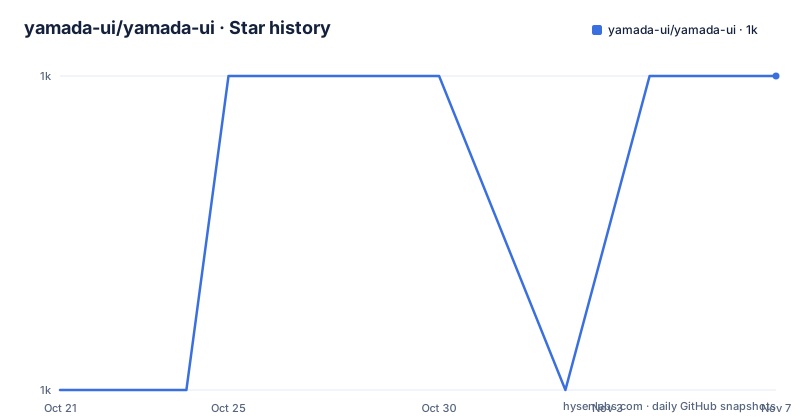
- yamada-ui/yamada-ui1,034 ★ · +1
| Repository | 2026-10-21 | 2026-11-07 |
|---|---|---|
| yamada-ui/yamada-ui | 1k | 1k |
1 Stars in the last 17 days, measured from the daily GitHub snapshot. Compare with other projects
Editorial analysis
A monorepo where the design system is several packages
Yamada UI describes itself as React UI components of the Yamada, by the Yamada, for the Yamada, built with React and Emotion. The repository description is playful, but the structure behind it is the more useful fact.
The root `package.json` is marked private and holds no component code. It is a workspace root, and the actual code lives under `packages/`. The scripts name the members directly: `cli` points at `packages/cli`, `react` at `packages/react`, `utils` at `packages/utils`, `workspace` at `packages/workspace`, and `forge` at `packages/forge`. The monorepo contains several packages, but that does not mean consumers must install all of them separately: the installation guide says `@yamada-ui/react` alone provides the components and hooks.
That split is confirmed by the release history. The recent releases are per package, `@yamada-ui/react` at 2.2.10, `@yamada-ui/cli` at 2.1.15 and `@yamada-ui/utils` at 2.1.7, each shipped on its own schedule. The version numbers are independent, which means a project can hold an older utilities package while taking a newer component package, and which also means the packages are versioned independently on purpose rather than as a set.
The toolchain is pnpm with `[email protected]` pinned as the package manager, `turbo.json` for task orchestration and `pnpm-workspace.yaml` for the workspace definition. A `.nvmrc` file pins the Node version, and the `engines` field asks for `node >=24.14`, which is a stricter requirement than most React libraries ask for.
The README is a pointer, so the decisions live on the site
This is the honest limitation of the repository as a source of information, and it shapes what a technical reader can learn from it.
The README is short. It states that Yamada UI provides a design system that delivers consistent, accessible components and advanced styling, it links to https://yamada-ui.com for the documentation, and it covers how to support the project, how to contribute, and the licence. There is no install command, no component list, no prop documentation and no theming guide in the repository text.
The documentation site is therefore a required dependency of understanding the library, not a nice extra. The `www/` directory in the tree is the site source, and the root scripts include `www` pointing at `pnpm -C www`, so the documentation lives in the same monorepo and is built from the same workspace.
Two things in the README do carry weight. The first is provenance: the project states that it has drawn a lot of inspiration from Chakra UI, shadcn/ui, MUI and Mantine UI, and it thanks Segun Adebayo by name. For anyone choosing between those libraries, that sentence tells you the author is aware of the lineage and credits it openly. The second is the licence line, MIT, copyright Hirotomo Yamada.
The `CONTRIBUTING.md` file and the documentation contributing guide cover the contribution process, and the repository also carries `CODE_OF_CONDUCT.md`, `SECURITY.md` and a `codecov.yml` for coverage reporting.
Building the packages and running the checks
The root scripts show the shape of the developer workflow, and since the README does not document the build, these are the commands a contributor actually uses.
The build is a turbo run scoped to the packages.
turbo run build --filter=./packages/**The same shape applies to the other tasks: `lint` runs `turbo run lint --filter=./packages/**`, `typecheck` runs `turbo run typecheck --filter=./packages/**`, and `test` runs `turbo run test --filter=./packages/**`. There is a `test:coverage` variant alongside it, and separate lint and typecheck scripts for the playgrounds.
Formatting is not prettier here. The `format` script is `oxfmt --check`, with `oxfmt.config.ts` at the root, and the `format:playgrounds` script runs the same check across the playgrounds. Commit hygiene is handled by `lefthook.yaml` with a `prepare` script that installs the hooks, and `.commitlintrc` holds the commit message rules, which points to the `.changeset/` directory and the changeset workflow for versioning and changelogs.
The browser test matrix is the part worth noting. The scripts `test:chromium`, `test:firefox` and `test:webkit` are all scoped to `packages/react`, so the component package is exercised in real browsers rather than only in a DOM emulator. There is also a `test` script that runs turbo across all packages, and a `clean` script that removes `.turbo` and log files.
Two more root entries point at the wider setup. `context7.json` and `cspell.json` suggest the repository is tuned for documentation tooling and spell checking, and the presence of `AGENTS.md`, `CLAUDE.md` and `AI_POLICY.md` alongside an `AI_POLICY.ja.md` means the project has published rules about how AI tooling may be used in contributions, which is unusual enough to be worth a look before you open a pull request.
Playgrounds for seven framework setups, including shadow DOM
The `playgrounds/` directory is the most telling part of the tree, because it shows what the library has actually been made to work under.
The scripts name them: `next:pages` points at `playgrounds/next/pages`, `next:app` at `playgrounds/next/app`, `react-router:framework` at `playgrounds/react-router/framework`, `tanstack:router` and `tanstack:start` at the two TanStack playgrounds, `shadow-dom` at `playgrounds/shadow-dom`, and `vite` at `playgrounds/vite`.
Two of those are unusual. Running under React Router in framework mode covers the server side rendering and data loading path that a plain Vite playground never touches. And the shadow DOM playground is a distinctive one, because a component library that uses a wrapper element for styling has to behave when that element is not in the light DOM, and a library that ships a dedicated playground for it has clearly been tested against that case.
The Vite playground is the fast inner loop and the Next.js ones are the ones that catch framework integration problems. A component library that only works in a bare Vite app tends to break in a real application, so the presence of both is a good sign about the maintainers' priorities.
The `www` directory sits alongside the playgrounds, which means the documentation site is itself a consumer of the library. Whatever the docs show, they are running the published packages in a real build, so a documented example is closer to a tested example than a snippet in a README would be.
The three packages you are most likely to install
Without the documentation, the package names are the main clue to the intended usage, and the three that a consumer touches are the components, the CLI and the utilities.
`@yamada-ui/react` is the component package. It is the one with the browser test matrix behind it, and it is the package that carries the release that moves most often, at 2.2.10 on 2026-10-09. The repository topics list accessibility, dark mode, animation and responsive design as concerns, and the description names React and Emotion as the foundations, with framer-motion and animation-css among the topics.
`@yamada-ui/cli` is the command line companion, version 2.1.15 on the same day. A CLI in a design system usually handles project scaffolding, component generation and theme configuration, and its existence alongside a `forge` package suggests the authoring workflow is a real part of the project rather than an afterthought. The `forge` package name, like the `workspace` package, points at the authoring and configuration side of a design system rather than at the runtime components.
`@yamada-ui/utils` is the shared helper package, at 2.1.7 on 2026-10-05. The separation of utilities from components is worth noting for tree shaking and for version churn, since a utility change does not force a component upgrade.
The `packages/workspace` member has no release in the recent list, which suggests it is an internal package rather than a published one. That reading is consistent with the whole layout: a published component package, a published CLI, a published utils package, and internal build tooling.
Maintenance pace, licence and what the project asks of you
The maintenance picture is healthy on the numbers available. The last push to the repository was on 2026-10-14, and the repository is not archived. The three most recent releases land within four days of each other across three different packages, which is the pattern of a project with continuous integration and a changeset workflow rather than one that batches everything into a single release.
The licence is MIT, copyright Hirotomo Yamada, and the `package.json` records the same. The `author` field gives the name and a contact address, and the `repository` field points at the GitHub URL.
What the project asks of contributors is spelled out in the README: support the project with yourself or your organisation, and your logo will appear with a link to your website. The support section links to an OpenCollective page and shows both an organisations section and an individuals section, and the tree carries a `logo/` directory.
The request to support the project is worth putting next to the observation about the documentation. Yamada UI is asking for both money and attention, and the attention it wants has a specific shape: read the contribution guide, follow the repository's own tooling with `oxfmt` and `lefthook` and `commitlint`, respect the AI policy that sits in the root, and use the playgrounds to check that a change behaves under the framework the user is actually running. The `opencode/` and `.agents/` and `.claude/` directories at the root, alongside `AGENTS.md` and `CLAUDE.md`, suggest the project has already made part of that decision for automated contributors.
Editorial conclusion
Adopt yamada-ui if you want a React design system and are willing to use the documentation site for setup and API details. The documented npm installation uses `@yamada-ui/react` for components and hooks; the CLI is an alternative setup path and can support additional customization. The repository development workspace specifies Node 24.14 or newer, which is not by itself a claim about the runtime requirements of every consuming application. Before you start, check that the package you actually need is published at a version compatible with your React version, since the recent releases are per package, and run the playground that matches your router so you can see the components behave under your own framework rather than in isolation.
Frequently asked questions
How do I install yamada-ui in a React project?
The repository README does not include an install command; it points to the documentation at https://yamada-ui.com for that. What the repository does show is the package layout: the components live in `@yamada-ui/react`, the CLI in `@yamada-ui/cli` and the shared helpers in `@yamada-ui/utils`, each published as a scoped package with its own version.
What are the individual packages in the yamada-ui monorepo?
The root package.json names five workspace members: `packages/cli`, `packages/react`, `packages/utils`, `packages/workspace` and `packages/forge`. The published ones are `@yamada-ui/react` at 2.2.10, `@yamada-ui/cli` at 2.1.15 and `@yamada-ui/utils` at 2.1.7, and the root package itself is marked private.
Which frameworks does yamada-ui support in its playgrounds?
The repository ships playgrounds for Next.js with both the pages and app routers, React Router in framework mode, TanStack Router, TanStack Start, Vite, and a shadow DOM setup. There are separate lint and typecheck scripts for the playgrounds, and the site in `www/` is built from the same workspace.
What Node and package manager versions does yamada-ui need?
The root package.json sets `engines.node` to `>=24.14` and pins the package manager as `[email protected]`, with a `.nvmrc` file in the repository. Builds and checks are orchestrated with turbo, for example `turbo run build --filter=./packages/**` and `turbo run test --filter=./packages/**`.
How is yamada-ui tested?
The scripts include `test:chromium`, `test:firefox` and `test:webkit`, all scoped to the `packages/react` package, so the component package is exercised in real browsers. Coverage is handled separately through `test:coverage` and a `codecov.yml` at the root.
Which other design systems is yamada-ui based on?
The README states that Yamada UI has drawn a lot of inspiration from Chakra UI, shadcn/ui, MUI and Mantine UI, and it thanks Segun Adebayo. The licence is MIT, copyright Hirotomo Yamada.
Official sources
Add this badge to your README
If you maintain this project, the badge below links readers to this analysis and shows its maintenance status from the daily GitHub snapshot. Paste the markdown into your README; add ?metric=license or ?metric=stars to the image URL for a different field.

[](https://hysenlabs.com/projects/yamada-ui-yamada-ui)Star history chart for your README
[](https://hysenlabs.com/projects/yamada-ui-yamada-ui)Was this useful?