PaaSTA: Yelp's declarative PaaS, and why the README says not to run it yourself
An open, distributed platform as a service
At a glance
- What is it?
- PaaSTA is the platform Yelp uses to build, deploy and run containerised services on Kubernetes, and it is opinionated enough that the README tells you not to use it in production. The interesting reading is the component list, which shows what an internal PaaS actually accumulates over ten years.
- Who is it for?
- Adopt PaaSTA only if you are at Yelp, or if your goal is to study how a large internal platform is put together rather than to run services with it. Do not plan to deploy PaaSTA in your own environment, because the README states that would not be sensible and that the surrounding tooling has to be replicated, which means Kubernetes, Docker, Tron, SmartStack, Envoy, Sensu and Prometheus before you write a single service definition.
- Can I use it commercially?
- Yes. Apache-2.0 is a permissive licence: you can use, modify and sell software built on it, as long as you keep its copyright and licence notices.
- Is it still maintained?
- Yes. The repository last received commits 1 day ago.
- What is it written in?
- Mainly Python, according to GitHub's language statistics.
Answers come from the project's GitHub data, last synced on November 7, 2026, and from our analysis. They are not legal advice.
Star history
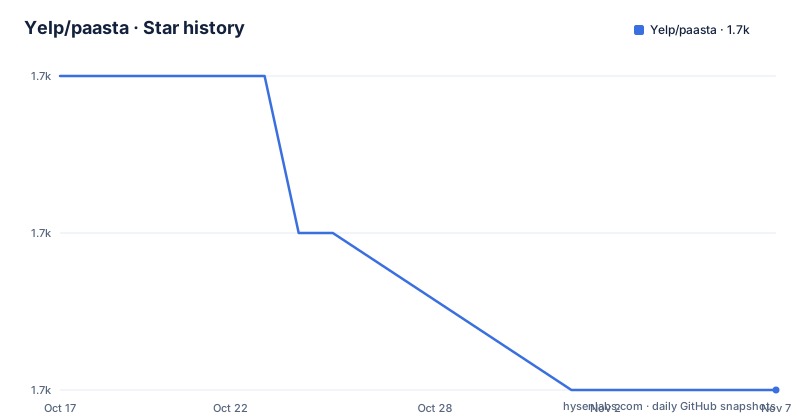
- Yelp/paasta1,732 ★ · -2
| Repository | 2026-10-17 | 2026-11-07 |
|---|---|---|
| Yelp/paasta | 1.7k | 1.7k |
-2 Stars in the last 21 days, measured from the daily GitHub snapshot. Compare with other projects
Editorial analysis
A declarative schema on top of Kubernetes
PaaSTA is described as a highly-available, distributed system for building, deploying and running services using containers and Kubernetes. It has been running production services at Yelp since 2016, and it was originally designed to run on top of Apache Mesos before being updated to use Kubernetes, with the principal design staying the same through that transition.
The idea is that a team writes a declarative description of the service it needs, and PaaSTA ensures that service is deployed safely, efficiently, and in a way that is easy to maintain. Rather than managing Kubernetes YAML files, PaaSTA provides a simplified schema, and in addition to configuring Kubernetes it can also configure other infrastructure tools for monitoring, logging and cost management.
That last clause is the difference from a Helm chart or a Kubernetes operator. The unit of work is not a Kubernetes object but a service, and the platform is expected to handle the surrounding concerns as well, which is why the repository needs a PaaSTA API and a set of tools for the things a service needs beyond its pods.
The design goals are listed plainly: declarative rather than imperative control, fault tolerance, service isolation, efficient use of resources, no single points of failure, and a pleasant interface. The last one is the only one that is not a technical property, and it is the one that a simplified schema is really about.
The project is Apache-2.0 licensed, the releases are frequent, with v1.61.2 on 2026-10-14, v1.61.1 on 2026-10-09 and v1.61.0 on 2026-10-07, and the last push was on 2026-10-16.
The component list is the real dependency list
The README is honest that PaaSTA is an opinionated platform built from un-opinionated tools, and that it requires a non-trivial amount of infrastructure to be in place before it works completely. The list is the whole architecture in one block.
Docker is for code delivery and containment. Kubernetes is for code execution and scheduling, running the Docker containers. Tron is for running things on a timer, which is how the nightly batch jobs run. SmartStack and Envoy handle service registration and discovery. Sensu does monitoring and alerting. Jenkins is optional and provides continuous deployment. Prometheus and the horizontal pod autoscaler handle autoscaling.
Then the README makes the point that cuts both ways. One advantage of composing a PaaS from components like this is that you can reuse them for other purposes, and at Yelp Sensu is not just for PaaSTA, it monitors all sorts of things, while Kubernetes also runs other, more complex workloads such as Jolt and Cassandra, and the service mesh, a heavily customised version of SmartStack and Envoy, lets many systems talk to PaaSTA services and to each other.
The other side of the same coin is stated just as directly: requiring lots of components means lots of infrastructure to set up before PaaSTA can work effectively. The README then says that realistically, running PaaSTA outside of Yelp would not be sensible, because beyond the integrations listed there are also strong opinions encoded in other tooling that you would need to replicate. And it explains why the code is open anyway, to share the approach and to help others understand or solve similar problems.
That paragraph is the most useful thing in the README for anyone evaluating the project, and it is also the reason this project is worth reading even if you will never run it.
The Yelp specific layers sit on top of the components
Beyond the core integrations, the README lists the systems PaaSTA leans on to provide features and to manage compute capacity.
Karpenter is used to autoscale pools of EC2 instances to run PaaSTA, replacing an in-house autoscaler called Clusterman that the project had open sourced separately. Packer is used to bake the AMIs. Logs are collected from the services and sent through Monk to Kafka, which is the log path every service inherits. StatefulSets run a small number of stateful PaaSTA services, since the model is otherwise stateless. And the resources needed by each service are autotuned by monitoring usage, in a way the README compares to the vertical pod autoscaler.
Two of these are the sort of thing that only a company of Yelp's size ends up building. A general purpose autoscaler is available off the shelf now, and replacing Clusterman with Karpenter is a consolidation, not a greenfield choice. The vertical autotuning is the more interesting one, because resource requests are where most of the cost of a Kubernetes platform is decided, and automating them is the kind of work that changes the bill rather than the developer experience.
The cost management side of PaaSTA, mentioned in the introduction as one of the things the simplified schema configures, is where these integrations end up. A team that only wants to deploy a service does not need to know that its requests are autotuned from observed usage.
The packaging is a Python CLI with a Yelp-shaped build
The distribution is `paasta-tools`, a Python package with a long list of console scripts, and the setup file shows how that list is assembled.
The scripts are individual entry points rather than one command with subcommands. The visible portion includes `apply_external_resources.py`, `check_autoscaler_max_instances.py`, `check_cassandracluster_services_replication.py`, `check_flink_services_health.py` and `check_kubernetes_api.py`, and the pattern is clear from the names: there are health checks, an external resources step, and per-service verifications that a human would otherwise do by hand.
The requirements are pinned exactly, in files that are split by purpose: `requirements.txt` for the full set, `requirements-minimal.txt` which the setup file parses to build `install_requires` by skipping comments and blank lines, and separate files for bootstrap, dev, docs and GitHub Actions. Python 3.11 or above is required. The dependency list is long and includes Kubernetes client libraries, boto3, the Sensu client, a Kafka client, prometheus-client, docker, Jinja2 and pyyaml, which is a fair map of what the platform talks to.
The repository layout matches a mature internal tool: `paasta_tools/` for the package, `general_itests/` and `k8s_itests/` for the integration test suites, `debian/` for packaging, `yelp_package/` for the distribution files, a `comparison.md`, `mypy.ini`, `pytest.ini`, `tox.ini`, a `Makefile`, and an `AGENTS.md` alongside `CLAUDE.md` and `CODEOWNERS`.
The development tooling is a mix of eras: tox for environments, black with a line length of 88 and isort with the black profile, pre-commit, mypy, and coverage configuration.
The Makefile knows whether it is running at Yelp
The build file contains a piece of engineering that says more about the project than any documentation could: the build behaves differently depending on whether it is running inside Yelp's network.
The logic is a hostname check. If the fully qualified domain name contains `.yelpcorp.com`, then `PAASTA_ENV` is set to `YELP`, otherwise it is set to the host's own fully qualified domain name. From there the Docker registry differs, with `docker-dev.yelpcorp.com` for the internal case and `docker.io` otherwise, and the Docker options differ too, since outside Yelp the build passes `--user` with the current UID and GID so that the built image does not own files as root. There is a separate branch for CI, with a comment explaining that the UID and GID are passed to avoid permission issues since Jenkins does not use Podman.
The test targets branch the same way. The `test` target runs the `tests` tox environment when `PAASTA_ENV` is not `YELP`, and the `tests-yelpy` environment when it is, with a `test-yelpy` and a `test-not-yelpy` target to run either one directly. The `dev` target runs tox, and `docs` runs the docs environment.
So the project has a well-defined open source mode and an internal mode, and the internal mode is the one that runs the production platform. The `test-not-yelpy` target is the honest name for the public path, and it is a different test suite from the one Yelp runs.
Where PaaSTA is the wrong tool
The first wrong case is stated by the project itself, and it is the whole of the answer to whether you should deploy it: the README says it does not advise that you use PaaSTA in production, and that running it outside Yelp would not be sensible.
The reason is not that the code is closed. It is that the platform encodes opinions in other tooling that you would have to replicate, on top of seven core components. To run PaaSTA properly you need Kubernetes, Docker, Tron, a service discovery stack of SmartStack and Envoy, Sensu, Prometheus, an autoscaler, an image baking pipeline, a log pipeline, and whatever monitoring conventions the code expects to find. That is a platform team, not a dependency list.
The second wrong case is a small team. The value of PaaSTA is the abstraction it provides over many services at once, with autotuning, cost management and standard monitoring. With a handful of services, a Helm chart or an operator is a smaller surface with the same outcome, and the simplified schema earns nothing.
The third is a Kubernetes platform that already exists and is not Yelp's. The service discovery in particular is a heavily customised version of SmartStack and Envoy at Yelp, and the checks and tooling expect the conventions of that setup. Pointing PaaSTA at a different service mesh or a different monitoring stack is not a configuration exercise.
The fourth is documentation access. The debugging guide for VS Code points at an internal wiki page on an internal host, and the README also links internal shortcuts for HPA and service deployments. Some of the operational knowledge simply is not public, which is the same point as the components list, stated from the other direction.
Editorial conclusion
Adopt PaaSTA only if you are at Yelp, or if your goal is to study how a large internal platform is put together rather than to run services with it. Do not plan to deploy PaaSTA in your own environment, because the README states that would not be sensible and that the surrounding tooling has to be replicated, which means Kubernetes, Docker, Tron, SmartStack, Envoy, Sensu and Prometheus before you write a single service definition. Before you evaluate it further, read the principles page in the documentation and the comparison file in the repository, and treat the getting started guide as a reference implementation rather than as an installation path.
Frequently asked questions
What is PaaSTA and who uses it?
PaaSTA is a highly-available, distributed system for building, deploying and running services using containers and Kubernetes, and it has been running production services at Yelp since 2016. It was originally designed on top of Apache Mesos before being updated to use Kubernetes.
Can PaaSTA be used outside Yelp?
The README says that realistically, running PaaSTA outside of Yelp would not be sensible, because beyond the listed integrations there are strong opinions encoded in other tooling that you would need to replicate, and it does not advise using PaaSTA in production.
What does PaaSTA require before it works?
Docker for code delivery and containment, Kubernetes for execution and scheduling, Tron for scheduled jobs, SmartStack and Envoy for service discovery, Sensu for monitoring and alerting, optionally Jenkins for continuous deployment, and Prometheus with the horizontal pod autoscaler for autoscaling.
How does PaaSTA differ from managing Kubernetes manifests directly?
Rather than managing Kubernetes YAML files, PaaSTA takes a declarative description of a service through a simplified schema, and in addition to configuring Kubernetes it configures other infrastructure tools for monitoring, logging and cost management.
Official sources
Add this badge to your README
If you maintain this project, the badge below links readers to this analysis and shows its maintenance status from the daily GitHub snapshot. Paste the markdown into your README; add ?metric=license or ?metric=stars to the image URL for a different field.

[](https://hysenlabs.com/projects/yelp-paasta)Star history chart for your README
[](https://hysenlabs.com/projects/yelp-paasta)Was this useful?