yukangwang/TextField: a Caffe fork for irregular scene text detection
TextField: Learning A Deep Direction Field for Irregular Scene Text Detection (TIP 2019)
At a glance
- What is it?
- The code and trained models behind TextField, a direction field method for finding text at arbitrary angles in scene photographs, published at TIP 2019. What you clone is a fork of the Caffe framework rather than a standalone project, so the setup path runs through building Caffe itself before any training script is reachable.
- Who is it for?
- Reach for this repository if you want the original direction field implementation and its trained weights rather than a modern reimplementation, and if you are willing to build a Caffe fork from source. Three checks before you start.
- Can I use it commercially?
- Check first. The repository uses a licence we do not classify automatically, so read its LICENSE file before any commercial use.
- Is it still maintained?
- Probably not. The repository last received commits 92 months ago, on March 15, 2019.
- What is it written in?
- Mainly C++, according to GitHub's language statistics.
Answers come from the project's GitHub data, last synced on October 22, 2026, and from our analysis. They are not legal advice.
Star history
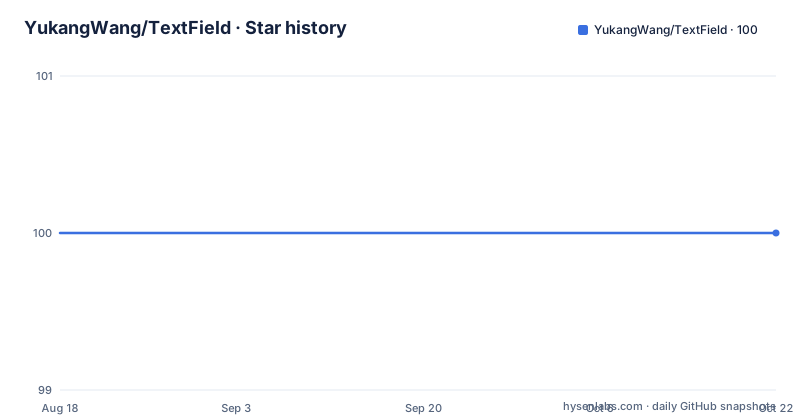
- YukangWang/TextField100 ★ · +0
| Repository | 2026-08-18 | 2026-10-22 |
|---|---|---|
| YukangWang/TextField | 100 | 100 |
0 Stars in the last 65 days, measured from the daily GitHub snapshot. Compare with other projects
Editorial analysis
You are cloning Caffe, not a project
The most useful thing to know before reading the instructions is that this repository is a fork of the Caffe deep learning framework. The evidence is structural rather than a claim: the Makefile sets its project name to caffe, the source lists are built by finding `.cpp` and `.cu` files under `src/caffe`, and the top level carries the framework's own directories, `include/`, `tools/`, `python/`, `matlab/`, `cmake/` and a CMakeLists.txt, alongside `caffe.cloc`, a Doxygen configuration, a Travis configuration and `Makefile.config.example`. The TextField-specific code is confined to `examples/TextField/`, which is where the training script lives. That layout is also why the training command refers to a model several directories up: the checkpoint path `../../models/...` walks out of the example and back into the fork's own model directory.
The build refuses to start without a config file
The install step is Caffe's, and the Makefile guards it explicitly.
cp Makefile.config.example Makefile.config
# adjust Makefile.config (for example, enable python layer)
make all -j16
# make sure to include $CAFFE_ROOT/python to your PYTHONPATH.
make pycaffe
The first line creates the configuration file from the example, and the second is not optional in practice, since the Python layer has to be enabled for the training scripts to import anything. The Makefile checks for the config file explicitly and stops with an error naming the example to copy, with a comment explaining why: without that check `make -k` would carry on regardless. The rest of the file is standard framework machinery, with a DEBUG flag that switches the build directory between a release and a debug variant, source directories discovered by scanning for directories that contain `.cpp` or `.proto`, and test files excluded by their `test_` prefix.
Training starts from a SynthText checkpoint
Data and model preparation is done by moving directories into place rather than by a download script.
# download datasets and pretrained model then
mkdir data && mv [your_dataset_folder] data/
mkdir models && mv [your_pretrained_model] models/
The pretrained model is a SynthText checkpoint, and its filename appears directly in the training command. Training from the example directory looks like this.
# an example on Total-Text dataset
cd examples/TextField/
python train.py --gpu [your_gpu_id] --dataset total --initmodel ../../models/synth_iter_800000.caffemodel
Three things are supplied by you rather than defaulted: the GPU identifier, the dataset name, which is `total` for Total-Text, and the initial model. The initialisation is what makes this cheap to reproduce, since a SynthText-trained model already knows how to find text regions before it ever sees a scene text dataset.
The two datasets need different post-processing
The results are reported for two datasets, and the numbers come with a parameter that differs between them. On Total-Text the reported figures are 0.816 recall, 0.824 precision and an F-measure of 0.820, with a note that lambda is set to 0.50 for post-processing. On ICDAR2015 they are 0.811 recall, 0.846 precision and an F-measure of 0.828, with lambda set to 0.75 instead. Trained models for both are linked from the README. The practical reading is that the same network is evaluated with a different threshold on each dataset, so reproducing a number means matching that value rather than accepting a default, and comparing the two rows without noting the difference would be comparing two configurations rather than two datasets.
Evaluation is a shell script per dataset
Testing follows the same layout convention as training: change directory into the dataset's evaluation folder and run the script there.
# an example on Total-Text dataset
cd evaluation/total/
./eval.sh
The folder name mirrors the dataset name used by the training flag, which is a small but useful consistency to copy if you add your own data. Note that MATLAB is listed as a prerequisite alongside OpenCV 3.4.3, and the README does not say which step needs which, so if evaluation fails on a machine without MATLAB that is the first thing to check. The dataset downloads themselves come from third-party hosts, with Total-Text served from the ICDAR 2017 archive and ICDAR2015 from the RRC page, so neither dataset is fetched by anything in the repository.
The prerequisite stack is dated
Four prerequisites are listed, and every one of them pins you to a specific era. Caffe itself, with a SynthText pretrained model supplied separately, is the framework and the initialisation. Total-Text and ICDAR2015 are the evaluation datasets, linked as downloads. OpenCV 3.4.3 is the exact version named rather than a minimum. MATLAB appears with no version at all. Alongside them, the README points at Caffe's own installation page for the remaining dependencies, which is the correct place to look for anything not named here. The combination of a 2019 framework branch, an exact OpenCV pin and a scripting runtime requirement is what makes this a difficult environment to recreate on a current machine, and it is worth confirming the pieces fit before planning any work.
The citation names seven authors and a preprint
The bibliographic record is given in BibTeX, and it is worth reading closely because it does not match the venue in the README's title line. The entry is keyed as an article, its journal field names an arXiv preprint with the identifier 1812.01393, and the year is 2018, while the README headline describes the work as TIP 2019. The author list runs to seven names: Yongchao Xu, Yukang Wang, Wei Zhou, Yongpan Wang, Zhibo Yang and Xiang Bai. If you cite this work, use the form the authors supplied rather than reconstructing one from the repository title. The repository itself also carries INSTALL.md, CONTRIBUTING.md, CONTRIBUTORS.md, a `docs/` directory and a `docker/` directory, though the README covers none of them.
Editorial conclusion
Reach for this repository if you want the original direction field implementation and its trained weights rather than a modern reimplementation, and if you are willing to build a Caffe fork from source. Three checks before you start. Budget for the framework itself, since the install step compiles Caffe rather than pip-installing anything, and note that Python 3.13-style tooling is not involved. Confirm your dataset choice, because the post-processing parameter differs between the two results given here. And treat the whole thing as frozen: the last push to master is dated 2019-03-15, there are no releases, and the citation points at an arXiv preprint from 2018.
Frequently asked questions
What does YukangWang/TextField implement?
It is the code and trained models for TextField, Learning A Deep Direction Field for Irregular Scene Text Detection, described in the README as TIP 2019 with a paper on arXiv as 1812.01393. The language is C++ and the framework is a fork of Caffe.
How do I train TextField?
Build Caffe first, then from examples/TextField/ run python train.py with your GPU identifier, a dataset name such as total, and an initial model such as ../../models/synth_iter_800000.caffemodel. Datasets and the pretrained model are moved into data/ and models/ directories beforehand.
Which datasets does TextField report results on?
Total-Text with 0.816 recall, 0.824 precision and 0.820 F-measure using lambda 0.50 for post-processing, and ICDAR2015 with 0.811 recall, 0.846 precision and 0.828 F-measure using lambda 0.75. Trained model links are given for both.
What does TextField require before it will build?
Caffe and a SynthText pretrained model, the Total-Text and ICDAR2015 datasets, OpenCV 3.4.3, and MATLAB. The Caffe install itself means copying Makefile.config.example to Makefile.config, adjusting it, building with make all and then make pycaffe, with the Caffe python directory on PYTHONPATH.
Is TextField still being maintained?
The last push to master is dated 2019-03-15 and the repository publishes no releases. The citation gives an arXiv preprint from 2018 while the README refers to TIP 2019, and the dependency list pins OpenCV to 3.4.3.
Official sources
Add this badge to your README
If you maintain this project, the badge below links readers to this analysis and shows its maintenance status from the daily GitHub snapshot. Paste the markdown into your README; add ?metric=license or ?metric=stars to the image URL for a different field.

[](https://hysenlabs.com/projects/yukangwang-textfield)Star history chart for your README
[](https://hysenlabs.com/projects/yukangwang-textfield)Was this useful?