Res-SAM for Two-Stage GPR Hazard Detection
Res-SAM Framework for GPR Underground Hazard Detection
At a glance
- What is it?
- Res-SAM combines Segment Anything Model candidate segmentation with reservoir-computing feature comparison to locate cavities, cracks, loose regions, pipes, and manholes in GPR B-scans. It is aimed at users who need anomaly localization with limited labeled examples, although the README does not provide a complete installation procedure.
- Who is it for?
- Res-SAM is suitable for technical users who already work with GPR B-scans, can supply non-target samples from the detection area, and are prepared to configure its Python environment and pretrained SAM components. It is a poor fit for users expecting a documented one-command installation, turnkey benchmark, or proof of performance across sites.
- Can I use it commercially?
- Yes, with conditions. GPL-3.0 is a copyleft licence: if you distribute software that includes it, you must release that software's source code under the same licence. Running it internally without distributing it does not trigger that obligation.
- Is it still maintained?
- Yes. The repository last received commits 133 days ago.
- What is it written in?
- Mainly Python, according to GitHub's language statistics.
Answers come from the project's GitHub data, last synced on October 25, 2026, and from our analysis. They are not legal advice.
Star history
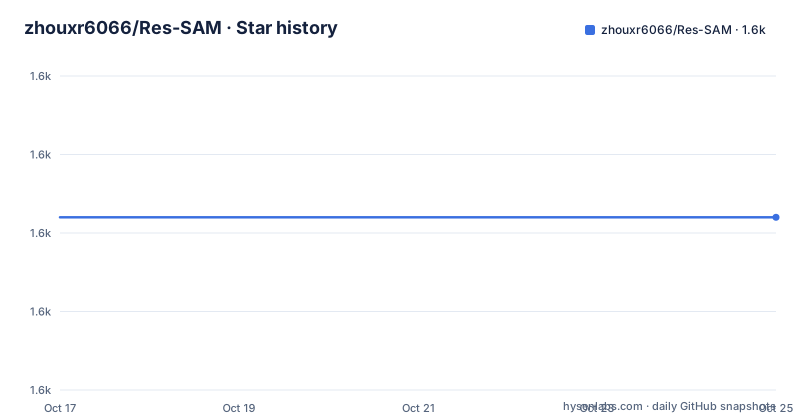
- zhouxr6066/Res-SAM1,622 ★ · +0
| Repository | 2026-10-17 | 2026-10-25 |
|---|---|---|
| zhouxr6066/Res-SAM | 1.6k | 1.6k |
0 Stars in the last 8 days, measured from the daily GitHub snapshot. Compare with other projects
Editorial analysis
Res-SAM's Target Problems in GPR B-Scans
Res-SAM addresses underground anomaly detection in ground-penetrating radar data, with particular emphasis on B-scan images. Its intended targets include cavities, cracks, loose regions, pipes, and manholes. The first three represent hazards, while pipes and manholes are treated as detectable man-made structures rather than automatically labeled risks. This distinction matters because the software is designed to produce detection regions and categories for later engineering analysis, not to replace geotechnical interpretation.
The problem is harder than ordinary image recognition because labeled underground hazards are scarce and normal examples dominate available datasets. Subsurface conditions also change electromagnetic-wave behavior through differences in soil and structure. In addition, hazards may appear as gradual changes in reflections rather than objects with sharp visual outlines. The README says methods trained in one setting may generalize poorly to another, which makes Res-SAM's reliance on local non-target data especially relevant.
The intended users are therefore researchers and technical operators who can collect representative normal data from the area being examined and interpret GPR imagery. The software is not presented as a general image anomaly detector. Its feature bank and 2D-ESN processing are tied to the local dynamics of radar patches, so using it without data representative of the target environment would undermine the stated design.
SAM Candidates, 2D-ESN Features, and the Feature Bank
Res-SAM uses a two-stage workflow. The first stage, Feature Collection, extracts local patches from non-target GPR images. Each patch is fitted individually with a Dual-Directional Echo State Network, abbreviated 2D-ESN. The hidden layer contains two reservoirs, and a data point is connected to neighbors in horizontal and vertical directions. The resulting compact readout model represents local changing information, which the project calls dual-directional dynamic features.
These fitted features are stored in a Feature Bank. The bank is effectively the reference set for normal behavior in the target area. It does not compare a test patch only with one global template. Instead, the detection stage measures each test patch against entries in the bank and uses the minimum distance described in the pseudo-code as an anomaly signal.
The second stage starts with Segment Anything Model, or SAM. SAM produces a normalized mask for the test B-scan. The system converts the mask into a bounding box, crops that region, and divides the crop into overlapping patches. For every patch, 2D-ESN extracts dynamic features and compares them with the Feature Bank. A heatmap aggregates patch distances, after which a threshold creates an anomaly bounding box. Overlapping anomaly patches are merged to refine the final region.
After confirming an anomaly region, Res-SAM performs another 2D-ESN fitting pass. The README says this produces category-specific dynamic features, allowing similar structures to share comparable behavior and different structures to show larger differences. The final output remains a rectangular outline aligned with the B-scan, not a pixel-perfect semantic mask.
Click-Guided and Fully Automatic B-Scan Operation
Res-SAM supports two operating modes, and the interface selects between them through user actions. In click-guided mode, clicking a target area on the B-scan enters that mode. The pseudo-code also accepts positive and negative clicks, while the README describes these as a single-digit number of left- and right-mouse clicks. This arrangement lets an operator indicate likely targets or exclude areas before SAM generates the initial mask.
Fully automatic mode begins when the user directly clicks the “Output Predicted Area” button. SAM then segments the entire B-scan into coarse candidate regions. Each coarse region is fitted with 2D-ESN, and its extracted dynamic features are compared with normal features from the Feature Bank. Regions consistent with the bank can be discarded before refinement, while regions showing different dynamics remain candidates.
Automatic mode is convenient for scanning a complete B-scan, but it places more weight on SAM producing meaningful coarse regions without user guidance. Click-guided mode adds human input, yet it still does not make the final decision by itself. The 2D-ESN distance and thresholding stages remain responsible for refining and confirming candidates. The README does not expose recommended thresholds, explain how to tune `τ_mask` or `τ_anom`, or document what happens when SAM's mask does not align with the radar target.
Installing Res-SAM and Preparing the First B-Scan
The repository is written primarily in Python and includes separate CPU and GPU environment declarations. The following names are the documented installation-related files and application entry point. They are file paths from the repository, not a complete command sequence.
environment-cpu.yml
environment-gpu.yml
main.py
The README does not provide actual installation commands, dependency installation instructions, Python version, SAM model configuration, or a documented launch command. It would therefore be unsafe to invent a `conda`, `pip`, or application-start sequence. A user must inspect these files or follow the linked demonstration video rather than treat the list above as a copy-and-run installation.
The repository also contains `gpr_data.zip`, which is the available sample data for a first exercise. The guidance video is the README's only explicit first-use resource. It should demonstrate how the interface opens a B-scan, how left- and right-mouse clicks affect click-guided mode, and where the “Output Predicted Area” control appears. The README does not confirm the menu sequence, required SAM checkpoint, input file format, or expected output export action.
A practical first use therefore consists of preparing either the CPU or GPU environment declared in the repository, locating the SAM assets under `sam/`, and opening the bundled data through the documented interface. The reader should expect two possible interaction paths: click a target on the B-scan to request guided detection, or press “Output Predicted Area” to request fully automatic processing. The README documents no exact setup commands.
GPR-Specific Limits of Rectangular Detection
The clearest limitation is that Res-SAM emits bounding boxes. That format can identify a useful inspection area, but it does not follow an irregular cavity or crack boundary exactly. This matters because the README identifies gradual electromagnetic reflection changes as one of the central detection difficulties. The framework refines coarse SAM regions with patch-level dynamics, yet the final representation remains rectangular.
The method also depends on representative non-target training data collected from the detection area. The README describes this as readily obtainable, but it does not quantify how many normal images or patches are needed. If the Feature Bank contains unsuitable conditions, the distance comparison may treat normal local dynamics as unusual. If it is too broad, genuinely different subsurface behavior may look too similar to the stored normal features.
Another boundary is the division of responsibility between SAM and 2D-ESN. SAM supplies the initial candidate region, so detector quality is partly inherited from the pretrained segmentation stage. The README does not document SAM checkpoint selection, prompt behavior for weak or diffuse reflections, or failure handling for empty masks. It also provides no measured accuracy, false-positive rate, processing time, dataset size, or comparison with another detector. Those omissions mean the architecture is documented, but performance claims cannot be inferred from it.
Res-SAM Versus Feature-Only GPR Anomaly Detection
A relevant alternative is a feature-only anomaly detector that fits 2D-ESN patches from non-target GPR data and compares candidate patches directly with a Feature Bank, without using SAM to create coarse regions. Both approaches use the same central idea: normal local dynamics provide references, and substantial deviation indicates an anomaly.
The practical difference is candidate generation. Res-SAM adds a visual segmentation stage before its reservoir-computing analysis. In click-guided mode, prompts give SAM a restricted search area. In fully automatic mode, SAM partitions the B-scan into coarse regions that can be filtered and refined. A feature-only workflow would avoid SAM's segmentation and prompt behavior, but it would also need another way to decide which parts of a B-scan should be analyzed. Res-SAM accepts that dependency to gain coarse-region automation and user-guided targeting.
Neither approach escapes the need for representative normal data. Res-SAM also adds SAM model assets and integration complexity, while returning bounding boxes rather than exact anomaly geometry. The repository does not supply a benchmark comparing this combined design with a 2D-ESN-only implementation, so the added candidate stage should be evaluated on local examples rather than assumed to improve every dataset.
Res-SAM Maintenance, License, and Upgrade Surface
The repository is not archived, and its last push was on 2026-06-15. The listed release is `v1.0.0`, dated 2025-11-15. These dates show recent repository activity, but the README does not provide a release history, changelog, compatibility matrix, migration guide, or support policy. Upgrade planning must therefore account for possible changes around SAM integration, 2D-ESN behavior, the graphical interface, or bundled environment files without assuming documented backward compatibility.
The project is licensed under `GPL-3.0`. For organizations considering adoption, that license identifier should be reviewed against the intended distribution and integration model. This is not legal advice. The repository includes a `LICENSE` file, while the documentation does not state which additional components, model weights, or datasets may carry separate terms.
Operators should also distinguish repository activity from model readiness. A recent push does not establish measured detection quality, supported hardware, or reproducibility of results. Before upgrading from `v1.0.0`, the specific files to check are the new contents of `environment-cpu.yml` or `environment-gpu.yml`, changes in `main.py`, and any modifications under `sam/` or `PatchRes/`.
Editorial conclusion
Res-SAM is suitable for technical users who already work with GPR B-scans, can supply non-target samples from the detection area, and are prepared to configure its Python environment and pretrained SAM components. It is a poor fit for users expecting a documented one-command installation, turnkey benchmark, or proof of performance across sites. Before adoption, verify that the environment files and SAM assets are sufficient on the intended machine, load representative B-scans in the interface, and inspect whether feature-bank samples represent the soil and structures at the deployment site. The first acceptance decision should be based on output behavior on labeled local examples, because the repository documentation does not report accuracy metrics or site-specific validation.
Frequently asked questions
How do I install Res-SAM for GPR anomaly detection?
The repository includes `environment-cpu.yml` and `environment-gpu.yml`, plus a top-level `main.py`, but the README does not provide installation commands or explain the environment setup sequence. It links to a guidance video instead.
What underground objects can Res-SAM detect?
The README identifies cavities, cracks, loose regions, pipes, and manholes. Cavities, cracks, and loose regions are described as risks, while pipes and manholes are man-made structures that remain useful detection targets.
Does Res-SAM require labeled examples of underground hazards?
It is designed to use minimal non-target training data from the detection area rather than a large labeled anomaly dataset. The README does not state the exact quantity of normal data required.
Official sources
Add this badge to your README
If you maintain this project, the badge below links readers to this analysis and shows its maintenance status from the daily GitHub snapshot. Paste the markdown into your README; add ?metric=license or ?metric=stars to the image URL for a different field.

[](https://hysenlabs.com/projects/zhouxr6066-res-sam)Star history chart for your README
[](https://hysenlabs.com/projects/zhouxr6066-res-sam)Was this useful?