add-to-calendar-button renders static markup for major calendar targets
Reliably create beautiful Add to Calendar Buttons, where people can add events to their calendars. Without the hustle and unsupported cases.
At a glance
- What is it?
- add-to-calendar-button is a TypeScript web component that turns a handful of HTML attributes into Apple, Google, Microsoft, Yahoo and generic iCal links. It exists because the usual download-link trick fails inside in-app browsers, and the project also splits a free local tier from a hosted PRO tier.
- Who is it for?
- Adopt the free tier if you publish events as static HTML and need the button to work inside in-app browsers such as Instagram, and skip the paid tier unless you want RSVP and hosted ics files rather than locally generated ones. Verify first that your event times carry an explicit time-zone attribute, since the README calls calendar type and time zone optional but recommended, and read LICENSE.txt before shipping the button in a commercial site.
- Can I use it commercially?
- Check first. The repository uses a licence we do not classify automatically, so read its LICENSE file before any commercial use.
- Is it still maintained?
- Yes. The repository received new commits within the last day.
- What is it written in?
- Mainly TypeScript, according to GitHub's language statistics.
Answers come from the project's GitHub data, last synced on November 7, 2026, and from our analysis. They are not legal advice.
Star history
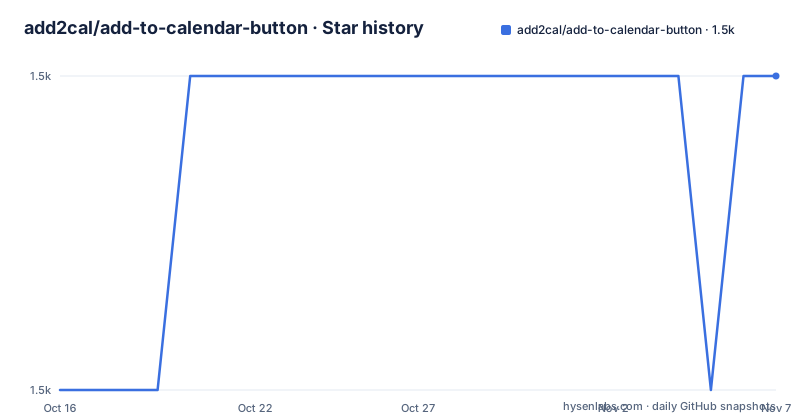
- add2cal/add-to-calendar-button1,488 ★ · +1
| Repository | 2026-10-16 | 2026-11-07 |
|---|---|---|
| add2cal/add-to-calendar-button | 1.5k | 1.5k |
1 Stars in the last 22 days, measured from the daily GitHub snapshot. Compare with other projects
Editorial analysis
One custom element, six kinds of calendar
The problem is narrow and real. A site publishes an event, and the visitor wants it in their own calendar. There is no shared standard for that, so every site ends up hand-building links, and each link set breaks somewhere.
add-to-calendar-button wraps that work in a single custom element, `<add-to-calendar-button>`, configured through HTML attributes. One element covers Google Calendar, Apple Calendar, Yahoo Calendar, Microsoft 365, Outlook and Teams, and it generates iCal or ics files for everything else.
The interesting part is where it runs. Because it is a web component rather than a page script, the same tag works on a VanillaJS page and inside Angular, React, Vue, Svelte and other projects that can load JavaScript. The README states coverage across modern browsers on Windows, Mac, Android and iOS, and it names rather restricted webview environments such as the Instagram in-app browser as a supported case rather than a known problem.
The event model covers timed and all-day events, one-time, multi-date and recurring ones, plus calendar subscriptions. Dates can be given as dynamic values like `today+3`, which is the feature that matters for a page whose markup is written once and served forever.
The distribution model is less uniform. There is a free local tier, and a PRO tier sold separately with hosted ics files, RSVP and an API.
In-app browsers are the reason this is a library
Look at how the README frames the difficult cases: webviews that block downloads, where a plain link cannot hand the user a file, handled through what it calls user guidance workarounds. That is the reason this project exists rather than a set of copy-paste templates.
A hand-written add-to-calendar link usually depends on a download attribute pointing at a generated ics file. In a normal browser that works. Inside an in-app browser on a phone, the download may simply not happen, and the visitor is left tapping a button that does nothing. Apple Calendar does not behave like Google Calendar, Outlook does not behave like Yahoo, and each combination has its own URL shape.
The component resolves that by generating the per-calendar links itself and by choosing a path that degrades rather than dying. The dropdown is positioned dynamically so it stays usable on a narrow screen, and the whole control is reachable by mouse, touch or keyboard, which the README describes as W3C WAI compliant.
Two details reward attention. Schema.org structured data is generated automatically for the event, so the same attributes feed search engines as well as the button. And localisation covers 49 or more languages and locale variants including right-to-left text for Arabic and Persian, with custom labels available if the built-in wording does not fit your event.
jsDelivr or npm, with styles and locales as separate imports
There are two installation routes, and the CDN one is a single tag in your head section:
<script src="https://cdn.jsdelivr.net/npm/add-to-calendar-button" async defer></script>That is the whole setup for a static page. No build step, no backend, no external service, which is also how the README describes its privacy posture, claiming GDPR, CCPA and LGPD compliance by design because nothing leaves the visitor's device.
For a project with a build step, install the package and import the module:
npm install add-to-calendar-buttonimport 'add-to-calendar-button';Styles and languages are opt-in imports rather than part of the default bundle. If you want something other than the default style or English, you name them:
import 'add-to-calendar-button/styles/3d'; // any style besides "default"
import 'add-to-calendar-button/i18n/de';   // any language besides English
There are aggregate modules for loading everything at once:
import 'add-to-calendar-button/styles/all'; // all style deltas
import 'add-to-calendar-button/i18n/all';   // all non-English locales
The README notes you may need minor config adjustments depending on your framework, and points to per-framework guides for React, Angular, Vue, Svelte and Astro. Node 18.17.0 or newer and npm 9.6.7 or newer are required by the package metadata.
Minimal markup versus the prokey structure
A button with no attributes renders, and you configure it by adding attributes to the tag itself. The minimal example in the README shows the shape:
<add-to-calendar-button
  name="Add the title of your event"
  start-date="2022-02-21"
  options="['google']"
  time-zone="America/Los_Angeles"
/>
Two things stand out. `options` takes a list naming which calendars appear in the dropdown, so `['google']` gives a single target rather than the full set. And `time-zone` is set explicitly even though the README calls calendar type and time zone optional, because a timezone-aware rendering is one of the project's stated priorities, handled by its own TimeZones iCal Library for daylight saving handling.
Boolean attributes have their own shorthand. A flag can be written as `option-name="true"` or simply as `option-name`, and leaving it out is translated to false. That convention is worth knowing before you debug a missing feature, since a typo in an attribute name fails silently in exactly the same way as leaving it out.
The PRO variant replaces the whole attribute set with one key:
<add-to-calendar-button prokey="prokey-of-your-event" />That is a meaningful architectural difference, not just a shorter tag. The free tier generates ics content in the browser, while PRO moves generation and hosting to the vendor's side and adds RSVP, automatic attendee updates, GDPR features, no-code customisation, APIs and webhooks. Your deployment model changes with the tier you pick.
One free-tier constraint is easy to miss: the README states that a location is mandatory for auto-generating rich snippets, even though the minimal example has none.
A custom licence, an export map and frequent releases
The repository licence is recorded as a custom licence that GitHub cannot classify, and the file is named LICENSE.txt rather than LICENSE. That is a flag worth reading properly before you add the button to a commercial site, since a non-standard licence can carry conditions a permissive one would not. This is a licensing question to settle internally, not a technical one.
The packaging is unusually explicit. package.json exposes a main CommonJS entry, a module entry, type declarations, and an exports map with subpaths for `./styles/*`, `./i18n/*`, `./ssr`, `./utils`, `./no-pro`, `./unstyle`, `./no-pro-unstyle` and the package manifest itself. Each subpath carries separate import and require targets, which is what allows the styles and locales to stay out of the default entry.
The presence of `/ssr` and `/unstyle` subpaths is the more interesting signal. Unstyled output and a server-side rendering entry are the two things a component library usually bolts on later, and having both as first-class export paths suggests the project treats server rendering and design-system integration as normal use rather than edge cases.
Activity is high. v3.4.0 was published on 2026-10-15, following v3.3.0 on 2026-09-30 and v3.2.0 on 2026-09-29. MIGRATION.md and CHANGELOG.md are both present, so upgrade notes exist, and you should read the changelog before a major bump since a library this active will rename things.
Testing infrastructure is checked in too, with a Playwright screen reader configuration and a web test runner config, which is consistent with the accessibility claims.
Where this component is the wrong choice
Three situations call for something else.
If your event list is generated from a backend at request time, this is still usable, since attributes can be rendered by any framework, but the free tier's ics files are produced client-side. That means no downloadable file exists to attach to a confirmation email or a Slack message. The README lists ics generation and hosting as a PRO feature, which is precisely that problem.
If you need RSVP, automatic updates to attendees, or attendee management, you are looking at the paid tier or at a real ticketing product. A button that adds an event is not a registration system.
If you need deep control over the visual result, be aware the styles are separate imports with a fixed set of names, and the README describes the PRO customisation as no-code rather than documenting a theming API for the free tier.
There is one maintenance consideration. This project ships very often, and v3 carries its own migration notes. Pin the version in package.json rather than tracking the latest tag, so a change in attribute names does not reach production on a deployment day.
Editorial conclusion
Adopt the free tier if you publish events as static HTML and need the button to work inside in-app browsers such as Instagram, and skip the paid tier unless you want RSVP and hosted ics files rather than locally generated ones. Verify first that your event times carry an explicit time-zone attribute, since the README calls calendar type and time zone optional but recommended, and read LICENSE.txt before shipping the button in a commercial site.
Frequently asked questions
How do I install add-to-calendar-button?
Load the script from the jsDelivr CDN in the head of your page, or install the package with npm and import it. The package requires Node 18.17.0 or newer and npm 9.6.7 or newer.
Which calendars does the button support?
Google Calendar, Apple Calendar, Yahoo Calendar, and Microsoft 365, Outlook and Teams, with iCal or ics files generated automatically for all other calendars and cases.
What is the difference between the free version and the PRO version?
The free tier generates ics files locally and needs no backend. PRO adds ics generation and hosting for better compatibility, RSVP with automatic updates to attendees, no-code customisation, an API and webhooks, and is configured with a `prokey` attribute instead of individual event attributes.
Official sources
Add this badge to your README
If you maintain this project, the badge below links readers to this analysis and shows its maintenance status from the daily GitHub snapshot. Paste the markdown into your README; add ?metric=license or ?metric=stars to the image URL for a different field.

[](https://hysenlabs.com/projects/add2cal-add-to-calendar-button)Star history chart for your README
[](https://hysenlabs.com/projects/add2cal-add-to-calendar-button)Was this useful?