fronius-json-tools: A Bare-Bones Python Toolkit for the Fronius Solar API
Python tools to work with the json data of the Fronius Solar API
At a glance
- What is it?
- This small, MIT-licensed Python project collects scripts for pulling live and archived data from Fronius dataloggers into SQLite and plotting it. It is a personal utility, not a polished library, and its value lies in its documentation of API quirks and field changes.
- Who is it for?
- Adopt this project if you own a Fronius datalogger, write Python, and need a head start on fetching live and archive data into SQLite without building everything from scratch. Do not adopt it if you expect a maintained, documented library with tests and packaging.
- Can I use it commercially?
- Yes. MIT is a permissive licence: you can use, modify and sell software built on it, as long as you keep its copyright and licence notices.
- Is it still maintained?
- Probably not. The repository last received commits 50 months ago, on September 5, 2022.
- What is it written in?
- Mainly Python, according to GitHub's language statistics.
Answers come from the project's GitHub data, last synced on October 20, 2026, and from our analysis. They are not legal advice.
Star history
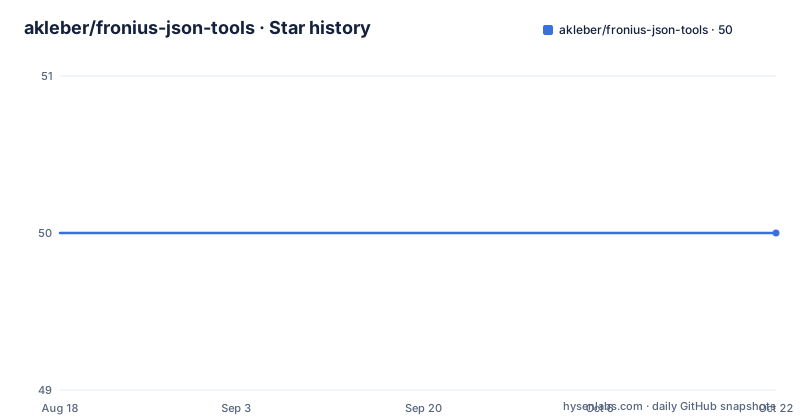
- akleber/fronius-json-tools50 ★ · +0
| Repository | 2026-08-18 | 2026-10-20 |
|---|---|---|
| akleber/fronius-json-tools | 50 | 50 |
0 Stars in the last 63 days, measured from the daily GitHub snapshot. Compare with other projects
Editorial analysis
What This Project Actually Solves
The project does not claim to be a library with a clean API. It is a set of tools with a stated goal: fetch all available live data from the datalogger on a cron schedule, store it in SQLite, import archive data the same way, and generate graphs. The target user is someone who wants their own historical record of solar production, battery state, and grid interaction, independent of Fronius's own portal. The README lists an iOS app and today widget as goals, but those are not in the repository. What exists is the Python side: data collection, storage, and graphing. That distinction matters. You get the backend, not the frontend.
The Data Flow: From Datalogger to SQLite to Graphs
One notable detail in the README's notes on data is that PowerFlowRealtimeData is faster than the other endpoints because it uses fcgi, not cgi. It also summarises the most important data. That is a practical hint for anyone building a polling loop: prefer that endpoint for live updates, and use the others for deeper detail. The relationship between InverterRealtimeData and PowerFlowRealtimeData is also spelled out: PAC equals the absolute value of P_Load plus P_Grid. That kind of formula is exactly what you need when you are writing your own parsing code and the API docs are thin. The project is not just a scraper; it is an attempt to document the API's semantics through code and notes.
Getting It Running: What the README Does and Does Not Tell You
The lack of setup documentation is a genuine barrier. The scripts are described as incomplete, so you cannot assume they will run without modification. A practical first step is to run the API calls manually in a browser or with curl to see the JSON structure, then compare it with what the scripts expect. The README's changelog of API versions is your best guide for what fields to expect. Without that, you would be guessing. The project's value is not in the code you can run immediately; it is in the map of the API that the code and notes provide.
The API Changelog Is the Hidden Gem
This changelog is not a formal document; it is one user's observations. But it is concrete and specific, and it tells you what to check when your script starts returning nulls or missing keys. For example, the note that PowerFlowRealtimeData returns P_Akku and P_PV as 'null' when the inverter is in standby, but '0' when only the battery is in standby, is a subtle distinction that affects how you handle missing values in your database. If you write a script that treats null and 0 the same, you will misreport battery behaviour. This kind of detail is why the project exists. The author wrote these tools to understand the API, and the notes are the documentation that Fronius does not provide.
Limitations and Failure Modes
The wrong tool for this job would be a production monitoring system for a commercial solar installation. There is no error handling described, no retry logic, no logging strategy, and no alerting. If the datalogger is unreachable, the cron script will fail however it fails, and you will have to notice. For a hobbyist or a homeowner who wants to learn the API and build a personal dashboard, the limitations are acceptable. For a business that needs reliable uptime, this is a starting point, not a solution.
Alternatives and How They Differ
A more modern alternative would be to use a time-series database like InfluxDB instead of SQLite, and a graphing tool like Grafana instead of matplotlib. The README does not mention any of those, so the project is tied to SQLite and whatever graphing library the scripts use. If you want to scale to years of 5-minute data, SQLite can handle it, but it will not give you the built-in downsampling and retention policies that InfluxDB offers. That is a design choice, not a flaw, but it is a difference to consider before adopting the project. The author's goal was to fit his own needs, not to build a general-purpose platform.
Maintenance and Licence Implications
The licence also means you can take the API changelog notes and turn them into your own documentation, which is a practical way to benefit from this project without depending on its code. The MIT licence does not require you to contribute back, but if you do make improvements, the author would likely appreciate a pull request. That is the nature of a personal project on GitHub. The maintenance cost is not zero, but the licence gives you the freedom to make it whatever you need.
Editorial conclusion
Adopt this project if you own a Fronius datalogger, write Python, and need a head start on fetching live and archive data into SQLite without building everything from scratch. Do not adopt it if you expect a maintained, documented library with tests and packaging. Verify first that the API version on your datalogger matches the documented changes, and be prepared to fill in the missing setup instructions and incomplete scripts yourself. The project's real value is the changelog of API fields, which saves you from discovering breaking changes the hard way.
Frequently asked questions
What is Fronius' IP address for the solar API in fronius-json-tools?
The README does not give one. Every example endpoint is written against the bare host name fronius over plain HTTP, which is the name a datalogger has on a local network, so the reader is expected to substitute their own address rather than connect to a vendor host.
Which Fronius Solar API endpoints does fronius-json-tools document?
Ten, covering active device info, inverter info, inverter realtime data, logger info, logger LED info, meter realtime data, power flow realtime data, storage realtime data and two archive data variants. The power flow call ends in fcgi rather than cgi and the README notes it is the fastest and returns a summary of the most important data.
How do I fetch live data from a Fronius datalogger with these tools?
The stated goal is a cron script that fetches all available live data from the datalogger and writes it into a SQLite database, plus a separate script that imports archive data into the same database. Graphs are then generated from that database, covering battery charge across the day and an overview of load, grid, total power and state of charge.
What does the fronius-json-tools requirements file install?
Eight pinned packages from 2016. requests at 2.12.4 handles the API calls, matplotlib, numpy, cycler and pyparsing exist for the plotting, and python-dateutil, pytz and six support them. Nothing is needed beyond requests for fetching data into storage without the graphs.
Official sources
Add this badge to your README
If you maintain this project, the badge below links readers to this analysis and shows its maintenance status from the daily GitHub snapshot. Paste the markdown into your README; add ?metric=license or ?metric=stars to the image URL for a different field.

[](https://hysenlabs.com/projects/akleber-fronius-json-tools)Star history chart for your README
[](https://hysenlabs.com/projects/akleber-fronius-json-tools)