Lockbox encrypts Rails attributes without changing how you call them
Modern encryption for Ruby and Rails
At a glance
- What is it?
- Lockbox is an MIT licensed Ruby gem that adds application-level encryption to Active Record, Mongoid, Action Text and file storage attachments through a has_encrypted declaration, with zero dependencies and a migrating mode that encrypts an existing column without downtime. It cannot query encrypted fields or enforce uniqueness on its own.
- Who is it for?
- Adopt Lockbox if you need to encrypt a small number of sensitive Rails attributes or files and want the call sites to keep working unchanged, in an application that already manages its secrets through credentials or environment variables.
- Can I use it commercially?
- Yes. MIT is a permissive licence: you can use, modify and sell software built on it, as long as you keep its copyright and licence notices.
- Is it still maintained?
- Yes. The repository last received commits 26 days ago.
- What is it written in?
- Mainly Ruby, according to GitHub's language statistics.
Answers come from the project's GitHub data, last synced on November 7, 2026, and from our analysis. They are not legal advice.
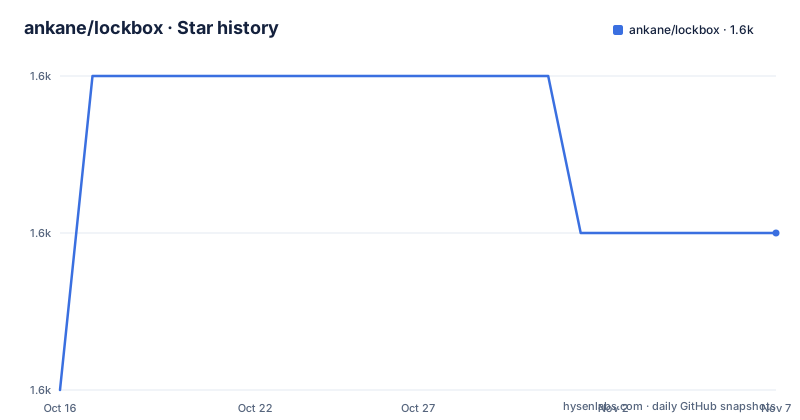
Star history
- ankane/lockbox1,611 ★ · +1
| Repository | 2026-10-16 | 2026-11-07 |
|---|---|---|
| ankane/lockbox | 1.6k | 1.6k |
1 Stars in the last 22 days, measured from the daily GitHub snapshot. Compare with other projects
Editorial analysis
The whole design is one declaration and unchanged call sites
Lockbox is described as modern encryption for Ruby and Rails, with four properties listed up front: it works with database fields, files and strings; it maximises compatibility with existing code and libraries; it makes migrating existing data and key rotation easy; and it has zero dependencies and many integrations.
The compatibility claim is the design. In Active Record you declare:
class User < ApplicationRecord
  has_encrypted :email
end
and then use `email` as if it were an ordinary attribute:
User.create!(email: "[email protected]")Nothing in the calling code changes. Not the validations, not the form objects, not the serializers, not the controllers. The README states plainly that Lockbox automatically works with serialized fields for maximum compatibility with existing code and libraries, and shows `serialize`, `store` with accessors, a custom Active Record attribute type, and StoreModel all encrypted through the same declaration.
The column itself is the giveaway about how little you have to think. The migration adds a text column:
class AddEmailCiphertextToUsers < ActiveRecord::Migration[8.1]
  def change
    add_column :users, :email_ciphertext, :text
  end
end
And the README gives a rule that saves a common mistake: use a `text` column for the ciphertext in migrations, regardless of the type.
Types are declared separately, and the list is broad: date, datetime, time, boolean, integer, float, decimal, binary, json, hash, array and inet. The `inet` case matters for anyone with an IP address column.
Key generation, four storage routes, and an example key that must not ship
Generating a key is one call, and storing it is deliberately left to you:
Lockbox.generate_keyThe README says to store the key with your other secrets, typically Rails credentials or an environment variable, and to be sure to use different keys in development and production. Then it offers an environment variable form:
LOCKBOX_MASTER_KEY=0000000000000000000000000000000000000000000000000000000000000000That all-zero key is offered explicitly as one usable in development, and it is the single most dangerous line in the README. Copy it into production and every encrypted field in your database decrypts to anyone who reads the source. The instruction to use different keys per environment is not a suggestion attached to that sentence; it is the reason the example exists.
There are three other routes. Credentials per environment, via `rails credentials:edit --environment <env>`, with the key under a `lockbox` namespace and a `master_key` entry. Or an initializer that reads from credentials directly:
Lockbox.master_key = Rails.application.credentials.lockbox[:master_key]That last form is worth preferring over duplicating the key into an initializer literal, because it keeps the key out of source control entirely rather than merely out of the initializer.
The document then routes you by what you are encrypting rather than by what you are using. Database fields cover Active Record, Action Text and Mongoid. Files cover Active Storage, CarrierWave, Shrine and local files. Other covers strings. That list is the integrations claim made concrete, and it matches the repository topics, which include activerecord, activestorage, carrierwave and mongoid.
Zero dependencies is the other structural claim. For a crypto library that is worth checking rather than accepting at face value, and the linked articles on the principles behind the gem are where to verify what primitives it uses.
What Lockbox cannot do: query, uniqueness, and Action Text attachments
Three limitations are stated in the README and they are the ones that determine whether the gem fits your problem.
The first is querying. If you need to query encrypted fields, the README directs you to a separate project, Blind Index, by the same author. That is not a gap being papered over; it is the cryptographic fact that you cannot index ciphertext. A deterministic, keyed hash stored alongside the ciphertext is the standard answer, and it is a different gem.
The second is uniqueness. Validations work as expected with the exception of uniqueness, which also requires a blind index. So an `email` column you encrypt is no longer protected by the database unique constraint, and if you skip the blind index you have silently removed a constraint your schema relied on.
The third is Action Text, and it is stated as a note in bold. Action Text uses direct uploads for files, which cannot be encrypted with application-level encryption like Lockbox; the feature only encrypts the database field. So the body text is protected at rest in the database while the uploaded attachment is stored by whatever direct upload mechanism is configured, unencrypted by Lockbox. If your threat model covers the attachment store, Lockbox does not address it.
A fourth item is not a cryptographic limitation but a data leak, and it is easy to miss: if you track changes to model attributes, you must remove or redact encrypted attributes. The README shows the PaperTrail and Audited configuration, with two options each. Skipping `:email` alone gives an encrypted history that still tracks ciphertext changes. Skipping both `:email` and `:email_ciphertext` gives no history, and the README notes you should add blind indexes as well in that case.
That last recommendation implies something: a ciphertext column is itself sensitive, because change patterns and row counts leak. Worth knowing before you store them.
Migrating an existing column in five steps, with a window where both exist
The migration path is the most operationally useful part of the README, because encrypting an existing column is where most encryption projects stall.
Lockbox claims to make it easy to encrypt an existing column without downtime, and the procedure is four model states plus a backfill.
First, add a new column for the ciphertext. Then declare the field in migrating mode:
class User < ApplicationRecord
  has_encrypted :email, migrating: true
end
The migrating flag is what makes the cutover safe: the old plaintext column still exists, the new ciphertext column is being written, and reads are served from the old column. Then backfill in the Rails console:
Lockbox.migrate(User)Then move to the steady state, keeping the plaintext readable but ignored:
class User < ApplicationRecord
  has_encrypted :email

  # remove this line after dropping email column
  self.ignored_columns += ["email"]
end
Finally, drop the unencrypted column.
`ignored_columns` is the detail that makes this work. It tells Active Record to stop selecting the column, so once you drop it nothing breaks. The README's comment says to remove the line after dropping the column, which is the correct cleanup and also the moment to remove the plaintext.
Blind indexes, if you are adding them, follow the same pattern and must also be marked migrating during the process:
class User < ApplicationRecord
  blind_index :email, migrating: true
end
Action Text has an equivalent three-step path using `Lockbox.encrypts_action_text_body(migrating: true)`, then `Lockbox.migrate(ActionText::RichText)`, then dropping the flag. Any Lockbox option can be passed to that method.
The `migrating` flag is also what the key rotation story rests on, since a rotation is the same shape of operation: new writes use the new key, old rows are backfilled, and you do not have to decrypt everything in one atomic step.
Fixtures, decryption outside the model, and the remaining integrations
Two small features that indicate the level of care in the gem.
Encrypted attributes work in fixtures, using a generated ciphertext:
test_user:
  email_ciphertext: <%= User.generate_email_ciphertext("secret").inspect %>
The README warns to include the `inspect` at the end or it will not be encoded properly in YAML. That is a real trap, because the failure appears as a fixture that loads to the wrong value rather than as an error.
Decryption outside the model is a class method on the model, taking the raw ciphertext:
User.decrypt_email_ciphertext(user.email_ciphertext)Both of those exist because a gem that only works through the ORM breaks in the two places you always need to step outside it: seeding a test database and writing a data migration script.
Mongoid gets the same treatment as Active Record, with a `field :email_ciphertext, type: String` declaration plus `has_encrypted :email`, and its own migration path.
The author also maintains companion projects and writes the articles the README links: the principles behind the gem, how to secure emails with Devise, and how to secure sensitive data in Rails. Those are the reference for design questions the README does not answer, such as what happens on key loss or what the model should do when a value fails to decrypt.
The repository layout is small and conventional: `lib/`, `test/`, `docs/`, `gemfiles/` for testing against multiple dependency versions, a `Rakefile`, `lockbox.gemspec`, and a `SECURITY.md`. There is no GitHub release history, so the version to track is the gem version on RubyGems rather than a tag.
Editorial conclusion
Adopt Lockbox if you need to encrypt a small number of sensitive Rails attributes or files and want the call sites to keep working unchanged, in an application that already manages its secrets through credentials or environment variables. Do not adopt it expecting encrypted fields to be searchable or unique, since both require the separate blind_index gem, and do not apply it to Action Text attachments expecting the uploaded file to be encrypted, as the README states direct uploads cannot be encrypted at the application level. Verify first that the master key is stored per environment and differs between development and production, since the README's example key is all zeroes and must never reach production.
Frequently asked questions
How do I install Lockbox and generate a key?
Add `gem "lockbox"` to your Gemfile, then call `Lockbox.generate_key`. Store the key in Rails credentials or an environment variable such as `LOCKBOX_MASTER_KEY`, or set `Lockbox.master_key` in an initializer, and use different keys in development and production.
Can I query or enforce uniqueness on a Lockbox-encrypted field?
Not with Lockbox alone. The README states that querying encrypted fields and uniqueness validations both require Blind Index, a separate project by the same author. Skip it and a unique constraint on an encrypted column silently disappears.
What column type should I use for Lockbox ciphertext?
Use a `text` column for the ciphertext in migrations, regardless of the type of the attribute. The type, whether date, boolean, json or inet, is declared on `has_encrypted` rather than in the schema.
How do I encrypt an existing column without downtime?
Add the ciphertext column, declare the field with `migrating: true`, run `Lockbox.migrate(User)` in the Rails console, remove the flag while adding the old column to `ignored_columns`, then drop the unencrypted column. Blind indexes added alongside must be marked `migrating` during the same process.
Does Lockbox encrypt Action Text attachments?
No. The README notes that Action Text uses direct uploads for files, which cannot be encrypted with application-level encryption like Lockbox, so the feature only encrypts the database field and the uploaded attachment is not covered.
What happens if I use PaperTrail or Audited with Lockbox?
The README instructs you to skip encrypted attributes. Skipping `:email` alone keeps an encrypted history that still tracks ciphertext changes; skipping both `:email` and `:email_ciphertext` gives no history, and blind indexes are recommended in that case.
Official sources
Add this badge to your README
If you maintain this project, the badge below links readers to this analysis and shows its maintenance status from the daily GitHub snapshot. Paste the markdown into your README; add ?metric=license or ?metric=stars to the image URL for a different field.

[](https://hysenlabs.com/projects/ankane-lockbox)Star history chart for your README
[](https://hysenlabs.com/projects/ankane-lockbox)Was this useful?