ANTs ships binaries, a CMake package and a Docker build that runs its own tests
Advanced Normalization Tools (ANTs)
At a glance
- What is it?
- Advanced Normalization Tools is a C++ command line library for medical image registration, segmentation and template construction, built on the Insight ToolKit. Installing it from a release archive takes one PATH export, while the Docker build compiles with testing enabled and runs the test target before producing the runtime image.
- Who is it for?
- Adopt ANTs if your work is volumetric medical images and you need registration, segmentation or template construction from a reproducible command line, and use the release binaries or conda rather than compiling. Skip it if you need a general image library with a small dependency footprint, since ANTs brings ITK with it.
- Can I use it commercially?
- Yes. Apache-2.0 is a permissive licence: you can use, modify and sell software built on it, as long as you keep its copyright and licence notices.
- Is it still maintained?
- Yes. The repository received new commits within the last day.
- What is it written in?
- Mainly C++, according to GitHub's language statistics.
Answers come from the project's GitHub data, last synced on October 23, 2026, and from our analysis. They are not legal advice.
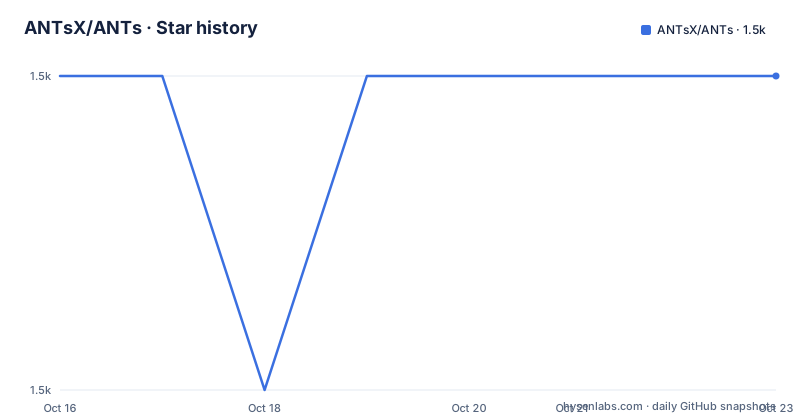
Star history
- ANTsX/ANTs1,508 ★ · +0
| Repository | 2026-10-16 | 2026-10-23 |
|---|---|---|
| ANTsX/ANTs | 1.5k | 1.5k |
0 Stars in the last 7 days, measured from the daily GitHub snapshot. Compare with other projects
Editorial analysis
Registration is the core, everything else hangs off it
ANTs stands for Advanced Normalization Tools, and the README describes it as computing high-dimensional mappings that capture the statistics of brain structure and function. That phrasing describes the method rather than the user interface: the deliverable is a transformation between images, not a segmentation label map in isolation.
The stated purpose is to organize, visualize and statistically explore large biomedical image sets, and to integrate imaging modalities across space and time, working across species or organ systems with minimal customization. That last claim is what the example gallery is built to support, and the breadth is real: registration examples run from basic pairwise alignment through large deformation, asymmetry analysis, automobile image registration and point-set mapping, and the segmentation examples pair N4 bias correction with Atropos or cover brain tumour segmentation.
Template construction is treated as its own category, with brain template, single subject template and tissue prior examples. Cortical thickness has basic and chimpanzee examples, which is a good signal that the toolkit is not tied to human MRI.
The organ coverage continues past brains into lung CT registration, lung mask registration and lung and lobe estimation, and into fMRI motion correction and reproducibility.
The foundation matters for anything you build on top. ANTs depends on the Insight ToolKit, and the README says ANTs developers contribute back to ITK, so the two are developed together rather than one wrapping a frozen library.
Pre-built binaries need one PATH export
The documented fast path is a release archive, and it is genuinely quick.
Download the latest release from the Assets section, unzip it, then add the ANTs bin directory to your PATH:
export PATH=/path/to/ants/bin:$PATHThe README suggests verifying this by asking the system where an ANTs executable lives:
which antsRegistrationIf that resolves, the full functionality is available from a shell. This is a self-contained command line installation, not a Python environment or a library you import.
One environment variable is called out for performance: `ITK_GLOBAL_DEFAULT_NUMBER_OF_THREADS` controls multi-threading. On a shared machine or a cluster job, that is the setting to set before a long registration run, because the default is to use what the machine offers.
The binaries cover all three desktop platforms, and there is a Conda package on conda-forge in addition to the GitHub releases and a Docker image on Docker Hub. Conda is another documented installation option.
Building from source is a cmake and make sequence
When the pre-built binaries are not enough, the README gives a minimal Linux and macOS sequence that records each stage's output to a log file.
workingDir=${PWD}
git clone https://github.com/ANTsX/ANTs.git
mkdir build install
cd build
cmake \
    -DCMAKE_INSTALL_PREFIX=${workingDir}/install \
    ../ANTs 2>&1 | tee cmake.log
make -j 4 2>&1 | tee build.log
cd ANTS-build
make install 2>&1 | tee install.log
The `2>&1 | tee` pattern is the point rather than the commands. A registration library build is long, and configuration failures usually surface as compiler or dependency errors buried in the middle of the output, so each stage writes its own log you can read afterwards.
Note that the configure step runs in `build/` while the build and install happen in `build/ANTS-build`, which is a consequence of the project's SuperBuild structure at the repository root, where `SuperBuild.cmake` and a `SuperBuild/` directory sit alongside `CMake/` and `Common.cmake`.
A full downloadable installation script and further detail live in the Linux and macOS guide in the project wiki, and a separate Windows guide covers the additional steps Windows needs. `make -j 4` is a conservative parallel setting; on a machine with many cores you would raise it.
find_package(ANTS) links against exported ANTS:: targets
If you are writing C++ rather than shell scripts, the installed tree exposes a CMake package, and this is the part of the documentation that has clearly been updated for downstream use.
A downstream project locates it with `find_package` in CONFIG mode and links to an imported target rather than listing include paths and library names by hand:
find_package(ANTS CONFIG REQUIRED)

add_executable(my_tool main.cxx)
target_link_libraries(my_tool PRIVATE ANTS::antsUtilities)
Two details make this practical. ITK is pulled in transitively, and so is VTK when ANTs was built with `USE_VTK=ON`, so you do not have to find those separately. And if CMake cannot find the install on its own, you point it at the package directory with `-DANTS_DIR=<prefix>/lib/cmake/ANTS`, or add the prefix to `CMAKE_PREFIX_PATH`.
The naming of targets like `ANTS::antsUtilities` follows the modern convention, which is a sign the build system has been maintained rather than left as it was found.
The repository also keeps an `Examples/` directory with individual `.cxx` files per algorithm, including ANTSConformalMapping, ANTSIntegrateVectorField, ANTSIntegrateVelocityField, ANTSJacobian, ANTSUseDeformationFieldToGetAffineTransform and ClusterImageStatistics. Each is a separate compilable program, so you can read one small file to learn how a transformation is applied before writing your own.
The Docker build runs the test target before shipping
The Dockerfile is short and does something most projects skip: it runs its own test suite as part of the image build.
It starts from debian bookworm slim and installs g++-11, cmake, make, ninja-build and git in a builder stage. The compiler is pinned through build arguments, `CC=gcc-11` and `CXX=g++-11`, with `BUILD_SHARED_LIBS=ON`, and the configure step enables testing explicitly with `-DBUILD_TESTING=ON`, `-DRUN_LONG_TESTS=ON` and `-DRUN_SHORT_TESTS=ON`. After installing to `/opt/ants`, the build runs `cmake --build. --target test` before the final stage is assembled.
That means an image that builds is an image whose tests passed, at the cost of a much slower build.
The final image keeps the same two environment variables, `PATH` pointing at `/opt/ants/bin` and `LD_LIBRARY_PATH` at `/opt/ants/lib`, and copies only the install tree out of the builder stage. The runtime image installs essentially nothing beyond bc, which keeps it small.
Two small touches are worth noting for provenance. The build rewrites git URLs so that `git://` is fetched over https, which avoids failures on networks that block the git protocol. And the image carries Opencontainers labels including the licence, the source repository and a PubMed citation URL for the ANTs paper, which is the convention for anything meant to appear in a published methods section.
R and Python wrappers exist, and so do the deep learning ones
The C++ command line tools are the core, and the project maintains an ecosystem around them.
ANTsR is the R interface and ANTsPy the Python one, and the README positions them as the way to bring ANTs into the broader R and Python ecosystems rather than as ports. On top of those sit ANTsRNet and ANTsPyNet, which the README describes as adding deep learning functionality.
That layering matters practically. A command-line registration is a research result; the same registration inside a pipeline that also loads an atlas, applies priors and writes statistics is a study.
The project also publishes pre-built templates with spatial priors for download, in a general version and an MNI ICBM152 version. Templates are the input ANTs registration workflows usually need, and shipping them removes the most common first-run blocker.
There is a Docker CI badge and a separate Docker Hub repository, and the README mentions that ANTs-related tools have won several international, unbiased competitions such as MICCAI, BRATS and STACOM. Competition entries are a reasonable signal for a medical imaging toolkit, and worth more than a claim in a README, though they are not a substitute for checking a result against a method you already trust.
The licence is Apache-2.0, which is permissive for commercial and academic use, including inside closed source, with the usual requirement to preserve notices.
Where ANTs is the wrong tool
Three cases.
If your images are two-dimensional and small, this is a large hammer. ANTs brings ITK, a full medical imaging toolkit, and the registration machinery is built for volumes with real spatial geometry.
If you need results today on a machine you do not control, expect to spend time on ITK discovery. A source build pulls in ITK and its dependencies, and even the binary route assumes a working C++ and ITK runtime, which is exactly what the Conda package removes. Using the conda-forge package is the low-risk path if you are not already comfortable with CMake.
If you need something the command line tools do not expose, the fallback is writing C++ against the exported targets, which is a real commitment rather than an afternoon.
There is also a versioning rhythm to plan around. Releases carry animal names, with v2.6.5 named Miomyrmex published on 2026-01-14 after v2.6.4 Loweriella and v2.6.3 Liometopum, while the last push was on 2026-10-16. For a published analysis, record the exact version and, if you rely on a template, the template source alongside it, since the mapping between the two is not frozen.
Editorial conclusion
Adopt ANTs if your work is volumetric medical images and you need registration, segmentation or template construction from a reproducible command line, and use the release binaries or conda rather than compiling. Skip it if you need a general image library with a small dependency footprint, since ANTs brings ITK with it. Verify first that `which antsRegistration` resolves after the PATH export, and confirm your ITK version matches before mixing pre-built binaries with a source build.
Frequently asked questions
How do I install ANTs without compiling it?
Download the latest archive from the GitHub Releases page, unzip it, and add the bin directory to your PATH with `export PATH=/path/to/ants/bin:$PATH`. There are also conda-forge and Docker Hub packages.
How do I verify the ANTs installation worked?
Run `which antsRegistration`. If that returns a path, the installation is complete and the full functionality is available from the command line. Multi-threading is controlled with the `ITK_GLOBAL_DEFAULT_NUMBER_OF_THREADS` environment variable.
Can I link against ANTs from my own C++ project?
Yes. An installed ANTs ships a CMake package configuration, so you use `find_package(ANTS CONFIG REQUIRED)` and link the exported `ANTS::` targets such as `ANTS::antsUtilities`. ITK and VTK are pulled in transitively, and `-DANTS_DIR=<prefix>/lib/cmake/ANTS` points CMake at the install if it is not found automatically.
Official sources
Add this badge to your README
If you maintain this project, the badge below links readers to this analysis and shows its maintenance status from the daily GitHub snapshot. Paste the markdown into your README; add ?metric=license or ?metric=stars to the image URL for a different field.

[](https://hysenlabs.com/projects/antsx-ants)Star history chart for your README
[](https://hysenlabs.com/projects/antsx-ants)Was this useful?