Audile music recognition for Android: setup, providers, and limits
An open-source Android app for music recognition that integrates AudD, ACRCloud, and Shazam to perform song identification.
At a glance
- What is it?
- Audile is an open-source Android app that sends recorded audio through AudD, ACRCloud, or Shazam and uses Odesli to find music-service links. It suits Android users who want multiple recognition services, offline capture, and an in-app history, but external services impose account, quota, and network constraints.
- Who is it for?
- Audile fits Android 8.0 or later users who want one interface over AudD, ACRCloud, and Shazam, especially when recording history and offline capture matter. It is a poor fit for someone who needs guaranteed free recognition or expects all identification and link lookup to happen on-device.
- Can I use it commercially?
- Yes, with conditions. GPL-3.0 is a copyleft licence: if you distribute software that includes it, you must release that software's source code under the same licence. Running it internally without distributing it does not trigger that obligation.
- Is it still maintained?
- Yes. The repository last received commits 4 days ago.
- What is it written in?
- Mainly Kotlin, according to GitHub's language statistics.
Answers come from the project's GitHub data, last synced on October 23, 2026, and from our analysis. They are not legal advice.
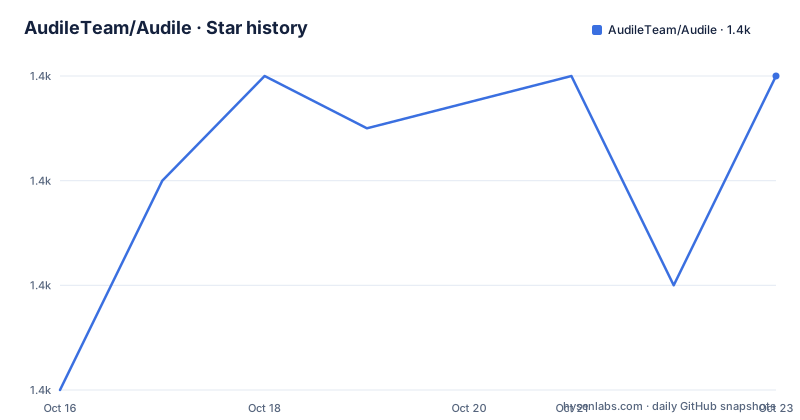
Star history
- AudileTeam/Audile1,370 ★ · +6
| Repository | 2026-10-16 | 2026-10-23 |
|---|---|---|
| AudileTeam/Audile | 1.4k | 1.4k |
6 Stars in the last 7 days, measured from the daily GitHub snapshot. Compare with other projects
Editorial analysis
Audile's Android recognition and library scope
Audile addresses a specific problem: identifying a track already playing nearby and retaining the result instead of treating recognition as a disposable lookup. The README describes one-click recognition, saved offline recordings, and a library supporting search, filtering, favorites, and deletion. These features are relevant to users who recognize music repeatedly, although the README does not document cross-device synchronization or export of the library.
The documented platform requirement is Android 8.0 or later. The repository identifies Kotlin as the primary language, with `app/`, `feature/`, and `core/` directories, Gradle build files, `build-logic/`, and Compose configuration. That layout indicates a modular Android application, but the README does not define the internal boundaries or public API of those modules.
The README states that Audile is free, without ads or commercial monetization. This describes the app's distribution model, not the cost or availability of upstream recognition services. Some providers require accounts, API credentials, trials, or quotas. As a result, installing Audile does not guarantee unlimited recognition or uninterrupted service.
AudD, ACRCloud, Shazam, and Odesli in Audile's request path
Audile separates track identification from destination lookup. According to the README, the app can use AudD, ACRCloud, and Shazam for music recognition, while Odesli retrieves platform-specific track links. The documented flow begins with a recording sent to a recognition provider. A successful result supplies track metadata such as title, artist, album, release year, artwork, and lyrics. Odesli then provides links to supported music services.
The providers have different setup conditions. AudD requires an API token for its paid service, although the README also says Audile can be used without one with significantly restricted daily recognition. It warns that this behavior is not guaranteed and may be restricted at any time. ACRCloud requires an account and a registered project. Its setup guidance asks users to select the closest geographical region, set `Recorded audio` as the audio source, choose an audio engine, and enable third-party ID integration. The README identifies `Audio fingerprinting` as the most accurate engine for general use.
Several providers can be useful when one service is unavailable or has a usage limit, but the README does not document automatic failover, provider ranking, or a selection policy. Users should not assume that the app creates three independent allowances or that every provider handles every recording in the same way.
Installing Audile and completing a first recognition
Audile does not require a source build for ordinary installation. The README links to an F-Droid release and the project's GitHub releases page. It does not provide a shell installation command, Gradle invocation, or APK filename. The documented installation destinations are the following links:
https://f-droid.org/en/packages/com.mrsep.musicrecognizer/
https://github.com/AudileTeam/Audile/releases/
After installation, open Audile on an Android 8.0 or later device. If the selected service requires credentials, configure AudD with an API token or configure ACRCloud with an account and registered project. Start playback near the phone, trigger recognition, then review the returned title, artist, album, release year, artwork, lyrics, and service links. The library screen should contain the recognized track after a successful lookup.
Audile also provides recognition controls through the notification drawer, a home screen widget, a floating button, and a quick settings tile. When there is no internet connection, the README says Audile saves the recording and resumes recognition when connectivity returns. The preferences can customize behavior after no internet, no match, or another failure. The README does not document the preference names, retry timing, or maximum offline queue.
Recording storage, background access, and network failure behavior
Audile's offline handling extends the life of a recognition attempt. The README states that, without internet access, the app saves the recording and resumes processing after the device returns online. This is useful when a track can be captured now but recognition must wait. It also means that audio may remain stored outside the immediate request, which users may want to consider before using the feature in sensitive environments.
The README confirms saving and retry behavior, but it does not document the recording format, retention period, maximum offline queue size, upload behavior after reconnection, or whether queued recordings can be deleted separately from library entries. It also does not describe battery use, microphone indicators, or behavior after Android terminates the app. Those omissions limit any firm claim about unattended operation.
Background controls are convenience entry points, not an offline matching engine. Notification, widget, floating button, and tile actions still require a working provider connection when processing resumes. Audile can start work without opening the main screen, but the README does not claim that matching can occur entirely on-device.
Audile's provider trade-offs and service dependency
A direct single-provider workflow is an alternative to Audile. A user could send a recording to AudD, ACRCloud, or Shazam and use the returned match without maintaining a multi-provider Android app and its library. That approach has fewer app-level surfaces, but it lacks Audile's documented library, favorites, search, notification controls, widget, and automatic handling of saved offline recordings. Audile sits above the providers and adds Android integration and stored state, trading simplicity for a broader workflow.
The added workflow depends on external services. AudD and ACRCloud require account or token setup, and their quotas or access policies can change outside Audile's control. Shazam is integrated, but the README does not document whether Shazam credentials are required, what quota applies, or how service-specific failures are handled. Odesli is also external, and the README does not state which platforms are always available or what happens when link retrieval fails.
Audile reduces the need to switch manually between identification paths, but it cannot guarantee that every lookup, lyric request, destination link, or retry will succeed.
Audile licensing, releases, and maintenance status
Audile is licensed under GPL-3.0. The repository includes `LICENSE.md`, and the README contains the GNU General Public License notice with version 3 or, at the user's option, any later version. The license terms should be reviewed directly before redistributing or integrating the source. Contributions are directed through `CONTRIBUTING.md`, and translation work is handled through Weblate.
The repository is not archived. Its last push was on 2026-10-05. The release history lists `v1.19.0` on 2026-10-05, `v1.18.5` on 2026-09-02, and `v1.18.4` on 2026-08-30. These records show recent project activity, but they do not specify the work required for each upgrade. An Android upgrade may involve Gradle changes, Android compatibility work, provider changes, or signing differences.
The README also states that F-Droid releases cannot be upgraded to releases from other channels because they are compiled and signed by F-Droid. For source builds, it directs developers to `BUILDING.md` rather than providing toolchain details. Readers who need a custom build should start with that file and verify the signing channel before replacing an installed release.
Editorial conclusion
Audile fits Android 8.0 or later users who want one interface over AudD, ACRCloud, and Shazam, especially when recording history and offline capture matter. It is a poor fit for someone who needs guaranteed free recognition or expects all identification and link lookup to happen on-device. Before adopting it, first choose F-Droid or GitHub as the update channel, obtain the required provider credentials, and confirm that the provider quota and network requirements fit your usage.
Frequently asked questions
Which Android versions does Audile support?
The README states that Audile runs on Android 8.0 or later.
Does Audile work without an internet connection?
The README says Audile saves a recording when there is no internet connection and resumes recognition after the device comes back online. It does not say that matching itself occurs offline.
Does Audile require an AudD API token?
The README describes AudD as a paid service requiring an API token, but also says Audile can be used without one with significantly restricted daily recognition. That unauthenticated allowance is not guaranteed and may be restricted at any time.
Official sources
Add this badge to your README
If you maintain this project, the badge below links readers to this analysis and shows its maintenance status from the daily GitHub snapshot. Paste the markdown into your README; add ?metric=license or ?metric=stars to the image URL for a different field.

[](https://hysenlabs.com/projects/audileteam-audile)Star history chart for your README
[](https://hysenlabs.com/projects/audileteam-audile)Was this useful?