bbc/unicode-bidirectional: A UAX #9 Implementation Stuck at Unicode 9.0
A Javascript implementation of the Unicode 9.0.0 Bidirectional Algorithm
At a glance
- What is it?
- bbc/unicode-bidirectional is a JavaScript library that implements the Unicode Bidirectional Algorithm (UAX #9) for Unicode 9.0.0. It offers a clean API for resolving and reordering codepoints, but its last release in 2017 means it lacks newer Unicode versions.
- Who is it for?
- Adopt this library if you need a small, dependency-free UAX #9 implementation for Unicode 9.0.0 and your input is already NFC-normalized. Do not use it for modern text that may contain emoji or scripts added after Unicode 9.0, as the algorithm will not handle them correctly.
- Can I use it commercially?
- Yes. MIT is a permissive licence: you can use, modify and sell software built on it, as long as you keep its copyright and licence notices.
- Is it still maintained?
- Probably not. The repository last received commits 91 months ago, on April 3, 2019.
- What is it written in?
- Mainly JavaScript, according to GitHub's language statistics.
Answers come from the project's GitHub data, last synced on October 21, 2026, and from our analysis. They are not legal advice.
Star history
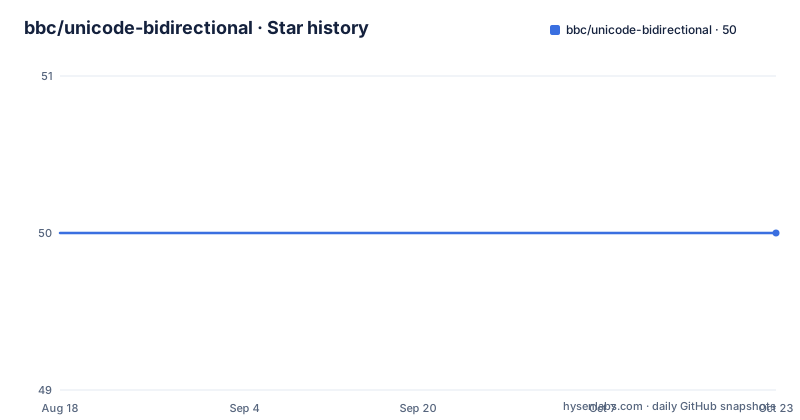
- bbc/unicode-bidirectional50 ★ · +0
| Repository | 2026-08-18 | 2026-10-21 |
|---|---|---|
| bbc/unicode-bidirectional | 50 | 50 |
0 Stars in the last 64 days, measured from the daily GitHub snapshot. Compare with other projects
Editorial analysis
What This Library Solves
The Unicode Bidirectional Algorithm (UAX #9) determines how text with mixed left-to-right and right-to-left scripts is displayed. Browsers and operating systems do this automatically for rendered text, but when you are building a custom text layout engine, a PDF generator, or a terminal emulator, you need to implement the algorithm yourself. This library provides that implementation in JavaScript, so you can resolve the visual order of codepoints without reimplementing a complex spec. It is aimed at developers who work with raw text at the codepoint level and need to control the display order programmatically. The library is small, has no dependencies, and works in both browsers and Node.js, which makes it a convenient drop-in for projects that already manipulate text as arrays of numbers.
The Core Mechanism: resolve, reorder, and mirror
The library splits the algorithm into three functions. resolve takes an array of codepoints and a paragraph level (0 for LTR, 1 for RTL) and returns an array of levels, one per codepoint. These levels indicate the embedding depth of each character. Then reorder takes the original codepoints and the levels array and returns a new array with the codepoints permuted into visual order. The README shows a simple example: for codepoints [0x28, 0x29, 0x2A, 0x05D0, 0x05D1, 0x05D2] with paragraph level 0, resolve returns [0, 0, 0, 1, 1, 1] and reorder returns [0x28, 0x29, 0x2A, 0x05D2, 0x05D1, 0x05D0]. Notice that the Hebrew characters are reversed. There is also a mirror function that replaces codepoints with their mirrored glyphs according to rule L4, which matters for characters like parentheses that flip in RTL context. These three functions cover the main steps of the algorithm, and the library also exposes reorderPermutation if you need the permutation itself rather than the reordered array.
Getting It Running: Installation and Module Formats
You install the library with npm: npm install unicode-bidirectional --save. The package is a Universal Module (UMD), so it works with ES6 imports, CommonJS require, RequireJS, and a plain script tag. For ES6, you import { resolve, reorder } from 'unicode-bidirectional'. For CommonJS, you require('unicode-bidirectional/dist/unicode.bidirectional') and access the same functions. The script tag version exposes window.UnicodeBidirectional. The API expects codepoints as an array of numbers, each between 0x0 and 0x10FFFF. Levels are numbers between 0 and 127, with one exception: some characters have a level of 'x', a string, which denotes characters that do not have a level according to rule X9. This is an important detail because the levels array is not always purely numeric, and your code must handle the 'x' entries. The README notes that codepoints are automatically converted to NFC normal form if they are not already in that form, so you do not need to normalize input yourself, but you should be aware that the conversion happens silently.
A Genuine Limitation: Unicode 9.0 Is Old
The library implements Unicode 9.0.0, which was released in 2016. The last release, v2.0.1, was pushed in July 2017, and the repository has not been updated since. This means the algorithm does not account for characters added in Unicode 10 through 15, such as new emoji, new scripts, or changes to the bidi properties of existing characters. If your text contains any character that was assigned a bidi property after Unicode 9.0, the library will treat it according to its default bidi class, which may be incorrect. For example, some emoji have bidi class ON (Other Neutral) or ET (European Terminator), but newer emoji may have different properties. The library will still resolve and reorder them, but the result may not match what a conformant implementation of the current Unicode version would produce. This is a real problem if you are processing user-generated content, which often contains emoji or scripts like Adlam or Osage. If your text is limited to older scripts, the library is fine, but you must verify that your input repertoire does not exceed Unicode 9.0.
The 'x' Level Quirk and Invisible Characters
One design choice that stands out is the use of the string 'x' to represent characters that do not have a level. According to the README, this is expected behaviour and follows rule X9, which removes certain characters like RLE, LRE, and PDF from the level array. The library includes these characters in the levels array as 'x' rather than omitting them, which preserves the array length and makes it easier to map back to the original codepoints. However, this means that any code consuming the levels array must handle both numbers and the string 'x'. The reorderPermutation function has an IGNORE_INVISIBLE parameter that, when true, excludes these 'x' characters from the permutation array. By default, they are included. This is a subtle but important detail: if you are using the permutation to reorder a string, you might inadvertently move invisible characters around. The documentation is clear about this, but it is easy to overlook. In practice, you should test how your downstream code handles the 'x' entries, especially if you are doing more than just calling reorder.
A Real Alternative: Use the Platform's Built-in Bidi
If you are working in a browser or Node.js, you might not need this library at all. The platform already implements the Unicode Bidirectional Algorithm as part of its text rendering. For example, in a browser, you can rely on CSS direction and the browser's internal bidi handling to display mixed text correctly. In Node.js, there is no built-in text layout, but you can use the ICU library via the 'icu' module or the Intl API for some bidi-related operations. The difference in approach is that unicode-bidirectional gives you explicit control over the algorithm's output, which is essential if you are building a custom renderer or need to manipulate the visual order for a specific purpose. The platform's built-in bidi is a black box; you cannot get the resolved levels or the permutation. So the alternative is not a drop-in replacement, but a different level of abstraction. If you only need to display text correctly, use the platform. If you need the algorithm's internals, this library is one of the few options, but be aware of its age.
Maintenance and License Implications
The library is licensed under MIT, which means you can use it in commercial projects without restrictions, but you must include the copyright notice. There is no indication of ongoing maintenance; the last release is from 2017, and the repository shows no recent activity. This does not mean the library is broken, but it does mean that bugs are unlikely to be fixed. The README claims conformance to UAX #9-C1, which is a strong claim, but without a test suite visible in the README, you should verify this yourself if conformance is critical. The code coverage badges in the README suggest there are tests, but we cannot confirm their current state. If you adopt this library, you are taking on the maintenance burden yourself. You may need to fork it if you encounter a bug or need to update the Unicode version. The API is small and the code is likely readable, so a fork is feasible, but it is a cost to consider. Given the age, you should also check if there are known issues in the repository's issue tracker, though we cannot access that from this material.
Who Should Adopt It, and What to Verify First
This library is a good fit for a project that needs a self-contained bidi implementation and can guarantee that all input text is within the Unicode 9.0 repertoire. For example, a tool that processes legacy text files in a controlled environment, or a research project that needs to experiment with the bidi algorithm, would benefit from its simple API and lack of dependencies. Before adopting, verify that your input does not contain characters with bidi properties that changed after Unicode 9.0. You can check the Unicode bidi property tables for your text's characters. Also, confirm that your code handles the 'x' level entries correctly, especially if you use reorderPermutation. The library does not mutate input arrays, which is a nice property for functional code. However, if your text includes modern emoji or scripts from the last few years, this library is the wrong tool. You should look for a more current implementation or use the platform's built-in bidi. The decision hinges on your text's character range and whether you need the algorithm's internals.
Editorial conclusion
Adopt this library if you need a small, dependency-free UAX #9 implementation for Unicode 9.0.0 and your input is already NFC-normalized. Do not use it for modern text that may contain emoji or scripts added after Unicode 9.0, as the algorithm will not handle them correctly. Before adopting, verify that your text stays within the 9.0 repertoire and that you are comfortable with the 'x' level handling for invisible characters. If you need current Unicode support, look for a library that tracks newer Unicode versions.
Frequently asked questions
What is bidirectional text in bbc/unicode-bidirectional?
Text that mixes left-to-right and right-to-left characters. The library resolves each codepoint to an embedding level and then reorders the array so the display order is right, taking the paragraph's base direction as 0 for left-to-right or 1 for right-to-left, or deducing it for you.
What is an example of Unicode in the unicode-bidirectional README?
The documented example mixes three bracket characters with three Hebrew letters, as the codepoints for left parenthesis, right parenthesis, asterisk, and the Hebrew letters from 0x05D0 to 0x05D2. Resolving at paragraph level 0 gives levels of zero then one, and reordering reverses the Hebrew run.
How do I run the Unicode conformance tests for unicode-bidirectional?
The conform script downloads the official test files with a shell script and then runs two runners, one for character classes and one for codepoints, each through babel-node. Unit tests are a separate command run under mocha with babel-register and a spec helper, and coverage uses nyc.
What do the levels array values mean in unicode-bidirectional?
Levels are integers from 0 to 127 for characters that have a level, and one or more entries may be the string x for characters that do not. The reorderPermutation function takes a flag called IGNORE_INVISIBLE which defaults to false, so those characters are included in the permutation rather than skipped.
Official sources
Add this badge to your README
If you maintain this project, the badge below links readers to this analysis and shows its maintenance status from the daily GitHub snapshot. Paste the markdown into your README; add ?metric=license or ?metric=stars to the image URL for a different field.

[](https://hysenlabs.com/projects/bbc-unicode-bidirectional)Star history chart for your README
[](https://hysenlabs.com/projects/bbc-unicode-bidirectional)