Bdash ships an MCP server that can write SQL into your editor
Simple SQL Client for lightweight data analysis.
At a glance
- What is it?
- Bdash is an Electron SQL client for lightweight analysis, with saved queries, charting, result sharing through gists and six data sources from SQLite to Amazon Athena. The feature that changes how you evaluate it is an embedded Model Context Protocol server exposing seven tools, two of which create and write queries inside the running application.
- Who is it for?
- Adopt Bdash if you want a local desktop SQL client where saved queries live in files you can commit and you would rather not open a hosted BI tool, and treat the MCP server as a feature to enable deliberately rather than a bonus. Skip it if you need a governed analytics platform with row-level permissions and shared dashboards.
- Can I use it commercially?
- Yes. MIT is a permissive licence: you can use, modify and sell software built on it, as long as you keep its copyright and licence notices.
- Is it still maintained?
- Yes. The repository last received commits 16 days ago.
- What is it written in?
- Mainly TypeScript, according to GitHub's language statistics.
Answers come from the project's GitHub data, last synced on November 7, 2026, and from our analysis. They are not legal advice.
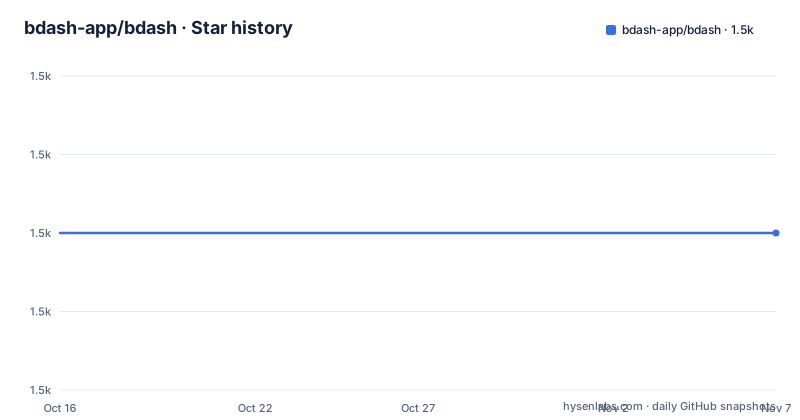
Star history
- bdash-app/bdash1,520 ★ · +0
| Repository | 2026-10-16 | 2026-11-07 |
|---|---|---|
| bdash-app/bdash | 1.5k | 1.5k |
0 Stars in the last 22 days, measured from the daily GitHub snapshot. Compare with other projects
Editorial analysis
Saved queries and charts, with results that leave as a gist
Bdash is described as a simple SQL client for lightweight data analysis, and the package.json calls it a simple business intelligence application. The feature list is short.
Saving queries is the first one, and it is the one that shapes the rest of the design. Bdash is an Electron application, so the saved queries are local rather than tied to a server account.
Drawing charts is the second, which is why it is more than a query runner: the output of a query can become a visualisation without leaving the application.
Sharing results is the third, and the mechanism is named. You can share a result with a gist, and the README links an example at gist.github.com. A shared gist may expose sensitive result data.
The application is written in TypeScript and bundled with webpack, with electron-builder producing the binaries. The repository has `build/`, `static/`, `src/` and both `electron-builder.yml` and a separate `electron-builder.test.yml`, which tells you packaged builds and test builds are configured separately.
Six data sources span embedded SQLite to warehouse engines
The supported data sources are listed as a checklist, and the order is roughly from smallest to largest.
MySQL and PostgreSQL are the conventional server databases, with PostgreSQL annotated as Amazon Redshift, which means the driver is expected to handle a Redshift connection as well as a vanilla Postgres one. SQLite3 is embedded and needs no server. Google BigQuery, Treasure Data and Amazon Athena are the warehouse and query-engine entries.
That range is worth thinking about, because a client that supports six sources has to normalise six behaviours: how identifiers are quoted, how results are typed, how a schema is discovered, and how a query is cancelled. The MCP tool list shows the normalisation point, since `list_tables` takes a data source and returns tables and `get_table_schema` takes a table and returns column definitions, whatever the underlying engine is.
Amazon Athena is also among the documented data sources.
The application is MIT licensed and the version is 1.35.2, published as release v1.35.2 on 2026-09-10, after v1.35.1 on 2026-07-15 and v1.35.0 on 2026-05-28. That is a steady monthly-ish cadence rather than a burst.
Seven MCP tools, two of which write
Bdash includes a Model Context Protocol server that lets AI coding tools such as Claude Code work with your saved queries.
The stated capabilities are listing data sources, tables and schema information, reading and writing SQL queries in the Bdash editor, and creating new queries.
The tool table breaks that down into seven names: `list_datasources`, `list_queries`, `get_query`, `write_query`, `create_query`, `list_tables` and `get_table_schema`.
Five of the seven are read-only in effect. Listing data sources and queries, fetching a query by ID, listing tables and getting a schema are all discovery operations, and they map onto what a tool needs in order to write a correct query in the first place.
The other two are not. `write_query` writes SQL to a query's editor, and `create_query` creates a new query. So the server is not limited to reading your saved work; it can change it and add to it.
That distinction matters for how you configure it. In development the server is wired to a build inside the repository, and in the packaged macOS application it points inside the app bundle. Either way, the process is `node` executing a `server.js`, which means the MCP client launches a Node process on your machine with access to whatever the Bdash application itself can reach.
Connecting it to an agent means an agent can read your database schemas and put SQL into your editor. Whether it can run that SQL depends on whether you press the button, which is a reasonable boundary, and it is the boundary to be deliberate about.
MCP setup differs between a source build and the macOS bundle
Two configurations are documented, and the difference is only the path inside `args`.
For a development checkout, the server dependencies and build are separate scripts, because the MCP server is its own package under `src/mcp`:
# Install MCP server dependencies
yarn mcp:install

# Build MCP server
yarn mcp:build
Both scripts change directory into `src/mcp` and run npm there, so the MCP server has its own dependency tree rather than sharing the Electron application's. There are also `mcp:watch` and `mcp:test` scripts, and the test one sets a separate tsconfig for its environment.
The client configuration for a development setup points at the built file inside the repository:
{
  "mcpServers": {
    "bdash": {
      "command": "node",
      "args": ["/path/to/bdash/src/mcp/dist/server.js"]
    }
  }
}
The configuration is described as going in Claude Code MCP settings, either `.claude/settings.json` or at project level, which means it is a per-project setting you can commit or leave out.
For the bundled macOS application, the path moves into the app bundle:
{
  "mcpServers": {
    "bdash": {
      "command": "node",
      "args": ["/Applications/Bdash.app/Contents/Resources/mcp/server.js"]
    }
  }
}
That path is specific to macOS and specific to an application installed at `/Applications`. On Windows or Linux the resource layout inside the packaged app is not documented here, so the bundled configuration is documented for one platform only.
Releases are cut by a script and pushed to a website repo
The release process is described in enough detail that reproducing it is straightforward.
Running the release script with the next version name creates a draft release on GitHub:
./scripts/release 1.xx.xThat triggers GitHub Actions jobs to build the application binaries. Once the jobs finish, a person publishes the draft, and the README recommends including a change log in the release description.
The step after that is the interesting one. Publishing also triggers a deployment in the separate repository `bdash-app/bdash-app.github.io`, which updates the download version shown on the website. For that to work, a GitHub App must be installed on the website repository with `Contents: Read and write` permission, its app ID configured as the `WEBSITE_DISPATCH_APP_ID` repository variable and its private key as the `WEBSITE_DISPATCH_PRIVATE_KEY` repository secret.
So the project has two repositories with an automated link between them, which is a small amount of infrastructure worth knowing about before you fork it, since the fork will not have that app installed and the website sync will simply not happen.
Development itself is a webpack watch plus the Electron start:
# Run following commands with different shell processes.
yarn watch
yarn start
`yarn start` runs `electron app/development`, and `yarn watch` runs webpack in development mode with `--watch`.
Tests are split three ways, and two of them are slow
The test scripts describe a project that takes its own packaging seriously.
`yarn test` runs unit tests and then integration tests in sequence. The unit runner is `electron-mocha` against the renderer process, with ts-node registering TypeScript on the fly and a TDD style interface. The default invocation excludes anything tagged `@remote` by inverting that grep, and there is a separate `test:unit:remote` script that runs only those. Tests marked remote are the ones needing a real database, so keeping them out of the default run is a deliberate speed decision.
Integration tests are heavier. `test:build` first produces a webpack bundle with `BUILD_ENV=test` and then runs `electron-builder build` against `electron-builder.test.yml` with `--publish never --dir`, so it builds a full application directory without publishing it. Only then does mocha run the integration suite against that build. In other words the integration path exercises the packaged app rather than a dev server, which is slow and is the only way to catch packaging problems.
Linting is three commands: ESLint over `.js`, `.jsx`, `.ts` and `.tsx` with `--max-warnings 0`, `tsc --noEmit`, and a Prettier check for files that differ from formatting.
Production builds use a separate webpack environment, `BUILD_ENV=production`, and `electron-builder build --publish always`, so a release build publishes directly rather than producing an artefact for a later step.
Editorial conclusion
Adopt Bdash if you want a local desktop SQL client where saved queries live in files you can commit and you would rather not open a hosted BI tool, and treat the MCP server as a feature to enable deliberately rather than a bonus. Skip it if you need a governed analytics platform with row-level permissions and shared dashboards. Verify first which database drivers your platform needs, since the six listed sources span embedded SQLite to warehouse engines, and check whether `write_query` should be exposed to an agent on your machine.
Frequently asked questions
How do I install Bdash?
Download it from the project website or from the GitHub Releases page. There is no package manager install documented; the application ships as binaries built with electron-builder.
Which databases does Bdash support?
The documented list is MySQL, PostgreSQL including Amazon Redshift, SQLite3, Google BigQuery, Treasure Data and Amazon Athena.
What can the Bdash MCP server do?
It exposes seven tools: `list_datasources`, `list_queries`, `get_query`, `write_query`, `create_query`, `list_tables` and `get_table_schema`. Five are discovery operations, while `write_query` and `create_query` write SQL into the editor and create saved queries.
Official sources
Add this badge to your README
If you maintain this project, the badge below links readers to this analysis and shows its maintenance status from the daily GitHub snapshot. Paste the markdown into your README; add ?metric=license or ?metric=stars to the image URL for a different field.

[](https://hysenlabs.com/projects/bdash-app-bdash)Star history chart for your README
[](https://hysenlabs.com/projects/bdash-app-bdash)Was this useful?