nextjs-monorepo-example: a turborepo and yarn 4 reference layout
Collection of monorepo tips & tricks
At a glance
- What is it?
- A worked example of a TypeScript monorepo built on turborepo with yarn 4 and TypeScript path aliases, carrying two demo apps, five shared packages and a large pile of quality tooling. It is a reference, not a framework, and the README says so.
- Who is it for?
- Use this repository as a reference to read and copy patterns from if you are setting up a TypeScript monorepo and want a working example of path aliases, changesets, a shared eslint config and a Postgres service wired into compose. Do not adopt it as a framework: its root package is private, and its scripts demonstrate the repository's tooling rather than providing a framework API.
- Can I use it commercially?
- Yes. MIT is a permissive licence: you can use, modify and sell software built on it, as long as you keep its copyright and licence notices.
- Is it still maintained?
- Yes. The repository last received commits 159 days ago.
- What is it written in?
- Mainly TypeScript, according to GitHub's language statistics.
Answers come from the project's GitHub data, last synced on November 7, 2026, and from our analysis. They are not legal advice.
Star history
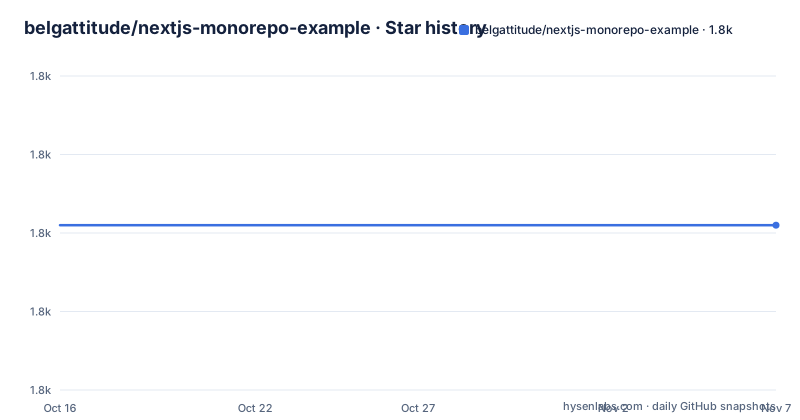
- belgattitude/nextjs-monorepo-example1,801 ★ · +0
| Repository | 2026-10-16 | 2026-11-07 |
|---|---|---|
| belgattitude/nextjs-monorepo-example | 1.8k | 1.8k |
0 Stars in the last 22 days, measured from the daily GitHub snapshot. Compare with other projects
Editorial analysis
It started as a bug-report repository, not a template
The origin story explains the shape of the project. The README lists create nextjs, vercel or prisma bug reports with reproducible examples as the initial goal of the repo, and the broader list of use cases sits above it: establishing a structure with a lifecycle perspective, creating and consuming shared packages, locales, assets and API types, integrating tools and configs, and clarifying what monorepos actually buy you.
That framing matters when reading the code. A repository built to reproduce somebody else's bug report will contain more configuration variety than a repository built to be cloned as a starting point, because every reported failure tends to drag in one more integration. That is also why there are two demo apps rather than one: a Next.js app covering SSR, i18n, tailwind v3, emotion, graphQL and REST, and a small Vite app as the counter-example.
The README is explicit that this is not the only way to build a monorepo. It calls itself an example with tips and tricks oriented around Next.js.
Installing needs corepack because the toolchain is yarn 4
The install is two commands, and the first one is the one people miss. Yarn 4 is delivered through corepack, so the shim has to be enabled before install will resolve the pinned package manager.
corepack enable
yarn install
A .yarnrc.yml at the repository root configures that Yarn, and .nvmrc pins the Node version the project expects. The root package.json is marked private, so nothing here is published as an application; it is a workspace root.
The postinstall script is worth reading before the first run, because it does more than fetch dependencies. It chains two steps with run-s: install:husky, which runs husky to set up the git hooks, and g:codegen, which runs codegen across the workspaces through turbo. In other words, installing the repository writes git hooks into your .git directory. That is expected behaviour for this project and worth knowing about if you clone it somewhere you did not intend to install hooks.
Apps do not depend on apps, and packages do
The directory layout is the argument the repository is making. There is an apps directory holding nextjs-app and vite-app, and a packages directory holding five shared packages: common-i18n for locales, core-lib, db-main-prisma, eslint-config-bases for shared eslint configurations, and ui-lib which uses emotion and storybook.
Two rules are stated twice in the README because they are the ones that get broken. Apps should not depend on apps; they can depend on packages. Packages can depend on each other. That is the dependency direction that keeps a monorepo from turning into a cycle graph, and this repository enforces it visibly.
Two of the packages are marked publishable: core-lib and ui-lib. The rest are internal. Each package and each app carries its own README and its own CHANGELOG, which is what makes the changesets workflow visible from the file tree.
The scripts are namespaced by how long they take
The root package.json organizes its commands around a g: prefix, and the grouping is about scope rather than action. g:build, g:lint, g:typecheck, g:codegen, g:fix-all-files and g:test-e2e all fan out across every workspace through turbo run. g:test-unit does the same for unit tests, g:lint-styles handles styling, and g:changeset opens the changesets CLI.
There is also a global entry point, g:turbo, which forwards any argument straight to turbo, so you can reach a task the repository has not wrapped. The release command is the clearest illustration of the intended flow: g:build runs the full build first and only then calls changeset publish, so a release cannot ship artifacts that were never built.
Dependabot-style maintenance has its own pair. deps:check and deps:update both shell out to npm-check-updates, passing .ncurc.yml as the config file and running against both --workspaces and --root with --mergeConfig. The root also carries renovate.json5, so there are two competing upgrade paths configured in one repository, which is presumably a demonstration rather than a recommendation.
The quality tooling is the actual payload
Count the configuration files and the intent becomes clear. There is commitlint.config.js for commit message rules, lint-staged.config.js plus lint-staged.common.js for staged-file checks,.husky/ for the hooks that run them,.prettierrc.js with.prettierignore for formatting,.syncpackrc.cjs for keeping dependency versions consistent across workspaces, and.codeclimate.yml for the maintainability service.
A separate check:git-pristine script points in the opposite direction, toward detecting changes to a git working tree.
The tooling list in the README also mentions jest, playwright, storybook, codecov and codeclimate as integration targets. The apps tree shows at least one of them resolved differently: the Next.js app is annotated vitest rather than jest, while storybook lives with ui-lib.
A Postgres service so the database example is runnable
packages/db-main-prisma is a real package rather than a stub, and the repository ships a compose file so it can run. The service is postgres:16.3-alpine3.18, published on port 5432, with a named volume db_data mounted at /var/lib/postgresql/data.
services:
  main-db:
    container_name: nextjs-monorepo-example-db
    image: postgres:16.3-alpine3.18
    environment:
      - POSTGRES_DB=maindb
      - POSTGRES_PASSWORD=!ChangeMe!
      - POSTGRES_USER=nextjs
Two details are instructive. The password is literally !ChangeMe!, which makes the intent obvious: this is a local development database, not something to expose. And the compose file carries a commented alternative that bind-mounts ./docker/db/data instead of using a named volume, with the stated reason that it is then harder to accidentally remove the volume and lose the data. That comment is a lesson rather than a setting.
Path aliases instead of a build plugin
The README says the layout uses a TypeScript path aliases approach, referencing the tsconfig paths documentation. There is a tsconfig.base.json at the root that provides shared TypeScript configuration. In the per-app tree, each package.json is annotated as defining workspace package dependencies and each app has its own tsconfig.json.
This is a choice with a trade-off. Path aliases can keep imports readable across workspaces, but each toolchain needs to be configured to resolve them. The cost is that the alias has to be understood by whatever consumes the compiled output, so anything published from packages has to emit paths that resolve at runtime rather than relying on the build to rewrite them.
The repository is explicit that this is one approach among several, not a recommendation it is trying to defend against alternatives.
An example with a long gap between its release tag and its last push
The repository is not archived, but the maintenance signal is mixed and worth reading carefully. The only release tag is 1.0.0, dated 2021-04-05. The last push was on 2026-06-01. Five years of commits have landed on main without a further tag, which for an example repository is a defensible choice: there is nothing to release, since the root package is private.
It does mean that tooling versions move without a version boundary. .ncurc.yml, renovate.json5 and the yarn.lock are all live, so a fresh install can produce a different dependency set than the one the README was written against. Treat the dependency versions in this repository as current-at-install rather than fixed.
Support for the project comes through the README's FAQ section on monorepos and a Gitpod badge, which means the repository opens in a browser-based development environment. A .gitpod.yml at the root configures that, and a monorepo.code-workspace file opens the whole tree in VS Code. TROUBLESHOOT.md at the root suggests problems are expected and written down. The licence is MIT.
Editorial conclusion
Use this repository as a reference to read and copy patterns from if you are setting up a TypeScript monorepo and want a working example of path aliases, changesets, a shared eslint config and a Postgres service wired into compose. Do not adopt it as a framework: its root package is private, and its scripts demonstrate the repository's tooling rather than providing a framework API. Verify first that its yarn 4 through corepack and its turbo.json assumptions match your own toolchain, since the only release tag is 1.0.0 from 2021-04-05 while the last push was on 2026-06-01.
Frequently asked questions
How do I install nextjs-monorepo-example?
Run corepack enable followed by yarn install. Corepack is what supplies the pinned Yarn 4, and the postinstall script additionally runs husky and the codegen task across workspaces.
Can apps in nextjs-monorepo-example depend on each other?
No. The README states that apps should not depend on apps, they can depend on packages, and that packages can depend on each other. That is the dependency direction the layout is built around.
Which database does nextjs-monorepo-example use?
packages/db-main-prisma is backed by a Postgres service in docker-compose.yml, running the image postgres:16.3-alpine3.18 on port 5432 with database maindb, user nextjs and a placeholder password.
Which packages in nextjs-monorepo-example are published?
core-lib and ui-lib are the two marked publishable. common-i18n, db-main-prisma and eslint-config-bases are internal packages, and the root package.json is private.
Official sources
Add this badge to your README
If you maintain this project, the badge below links readers to this analysis and shows its maintenance status from the daily GitHub snapshot. Paste the markdown into your README; add ?metric=license or ?metric=stars to the image URL for a different field.

[](https://hysenlabs.com/projects/belgattitude-nextjs-monorepo-example)Star history chart for your README
[](https://hysenlabs.com/projects/belgattitude-nextjs-monorepo-example)Was this useful?