Resynthesizer for GIMP 3 is on resynthesizer3; master targets the 2.0 API
Suite of gimp plugins for texture synthesis
At a glance
- What is it?
- The Resynthesizer suite is a third-party GIMP plugin set implementing texture synthesis, healing and patch transfer, with the algorithm written as a reentrant C library. Choosing the wrong branch is the main way to waste an afternoon: master targets the frozen GIMP 2.0 API, and the GIMP 3 build is on resynthesizer3.
- Who is it for?
- Resynthesizer is the right tool when you need to heal a scratch by synthesising plausible pixels from surrounding texture, and you want a plugin rather than a hosted service. It is the wrong choice if you need Windows binaries today, since the README states no Windows build is tested or shipped.
- Can I use it commercially?
- Yes, with conditions. GPL-3.0 is a copyleft licence: if you distribute software that includes it, you must release that software's source code under the same licence. Running it internally without distributing it does not trigger that obligation.
- Is it still maintained?
- Activity is slowing. The repository last received commits 6 months ago.
- What is it written in?
- Mainly C, according to GitHub's language statistics.
Answers come from the project's GitHub data, last synced on October 23, 2026, and from our analysis. They are not legal advice.
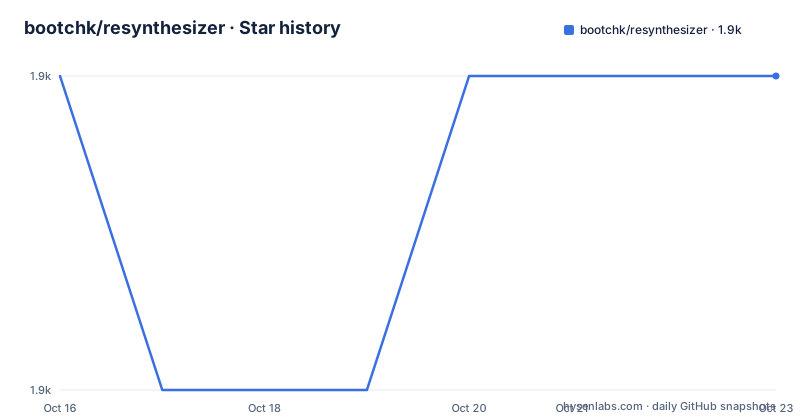
Star history
- bootchk/resynthesizer1,881 ★ · +0
| Repository | 2026-10-16 | 2026-10-23 |
|---|---|---|
| bootchk/resynthesizer | 1.9k | 1.9k |
0 Stars in the last 7 days, measured from the daily GitHub snapshot. Compare with other projects
Editorial analysis
What the algorithm is actually used for
Resynthesizer implements texture transfer among images. The idea, credited in the README to Paul Harrison who had the original idea and implementation, is that a missing region in an image can be filled by copying patches from elsewhere in the same texture, matching boundary conditions so the seam disappears.
That single idea produces several editing operations once wrapped in plugins. It heals scratches and dust specks in scanned film. It removes an unwanted object from a photographic background. It fills a hole left by a cut-out layer. It can transfer the look of one patch of material onto another, which is why the repository topics list both inpainting and style-transfer alongside texture-synthesis.
The plugins are explicitly not part of GIMP. They are third-party plugins, distributed separately from the application, so installation is an extra step rather than a checkbox in GIMP's own plugin browser.
The current maintainer lists what was changed since the original: bug fixes caused by GIMP API changes, a rewrite of the Scheme plugins into Python, additional plugins, better handling of alpha and transparency, threading, and conversion of the whole thing into a reentrant C library. A contributor named itr-tert later ported the Python 2 plugins to Scheme.
master is frozen, resynthesizer3 is where the code moves
This is the single most important thing to understand before you clone anything.
The branch named master targets the GIMP 2.0 API and the README calls it essentially frozen. The initial release for the GIMP 3.0 API is tagged v3.0, and the README identifies resynthesizer3 as the main development branch.
The development model is stated plainly: you can expect the latest commit to work, the author tags a commit occasionally as a released version, and the latest commit has had less real-world testing than a tagged version. So there are two reasonable postures, clone the branch tip and accept untested changes, or install a tag such as v3.0.1 and get something closer to a tested state. The wiki page on branches exists precisely because this is confusing.
The release history shows how the two eras separate. v2.0.3 dates to 2018-01-09 and its title refers to replacing nested functions and closing issues 11 and 45. Then there is a long gap to v3.0 on 2025-05-22, titled for GIMP v3.0.0, and v3.0.1 on 2026-03-31 whose title is simply that it fixes i18n localization. The last push to the repository was on 2026-04-14, after that tag, so there are post-release commits on resynthesizer3 that you can take but that carry the maintainer's own caveat about testing.
Why one GIMP build should outlast several GIMP versions
The compatibility argument rests on libgimp. The README states that the GIMP API is stable between major releases, so Resynthesizer v3.0 should be compatible with future GIMP releases, and that future Resynthesizer releases should be compatible with any GIMP version after 3.0.
The practical consequence is stated as advice rather than marketing: you do not need to update Resynthesizer for every release of GIMP, and you only need to update it when you want bug fixes or new features. That is a genuinely unusual maintenance profile for a plugin, and it holds only as long as the stability claim survives.
Version 3.0.1 is the current tagged state and it is described as compatible with GIMP 3.0 or later. Localization work is stated as fixed as of 3.0.1, which matters if you are not running an English GIMP, since the repository carries po/ directory entries, intltool extract, merge and update templates, and a gimp-resynthesizer.metainfo.xml appstream file. The plugin suite is translated, and 3.0.1 is the release where that stopped being broken.
The one platform gap is explicit. A Microsoft Windows build is not tested and is not in the repository, and the author notes it might be built there once libgimp-3.0 becomes available in an image for CI runners. On Windows, expect to compile it yourself.
Installing on Linux, macOS, or from source
The README does not contain install commands. It routes installation to three wiki pages instead, and it is worth following them literally rather than assuming a package manager will do.
The three documented routes are a flatpak build for Linux, a macOS install, and a build from source. Each lives on its own anchor in the same wiki page named Install-Resynthesizer: the flatpak anchor, the Mac OSX anchor, and a separate Build-Resynthesizer-from-source page. The Linux and macOS routes use separate anchors on the Install-Resynthesizer page, while source builds use a separate wiki page.
The repository layout does tell you what a source build involves. It is an autotools project: configure.ac, Makefile.am, autogen.sh, depcomp, mkinstalldirs and install-sh at the root, plus intltool-extract.in, intltool-merge.in and intltool-update.in templates for translations. There is a lib/ directory for the algorithm and a src/ directory for the plugins, alongside PluginScripts/ for script-based pieces, help/ for documentation and Test/ for tests.
A vagga/ directory is also present, suggesting that the repository captures part of its build environment. CI runs through Travis and the repository carries its configuration file.
For learning the plugins rather than building them, the wiki holds a quick user's guide to the plugins and a developer's guide to the code and its dependencies, with further topics in the wiki index.
Licence, and what GPL-3.0 means for a plugin suite
The licence is GNU General Public License v3.0, stated in the README and with a COPYING file at the repository root. An AUTHORS file sits beside it and records the copyright lines the README also lists: Paul Francis Harrison for 2000 and 2008, Laurent Despeyroux and David Rodríguez García for 2002, Lloyd Konneker for 2010 through 2025, and itr-tert for 2022.
For a plugin suite that ships as part of a user's GIMP installation, GPL-3.0 is a reasonable fit, and the practical question for most users is whether they intend to redistribute it. Copyleft obligations attach to distribution of the plugin binaries or source, not to a user running GIMP on their own machine, but anyone bundling the plugins into a product image or shipping an installer should read the licence text and the COPYING file rather than take that summary as advice.
The GIMP 3 work being newer than the 2.0 work also means the copyright years differ between what you install and what you read about, which matters if you are auditing provenance for a suite that has passed through several maintainers.
Editorial conclusion
Resynthesizer is the right tool when you need to heal a scratch by synthesising plausible pixels from surrounding texture, and you want a plugin rather than a hosted service. It is the wrong choice if you need Windows binaries today, since the README states no Windows build is tested or shipped. Decide between branches before installing: take resynthesizer3 for GIMP 3.0 or later, and expect to build from source rather than drop in a package, following the wiki pages for Flatpak, macOS or source builds.
Frequently asked questions
Which branch of Resynthesizer should I install for GIMP 3?
The branch called resynthesizer3, where the GIMP 3.0 API release is tagged v3.0 and the localization fix v3.0.1. The master branch targets the GIMP 2.0 API and is described as essentially frozen.
Do I have to update Resynthesizer when GIMP updates?
The README says the GIMP API is stable between major releases, so v3.0 should stay compatible with future GIMP releases and you only need to update for bug fixes or new features. Resynthesizer 3.0.1 is stated to be compatible with GIMP 3.0 or later.
Is there a Windows build of the Resynthesizer GIMP plugins?
No. The README states a Microsoft Windows build is not tested and not in the repository, and that it might be built once libgimp-3.0 is available in a runner image. Windows users need to build from source.
How do I install Resynthesizer on Linux or macOS?
The README points to the wiki rather than giving commands: there is a flatpak route for Linux, a macOS route and a separate build from source page, each under its own anchor in the Install-Resynthesizer wiki page.
What is the difference between a tagged release and the latest commit?
The maintainer tags a commit as a released version occasionally. The README warns that the latest commit on resynthesizer3 will have less real world testing than a tagged version, so a tag such as v3.0.1 is the more tested choice.
Official sources
Add this badge to your README
If you maintain this project, the badge below links readers to this analysis and shows its maintenance status from the daily GitHub snapshot. Paste the markdown into your README; add ?metric=license or ?metric=stars to the image URL for a different field.

[](https://hysenlabs.com/projects/bootchk-resynthesizer)Star history chart for your README
[](https://hysenlabs.com/projects/bootchk-resynthesizer)Was this useful?