JUnify: A Small JavaScript Library for Logic-Style Pattern Matching
JUnify ― JavaScript Unification Library
At a glance
- What is it?
- JUnify brings the unification algorithm from logic programming to JavaScript objects and arrays. It is a niche tool for pattern matching and data extraction, with a simple API and a few sharp edges.
- Who is it for?
- Adopt JUnify if you need logic-style pattern matching in a JavaScript project, especially for extracting values from nested JSON or implementing small rule engines. Avoid it for simple destructuring, where native JavaScript syntax is clearer and faster.
- Can I use it commercially?
- Not without permission. GitHub finds no licence file in the repository, and without a licence all rights are reserved by default: you may read the code but not reuse it. Check the README, or ask the authors, before using it.
- Is it still maintained?
- Probably not. The repository last received commits 176 months ago, on May 8, 2012.
- What is it written in?
- Mainly JavaScript, according to GitHub's language statistics.
Answers come from the project's GitHub data, last synced on October 22, 2026, and from our analysis. They are not legal advice.
Star history
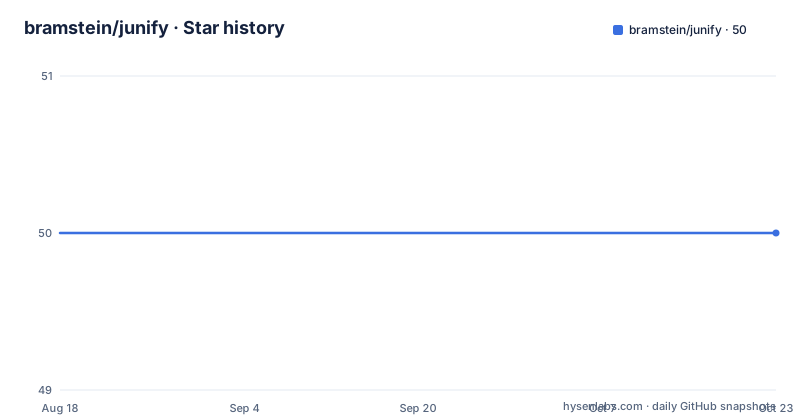
- bramstein/junify50 ★ · +0
| Repository | 2026-08-18 | 2026-10-22 |
|---|---|---|
| bramstein/junify | 50 | 50 |
0 Stars in the last 65 days, measured from the daily GitHub snapshot. Compare with other projects
Editorial analysis
What JUnify Solves and Who It Is For
JUnify is a JavaScript library that implements unification, the algorithm used in logic programming to find substitutions that make two expressions equal. The README positions it as a tool for extracting values from JSON objects using pattern objects, similar to destructuring assignment but more flexible. It is aimed at developers who need pattern matching beyond what JavaScript's native destructuring offers, such as matching against multiple patterns or building an expert system. The README cites a textbook on AI as a reference for such systems, so the intended audience is not the average web developer but someone working on symbolic computation, rule engines, or complex data validation.
The Core Mechanism: Variables, Wildcards, and Recursive Matching
Unification works by comparing two patterns recursively. The library treats objects and arrays as structures to be matched, while atoms (Boolean, Number, String, Function, NaN, Infinity, undefined, null) are compared directly. Variables, created with variable('name'), are placeholders that can be bound to any value. The wildcard constant _ matches anything but creates no binding. The README shows that variables can appear on both sides of the unification, and the result is an object mapping variable names to bound values. If no match is possible, unify returns false. The recursion is implicit: when a pattern contains nested objects or arrays, the library descends into them, matching corresponding keys and indices. This is the same algorithm used in Prolog, adapted to JavaScript's data types.
Getting Started: Installation and Basic API
Installation is straightforward with npm: run 'npm install junify' and then require('junify') in your code. The public API consists of three methods and one constant. The unify(pattern1, pattern2) method takes two patterns and returns either false or an object of bindings. The variable(name, type) method creates a variable, optionally with a type constraint. The wildcard constant _ is used directly as a placeholder. The README gives a clear example: given a point object with coords and color, a pattern with variables extracts the coordinates and color into a result object. The API is minimal, which is a strength for such a focused library, but it also means you must build any higher-level syntax yourself, possibly using the visit_pattern method.
Typed Variables and the Wildcard in Object Keys
One notable feature is typed variables. The variable function accepts a second argument, a type, and the variable only matches if the type is identical in both patterns. The README shows a Date variable failing to match a Boolean. This is useful for validating data shapes. Another subtlety is the wildcard used as an object property name. The README demonstrates that { text: _, _:_ } matches any object with at least two properties, one named 'text', regardless of the other property's name. This is a powerful but dangerous feature: the README explicitly warns that the wildcard symbol must not be renamed, because the library uses it internally to identify wildcard property names. That is a fragile design choice, and any minifier that renames variables could break it, though the underscore is a valid identifier and unlikely to be renamed by default.
The Visitor Pattern: Custom Syntax and Rewriting
The third public method, visit_pattern, is a traversal utility that lets you rewrite patterns before unification. It takes a pattern and a visitor object with optional callbacks for variables, wildcards, functions, objects, and atoms. Each callback can return a replacement value, which is inserted back into the pattern. This is how you could implement a simplified syntax, as mentioned in the linked article on extracting object values. For example, you could transform a string like 'a.b.c' into a nested pattern of variables. This makes JUnify extensible, but it also adds complexity: you must understand the traversal order (the object callback is called before its value is visited) and ensure every callback returns a value if implemented. The README is clear about the contract, but it is a manual process with no helper functions.
Limitations and Failure Modes
The README states that JUnify only works on objects and arrays, not on atoms. That means you cannot unify two primitive values directly; you must wrap them in an object or array. Also, variable names must be unique within a pattern. The README says they can occur only once per pattern, which is a significant restriction compared to logic programming languages where variables can repeat. This limitation means you cannot express constraints like 'the same value appears in two places' in a single pattern. Another failure mode is the wildcard in object keys: if you accidentally assign the wildcard to another variable, the library will not recognize it, and matching will silently fail or behave unexpectedly. The README warns about this, but it is a trap for users who might destructure the constant for convenience.
Alternatives and Comparison
The most direct alternative is native JavaScript destructuring, which the README itself mentions as similar in syntax. Destructuring is built into the language, faster, and has no runtime cost, but it is static: you must know the exact shape of the data. JUnify adds dynamic pattern matching, where the pattern can be constructed at runtime and can include variables that bind to values. Another alternative is a library like lodash's get or optional chaining, which extract values but do not perform unification or type checking. For full logic programming, you could use a Prolog implementation in JavaScript, but that is a much heavier dependency. JUnify sits between these: it is a small, focused library that gives you unification without a full logic engine.
Maintenance and License Considerations
The repository metadata shows no recent releases and no license listed, which is a concern for production adoption. The README is dated (it references JavaScript 1.7 and an article from 2008), suggesting the project may not be actively maintained. The last push date is unknown, and the repository is not archived, but the lack of releases and the old documentation indicate that updates are sporadic. Without a license, you cannot legally use the code in a project without contacting the author for permission. This is a serious limitation: even if the library works, you may not have the legal right to use it. Before adopting, you should check the repository for a license file or contact the author. The API is small and stable, so maintenance cost is low if you fork it, but the licensing issue must be resolved first.
Editorial conclusion
Adopt JUnify if you need logic-style pattern matching in a JavaScript project, especially for extracting values from nested JSON or implementing small rule engines. Avoid it for simple destructuring, where native JavaScript syntax is clearer and faster. Before adopting, verify the library handles cyclic structures and undefined values in the way your data requires, and check the exact behavior of the wildcard in object keys, since the README warns against renaming it. Also confirm the license, as the repository does not state one.
Frequently asked questions
How do I install and use junify?
Run `npm install junify` and then require the package. It works in both the browser and Node.js, exposes unify, variable and visit_pattern plus the wildcard constant, and is described as a dependency-free package.
What counts as an atom in junify?
Boolean, Number, String, Function, NaN, Infinity, undefined and null are all treated as atoms, and JUnify can only unify objects and arrays. A typed variable such as one declared as Date will only match when the type is identical in both patterns.
Why does my junify wildcard pattern not behave as expected?
The wildcard is the wildcard character and it must not be renamed, because the library uses it internally to identify wildcard property names. It matches any atom, array or object and creates no binding, and a variable name may only occur once per pattern.
What does visit_pattern do in junify?
It traverses a pattern with a visitor so you can rewrite custom pattern syntax before calling unify. Callbacks are provided for variables, wildcards, functions, objects and atoms, all optional, and each implemented callback should return a value that is inserted at its original position.
Official sources
Add this badge to your README
If you maintain this project, the badge below links readers to this analysis and shows its maintenance status from the daily GitHub snapshot. Paste the markdown into your README; add ?metric=license or ?metric=stars to the image URL for a different field.

[](https://hysenlabs.com/projects/bramstein-junify)Star history chart for your README
[](https://hysenlabs.com/projects/bramstein-junify)