Mac Monitor: Endpoint Security telemetry for macOS analysis
"The missing ProcMon for macOS": Mac Monitor records Endpoint Security events and displays them for analysis.
At a glance
- What is it?
- Mac Monitor is a SwiftUI application for recording and analyzing macOS Endpoint Security events. It targets security researchers, malware analysts, and troubleshooting users, with process correlation, filtering, metadata, and telemetry export.
- Who is it for?
- Adopt Mac Monitor when you need a graphical macOS Endpoint Security trace for security research, malware triage, or troubleshooting. Do not treat it as a general-purpose activity monitor or as a replacement for a documented incident response process.
- Can I use it commercially?
- Yes. BSD-3-Clause is a permissive licence: you can use, modify and sell software built on it, as long as you keep its copyright and licence notices.
- Is it still maintained?
- Yes. The repository last received commits 15 days ago.
- What is it written in?
- Mainly Swift, according to GitHub's language statistics.
Answers come from the project's GitHub data, last synced on October 23, 2026, and from our analysis. They are not legal advice.
Star history
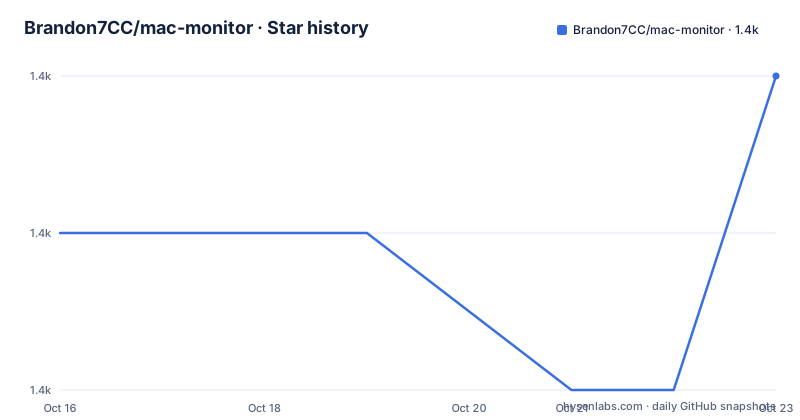
- Brandon7CC/mac-monitor1,391 ★ · +1
| Repository | 2026-10-16 | 2026-10-23 |
|---|---|---|
| Brandon7CC/mac-monitor | 1.4k | 1.4k |
1 Stars in the last 7 days, measured from the daily GitHub snapshot. Compare with other projects
Editorial analysis
Endpoint Security capture for macOS investigations
Mac Monitor addresses a specific gap in macOS system inspection: collecting Endpoint Security events and presenting them as an analyzable trace rather than leaving investigators to interpret raw API output. The README positions it as a standalone monitoring tool for macOS security research, malware triage, and system troubleshooting. Its intended users include analysts who need process activity, file activity, XPC activity, and related system events in one interface, as well as engineers investigating unusual behavior on a Mac.
The application uses Apple's Endpoint Security and System Extension APIs. Its documented telemetry includes process, interprocess, memory, XPC, and file events. The README also describes enrichment such as file quarantine awareness, quarantine status, and code signing certificate information. That combination is more useful than a bare list of filenames or process names because an investigator can inspect the event context, including related processes and metadata associated with an operation.
The project is not presented as a general-purpose performance monitor. Its purpose is closer to a macOS security event viewer, with controls for deciding which events to record and which paths to exclude. That distinction matters when selecting a tool for a workstation investigation.
How Mac Monitor records and organizes system events
The architecture described in the README has an application component and a security extension. The installed application is `/Applications/Mac Monitor.app`, with signing identifier `com.swiftlydetecting.agent`. The security extension is installed under `/Library/SystemExtensions/../com.swiftlydetecting.agent.securityextension.systemextension`, with its own signing identifier. Mac Monitor uses an XPC connection between the monitoring application and the security extension.
Endpoint Security subscriptions are dynamic. A user can change event subscriptions while examining a trace, reducing the amount of irrelevant activity during a focused investigation. The README says the application models and enriches Endpoint Security events, then links related activity at the process level. For an event with an initiating or target process, that event can be connected to other events associated with that process. Process execution and fork events can also be grouped into a lineage or subtree, which helps reconstruct a sequence of activity.
Filtering is designed to preserve information while reducing visual noise. Artifact filtering can remove events from the current view based on event type, initiating process path, or target process path without destroying the underlying trace. A separate lossy option drops platform binaries. Mac Monitor also supports path muting through `es_mute_path` and `es_mute_path_events`, including prefix and literal forms and target-prefix and target-literal variants. The README states that inversion is not supported.
Install Mac Monitor and enable its security extension
The README recommends macOS 13.1 or later and recommends `Apple Silicon` with `4GB+` of memory. Intel systems are also listed as supported. Homebrew is the recommended installation route:
brew install --cask mac-monitorThe README also provides an installer package in the repository's releases section. After installation, open `Mac Monitor.app`. macOS will prompt you to open System Settings and allow the System Extension. The next permission step opens Full Disk Access, where you must enable access for the `Mac Monitor Security Extension`. The README identifies Full Disk Access as an Endpoint Security requirement.
The first startup requires several user actions rather than only launching the application. After the permissions are configured, click `Start`. The application then prompts you to reopen it, completing the documented setup sequence.
For uninstallation, the README directs Finder users to delete the application and authenticate when removing the System Extension. It also documents removing the extension from the menu bar or application settings. A project-provided script is available for versions `1.0.3+`:
../Contents/SharedSupport/uninstall.shThe README does not provide additional flags or documented behavior for that script.
Inspect event facts, process trees, and telemetry exports
Mac Monitor's analysis interface is built around drill-down from a table row. Right-clicking an event opens controls for metadata, filtering, muting, and unsubscribing. The README calls these views `Event facts` windows and says they contain curated metadata and further enrichment. Process execution events generally include code signing information, environment variables, and correlated events. Other event types can expose file or launch item details.
The process subtree in the event facts window provides a visual lineage for the event's initiating and target processes. Selecting a process opens its event facts, while right-clicking a process can open the relevant facts in a separate window. This is a concrete advantage over exporting a trace and manually reconstructing process relationships, although the README does not promise that every event will produce a complete subtree.
The interface also includes a dynamic event distribution chart. It displays events according to their subscription state and whether they remain in scope after filtering. This helps an investigator identify noisy event classes quickly. Telemetry export supports formatted JSON and JSONL, where JSONL stores one JSON object per line. The export can cover the full system trace or a partial trace, and the menu bar provides the export controls. The README does not specify retention limits, storage sizing, export compression, or schema compatibility guarantees, so those details need verification before using Mac Monitor for a large capture.
Scope and limitations of the macOS event viewer
Mac Monitor has clear boundaries. It requires a compatible macOS release, a System Extension approval, and Full Disk Access. Those permissions make installation interactive and may require an administrator or security review in managed environments. The README does not provide a silent installation path or a documented configuration file for permission automation.
Path muting also has an explicit functional boundary: the project supports the listed Endpoint Security path muting types but does not support inversion. An analyst who needs the inverse rule, such as excluding everything except a particular path, cannot assume that Mac Monitor can express it through the current mute controls. Dynamic subscriptions help with event volume, but they are subscriptions to supported Endpoint Security events rather than evidence that every system action is captured.
The project is therefore a poor fit for someone who only needs simple CPU, memory, or disk activity charts. It is also a poor substitute for a host management console. Its value comes from process-level telemetry, security metadata, filtering, and trace export. Users should distinguish the non-destructive artifact filters from the explicitly lossy operation that drops platform binaries, because those choices have different effects on what remains available for later review.
BSD-3-Clause licensing and release considerations
The repository identifies `BSD-3-Clause` as its license. That designation is useful when reviewing distribution obligations, but this article does not provide legal advice. Teams should inspect the repository's `LICENSE` file and confirm how they intend to distribute the application, security extension, and any modifications.
The repository is not archived. The last push recorded for it was on 2026-10-08. Recent releases include `v2.1.0` on 2025-11-22, `v2.0.0` on 2025-10-16, and `v1.9.1` on 2025-10-11. The repository layout includes the SwiftUI-oriented `ProjectSutro` directory, an `AtomicESClient` directory, `Mute sets`, and `Resources`. Based on that layout, upgrade work may involve both the application and its Endpoint Security components, so installation permissions and extension approval should be included in an upgrade checklist.
The README does not document a migration procedure between releases, rollback instructions, event schema guarantees, or compatibility rules for existing mute sets. Those omissions do not prevent adoption, but they limit what can be promised about upgrades.
Editorial conclusion
Adopt Mac Monitor when you need a graphical macOS Endpoint Security trace for security research, malware triage, or troubleshooting. Do not treat it as a general-purpose activity monitor or as a replacement for a documented incident response process. Verify first that your macOS version is supported, that Endpoint Security permissions are available, and that the exported JSON or JSONL captures the event types and metadata your investigation requires.
Frequently asked questions
What is Mac Monitor used for?
Mac Monitor is used for macOS security research, malware triage, and system troubleshooting. It records and analyzes Endpoint Security events, including process, memory, XPC, and file activity.
How do I install Mac Monitor on macOS?
The README recommends `brew install --cask mac-monitor`, or downloading the latest installer from the repository's releases section. Installation then requires allowing the System Extension and granting Full Disk Access to the `Mac Monitor Security Extension`.
Can Mac Monitor export Endpoint Security telemetry?
Yes. The README documents export of the full or partial system trace as formatted JSON or JSONL. Export controls are available from the menu bar under `Export Telemetry`.
Official sources
Add this badge to your README
If you maintain this project, the badge below links readers to this analysis and shows its maintenance status from the daily GitHub snapshot. Paste the markdown into your README; add ?metric=license or ?metric=stars to the image URL for a different field.

[](https://hysenlabs.com/projects/brandon7cc-mac-monitor)Star history chart for your README
[](https://hysenlabs.com/projects/brandon7cc-mac-monitor)Was this useful?