Pass for iOS: Git-backed password storage on iPhone and iPad
Pass for iOS - an iOS client compatible with Pass command line application.
At a glance
- What is it?
- Pass for iOS is an MIT-licensed client for the standard Unix Pass password store, with GPG encryption, Git synchronization, AutoFill, YubiKey support, and one-time password tokens. It suits people who already manage a Pass repository and want mobile access without moving to a different password format.
- Who is it for?
- Pass for iOS is appropriate for existing Pass users who want to read or modify their standard password-store repository from iPhone or iPad. It is a poor fit for users who need managed account recovery, team administration, or a proprietary cloud vault without GPG and Git.
- Can I use it commercially?
- Yes. MIT is a permissive licence: you can use, modify and sell software built on it, as long as you keep its copyright and licence notices.
- Is it still maintained?
- Yes. The repository last received commits 27 days ago.
- What is it written in?
- Mainly Swift, according to GitHub's language statistics.
Answers come from the project's GitHub data, last synced on October 23, 2026, and from our analysis. They are not legal advice.
Star history
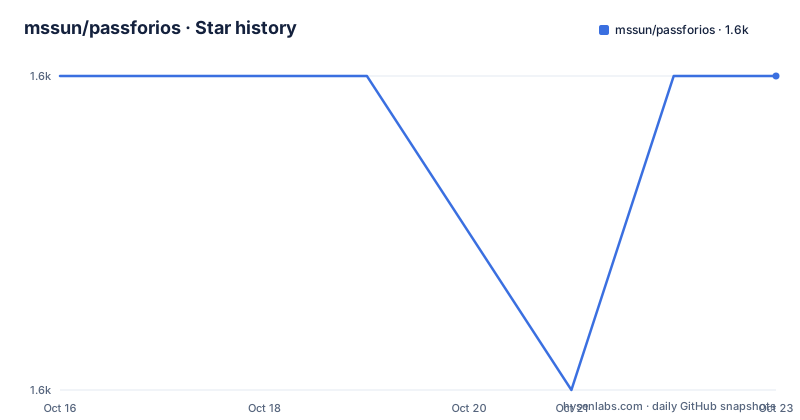
- mssun/passforios1,649 ★ · +0
| Repository | 2026-10-16 | 2026-10-23 |
|---|---|---|
| mssun/passforios | 1.6k | 1.6k |
0 Stars in the last 7 days, measured from the daily GitHub snapshot. Compare with other projects
Editorial analysis
Pass for iOS targets standard password-store repositories
Pass for iOS addresses a specific gap between Unix password management and mobile password managers. The repository describes the app as a client compatible with ZX2C4's Pass command line application, so its central audience is already using the conventional password-store directory rather than looking for a new proprietary vault. Pass stores each password entry as a file, uses GPG for encryption, and keeps the store in a Git repository for version control. The iOS client is intended to preserve that model on iPhone and iPad.
This distinction matters because adopting a mobile password manager usually requires importing existing credentials into a new database. Pass for iOS instead connects to the same kind of password-store data used by Pass. The README explicitly lists viewing, copying, adding, and editing entries, as well as synchronization with a password Git repository. Search, copy-on-long-press, link opening, and support for one-time password tokens are also documented features.
The project is not a general purpose login service. Its workflow assumes that the user understands the Pass directory structure, PGP keys, and Git synchronization. That makes it more suitable for an engineer or technical user with an existing repository than for someone seeking a guided account-based password manager. The App Store name is "Pass - Password Store," while the repository and build instructions use the shorter name Pass. That naming difference can matter when locating the correct app.
GPG, Git, and Xcode components define the client structure
The repository layout reflects an iOS application with several target areas rather than a single command-line program. `pass.xcodeproj/` contains the Xcode project, while `pass/` is the main application area. Separate directories include `passAutoFillExtension/`, `passExtension/`, and `passShortcuts/`, corresponding to the README's claims about AutoFill, YubiKey use, and shortcut-related functionality. `passKit/` provides shared code, and the `passTests/` and `passKitTests/` directories contain test targets.
The documented data path is straightforward. Password files originate in a Pass-compatible repository. GPG keys encrypt and decrypt those entries, and Git provides versioned synchronization. On iOS, the app adds search, editing, copying, link access, one-time password tokens, and credential filling in Safari, Chrome, and apps covered by the linked App Extension support.
The README does not document the internal import sequence, conflict-resolution policy, merge behavior, or exact model for one-time password token generation. Those details should not be inferred merely from the repository directories. A user whose desktop workflow depends on automatic conflict handling should review the project wiki and test repository synchronization before relying on the app as the primary editing interface. The Git layer also means access control depends partly on the underlying repository and its hosting destination, neither of which the README defines for the mobile app.
App Store setup starts from an existing Pass store
The README directs users to set up a password-store using the official Pass introduction, then install Pass for iOS and follow its quick-start guide. For most users, the practical starting point is therefore an existing Pass repository rather than an empty mobile database. The documented installation destinations are the App Store under the name "Pass - Password Store" and TestFlight for beta versions.
A first use cannot be reproduced from command-line steps because the README does not document the in-app repository URL, credential, PGP-key, or account fields. It links to the quick-start guide for those details. Do not place a Git URL, username, passphrase, or key path in an example without confirmation from that guide.
For beta testing, the README provides a TestFlight invitation at `https://testflight.apple.com/join/whK4zUFG`. Open that address on the device that should run Pass for iOS, then follow Apple's TestFlight installation process. Access to a public invitation does not by itself establish that enrollment or app installation will always be available. The project documentation does not state invitation limits or beta availability conditions.
After installation, the documented sequence is to connect the app to the password store, allow it to use the configured PGP keys, and verify that an existing entry can be searched, opened, and copied. The README says these operations are supported, but it does not describe the exact confirmation screen. It also does not document offline behavior, local caching, or what happens when a repository is unreachable. Those behaviors should be checked before making the app the only mobile access point.
Building Pass for iOS requires Go, GopenPGP, and Xcode
Source builders can follow the README's four-step process. Go is installed through Homebrew, and a repository script builds GopenPGP. Xcode then opens `pass.xcodeproj`, after which the application can be built and run.
Install the documented Go dependency with:
brew install goThen run the repository's build script from the project directory:
./scripts/gopenpgp_build.shOpen `pass.xcodeproj` in Xcode. Select an available target and run the project on a simulator or connected device. The README says "Build & Run" but does not specify a scheme, destination device, required signing configuration, deployment target, or command-line invocation. Those choices must come from the project and Xcode rather than an invented `xcodebuild` command.
The linked build wiki is the place for details omitted from the README. In particular, the README does not establish whether App Store distribution builds use the same script, whether Xcode extensions require separate provisioning, or how the GopenPGP output is consumed. The repository also contains `Gemfile`, `Gemfile.lock`, `.swift-version`, `.swiftformat`, and `.swiftlint.yml`, but the README gives no commands for those tools. Their presence alone does not justify adding bundle installation or lint commands to the build procedure.
AutoFill and YubiKey broaden use beyond manual copying
Pass for iOS is not limited to reading a password and pasting it into Safari. The README states that it supports AutoFill in Safari, Chrome, and supported apps through the AgileBits OnePassword App Extension link. It also supports YubiKey. These features reduce the manual portion of mobile password access, but the README does not specify which iOS versions, app categories, credential layouts, or YubiKey models are supported.
One-time password tokens are another documented capability. This makes the client relevant to accounts protected by a second factor, although the README calls them "one-time password tokens" without describing the underlying `otp` command, file format, clock-skew policy, or supported token formats. The stated feature confirms that token entries can be supported, not that every TOTP implementation will behave identically.
Long press for copying and the ability to copy and open links improve entry navigation. Even so, editing and adding files remain meaningful Git operations. A reviewer should determine whether mobile edits fit an existing desktop workflow, especially if multiple devices or people can modify the same store. The README does not publish a conflict policy, and the repository files do not establish one in the documented project overview.
MIT licensing and release dates affect upgrade planning
The repository identifies the application as MIT licensed. The `LICENSE` file is present at the repository root, so source reuse and distribution are governed by that license's terms. This identifies the declared license and is not legal advice. The README does not add separate commercial-use, redistribution, or third-party dependency conditions beyond the repository's licensing documentation.
The visible source is primarily Swift-based. The release list shows `v0.18.0` dated 2025-03-01, following `v0.17.0` dated 2025-02-24 and `v0.16.0` dated 2024-12-24. The last push was on 2026-09-26, and the repository is not archived. These dates show repository activity, but the README does not define an upgrade policy, migration guide, App Store review schedule, or compatibility policy for older password repositories.
Upgrading may therefore involve checking both the app release and the password-store format used by the desktop Pass installation. The README does not say whether upgrades modify repository files automatically, whether Git history is rewritten, or whether a downgrade path exists. A cautious first check is to open a copied repository in the new app version and compare a small set of entries with the desktop tool before editing the original store. That is a repository-specific verification step, not a claim about an automatic migration feature.
Editorial conclusion
Pass for iOS is appropriate for existing Pass users who want to read or modify their standard password-store repository from iPhone or iPad. It is a poor fit for users who need managed account recovery, team administration, or a proprietary cloud vault without GPG and Git. Verify first that your Pass repository and PGP keys work with the App Store or TestFlight build and that the synchronization workflow in the project wiki matches your setup.
Frequently asked questions
What kind of users should use Pass for iOS?
It is designed for people who already use ZX2C4's Pass command line application or maintain a compatible GPG-encrypted, Git-backed password store. It is aimed at users who want that repository available on iPhone and iPad.
How do I install and build Pass for iOS?
Users can install "Pass - Password Store" from the App Store or join the documented TestFlight beta. Source builders need Go, must run `./scripts/gopenpgp_build.sh`, and then open `pass.xcodeproj` in Xcode.
Does Pass for iOS support password managers beyond manual copying?
The README documents AutoFill for Safari, Chrome, and supported apps. It also lists one-time password token support, link copying and opening, search, editing, and YubiKey support.
Official sources
Add this badge to your README
If you maintain this project, the badge below links readers to this analysis and shows its maintenance status from the daily GitHub snapshot. Paste the markdown into your README; add ?metric=license or ?metric=stars to the image URL for a different field.

[](https://hysenlabs.com/projects/mssun-passforios)Star history chart for your README
[](https://hysenlabs.com/projects/mssun-passforios)Was this useful?