A practical OpenSSL recipe for Filebeat and Logstash mutual TLS
How to configure SSL for FileBeat and Logstash step by step (Create CA, CSRs, Certificates, etc)
At a glance
- What is it?
- This repository fills a gap in Elastic's own docs by showing the exact openssl commands to build a CA, server and client certificates for Filebeat to Logstash TLS with mutual authentication. It is a short, version-pinned guide, not a tool or library.
- Who is it for?
- Adopt this guide if you run Filebeat 5.6 or a similar version and need mutual TLS between Filebeat and Logstash without using Elastic's paid features or a separate PKI tool. Do not use it as a production PKI policy: it hardcodes 3650-day certificates, a static serial file, and does not cover certificate rotation or revocation.
- Can I use it commercially?
- Not without permission. GitHub finds no licence file in the repository, and without a licence all rights are reserved by default: you may read the code but not reuse it. Check the README, or ask the authors, before using it.
- Is it still maintained?
- Probably not. The repository last received commits 110 months ago, on September 17, 2017.
- What is it written in?
- GitHub does not report a main language for this repository.
Answers come from the project's GitHub data, last synced on October 22, 2026, and from our analysis. They are not legal advice.
Star history
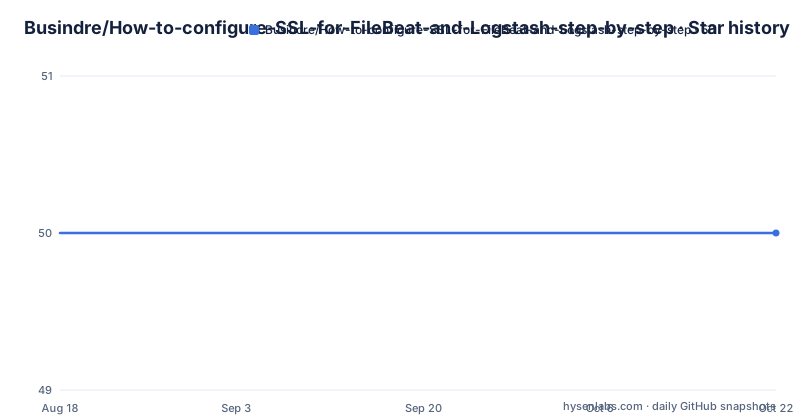
- Busindre/How-to-configure-SSL-for-FileBeat-and-Logstash-step-by-step50 ★ · +0
| Repository | 2026-08-18 | 2026-10-22 |
|---|---|---|
| Busindre/How-to-configure-SSL-for-FileBeat-and-Logstash-step-by-step | 50 | 50 |
0 Stars in the last 65 days, measured from the daily GitHub snapshot. Compare with other projects
Editorial analysis
What this repository actually provides
This is not a software project. It is a single README file that walks through the OpenSSL commands needed to set up mutual TLS between Filebeat and Logstash. The author states that Elastic's own documentation, the page titled Securing Communication With Logstash by Using SSL, does not show how to create the keys and certificates with openssl. The repository fills that gap with a concrete sequence: generate a CA, create a server certificate for Logstash, create a client certificate for Filebeat, then plug the file paths into the respective configuration blocks. The intended user is someone who runs the Elastic Beats stack, knows the basics of TLS, but has not memorized openssl's x509 and req flags. It is a recipe, not a framework. The README is short, and there is no code beyond config snippets and shell commands. If you need a repeatable PKI process with expiry tracking or automation, this guide is only a starting point.
The failure modes it addresses
The README opens by listing the exact error messages that appear when SSL is misconfigured. Filebeat logs show EOF, tls: handshake failure, and i/o timeout. Logstash shows javax.net.ssl.SSLHandshakeException with NO_SHARED_CIPHER, and a specific error that the private key is not in PKCS8 format. These are real symptoms of certificate mismatch, wrong key encoding, or missing mutual verification. The author's point is that the official Elastic docs assume you already have a PKI, which many small teams do not. The guide's value is in turning those cryptic errors into a checklist: if you see NO_SHARED_CIPHER, check your cipher suites and certificate chains; if you see the PKCS8 error, convert your key with the exact openssl pkcs8 command shown. This is practical troubleshooting material, not theory.
How the mutual TLS flow is built
The architecture follows a classic three-part PKI. First, a self-signed CA is created with openssl req -x509. That CA signs both the Logstash server certificate and the Filebeat client certificate. Logstash's beats input is configured with ssl => true, ssl_certificate_authorities pointing to the CA, ssl_certificate and ssl_key for the server cert, and ssl_verify_mode => "force_peer". That last setting forces the client to present a certificate signed by the same CA. On the Filebeat side, the output.logstash block lists the same CA file, plus the client certificate and key. The ssl.supported_protocols is set to TLSv1.2, which the README calls TLS 2.0, a naming slip that suggests the author is thinking of TLS 1.2. The mutual verification means Logstash rejects any Filebeat that does not present a valid client cert, and Filebeat only talks to a Logstash whose server cert chains to the shared CA. The guide also includes an optional ssl.key_passphrase line, commented out, for encrypted client keys.
The exact OpenSSL commands, with their quirks
The commands are the core of the repository. For the CA, two lines: openssl genrsa -out ca.key 2048 and openssl req -x509 -new -nodes -key ca.key -sha256 -days 3650 -out ca.crt. For the Logstash server, you create a server.conf file with a [req] section, a distinguished_name block, and a v3_req section that includes keyUsage, extendedKeyUsage with serverAuth, and subjectAltName. The commands then generate a key, create a CSR with -config server.conf, and sign it with the CA using a serial file. The serial file is created with echo "C2E9862A0DA8E970" > serial, which is a fixed hex value, not a random one. That is a notable weakness: reusing the same serial across multiple certificates or runs can cause problems in strict systems. After signing, the server key is converted to PKCS8 with openssl pkcs8 -topk8 -nocrypt, which the README implies is needed for Logstash's Java-based TLS stack. For the Filebeat client, a similar client.conf file is used, but the extensions are different: basicConstraints = CA:FALSE and nsCertType = client, server. The signing command uses -extensions v3_req -extensions usr_cert, which is unusual because the config file defines [ usr_cert ] but the [v3_req] section is also referenced. The README's client.conf snippet is truncated in the middle of the nsComment line, so you must infer the closing bracket. That is a real usability issue.
Version pinning and configuration drift
The README states it was tested in Logstash and Filebeat version 5.6. That is a significant constraint. Filebeat and Logstash have changed their SSL configuration keys since then. In later versions, the beats input uses ssl_certificate_authorities, ssl_certificate, ssl_key, and ssl_verify_mode, but the exact names and defaults have shifted. The Filebeat output block in the README uses ssl.certificate_authorities, ssl.certificate, ssl.key, and ssl.supported_protocols. Those keys are valid for 5.6, but if you run a modern Elastic stack, you may need to adapt them. The README does not mention any compatibility notes for later versions. The TLS protocol setting is also hardcoded to TLSv1.2, which is fine for 5.6 but may be too restrictive or unnecessary in newer stacks that negotiate TLS 1.3. If you are on a current version, treat this guide as a historical reference and verify each key against your version's documentation. The repository has no release history or recent push information, so there is no evidence it has been updated for newer releases.
Limitations and when this is the wrong tool
The biggest limitation is that this is a one-time setup guide, not a management system. The certificates are valid for 3650 days, which is ten years. That is a long time, and the guide gives no advice on rotation, renewal, or revocation. The serial file is static, which is a security anti-pattern in a real CA. The README also does not cover certificate revocation lists or OCSP. If you need to revoke a compromised client certificate, you are on your own. The guide is also wrong for anyone who needs to scale beyond a handful of hosts: manually generating a key and CSR for each Filebeat shipper is tedious and error-prone. The author acknowledges this by saying the task is not difficult but can be very tedious if you are not familiar with openssl. For a production environment with many shippers, a proper PKI tool like Vault or a scripted CA would be a better fit. The guide is also unsuitable if you need to meet compliance requirements that mandate short-lived certificates or automated renewal, because it does not address those. If you are on a modern Elastic stack, the config keys may not match, so you could spend more time debugging than you save.
A real alternative: Elastic's official approach and its difference
The README itself points to the Elastic documentation page for securing communication with Logstash. That page describes the configuration options but, according to the author, omits the openssl commands. The official Elastic approach assumes you already have a certificate authority or can obtain certificates from an internal PKI. It also offers the option of using Elasticsearch's certificate API if you use Elastic Agent or Fleet, but that is a different product line. The practical difference is that Elastic's docs focus on the configuration side, not the certificate creation side. If you have a corporate PKI that issues certs, you do not need this guide. If you have no PKI at all, this guide gives you a minimal CA in two commands, which is faster than standing up a full CA infrastructure. Another alternative is to use a tool like certbot or a simple script that generates self-signed certs, but those do not handle the mutual authentication requirements or the PKCS8 conversion that Logstash needs. The guide's specific value is the combination of the CA creation, the server and client extensions, and the key conversion step, all in one place.
Maintenance and upgrade cost
The repository has no license specified, which is a legal caveat: you have no explicit permission to copy or redistribute the README beyond what fair use allows. For a small guide, that is a minor issue, but it is worth noting. The maintenance cost is low in the sense that the commands are short and self-contained. However, the cost appears when you upgrade your Elastic stack. The README is pinned to version 5.6, and there is no indication it has been updated for later versions. If you adopt this guide, you must track the changes in Filebeat and Logstash SSL configuration yourself. The PKCS8 conversion step is specific to Logstash's Java TLS implementation, and that requirement may persist, but the config key names may not. The serial file approach is also fragile: if you lose the serial file, you cannot sign new certificates without starting over. The guide does not mention backup or recovery for the CA key, which is a critical operational gap. In short, the initial setup is quick, but the long-term cost is in maintaining the certificates and adapting to version changes. Verify the config keys against your actual version before deployment.
Editorial conclusion
Adopt this guide if you run Filebeat 5.6 or a similar version and need mutual TLS between Filebeat and Logstash without using Elastic's paid features or a separate PKI tool. Do not use it as a production PKI policy: it hardcodes 3650-day certificates, a static serial file, and does not cover certificate rotation or revocation. Before following it, verify your exact Filebeat and Logstash versions, because the config keys and TLS defaults changed after 5.6. Check that your Logstash JVM accepts the PKCS8 key format the guide forces, and test the handshake with openssl s_client before deploying.
Frequently asked questions
How to configure the SSL certificate for Filebeat and Logstash mutual authentication?
Create a certificate authority first, then a server key pair and a client key pair signed by it. Point the Logstash beats input at the authority, server certificate and server key with the verify mode set to force peer, and point the Filebeat output at the authority, client certificate and client key with TLSv1.2 pinned.
How does an SSL certificate work step by step in this Filebeat and Logstash setup?
A 2048-bit authority key and a ten-year self-signed certificate are generated first. Then a server key, a certificate signing request signed by that authority with a ten-year validity, and a conversion of the server key into PKCS8 form. Finally the same request and signing steps are repeated for the client key and certificate.
How do I configure Logstash to receive Filebeat over SSL?
Use a beats input on port 5044 with SSL enabled, naming the certificate authorities, certificate and key files, and set the verify mode to force peer so a client without a valid certificate is refused. The README notes this was tested against Logstash and Filebeat version 5.6.
What is the difference between Filebeat and Logstash in this SSL guide?
They sit on opposite ends of one connection. The README frames it as mutual authentication between Filebeat as the output, which is the side that ships data, and Logstash as the input, which receives it, with each holding the authority plus its own certificate and key.
Official sources
Add this badge to your README
If you maintain this project, the badge below links readers to this analysis and shows its maintenance status from the daily GitHub snapshot. Paste the markdown into your README; add ?metric=license or ?metric=stars to the image URL for a different field.

[](https://hysenlabs.com/projects/busindre-how-to-configure-ssl-for-filebeat-and-logstash-step-by-step)Star history chart for your README
[](https://hysenlabs.com/projects/busindre-how-to-configure-ssl-for-filebeat-and-logstash-step-by-step)