CyTube: a self hosted channel server that synchronises video playback
Node.JS Server and JavaScript/HTML Client for synchronizing online media
At a glance
- What is it?
- CyTube is a Node.js server and browser client that lets registered users run channels where viewers watch videos from hosts such as YouTube and Twitch with synchronized playback, plus a queue and a chatroom. It is aimed at communities that want their own instance rather than a hosted service, and it depends on MySQL and Redis.
- Who is it for?
- Adopt CyTube if you are running a community that wants its own channel server instead of a hosted instance, because the whole application, from the playlist to the chatroom, is in this repository and the install guide is on the wiki. Do not adopt it for a video product of your own, because the players are built to wrap third party hosts rather than to host files, and plan around a single maintainer who handles security reports by email.
- Can I use it commercially?
- Check first. The repository uses a licence we do not classify automatically, so read its LICENSE file before any commercial use.
- Is it still maintained?
- Yes. The repository last received commits 3 days ago.
- What is it written in?
- Mainly JavaScript, according to GitHub's language statistics.
Answers come from the project's GitHub data, last synced on November 7, 2026, and from our analysis. They are not legal advice.
Star history
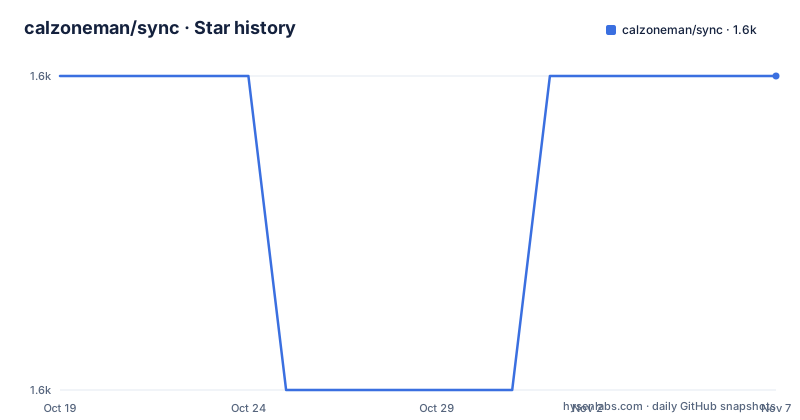
- calzoneman/sync1,588 ★ · +0
| Repository | 2026-10-19 | 2026-11-07 |
|---|---|---|
| calzoneman/sync | 1.6k | 1.6k |
0 Stars in the last 19 days, measured from the daily GitHub snapshot. Compare with other projects
Editorial analysis
What a CyTube channel actually is
CyTube started in early 2013 as a hobby project to build a clone of synchtube.com, which shut down in March 2013. The name of the thing it replaced explains the design.
Users register channels. Connected viewers in a channel watch videos pulled from different video hosts, the documentation naming YouTube and Twitch, and playback is synchronized for everyone in the channel. Each channel also has a playlist where users can queue up videos to play, and an integrated chatroom for discussion.
So the unit of the application is not a video file and not a stream. It is a room with a queue, a shared clock and a conversation. That is why the project describes itself as a media synchronizer and chat rather than as a player, and it is why the interesting parts of the codebase are the state server and the client, not the video handling.
There is an official server at cytu.be, and the documentation notes that other public servers are hosted for various communities. The project therefore exists in two modes: a service you can join, and a service you run. This article is about the second mode, since the repository is the server.
The code is MIT licensed according to the README, which also states that bundled third party code such as CSS and JavaScript libraries is provided under their respective licences. The repository licence field, however, is reported as a custom licence that GitHub cannot classify, pointing at the LICENSE file, so anyone with a compliance process should read that file rather than rely on the badge.
The stack: Express, Socket.IO, knex over MySQL, Redis for the rest
The dependency list in package.json describes the architecture fairly directly, and the package version there is 3.86.1.
The HTTP layer is Express at 4.22.1, with body-parser, cookie-parser, compression, morgan for request logging, express-minify for asset minification, serve-static for static files, pug for templating, and proxy-addr for client address handling. csrf is in the list, which tells you the server does guard state-changing requests.
The real time layer is socket.io at 4.5.4, and this is the piece that carries the product. Synchronized playback means every viewer receives playback state changes as they happen, and socket.io is the channel for that. The same transport carries chat, which is the other half of a channel.
Persistence goes through knex at 2.4.0 with the mysql driver at 2.18.1, so the database is MySQL and the query layer is a query builder rather than raw SQL. redis at 3.1.1 sits alongside it, which in an application of this shape is the natural place for the transient shared state that must not wait for a database round trip.
The rest of the list is supporting work. bcrypt handles password hashing, nodemailer sends mail, prom-client exposes metrics, cheerio and sanitize-html deal with HTML coming from outside, json-typecheck validates JSON payloads, and bluebird and lodash provide utility behaviour. The @cytube/mediaquery and cytubefilters dependencies are pinned to specific git commits rather than to versions, which is a deliberate choice to freeze behaviour of the media handling.
Two builds: a Babel server build and a separate player build
The scripts section shows that the project is compiled in two independent pieces, which is the clearest sign of how the client and server are separated.
    "build-player": "./bin/build-player.js",
    "build-server": "babel -D --source-maps --out-dir lib/ src/",
    "server-dev": "babel -D --watch --source-maps --verbose --out-dir lib/ src/",
    "lint": "eslint src",
    "pretest": "npm run lint",
    "test": "mocha --recursive --exit test",
    "integration-test": "mocha --recursive --exit integration_test"
The server is written in src and compiled by Babel into lib with source maps, and the development command runs the same compilation in watch mode. The player is a separate artifact built by a script in bin, and the repository has a player directory of its own, so the browser side is not simply the www directory that Express serves. The www directory holds the static assets that are served, and the templates directory holds the pug templates.
There is a third build path that is easy to overlook. The generate-userscript script builds a browser userscript for Google Drive from the gdrive-userscript directory and writes it into www/js as cytube-google-drive.user.js, which tells you the project can push content to a Drive account from the browser rather than only from the server.
The postinstall hook runs a postinstall.sh script, so installing dependencies does more than download packages, and the flow type checker is available as a script even though the source is plain JavaScript.
Configuration is a template file plus a conf directory
At the repository root there is config.template.yaml, and the toml and yamljs packages appear in the dependency list, so configuration is read from structured files rather than from environment variables alone. There is also a conf directory, which is the conventional place for the secrets and per-deployment settings that should not be committed.
The presence of a template file rather than a live config is the detail that matters for an operator. You copy the template, fill in the values your instance needs, and the MySQL and Redis connection details go in there. The documentation also tells you to modify the configuration before starting the server, which is a step that is easy to skip and produces a connection error rather than a clear message.
Two more configuration surfaces exist in the layout. The gdrive-userscript directory holds the inputs for the Drive integration, and the docs directory holds documentation that is not in the wiki. The wiki is where the operator guide lives, with a dedicated CyTube 3.0 Installation Guide page, and the FAQ page is linked as the first place to look for an answer before opening an issue.
Tests, linting and the two test suites
There are two test suites and they are separated by directory. The test directory is run by the test script with mocha in recursive mode, and the integration_test directory is run by the integration-test script the same way. The separation is a common convention for this kind of server: unit level tests for the pure logic, and integration tests that need the database, Redis and possibly a browser.
The test script has a pretest hook that runs lint, so eslint over src runs before every test invocation. The lint script targets src specifically, and the flow script runs the Flow type checker, which suggests some of the code carries type annotations even though the project is JavaScript.
For a project that has been running for more than a decade, the test setup is a positive signal about maintenance, but the toolchain has a vintage. Mocha with --exit, an eslintrc, a Travis configuration at the repository root rather than a GitHub Actions workflow, and package-lock.json rather than a modern lockfile all point to a project that builds on what it had. A new contributor following the current Node.js release cycle will hit that.
Running an instance, and what the README does not tell you
The README is short, and its shortness is a deliberate division of labour. Installation for server administrators is on the wiki, at the CyTube 3.0 Installation Guide page, and the README links there rather than repeating it. The same pattern holds for support: the FAQ is linked first, issues are for bug reports and feature requests, and a specific email address is given for security vulnerabilities and for anything about the official server that is unrelated to the code.
The repository has the scripts you would expect for running an instance: run.sh at the root, servcmd.sh.js for service commands, index.js as the entry point, and a postinstall.sh that runs on install. There is no Dockerfile or compose file at the root of this repository, so containerising an instance is left to the operator.
The release history is where the repository stops being tidy. The tagged releases listed for this project are old, with v3.36.1 from 2017 and earlier ones from 2016, while package.json carries version 3.86.1 and the default branch is 3.0. In other words, versions are tracked in the package manifest and the tags stopped being maintained years ago. Anyone tracking upgrades by release tag will get the wrong picture of the current state.
The last push to the repository was on 2026-10-17, so the code is being worked on, and the project is not archived.
Editorial conclusion
Adopt CyTube if you are running a community that wants its own channel server instead of a hosted instance, because the whole application, from the playlist to the chatroom, is in this repository and the install guide is on the wiki. Do not adopt it for a video product of your own, because the players are built to wrap third party hosts rather than to host files, and plan around a single maintainer who handles security reports by email. Before you deploy, read the CyTube 3.0 Installation Guide on the wiki, since the README contains no install steps, and expect to supply your own MySQL and Redis instances.
Frequently asked questions
What is CyTube and what does a channel do?
CyTube is a Node.js server and JavaScript and HTML client for synchronizing online media. Users register channels where connected viewers watch videos from different hosts such as YouTube and Twitch with synchronized playback, and each channel has a playlist queue and an integrated chatroom.
How do I install a CyTube server?
The README points administrators to the installation guide on the wiki, the CyTube 3.0 Installation Guide page, rather than giving install steps in the repository itself. Configuration is handled through config.template.yaml and the conf directory.
What database and realtime technology does CyTube use?
The dependencies in package.json list knex with the mysql driver for persistence, redis for shared state, socket.io for the realtime channel, and Express with pug for the HTTP and templating layer. Passwords are handled with bcrypt.
How do I run the tests in CyTube?
The test script runs mocha recursively over the test directory and the integration-test script runs mocha over the integration_test directory. The test script has a pretest hook that runs eslint over src first, and a flow script runs the Flow type checker.
Official sources
Add this badge to your README
If you maintain this project, the badge below links readers to this analysis and shows its maintenance status from the daily GitHub snapshot. Paste the markdown into your README; add ?metric=license or ?metric=stars to the image URL for a different field.

[](https://hysenlabs.com/projects/calzoneman-sync)Star history chart for your README
[](https://hysenlabs.com/projects/calzoneman-sync)Was this useful?