LavinMQ and the Crystal broker for AMQP 0-9-1 and MQTT
Ultra quick message queue and streaming server
At a glance
- What is it?
- LavinMQ is an open source message queue and streaming server written in Crystal, implementing AMQP 0-9-1 and MQTT 3.1.0 and 3.1.1, with a management UI, an HTTP API and a Kubernetes operator. It ships as a package, a brew formula, a Docker image or a source build, and it publishes the numbers behind its efficiency claims.
- Who is it for?
- Adopt LavinMQ if you want a self hosted AMQP 0-9-1 and MQTT 3.1 broker with a small operational footprint, a built in management interface and the option to run it in Kubernetes through the LavinMQ Operator.
- Can I use it commercially?
- Yes. Apache-2.0 is a permissive licence: you can use, modify and sell software built on it, as long as you keep its copyright and licence notices.
- Is it still maintained?
- Yes. The repository received new commits within the last day.
- What is it written in?
- Mainly Crystal, according to GitHub's language statistics.
Answers come from the project's GitHub data, last synced on November 7, 2026, and from our analysis. They are not legal advice.
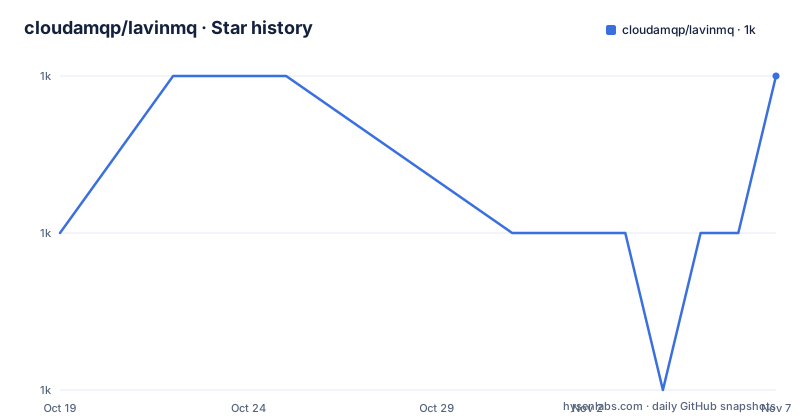
Star history
- cloudamqp/lavinmq1,033 ★ · +1
| Repository | 2026-10-19 | 2026-11-07 |
|---|---|---|
| cloudamqp/lavinmq | 1k | 1k |
1 Stars in the last 19 days, measured from the daily GitHub snapshot. Compare with other projects
Editorial analysis
A broker written in Crystal, and why that shows up in the process table
LavinMQ is a message queue and streaming server implementing the AMQP 0-9-1 and MQTT 3.1.0 and 3.1.1 protocols, built with Crystal. The project site is lavinmq.com.
The feature list is the standard AMQP surface plus a good deal more: publisher confirms, transactions, dead-lettering, TTL at queue, message and policy level, CC and BCC headers, alternative exchanges, exchange to exchange bindings, direct-reply-to for RPC, queue max-length overflow behaviour, priority queues, delayed exchanges, message deduplication and the consistent hashing exchange. On top of that there is AMQPS with TLS, AMQP and MQTT over websockets, an HTTP API, users with ACL rules, and a management interface in the browser.
Crystal is the reason for the profile the project advertises. The efficiency claims in the README are specific rather than adjectives, and they are attached to a named machine: a single c8g.large EC2 instance with GP3 EBS storage formatted as XFS, where the broker is said to reach 800,000 messages per second end to end with 16 byte messages on a single queue and a single producer and consumer, 1,600,000 messages per second producer only, and 1,200,000 messages per second consumer only with auto-ack. The memory figures are equally concrete: 25 MB of RAM for 100 million enqueued messages, 35 MB for 1,000 declared queues and 70 MB for 1,000 concurrent connections.
Those numbers are the project's own claims about a specific configuration, and the project does something respectable with them: it ships lavinmqperf so you can measure your own setup, and points at a lavinmq-benchmark repository with detailed results.
Five ways to install, and the one that costs you a WSL
The installation section of the README covers Debian and Ubuntu, Fedora, Arch Linux, macOS, Docker and Windows, with a from source route on top.
For Debian and Ubuntu the packages come from Packagecloud, with the signing key imported and an apt source written into place:
curl -fsSL https://packagecloud.io/cloudamqp/lavinmq/gpgkey | gpg --dearmor | sudo tee /usr/share/keyrings/lavinmq.gpg > /dev/null
. /etc/os-release
echo "deb [signed-by=/usr/share/keyrings/lavinmq.gpg] https://packagecloud.io/cloudamqp/lavinmq/$ID $VERSION_CODENAME main" | sudo tee /etc/apt/sources.list.d/lavinmq.list
sudo apt-get update
sudo apt-get install lavinmq
Fedora gets a yum repository in the same shape, Arch uses the AUR package lavinmq with a caveat worth reading, because it depends on gc-large-config which conflicts with the gc package and is the same garbage collector compiled with a larger configuration, and macOS is a single brew install.
The Arch caveat is a good example of the kind of detail that only shows up in a real distribution guide. The garbage collector in Crystal needs a larger config when a process opens a very large number of file descriptors or threads, and the AUR package works around that by shipping a separate build of the collector. If you are on Arch and you see odd behaviour under load, that is the first thing to check.
Windows is the one platform with no native story. The README recommends WSL, installing a preferred Linux distribution through it and then following that distribution's instructions, which is an honest admission rather than a workaround dressed up as support.
One argument, one data directory, one control socket
Running the broker takes a single argument, a path to a data directory:
lavinmq -D /var/lib/lavinmqEverything else is optional. The -h flag lists the full set of options, and a configuration file can be supplied instead, with extras/lavinmq.ini in the repository given as the example and a documentation section on configuration files linked for the details.
Running more than one instance on the same host is where the details matter. Each instance needs its own --data-dir, its own ports and binds, and a unique --control-unix-path, the socket that lavinmqctl connects to, which defaults to /tmp/lavinmqctl.sock. lavinmqctl accepts the same flag, or you can set the LAVINMQCTL_CONTROL_UNIX_PATH environment variable, to point at a specific instance. That last point is the one to remember when you are scripting against a busy host, because the default socket will silently point somewhere else.
The Docker route does the same thing in a container, publishing the AMQP port and the management port and mounting a volume for the data directory:
docker run --rm -it -p 5672:5672 -p 15672:15672 -v /tmp/amqp:/var/lib/lavinmq cloudamqp/lavinmqThere is a minimal compose file for the same arrangement:
services:
  lavinmq:
    image: "cloudamqp/lavinmq:latest"
    ports:
      - 15672:15672 # HTTP
      - 5672:5672 # AMQP
For anything larger, the documentation covers a multi-node cluster with Docker Compose, and there is a separate LavinMQ Operator repository for Kubernetes deployments.
The container image ships a health check and a wide open bind
The Dockerfile in the repository is a good illustration of how this project treats container builds. It starts from 84codes/crystal on Ubuntu 24.04, installs liblz4-dev and dpkg-dev, and pulls the Crystal dependencies with shards install --production, which skips the development dependencies from shard.lock.
What is unusual is the set of verification stages layered on top. One stage installs etcd-server and runs the spec suite with crystal spec, with an argument defaulting to running the specs in random order. Another installs the linter, runs bin/ameba against the .ameba.yml configuration and then checks formatting with crystal tool format --check. Only after that does the builder stage run make js lib and make all.
The final image is a clean ubuntu:24.04 with libssl3, ca-certificates and liblz4-1, the compiled binaries copied into /usr/bin, port 5672 and 15672 exposed, and a volume declared at /var/lib/lavinmq. Two environment variables are set, GC_UNMAP_THRESHOLD=1 and CRYSTAL_LOAD_DEBUG_INFO=1, and the health check runs lavinmqctl status, which is a better signal than a TCP probe because it asks the broker about itself.
One line deserves a second look. The entrypoint is:
ENTRYPOINT ["/usr/bin/lavinmq", "-b", "0.0.0.0", "--default-user-only-loopback=false"]Binding to 0.0.0.0 is what you want inside a container, but the second flag disables the restriction that would otherwise keep the default user reachable only from loopback. In other words, the published image is configured to expose the default account beyond the container. That is a sensible default for a local docker run and a poor default for a shared host, and it is worth overriding explicitly rather than inheriting.
The Makefile explains the rest of the build. It produces three binaries, lavinmq, lavinmqctl and lavinmqperf, compiles the Crystal sources with --release and --stats, and renders the shtml views in views/ into static HTML, with a separate lib target for the static assets.
Broad AMQP coverage, narrow protocol versions
The feature list is long, and it would be easy to read it as a claim to current AMQP. It is not. LavinMQ implements AMQP 0-9-1, the protocol version from 2008, and MQTT 3.1.0 and 3.1.1. There is no AMQP 1.0 and no MQTT 5 in the list of supported protocols.
That boundary matters more than the feature count for anyone integrating today. AMQP 1.0 is a different wire protocol with different semantics around security and addressing, and a client library that speaks it will not talk to this broker. The same applies to MQTT 5, which adds a set of protocol features beyond 3.1.1. The upside of staying on 0-9-1 and 3.1 is that client library support is effectively universal, and the project says so, noting that all AMQP client libraries work with LavinMQ and that there are AMQP client libraries for almost every platform, with sample code guides for Ruby, Node.js, Java, Python, PHP, Crystal, Go and .NET.
The trade-off is real and it cuts both ways. A system that needs AMQP 0-9-1 is well served, and the wide client support means migration is mostly a matter of changing a connection string. A system that needs AMQP 1.0 semantics or MQTT 5 features has to look elsewhere, and no amount of extra AMQP features here will change that.
Two operational gaps are visible as well. Windows has no native build, so the platform is supported only through WSL. And the configuration story is a single ini style file, which is simple but coarse compared to the more expressive configuration some brokers offer.
The benchmark numbers are tied to one instance type
It is worth reading the performance section closely, because the numbers are only meaningful with their conditions attached.
The machine is a single c8g.large EC2 instance with GP3 EBS storage formatted as XFS. The end to end figure of 800,000 messages per second uses 16 byte messages on a single queue with a single producer and consumer. The producer only and consumer only figures of 1,600,000 and 1,200,000 messages per second are therefore upper bounds for a pipeline with no second stage, not numbers you should expect to see in an application with a real message size and real fan out.
The binding figures are the interesting ones for anyone planning a topology: 1,600 bindings per second for non-durable queues and 1,000 bindings per second for durable ones. A design that creates tens of thousands of bindings at startup will pay that cost at startup, and durable bindings, which are the ones you need for delivery guarantees, are the slower of the two.
The memory numbers are the ones that usually decide whether a broker fits your budget. Twenty-five megabytes of RAM for 100 million enqueued messages, 35 MB for 1,000 declared queues and 70 MB for 1,000 concurrent connections is a different order of magnitude from the brokers most teams run, and it is the reason the project describes itself as resource efficient with minimal RAM requirements.
The responsible way to use any of this is to reproduce it, which is why the project points you at lavinmqperf and publishes detailed results in the lavinmq-benchmark repository. A number without the hardware, the message size and the durability settings attached is a marketing number.
Apache-2.0, an operator, and a release cadence measured in days
The licence is Apache 2.0, with the text in the LICENSE file and a NOTICE file beside it. That is a permissive licence with an explicit patent grant, which is why a broker like this can be embedded in commercial infrastructure without much ceremony. The repository also ships a SECURITY.md for reporting vulnerabilities, a CHANGELOG.md, a CONTRIBUTING.md, an AGENTS.md, and a TROUBLESHOOTING.md document, which is a reasonable amount of operational documentation for a project people run in production.
Deployment options have grown along with the project. Beyond the package, brew and Docker routes in the README, there is a dedicated LavinMQ Operator repository for Kubernetes, and the documentation covers a multi-node cluster under Docker Compose. A broker that supports both a single node on a laptop and a clustered deployment on Kubernetes is a sign of a project that has been used at both ends of the scale.
The maintenance signal is strong. The repository is not archived, the last push was on 2026-10-19, and the recent releases are v2.10.2 and v2.9.5 on 2026-10-07 with v2.10.1 on 2026-10-05. Two release lines moving on the same day, a 2.9 patch and a 2.10 patch, is the signature of a project that maintains a stable line and a current line in parallel.
The dependency model is Crystal's shard system, with shard.yml and shard.lock at the root, and the Dockerfile installing with --production so a deployed image carries only runtime dependencies.
Editorial conclusion
Adopt LavinMQ if you want a self hosted AMQP 0-9-1 and MQTT 3.1 broker with a small operational footprint, a built in management interface and the option to run it in Kubernetes through the LavinMQ Operator. Do not adopt it if your protocol requirements include AMQP 1.0 or MQTT 5, since those are outside what the project implements, and think twice before running the published Docker image with its default entrypoint on a shared host, because it binds 0.0.0.0 with default user only loopback disabled. Verify three things first: that your existing client library speaks AMQP 0-9-1, that the data directory you pass with -D is on storage you are willing to let the broker own, and that the throughput numbers quoted for a single c8g.large instance reflect your own message sizes. The last push was on 2026-10-19 and the newest release is v2.10.2 from 2026-10-07.
Frequently asked questions
Which protocols does LavinMQ implement?
AMQP 0-9-1, MQTT 3.1.0 and MQTT 3.1.1, plus AMQPS with TLS and both AMQP and MQTT over websockets. AMQP 1.0 and MQTT 5 are not part of the implemented protocol set.
How do I run LavinMQ for the first time?
The broker takes one required argument, a data directory, so lavinmq -D /var/lib/lavinmq starts it. Optional settings come from a configuration file, with extras/lavinmq.ini in the repository given as an example, and the -h flag lists the rest.
How do I run LavinMQ in Docker?
Run docker run with the AMQP and management ports published and a volume mounted at /var/lib/lavinmq, using the cloudamqp/lavinmq image. A minimal compose file is published in the README, and the project documents a multi-node cluster with Docker Compose as well.
Can I run several LavinMQ instances on one host?
Yes, but each needs its own --data-dir, its own ports and binds, and a unique --control-unix-path, since that socket is what lavinmqctl connects to and it defaults to /tmp/lavinmqctl.sock. lavinmqctl also takes the flag, or the LAVINMQCTL_CONTROL_UNIX_PATH environment variable.
Does LavinMQ support Windows?
Not natively. The README recommends WSL, installing a Linux distribution through it and then following that distribution's installation instructions instead.
What licence is LavinMQ released under?
Apache 2.0, with the licence text in the LICENSE file and a NOTICE file at the root of the repository. Deployment on Kubernetes is handled by a separate LavinMQ Operator project.
Official sources
Add this badge to your README
If you maintain this project, the badge below links readers to this analysis and shows its maintenance status from the daily GitHub snapshot. Paste the markdown into your README; add ?metric=license or ?metric=stars to the image URL for a different field.

[](https://hysenlabs.com/projects/cloudamqp-lavinmq)Star history chart for your README
[](https://hysenlabs.com/projects/cloudamqp-lavinmq)Was this useful?