archConfig: A Personal Arch and Ubuntu Bootstrap Repo With a GPU-Focused KDE Setup
These are my arch linux dotfiles
At a glance
- What is it?
- Codesmith28/archConfig is a personal dotfiles and bootstrap repository covering Arch KDE, Arch Hyprland/GNOME, and Ubuntu. Its most distinctive part is a set of scripts for GPU mode switching and power cycling on Asus laptops.
- Who is it for?
- Adopt archConfig if you run Arch with KDE on an Asus laptop with hybrid graphics and want a proven set of scripts for supergfxctl mode switching and power profile cycling. Skip it if you need a general-purpose, well-documented dotfiles framework or if you are not comfortable reading and modifying shell scripts.
- Can I use it commercially?
- Not without permission. GitHub finds no licence file in the repository, and without a licence all rights are reserved by default: you may read the code but not reuse it. Check the README, or ask the authors, before using it.
- Is it still maintained?
- Yes. The repository last received commits 1 day ago.
- What is it written in?
- Mainly Lua, according to GitHub's language statistics.
Answers come from the project's GitHub data, last synced on October 22, 2026, and from our analysis. They are not legal advice.
Star history
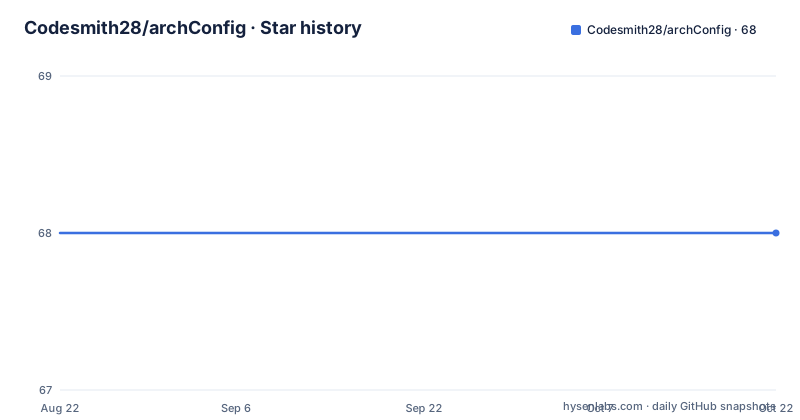
- Codesmith28/archConfig68 ★ · +0
| Repository | 2026-08-22 | 2026-10-22 |
|---|---|---|
| Codesmith28/archConfig | 68 | 68 |
0 Stars in the last 61 days, measured from the daily GitHub snapshot. Compare with other projects
Editorial analysis
What This Repo Actually Solves
This is a personal dotfiles and bootstrap repository, not a polished tool for a wide audience. It solves a specific problem: getting a fresh Arch Linux install with KDE to a usable state with a particular set of packages, dotfiles, and systemd services. The README also mentions Ubuntu and an Arch Hyprland/GNOME installer, but the KDE path is the most detailed. The intended user is someone who wants to replicate the author's setup, or who wants a starting point for their own scripts. If you are looking for a general dotfiles manager like GNU Stow or chezmoi, this repo is not that. It is a collection of shell scripts and config files that work together, but each part is tailored to the author's hardware and preferences.
The GPU and Power Management Workflow
The most distinctive part of the repo is the GPU and power workflow. The README describes a script installed to /usr/local/bin/configure-supergfxctl-exclusive.sh that switches supergfxctl modes: Integrated, Hybrid, Vfio, AsusEgpu, AsusMuxDgpu. This is for Asus laptops with hybrid graphics. The script is installed by the setup.sh script, and you invoke it with sudo and a --gpu-mode flag or a positional argument. The README notes that in Integrated mode, nvidia-smi will not show an NVIDIA device, which is expected, while in non-Integrated modes it should detect the hardware after a reboot or logout. There is also a cycle-power-mode.sh script that cycles powerprofilesctl modes: power-saver, balanced, performance. In Hyprland it is bound to XF86Launch4, and KDE keeps the Launch4 shortcut via a keyboard configuration file. This is a concrete, hardware-specific workflow that shows the author's real usage. The trade-off is that these scripts assume an Asus laptop with supergfxctl and powerprofilesctl, so they will not work on other hardware without modification.
Getting It Running: The Three Install Paths
The quick start is straightforward. Clone the repo to ~/archConfig and cd into it. For Arch KDE, you run installPackages.sh from arch_kde/packages, then sync.sh from arch_kde/dotfiles, and optionally setup.sh from arch_kde/setup_scripts. The package script installs official repos and AUR packages. The sync script links dotfiles into your home directory. The setup script installs systemd services: a battery-limit service, a service to disable acpi and pci wakeup so only the power button wakes the laptop, and an nvidia persistence mode service. It also installs the executable for GPU mode switching. For Ubuntu, there is a single install.sh that prints next steps after completion. For Arch Hyprland/GNOME, there is a black box shell installer: cd arch/black_box, chmod +x main.sh, ./main.sh. The README warns that some steps require sudo, Docker group changes require logout or reboot, and Wi-Fi setup uses nm-connection-editor and expects a GUI. This is not a one-command installer for all; you have to pick your path.
GRUB and Dual-Boot Recovery Scripts
The repo includes a restoreGrub.sh script for when GRUB is missing or overwritten. The README gives the exact commands it runs: pacman -Sy grub efibootmgr dosfstools mtools, then grub-install with --target=x86_64-efi --efi-directory=/boot --bootloader-id=GRUB, and grub-mkconfig. There is also a note about making Windows visible in GRUB: install os-prober, set GRUB_DISABLE_OS_PROBER=false in /etc/default/grub, and regenerate the config. This is useful for dual-boot users, but it is a blunt instrument. The script assumes /boot is your EFI directory, which may not be true for every setup. If your EFI partition is mounted elsewhere, you would need to edit the script. The README does not mention any safety checks, so you should review the script before running it. The os-prober steps are manual, which is fine, but they are not automated in the repo, so you have to do them yourself.
Maintenance and Upgrade Cost
The repository has no license, which is a significant issue. Without a license, you have no explicit permission to use, modify, or distribute the code, even though it is public on GitHub. This is a personal repo, and the README says it is inspired by mylinuxforwork/dotfiles, but it does not mention how it is maintained or how often it is updated. The last push is unknown, and there are no recent releases. The scripts are written in shell, which means they are tied to the author's package versions and repository state. Arch is a rolling release, so package names and configurations change. If you adopt these scripts, you will need to maintain them yourself, updating package lists and checking that systemd service files still match current versions. The dotfiles sync script is likely idempotent, but there is no mention of a dry-run or backup mechanism. Before running sync.sh, you should back up your existing dotfiles, because the script might overwrite them.
A Real Alternative: mylinuxforwork/dotfiles
The README credits mylinuxforwork/dotfiles (v2.9.1) as the inspiration for the Arch shell installer. That project is a more comprehensive dotfiles framework with a larger community and more documentation. The key difference is that mylinuxforwork/dotfiles is designed as a reusable framework with themes, modular configuration, and a broader set of supported window managers. archConfig, in contrast, is a personal configuration with a few scripts. If you want a starting point that is more general and actively maintained, mylinuxforwork/dotfiles is a better bet. However, that project is also larger and more complex, so it may be harder to customize. archConfig has the advantage of being small and readable: you can inspect every script in an afternoon. The trade-off is that you get less abstraction and more hardcoded assumptions. For an engineer deciding between the two, the choice depends on whether you want a framework or a reference implementation.
Limitations and Failure Modes
The most obvious limitation is hardware specificity. The GPU scripts are for Asus laptops with supergfxctl. The battery-limit service is likely for a specific battery threshold, and the wakeup disable service assumes an acpi and pci setup that matches the author's laptop. On other hardware, these services may fail or do nothing. The black box installer for Arch Hyprland/GNOME is described as a shell pipeline, but the README gives no details on what it does. That is a black box in the worst sense: you cannot know what it will change without reading the scripts. The Ubuntu installer is also undocumented beyond a single command. If you run it, you might get unexpected changes. Another failure mode is the GRUB restore script: if your EFI directory is not /boot, or if you use a different bootloader, the script will not work and could make things worse. The README does not warn about this. Finally, the lack of a license means you cannot legally reuse the code in your own projects without asking the author, which is a practical barrier for adoption.
Editorial conclusion
Adopt archConfig if you run Arch with KDE on an Asus laptop with hybrid graphics and want a proven set of scripts for supergfxctl mode switching and power profile cycling. Skip it if you need a general-purpose, well-documented dotfiles framework or if you are not comfortable reading and modifying shell scripts. Before using it, inspect every script for hardcoded paths, package lists, and your hardware assumptions, and verify that the GRUB restore script matches your EFI partition layout. The repo is a personal configuration, not a maintained product, so treat it as a reference and adapt it to your own system.
Frequently asked questions
What is archConfig and which distributions does it support?
It is a unified, modular, cross-distribution dotfiles and bootstrap system for Fedora, Arch Linux, Ubuntu, macOS and OmArchy. The tree is split into core configurations, a desktop layer, a distribution layer and a troubleshooting layer, all linked by a root sync.sh that detects the system first.
How do I preview archConfig changes before syncing?
Run ./sync.sh --dry-run, which prints the symlink actions without applying them, then ./sync.sh to apply. Detection can be overridden with an explicit distribution and desktop environment, for example --distro fedora --de gnome or --distro mac --de none.
What does the archConfig Git setup script do?
core/scripts/setup_git.sh sets Git identity, generates 4096-bit RSA SSH keys and applies base settings including pull with rebase, automatic remote setup on push, histogram diffs and rerere. It rewrites GitHub HTTPS pushes to SSH to avoid credential prompts, and can create directory-scoped profiles with --profile, --profile-name and --profile-email.
Which desktop environments does archConfig configure?
GNOME with extensions and dconf settings, KDE Plasma shortcuts, and Hyprland in both Lua and classic forms, all under the desktop/ layer. Five desktop environments are supported across the base distributions, and the language reported for the repository is Lua.
Does archConfig come with a licence?
The repository states none, and GitHub reports no licence for it. The top level holds a migration document, the README, the synchroniser script and the four layer directories, with no licence file among them, so reuse terms are not specified.
Official sources
Add this badge to your README
If you maintain this project, the badge below links readers to this analysis and shows its maintenance status from the daily GitHub snapshot. Paste the markdown into your README; add ?metric=license or ?metric=stars to the image URL for a different field.

[](https://hysenlabs.com/projects/codesmith28-archconfig)Star history chart for your README
[](https://hysenlabs.com/projects/codesmith28-archconfig)