SeatPreview: a cinema seat picker that shows you the sightline in 3D
An experimental demo where a 3D perspective preview is shown for a selected seat in a cinema room.
At a glance
- What is it?
- SeatPreview is an experimental Codrops demo where picking a seat in a cinema room shows a 3D perspective preview of the view from that seat. It is a static HTML, CSS and JavaScript project with one Sass compile step and a custom licence, best treated as a reference implementation rather than a component you install.
- Who is it for?
- Adopt SeatPreview if you are building a cinema or theatre booking interface and want a reference for a seat map with a live sightline preview, and if you are comfortable working from a static demo rather than a packaged component. Do not adopt it as a library, because there is no package to install, no build pipeline beyond one Sass command, and no test suite.
- Can I use it commercially?
- Not without permission. GitHub finds no licence file in the repository, and without a licence all rights are reserved by default: you may read the code but not reuse it. Check the README, or ask the authors, before using it.
- Is it still maintained?
- Yes. The repository last received commits 24 days ago.
- What is it written in?
- Mainly HTML, according to GitHub's language statistics.
Answers come from the project's GitHub data, last synced on November 6, 2026, and from our analysis. They are not legal advice.
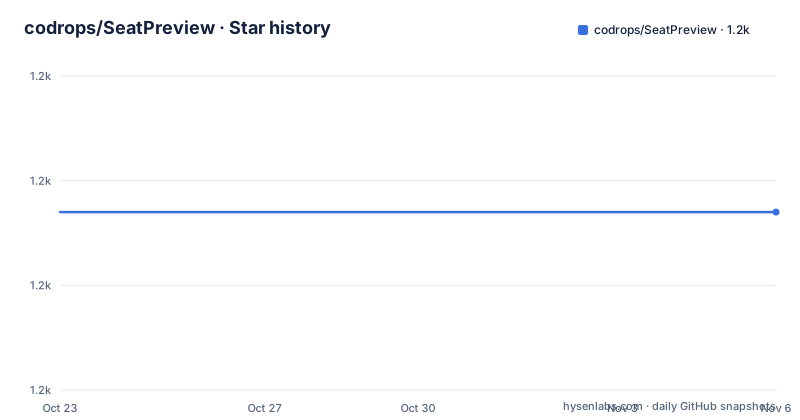
Star history
- codrops/SeatPreview1,187 ★ · +0
| Repository | 2026-10-23 | 2026-11-06 |
|---|---|---|
| codrops/SeatPreview | 1.2k | 1.2k |
0 Stars in the last 14 days, measured from the daily GitHub snapshot. Compare with other projects
Editorial analysis
The idea is a seat map that answers the question people actually ask
SeatPreview is described as an experimental demo where a 3D perspective preview is shown for a selected seat in a cinema room. The interaction is therefore the whole product: a visitor chooses a position in the seating plan, and the page shows what the screen looks like from that position, which is a question that a flat seat map answers badly. Theatre ticketing interfaces usually have to compromise here, offering a numbered grid and a vague notion of distance, and this project is an attempt at the more informative version. Two facts about its status are worth stating before anything else. It is labelled experimental in the README, and it is a demo rather than a reusable component: there is no package on a registry, no documented API, and no class you can import. The published form is a static page hosted on tympanus.net, with the source in this repository and a written article on Codrops describing the effect. The repository also points to a variant by Sebastian Troć that colours the real seats as well, which is the clearest signal that the interesting part is the visual technique rather than any particular library.
A flat static tree: index.html, css, js, img and media
The repository layout is minimal and tells you how little machinery is involved. The top level contains `index.html`, a `css/` directory, a `js/` directory, an `img/` directory and a `media/` directory, alongside the README, an `AGENTS.md` file and a `.gitignore`. There is no package manifest, no framework configuration, no bundler and no dependency lock file, which means there is nothing to install and nothing to run before opening the page. The `img/` directory holds the still imagery the interface needs, and the `media/` directory is where the moving material lives. The README credits a trailer from Sintel by the Blender Foundation, licensed under Creative Commons Attribution 3.0, and icons made by Freepik from Flaticon under CC BY 3.0, so the video and the icon set carry their own attribution obligations regardless of what the repository licence says. That separation between what the demo ships and what it borrows is worth keeping in mind if you take the visuals into a production booking flow, where the Sintel trailer in particular is a placeholder rather than something you would ship.
One Sass command, and a local server because the media is fetched
The installation section is two sentences long, which is unusual and mostly a good sign. The styles in `css/component.css` are compiled from `css/component.scss` with Dart Sass, and the command for that is a single npx invocation that takes the scss source and the css output as arguments:
npx sass css/component.scss css/component.cssThe second requirement is that the demo be run on a local server rather than opened as a file, and the README links to the general guidance on setting one up. The reason is structural: the page fetches its media and its JavaScript modules over HTTP, and the 3D preview is an interactive effect that needs the browser to behave like a normal web page rather than a file system origin. Nothing in the repository suggests a production build step, a bundler configuration, a minifier or a deployment script, so if you fork this you are taking on the packaging work yourself. What you do get is a clean separation between the stylesheet source and the generated stylesheet, which is the part that tends to rot in a project that otherwise has no tooling.
The licence allows integration but forbids republication
The README has its own License section, and it is not a standard open source licence. The wording is that you may integrate or build upon it for free in your personal or commercial projects, and that you should not republish, redistribute or sell it as-is, with a link to the Codrops licensing page for the full terms. That is a materially different grant from MIT or Apache, and the practical reading is that the demo is a permitted foundation for your own work rather than a redistributable asset. The license field in the repository metadata is unknown, so the README sentence and the linked licensing page are the only statements about rights, and neither is a licence file you can point an automated check at. If you are shipping this inside a commercial product, that is permitted by the README text, but the condition on the other side, no republishing as-is, means the demo page itself, with its imagery and its trailer, is not something you can put on your own site unchanged.
A second implementation exists, and it differs in one visible way
The README points to a version by Sebastian Troć where the real seats are colored too, and that is a more informative pointer than it first appears. The difference in approach is that SeatPreview treats the seats as a neutral surface on which the preview is projected, while the variant adds the seat colouring to the rendering, so the perspective view shows what your body would be looking past. Both approaches share the same underlying problem, which is that the preview has to stay in step with the selection and has to be cheap enough to redraw while a visitor is still moving the cursor. If you are choosing a starting point, the deciding question is whether the seat colour is part of your interface language. A premium venue format may want the seat to be visibly part of the view, while a large multiplex layout with a hundred rows probably does not, because the geometry that makes one seat look right scales badly across a large room. Neither repository documents a performance budget, so that trade is something you would have to measure in your own layout.
What you get and what you still have to build
The judgement on this project is mostly about scope. What exists is a working demonstration of a 3D perspective preview tied to a seat selection, with the styles kept in an SCSS source file and the media assets in place. What does not exist is anything a product would need around it: seat data comes from nowhere in the repository, so you have to model the rows, the seats and the screen geometry yourself; there is no seat map editor; there is no integration with a booking flow or with availability data; there are no tests, and the README does not describe any. There is also no release history, since the repository publishes no GitHub releases, and the demo version linked from the README is the artifact that is publicly documented. Treat it the way you would treat a well crafted tutorial: read the effect, copy the approach, and rebuild it inside your own design system, where the seat geometry and the screen dimensions come from your own data rather than from a hard coded room.
Editorial conclusion
Adopt SeatPreview if you are building a cinema or theatre booking interface and want a reference for a seat map with a live sightline preview, and if you are comfortable working from a static demo rather than a packaged component. Do not adopt it as a library, because there is no package to install, no build pipeline beyond one Sass command, and no test suite. Before you build on it, read the Codrops licensing page, since the repository licence is not a standard identifier and the terms allow integration into personal and commercial work while forbidding republishing the demo as-is, and confirm that the media assets you reuse, a Sintel trailer and Freepik icons, carry their own Creative Commons Attribution requirements. The last push was on 2026-10-15 and the repository publishes no releases.
Frequently asked questions
How do I run the SeatPreview demo locally?
The README says to run the demo on a local server rather than opening the file directly, and to compile the styles with Dart Sass using `npx sass css/component.scss css/component.css`, since the styles in `css/component.css` are generated from `css/component.scss`.
Can I use SeatPreview in a commercial project?
The README licence section says you can integrate or build upon it for free in your personal or commercial projects, and that you must not republish, redistribute or sell it as-is. The full terms are on the linked Codrops licensing page, and the license field in the repository metadata is unknown.
Which media assets does SeatPreview use?
A trailer from Sintel by the Blender Foundation, licensed under Creative Commons Attribution 3.0, and icons made by Freepik from Flaticon, licensed under CC BY 3.0. Both carry attribution requirements of their own.
Is there another version of the SeatPreview effect?
The README links to a version by Sebastian Troć where the real seats are colored as well, rather than only the preview being rendered. The two differ in whether the seat itself is part of the rendered view.
Official sources
Add this badge to your README
If you maintain this project, the badge below links readers to this analysis and shows its maintenance status from the daily GitHub snapshot. Paste the markdown into your README; add ?metric=license or ?metric=stars to the image URL for a different field.

[](https://hysenlabs.com/projects/codrops-seatpreview)Star history chart for your README
[](https://hysenlabs.com/projects/codrops-seatpreview)Was this useful?