React Native Modalfy for stacked modal workflows
🥞 Modal citizen of React Native.
At a glance
- What is it?
- React Native Modalfy is a TypeScript library that manages reusable and stacked modals without prescribing their appearance or transitions. It fits React Native teams that need centralized modal state, but it does not supply modal UI components.
- Who is it for?
- Adopt React Native Modalfy when a React Native application needs reusable modal components, multiple simultaneous modals, and application-controlled transitions. Do not choose it as a ready-made modal design system or if a single basic dialog managed by local component state is sufficient.
- Can I use it commercially?
- Yes. MIT is a permissive licence: you can use, modify and sell software built on it, as long as you keep its copyright and licence notices.
- Is it still maintained?
- Yes. The repository last received commits 3 days ago.
- What is it written in?
- Mainly TypeScript, according to GitHub's language statistics.
Answers come from the project's GitHub data, last synced on November 7, 2026, and from our analysis. They are not legal advice.
Star history
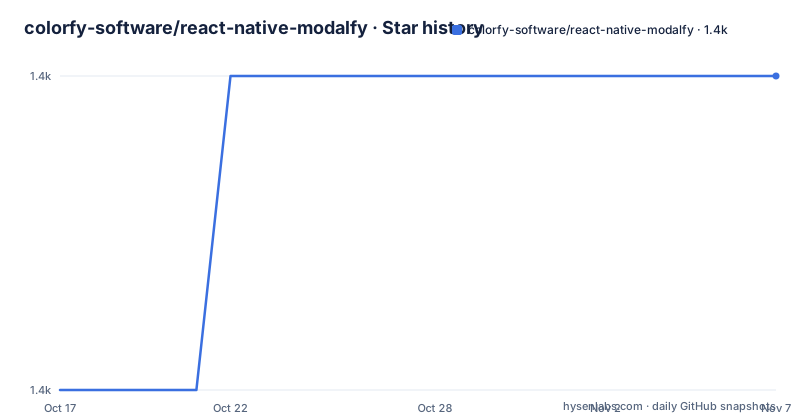
- colorfy-software/react-native-modalfy1,386 ★ · +1
| Repository | 2026-10-17 | 2026-11-07 |
|---|---|---|
| colorfy-software/react-native-modalfy | 1.4k | 1.4k |
1 Stars in the last 21 days, measured from the daily GitHub snapshot. Compare with other projects
Editorial analysis
What React Native Modalfy manages in a React Native app
React Native Modalfy addresses a specific coordination problem in React Native applications: modal components are defined once but must be opened from different parts of the interface, while several modal screens may need to remain active at once. A conventional component tree can make that scenario cumbersome because each call site may need its own visibility state, callbacks, and transition configuration. The library instead separates modal management from modal design.
The intended users are React Native developers building iOS and Android applications that use modals as workflows rather than isolated dialogs. Suitable cases include a sequence of forms, a detail view opened from several screens, or nested modal steps where one screen should appear above another. The README states three promises: write modal components once and call them from anywhere, display several modals at once, and control animations and transitions within the modal stack.
This is not a component gallery for standard alerts, confirmation sheets, or polished modal templates. The project explicitly says that it provides modal logic and management while the application supplies the components. Visual layout, content, backdrop behavior, and transition presentation remain application responsibilities. That boundary is important when evaluating the library. It can remove repeated state management without reducing the amount of interface code required to build each modal.
The modal stack and component lifecycle
The central abstraction is a stack of modal components. According to the repository purpose, multiple modals can be displayed at once and stacked in an arbitrary sequence. Opening another modal therefore adds it to that sequence rather than requiring the current modal to disappear first. Closing or removing entries is how an application moves back through the workflow.
The package is implemented in TypeScript and exposes several entry points in `package.json`. React Native applications resolve the `react-native` field to `src/index`, while the published package also contains `lib/commonjs/index`, `lib/module/index`, and TypeScript declarations at `lib/typescript/src/index.d.ts`. That packaging layout is useful when assessing source mapping, generated output, or editor type resolution, although the README does not explain the internal implementation of stack operations in detail.
The README separates management from rendering decisions. Consumers pass modal components, and the library manages how those components are called and ordered. It does not claim ownership of their content or appearance. Transitions between entries are also exposed as a control point: the project promises complete control over animations and transitions, but the README does not specify whether this means built-in presets, custom animation callbacks, or configuration through the public API.
For an engineering review, the exact API reference is more important than the summary. The GitBook stack guide is the documented path for learning the model, while the API reference is identified as the source for all public APIs. Those pages should be checked for stack ordering, close behavior, callback semantics, provider placement, and transition configuration before an application depends on edge-case behavior.
Installing the package and preparing the bundled example
The README identifies `react-native-modalfy` as the npm package and links to its npm distribution, but it does not show a consumer installation command or required React Native peer configuration. It would be unsafe to invent a command or declare a particular React Native compatibility range.
For repository-based evaluation, `package.json` provides a bootstrap script. This installs the example dependencies, installs the root project dependencies, and runs the example pod installation script. It is a development setup for the included example, not a documented consumer installation procedure. The configured script steps are shown below.
The script expands to the exact repository commands below. The first prepares the `example` directory, the second installs the root project, and the final command runs `pod-install` for the example iOS workspace.
yarn example && yarn && yarn podsBecause the repository includes an `example/` directory with React Native configuration, that application is the available reference for integration work. However, the README does not contain the example's modal declarations or provider setup, so this article does not present invented TypeScript that could differ from the public API. A first real use begins in the GitBook stack guide, then can be checked against `example/src/` in the repository. The guide should be followed before modifying the example, since it is explicitly described as the best way to get started.
Package structure, dependencies, and maintenance cost
React Native Modalfy has a comparatively small published package surface. Version 3.7.4 publishes `src` and `lib` while excluding test directories through the `files` entry. Source consumers enter through `src/index`; generated CommonJS, module, and declaration outputs are also included. The declared production dependencies are `hoist-non-react-statics` and `react-is`, with no animation library, native module, or UI dependency listed in `package.json`.
That dependency list aligns with the stated division of responsibility. Modalfy manages modal state and stacking, while the application supplies animation and presentation. It also means adopting Modalfy is not equivalent to adopting a native modal package. There may still be costs for navigation integration, modal component design, testing, accessibility work, and platform-specific review, none of which are claimed as built-in features by the README.
The repository is not archived. Its last push was on 2026-10-14, and the release history names v3.7.4 on 2026-10-14, v3.7.3 on 2026-08-25, and v3.7.2 on 2026-08-07. This records recent project activity, not proof that every release is free of regressions. The README does not provide a migration guide, breaking-change policy, compatibility matrix, long-term support policy, or upgrade procedure.
The MIT license permits use, modification, distribution, and sublicensing under its conditions, while preserving the copyright and license notice. This is a factual summary of the declared license, not legal advice. Consumers should inspect the included `LICENSE` file and preserve its notice in redistributed copies.
Where Modalfy is the wrong abstraction
The clearest wrong-tool case is an application that only needs one confirmation dialog or one short-lived form. Adding a shared modal stack, provider setup, and application-controlled transitions can introduce more coordination than the original component-state solution requires. Modalfy's benefits become clearer when the same modal is requested from unrelated screens or when modal workflows must remain layered.
It is also a poor fit for a project expecting batteries-included presentation. The README explicitly excludes visual ownership: the application passes the components and controls how they look. There is no basis in the documentation for assuming built-in buttons, headers, backdrop styles, accessibility defaults, keyboard behavior, gesture dismissal, or platform-consistent designs. Any such requirements must be implemented and reviewed in the consuming application.
Navigation deserves particular scrutiny. The project describes itself as a React Native modal manager and lists `stack` as a topic, but the README does not say whether it coordinates with React Navigation or replaces it. It should not be assumed to manage route history, deep links, persisted navigation state, or native back-button behavior. Those are real failure boundaries for authentication dialogs, checkout flows, and other modals that must participate in navigation state.
The README also does not document rollback between modal stack entries, limits on simultaneous modals, memory behavior, deep-link entry into a modal, or what happens when an opened component unmounts. The API reference or source may answer those questions, but this documentation set does not. They are verification points, not assumed behavior.
React Native Modalfy compared with local modal state and navigation-managed screens
The main alternative is local React state in each screen. For one modal owned by one component, local visibility and callback props are direct: the component renders its modal, receives an open signal, and reports a close event. React Native's built-in modal facilities can then handle the actual presentation. This approach avoids a shared modal manager, but it does not naturally provide reusable remote entry points or a central stack of simultaneous modals.
Another alternative is treating each modal screen as a navigation destination in React Navigation, if the application already uses that architecture. The approach differs from Modalfy in ownership: navigation routers maintain a route stack and expose route-driven transitions, while Modalfy manages modal components and leaves transition presentation to the application. Navigation-managed screens may fit applications that require route persistence, linking, or coordinated back-stack behavior. Modalfy may fit interfaces where modal presentation is a transient interaction layer rather than a durable navigation route.
The README does not document a React Navigation integration or compare its event model with a router's route model, so no stronger compatibility claim is justified. The decision should follow the application's state architecture. Choose local state for isolated dialogs, a navigation stack for destinations that must participate in routing, and Modalfy when reusable modal components and a managed modal stack are the primary requirement.
Editorial conclusion
Adopt React Native Modalfy when a React Native application needs reusable modal components, multiple simultaneous modals, and application-controlled transitions. Do not choose it as a ready-made modal design system or if a single basic dialog managed by local component state is sufficient. Before adoption, verify the stack guide against your React Native version, inspect how the example integrates the provider and hook, and confirm that the GitBook API reference covers the lifecycle, navigation, and transition behavior your application requires.
Frequently asked questions
How do I install React Native Modalfy?
The README identifies `react-native-modalfy` as the npm package but does not show a consumer installation command. For repository evaluation, the documented `bootstrap` script prepares the root project, example, and iOS pods.
Does React Native Modalfy provide ready-made modal designs?
No. The project says it provides modal logic and management, while consumers pass the modal components and retain control over their appearance.
Can React Native Modalfy display more than one modal at once?
Yes. The README states that several modals can be displayed simultaneously and that modal components can be stacked as needed.
Does React Native Modalfy define modal animations?
The README says users have complete control over animations and transitions, but it does not document the configuration API or provide built-in animation presets.
What license does React Native Modalfy use?
The repository declares the MIT license and links to its `LICENSE` file.
Official sources
Add this badge to your README
If you maintain this project, the badge below links readers to this analysis and shows its maintenance status from the daily GitHub snapshot. Paste the markdown into your README; add ?metric=license or ?metric=stars to the image URL for a different field.

[](https://hysenlabs.com/projects/colorfy-software-react-native-modalfy)Star history chart for your README
[](https://hysenlabs.com/projects/colorfy-software-react-native-modalfy)Was this useful?