sift.js: running MongoDB queries against plain JavaScript arrays
Use Mongodb queries in JavaScript
At a glance
- What is it?
- sift is a small library that turns a MongoDB query object into a predicate function you can pass to Array.filter, so the same query language works on the client without a database. It covers the common comparison and logical operators, allows custom equality and custom operations, and can be stripped down for bundle size.
- Who is it for?
- sift suits a front-end project that already has MongoDB query objects, or that wants one query format shared between the browser and the server, and that needs a predicate rather than a re-implementation of the query engine. It does not suit a code base that has outgrown the operators it covers, and it is a poor substitute for a real database when you need indexing.
- Can I use it commercially?
- Yes. MIT is a permissive licence: you can use, modify and sell software built on it, as long as you keep its copyright and licence notices.
- Is it still maintained?
- Yes. The repository last received commits 30 days ago.
- What is it written in?
- Mainly JavaScript, according to GitHub's language statistics.
Answers come from the project's GitHub data, last synced on November 6, 2026, and from our analysis. They are not legal advice.
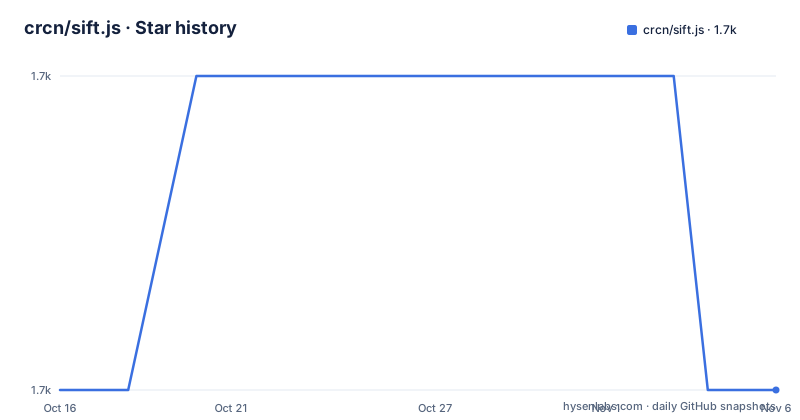
Star history
- crcn/sift.js1,700 ★ · +0
| Repository | 2026-10-16 | 2026-11-06 |
|---|---|---|
| crcn/sift.js | 1.7k | 1.7k |
0 Stars in the last 21 days, measured from the daily GitHub snapshot. Compare with other projects
Editorial analysis
A query object becomes a predicate function
sift takes a MongoDB style query and returns a function, which is the whole trick. You can then hand that function to Array.filter, or call it against a single value to get a boolean. The library describes itself as a tiny library for using MongoDB queries in JavaScript, and the API is one call:
import sift from "sift";

const test = sift({ $gt: 5 });

console.log(test(6)); // true
console.log(test(4)); // false

[3, 4, 5, 6, 7].filter(test); // [6, 7]
The query is a plain object, the result is a predicate, and the same predicate works on a single item or on a whole array. The motivation is consistency: the documentation points readers at the MongoDB query operator reference for extended documentation, so a query written once can be used against a live MongoDB collection on the server and against a local array in the browser, without a second filtering dialect to learn. What you give up in exchange is everything MongoDB does that is not a filter, and that includes indexing, aggregation pipelines and server-side execution, none of which apply to an array in memory.
Installing it is one npm or yarn command
The package is published under the name sift, and the installation line names both package managers:
npm install siftyarn add siftThe project describes itself as supporting node.js and the web, and the package manifest carries a sideEffects flag set to false, which is the mechanism behind the tree-shaking feature the README advertises. The manifest also ships several module formats, with a main entry pointing at the compiled index.js, a module entry for the ES5 module build and an es2015 entry for the modern build, plus a typings file for TypeScript users. If your build tool is a bundler that understands the sideEffects flag and the module field, an unused part of the library can be dropped from the output. That claim has a caveat worth knowing, which is that the default entry point still pulls in the built-in operators, and the next section covers the way around that.
createQueryTester is how you strip the bundle down
If bundle size matters, the default import is the wrong one, because it brings every built-in operation with it. The library gives you a second constructor for exactly this case, described as creating a filter function without the built-in MongoDB query operations, and the documentation says it is useful if you are looking to omit certain operations from application bundles. You pass the operations you want in the options:
import { createQueryTester, $eq, $in } from "sift";
const filter = createQueryTester({ $eq: 5 }, { operations: { $eq, $in } });
The named exports of the individual operations are the units of inclusion here, so the set you list is exactly the set that ends up in the bundle. The trade is that a query using an operator you left out will not work, and the failure will show up at runtime rather than at build time, so the list of operations has to match the queries in your code. This is the single most useful thing in the library for a front-end bundle, and it is also the feature most likely to bite you if the queries are generated or fetched rather than written by hand.
The operator list is broad but finite
The README lists the supported operators in one long line, and reading it is the fastest way to know what you can use. The set covers $in, $nin, $exists, $gte, $gt, $lte, $lt, $eq, $ne, $mod, $all, $and, $or, $nor, $not, $size, $type, $regex, $where and $elemMatch, plus regexp searches generally. The comparison operators behave the obvious way, so a query of $gte 2 on a numeric array keeps the two and three, and $mod takes an array where the second element is the divisor, so $mod of [3, 0] selects the multiples of three. The logical operators take an array of expressions, with $and requiring all of them to be true, $or requiring any, and $nor the opposite of $or. $all requires the value to match every element in the given array, and $size matches an array of a given length. $eq can be omitted entirely, so a query of state: Minnesota is the same as state: { $eq: Minnesota }. The list also includes $where, and that one deserves a note, because it is the operator that runs a function on the server side in MongoDB and the README does not spell out its behaviour here.
Values can be regexes or functions
Two of the more flexible parts of the API are worth showing separately, because they are the cases where sift goes beyond MongoDB's own query object. A regular expression can be used directly as a filter, which is the shortest way to search a list of strings:
const result2 = ["craig", "john", "jake"].filter(sift(/^j/)); //['john','jake']And a function can be used as a query value, which the documentation describes as filtering against functions:
const testFilter = sift({
  //you can also filter against functions
  name: function (value) {
    return value.length == 5;
  },
});
The same predicate works on a single value as well as on an array, and the README demonstrates both, with the comment that you can test single values against your custom sifter. This is the part of the library that has no MongoDB equivalent, since a MongoDB query object is data and sift's query object can hold executable code. It is also what makes sift a client-side tool rather than a MongoDB emulator, and it is a real difference in trust boundaries if the query object ever comes from outside your code.
Custom equality and custom operations
Two extension points cover the cases the built-ins do not. The first is the compare option, described as custom equality with the signature (queryValue, itemValue) => boolean, which replaces the default strict comparison. The second is the operations option, which lets you add an operator the library does not ship. The helper for that is createEqualsOperation, which takes a predicate, the owner query and the options, and the documented example registers a modulo operator from scratch:
import { createQueryTester, createEqualsOperation, $eq, $in } from "sift";
const filter = createQueryTester(
  { $mod: 5 },
  {
    operations: {
      $something(mod, ownerQuery, options) {
        return createEqualsOperation(
          (value) => value % mod === 0,
          ownerQuery,
          options,
        );
      },
    },
  },
);
filter(10); // true
filter(11); // false
The shape of the operation function is fixed by the library, and it receives the query value, the owning query and the options, so an operation can read from the surrounding query if it needs to. Note that this example uses createQueryTester rather than sift, because the operator is registered only in the operations map passed to it. Registering a custom operation and also expecting it to be in the default import is a mistake worth avoiding.
Version numbers and release tags do not line up
Here is a detail that catches people who pin dependencies. The package manifest declares the version as 17.1.4, while the published release history shows a single tag, v15.1.0, dated 2021-12-31. So the published npm version and the newest GitHub release tag are two different numbers, and the tag list is not a reliable guide to what is on the registry. The last push to the repository was on 2026-10-08, so the code is being worked on, and the manifest is built with a modern toolchain: rollup with the typescript plugin and terser, mocha for the spec tests, prettier and husky for formatting on commit, and a separate type test run through tsc. The tests are split into a spec suite and a types suite, and the publish hook builds and tests before release. The MIT licence field on the repository and the MIT-LICENSE.txt file at the root are consistent, so there is no licence question to settle here.
Where sift is the wrong choice
There are two cases where reaching for sift costs more than it saves. The first is a project that already has a data layer with a query builder of its own, where adding MongoDB query objects means a second query dialect to learn and translate between. The second is anything that needs the database's behaviour rather than its syntax. A predicate over an in-memory array is a linear scan, so filtering a list of ten thousand objects costs ten thousand comparisons, and the query language has no equivalent of an index. The operator list also stops where MongoDB's own reference stops being trivial, so features such as aggregation pipelines, geospatial queries, text search with indexes, and the server side execution of $where are not things this library reproduces. If the data is large, remote, or changing, the answer is a real query engine, and sift's value is that you can use the same query text on both sides when the data is small and local.
Editorial conclusion
sift suits a front-end project that already has MongoDB query objects, or that wants one query format shared between the browser and the server, and that needs a predicate rather than a re-implementation of the query engine. It does not suit a code base that has outgrown the operators it covers, and it is a poor substitute for a real database when you need indexing. Before adopting it, read the operator list in the project documentation and confirm your queries use only what is there, and pin the exact version, because the package manifest sits at 17.1.4 while the newest published release tag is v15.1.0 from 2021.
Frequently asked questions
How do I install sift and filter an array with a MongoDB query?
Install it with npm install sift or yarn add sift, then call sift with your query object and use the returned function with Array.filter. The same function can also be called against a single value to get a boolean.
How do I reduce the size of sift in a browser bundle?
Use createQueryTester instead of the default export and list the operations you need in the options. The README describes this as useful if you are looking to omit certain operations from application bundles, and the package manifest sets sideEffects to false so a bundler can drop unused code.
Which query operators does sift support?
The listed set is $in, $nin, $exists, $gte, $gt, $lte, $lt, $eq, $ne, $mod, $all, $and, $or, $nor, $not, $size, $type, $regex, $where and $elemMatch, along with regexp searches and custom operations. The README points at the MongoDB query operator reference for extended documentation.
Can I add my own operator to sift?
Yes. Register it in the operations option, using createEqualsOperation to build the operator from a predicate, and create a tester with createQueryTester that includes the operation in its operations map.
Official sources
Add this badge to your README
If you maintain this project, the badge below links readers to this analysis and shows its maintenance status from the daily GitHub snapshot. Paste the markdown into your README; add ?metric=license or ?metric=stars to the image URL for a different field.

[](https://hysenlabs.com/projects/crcn-sift-js)Star history chart for your README
[](https://hysenlabs.com/projects/crcn-sift-js)Was this useful?