TraceKit: cross browser stack traces for JavaScript errors
Attempts to create stack traces for unhandled JavaScript exceptions in all major browsers.
At a glance
- What is it?
- TraceKit normalises the stack information that browsers attach to exceptions, so an error reported from IE6 to an Android webview arrives in one shape at your logging endpoint. The library is small, MIT licensed and still maintained, but its install path runs through bower, its error capture depends on you wrapping your code in try/catch, and it predates source maps.
- Who is it for?
- Adopt TraceKit if you support a wide range of browsers, including older ones, and you want one normalised error report shape rather than a scatter of browser specific stack strings. Do not adopt it if your error reporting is already built on a modern service that handles stack normalisation itself, if you need to capture errors you do not wrap in try/catch, or if source map aware stack traces are a requirement.
- Can I use it commercially?
- Yes. MIT is a permissive licence: you can use, modify and sell software built on it, as long as you keep its copyright and licence notices.
- Is it still maintained?
- Yes. The repository last received commits 96 days ago.
- What is it written in?
- Mainly JavaScript, according to GitHub's language statistics.
Answers come from the project's GitHub data, last synced on November 7, 2026, and from our analysis. They are not legal advice.
Star history
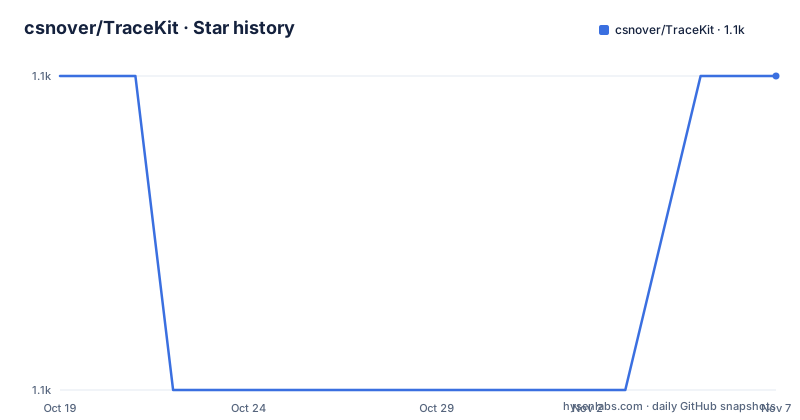
- csnover/TraceKit1,066 ★ · +0
| Repository | 2026-10-19 | 2026-11-07 |
|---|---|---|
| csnover/TraceKit | 1.1k | 1.1k |
0 Stars in the last 19 days, measured from the daily GitHub snapshot. Compare with other projects
Editorial analysis
Normalising stacks instead of parsing them yourself
TraceKit exists because browser error objects are inconsistent. The README states the problem directly: not all browsers support stack traces on error objects, but TraceKit squeezes out as much useful information as possible and normalizes it.
That word normalizes is the whole value proposition. Without it, an error handler has to know that one browser puts the message first and another puts the file and line first, that one reports column numbers and another does not, and that the format of the stack string itself varies. TraceKit absorbs those differences and hands you a report with a consistent shape, and the claim about its size is that it is 3kB minified and gzipped, which is small enough to sit in a page that has not yet decided whether it is an error reporting site.
The browser coverage is the other selling point, and it is stated as a range rather than a list: all major browsers, from IE6 to Opera, the Android webview and everywhere in between. That range is the reason the library exists in its current form, since the constraints of IE shaped several of its design decisions.
The package is a single file. The repository root holds tracekit.js as the main entry point, a tracekit.d.ts typing file, a bower.json, a Gruntfile.js, a karma.conf.js and a spec/ directory. The version in package.json is 0.4.9 and the licence is MIT.
The install path still runs through bower
The install section of the README is short, and the tool it names is the telling part:
bower install tracekitThat places TraceKit at components/tracekit/tracekit.js, and the README notes that bower itself is installed with npm install bower -g, with a link to Node for downloading npm. After that you include the script tag on your page.
There is no npm install line for the library itself, and the package manifest explains why. The package.json for tracekit has no dependencies field and no devDependencies for the runtime, and its main is ./tracekit.js, so the whole library is that one file. The devDependencies are the build and test tooling: grunt and its plugins for linting, bumping, jsdoc and karma, jasmine and jasmine-core, karma with the Chrome launcher, and karma-jasmine.
The upshot is that consuming TraceKit means either vendoring the file through bower, or copying tracekit.js into your own build, since there is nothing to install from a registry. The bower workflow is the documented one, and bower is a tool that has largely been superseded, so the honest reading is that this is a copy the file approach with a legacy wrapper around it.
For a TypeScript project there is a bonus. The package declares typings pointing at tracekit.d.ts, so the type information ships with the library rather than living in a separate DefinitelyTyped package.
subscribe, report, and the try/catch requirement
The usage has two halves, and the second half is the part people get wrong.
You register a subscriber first, and that subscriber receives the normalised report:
TraceKit.report.subscribe(function yourLogger(errorReport) {
  //send via ajax to server, or use console.error in development
  //to get you started see: https://gist.github.com/4491219
});
Then you report the error. The README is explicit that to get stack traces you need to wrap your code in a try/catch block, because otherwise the error reaches the window.onerror handler and will only contain the error message, line number and column number. The catch block hands the exception to the library:
try {
  /*
   * your application code here
   *
   */
  throw new Error('oops');
} catch (e) {
  TraceKit.report(e); //error with stack trace gets normalized and sent to subscriber
}
There is a second condition in the same paragraph: you need to throw errors with throw new Error('foo') instead of throw 'foo'. A thrown string carries no stack, so there is nothing for the library to normalise. Both requirements together are the real cost of the library, because they are not enforced by the tool but by how you write your code.
Subscribers can be removed individually with TraceKit.report.unsubscribe(someFunction), which matters if a subscriber is added per module or per request.
The function naming convention that keeps IE happy
There is a section in the README devoted to eliminating anonymous functions, and the reason it exists is a specific browser bug rather than style.
The pattern is to name the function and make the name differ from the property it is assigned to:
Api.foo = function Api_foo() {
};
var bar = function barFn() { //'Fn' is to avoid errors in IE
};
The README explains the convention: Api_foo always corresponds to Api.foo, and barFn corresponds to bar, just as long as the function name is not the same as the identifier. Otherwise, you can have bugs in IE.
The subtlety is in the naming rule rather than the example. If the function name is identical to the property name, the assignment becomes a named function expression whose name is bound to the function itself, and the IE era engines mishandled that binding in ways that produced incorrect stack frames. Adding a suffix such as Fn sidesteps it, and the same trick applied to Api_foo avoids the collision with Api.
This is the clearest illustration of the library's design constraints. A tool whose selling point is normalising stacks across two decades of browsers cannot ignore how those browsers represent functions, so a small naming convention is the price of admission. It is also the part of the library most likely to be dropped by a team that no longer supports the older engines.
Two switches: remoteFetching and collectWindowErrors
There are exactly two documented options, and both are global flags on the TraceKit object.
The first turns off source file fetching. The README says TraceKit will attempt to fetch and analyze source files, but you can turn this off:
TraceKit.remoteFetching = false;The second controls whether global window errors are collected at all:
TraceKit.collectWindowErrors = false;Both exist because of how the library works rather than because of user preference. The library is not content to sit still until you hand it an exception: it attaches itself to the global error handler so that an error you failed to wrap still produces a report, and it goes and fetches the source file around the failing line so the report can include the code that broke. The second flag is how you opt out of the first behaviour, and the first flag is how you keep the reports from turning into outbound requests to your own origin.
That is worth understanding before you install it, because the default behaviour involves a network fetch from the user's browser on the error path. The README closes the options section with a note to view the source for more details and examples, which is an honest admission that the documentation stops here.
The two switches are also a decent summary of the library's age. A modern error reporter would assume source maps and a build pipeline rather than fetching and parsing source files at runtime.
grunt, karma and the closure compiler for contributors
The contributing section describes a build that is entirely grunt based, and it is a useful window into how the project is put together.
All code must pass JSHint and the tests. The commands are grunt to lint and grunt test for the Karma suite, which requires Chrome or Chromium and where you can set CHROME_BIN if needed. The package manifest wires the same tasks into npm, with build set to grunt default and test set to grunt test, and the repository has a .jshintrc for the lint configuration.
Building and minifying needs the closure compiler, and the README gives the two commands to fetch it:
wget http://dl.google.com/closure-compiler/compiler-latest.zip
unzip compiler-latest.zip -d closure
The test stack is jasmine with jasmine-core on Karma with the Chrome launcher, and the specs live in the spec/ directory. Documentation is generated with jsdoc, configured through jsdoc.conf.json, and the contributing rules are strict about it: new features need accompanying documentation in the README, and changes to existing APIs need updated documentation.
That last rule is a small quality signal worth noting, because it is enforced by the project rather than hoped for. The maintenance record supports the same impression. The repository is not archived, the last push was on 2026-08-03, and the releases v0.4.8 on 2026-02-14 and v0.4.9 on 2026-02-27 came after a long gap back to v0.4.7 on 2024-09-19.
On licensing, the README carries the MIT text with copyright 2013 Onur Can Cakmak, and notes that the original code is copyright 2009 Andrey Tarantsov, along with all TraceKit contributors. The package author field currently names Blake Niemyjski.
When the native window.onerror path is enough
The alternative to TraceKit is the mechanism the README describes as the fallback. If you let an unhandled error reach window.onerror, you get the error message, the line number and the column number, in the browser's own format. For some applications that is entirely sufficient, and it costs nothing in bundle size, no try/catch discipline and no outbound source fetch on the error path.
The difference in approach is what you give up and what you gain. Without TraceKit, you get a message and a position, in a format that varies by browser, and you learn nothing about the call path that led to the failure. With TraceKit, you get a normalised report with a stack you can read, delivered to a subscriber of your choosing, which is what makes a stack trace useful for grouping errors and seeing the path.
There is also a modern middle path that TraceKit does not serve. If your build produces source maps, the browser can map a runtime stack back to the original sources for you, and an error reporting service can consume that directly. TraceKit predates that workflow and does not mention source maps anywhere in its documentation, so it will fetch and parse raw source files while a source map aware stack would carry the original names and positions directly.
So the decision is: keep the library when you must support browsers that predate reliable stack strings, or when you are normalising reports across a heterogeneous device fleet yourself. Drop it when your pipeline has already solved that problem.
One boundary is worth stating plainly. TraceKit is a browser library, and it has nothing to say about unhandled promise rejections or asynchronous errors that escape your try/catch, because the mechanism it relies on is a synchronous call to TraceKit.report(e).
Editorial conclusion
Adopt TraceKit if you support a wide range of browsers, including older ones, and you want one normalised error report shape rather than a scatter of browser specific stack strings. Do not adopt it if your error reporting is already built on a modern service that handles stack normalisation itself, if you need to capture errors you do not wrap in try/catch, or if source map aware stack traces are a requirement. Verify first that the bower install path still works in your build, that your application throws Error objects rather than strings, and that the version you pin, 0.4.9 as of 2026-02-27, is the one your error pipeline expects.
Frequently asked questions
How do I install TraceKit?
The README gives the bower route, bower install tracekit, which places the library at components/tracekit/tracekit.js, after which you include the script tag on your page. The package manifest declares main as ./tracekit.js and ships its own tracekit.d.ts typings, so there is no separate types package to install.
Why do I not get a stack trace from TraceKit?
The README explains two requirements. Your code has to be wrapped in a try/catch block, because otherwise the error reaches the window.onerror handler with only the message, line number and column number, and you have to throw Error objects rather than strings, since throw 'foo' carries no stack to normalise.
How do I stop TraceKit from fetching source files?
Set TraceKit.remoteFetching = false. TraceKit will otherwise try to fetch and analyze the source files around the failing line, so the flag keeps the error path from making outbound requests. The other documented switch is TraceKit.collectWindowErrors = false, which turns off the collection of global window errors.
How do I build TraceKit and run its tests?
The contributing section says to run grunt to lint and grunt test for the Karma suite, which requires Chrome or Chromium and honours CHROME_BIN. Before building and minifying you need the closure compiler, fetched with wget http://dl.google.com/closure-compiler/compiler-latest.zip and unzipped with unzip compiler-latest.zip -d closure.
Official sources
Add this badge to your README
If you maintain this project, the badge below links readers to this analysis and shows its maintenance status from the daily GitHub snapshot. Paste the markdown into your README; add ?metric=license or ?metric=stars to the image URL for a different field.

[](https://hysenlabs.com/projects/csnover-tracekit)Star history chart for your README
[](https://hysenlabs.com/projects/csnover-tracekit)Was this useful?