Ultrachromic: a Jellyfin theme assembled from CSS imports
The final form, the true evolution of the chromic theme saga!
At a glance
- What is it?
- Ultrachromic is a CSS override theme for the Jellyfin media server, built as a set of composable parts that you import in a specific order or apply as a single preset line. It suits a self hosted server operator who wants the web client to look like nothing else, and it depends on the theme surviving Jellyfin's own markup changes.
- Who is it for?
- Adopt Ultrachromic if you run Jellyfin yourself and want the web client restyled, because the preset route is a single line and the composed route lets you take only the parts you want. Do not adopt it expecting a plugin, since it is CSS pasted into the Custom CSS field and nothing more, and do not mix a preset with individual import lines, because the author states that combination is not a case they test or guarantee.
- Can I use it commercially?
- Yes. MIT is a permissive licence: you can use, modify and sell software built on it, as long as you keep its copyright and licence notices.
- Is it still maintained?
- Yes. The repository last received commits 36 days ago.
- What is it written in?
- Mainly CSS, according to GitHub's language statistics.
Answers come from the project's GitHub data, last synced on November 7, 2026, and from our analysis. They are not legal advice.
Star history
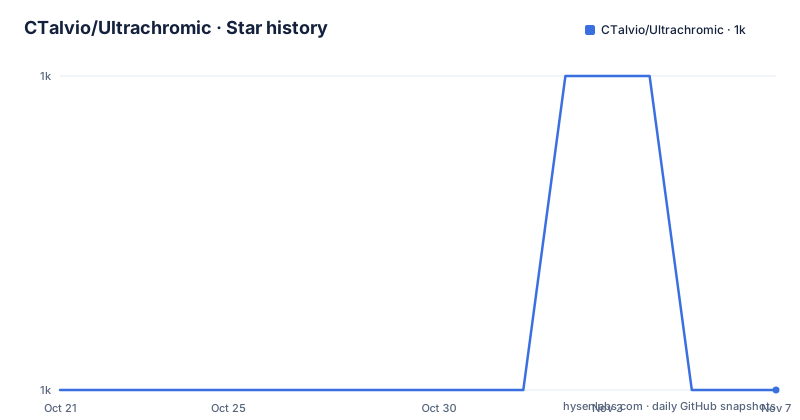
- CTalvio/Ultrachromic1,000 ★ · +0
| Repository | 2026-10-21 | 2026-11-07 |
|---|---|---|
| CTalvio/Ultrachromic | 1k | 1k |
0 Stars in the last 17 days, measured from the daily GitHub snapshot. Compare with other projects
Editorial analysis
A theme that is a set of CSS files, not a plugin
Ultrachromic is a custom theme for the Jellyfin media server created using CSS overrides, and the repository description calls it the final form and true evolution of the chromic theme saga. The old trilogy of chromic themes is deprecated, because their appearances can be replicated using Ultrachromic.
The mechanism is plain. You copy a line of CSS into the Custom CSS field in the Jellyfin dashboard and the theme applies immediately, server-wide, to all users, on top of any theme they may be using. To remove it you clear the field and save again. There is no plugin to install, nothing to update on the server, and nothing that survives a Jellyfin reinstall except the fact that you can paste the same line again.
That property cuts both ways. A Jellyfin upgrade cannot break the theme, because the theme is not stored on the server, but a Jellyfin upgrade can break the theme visually, because the theme targets Jellyfin's own CSS class names. The README is upfront about this: the project is quite old at this point, and while the author maintains it to be compatible with whatever version of Jellyfin they are currently using, that may not include every possible combination. If you hit unthemed elements or something broken, the instruction is to open an issue or, better, submit a pull request, and the author says they will happily merge pull requests that fix things.
The licence is MIT, the primary language is CSS, and the last push to the main branch was on 2026-10-02.
One line for a preset, or a stack of ordered imports
There are two ways to install the theme, and the difference is between convenience and control.
The single line presets are one import each, and they follow the same look as the old chromic themes:
@import url('https://cdn.jsdelivr.net/gh/CTalvio/Ultrachromic/presets/monochromic_preset.css');@import url('https://cdn.jsdelivr.net/gh/CTalvio/Ultrachromic/presets/kaleidochromic_preset.css');@import url('https://cdn.jsdelivr.net/gh/CTalvio/Ultrachromic/presets/novachromic_preset.css');Only one line is needed, and the README notes that nova and kaleido support custom accents while monochromic does not.
The alternative is to compose the theme yourself from parts, added one import after another in the order the README lists them, omitting the options you do not want. The parts are grouped by what they touch. fixes.css is described as various small tweaks all over the Jellyfin UI, an alignment here, a size tweak there, and jf_font.css makes the client use the same font as its logo. Two imports are required, base.css and accentlist.css. Then there are pairs of alternatives for each visual decision: rounding.css or rounding_circlehover.css for the corner treatment, smallercast.css for a squarer cast list, a compact list or a grid for the episode list, a transparent header, a minimalistic or framed login screen, bordered or borderless input fields, and a floating or corner watched indicator. Finally one of the type styles is mandatory, dark, light or colorful, with a separate withaccent variant for the dark style with a custom accent colour.
The warning about mixing is explicit: adding modules after a preset may or may not work, and you should not open an issue if it does not, because either a preset or a custom combination is supported, not a mix, and that combination is not a use case the author tests or guarantees.
The parts map onto the client, which is also the fragility
The directory listing at the top level of the repository is the map of the theme, and it is worth reading as a set of claims about the Jellyfin interface.
There are base.css, accentlist.css, fixes.css and a second fixes_new.css, and jf_font.css. There are directories for cornerindicator, effects, episodelist, fields, header, login, presets, progress, titlepage and type. And there are loose files for the things that do not need a variant: bottombarprogress.css, overlayprogress.css, saved.css, smallercast.css and tv.css, plus a WIP.css.
The names tell you what the theme assumes about the client. A cornerindicator directory implies a watched marker anchored to a card corner. An effects directory implies transitions and blur. A login directory with a minimalistic and a framed variant implies the sign-in screen is themed separately from the main UI. A tv.css implies the client has a television mode with a different layout, and that the theme has an opinion about it.
That is the strength and the weakness in one. The strength is coverage. The feature list claims the theme is used to theme everything, with three types of styles, extensive additional options, a customizable accent colour, a choice of how blurry the backdrops are, squared or rounded UI, options for progress bars, title pages, backdrops and logos, and a layout that works well on mobile with a more compact and aligned UI. The weakness is that every one of those is a CSS selector against a class name in a project the author does not control, and Jellyfin changes its markup between versions. That is why the README says the theme may not work with every possible combination and asks for an issue when something breaks.
The feature list, and what a theme that themes everything costs
The feature list in the README is short, and one of its entries is the whole project in a phrase: used to theme everything.
The rest of the entries describe the axes along which the theme can be adjusted. There are three types of styles to choose from, the dark, light and colourful variants described in the type directory. There are extensive additional options, which in practice means the modular part structure rather than a settings panel, because there is no settings panel. The accent colour is customizable. The backdrops have a configurable blur level, which is a preference some people want strong and some want almost none. The UI can be squared or rounded. There are options for progress bars, title pages, backdrops and logos. And the layout works well on mobile, with a more compact and aligned interface.
The mobile point is worth pausing on, because it is where a media server theme has the most work to do. A Jellyfin client on a phone is a scrolling list of posters with a player, and a theme that was designed for a desktop grid tends to fall apart there. The README claims a compact and aligned mobile layout, and the smallercast.css and episodes_compactlist.css parts are the mechanism, since a smaller square aspect ratio cast list and a compact episode list are both mobile-oriented decisions rather than desktop ones.
What the feature list does not mention is any form of configuration file, options page, or settings integration. Everything is chosen by which import lines you paste. That is a limitation in principle and a simplification in practice: a user either copies one preset line and gets a coherent look, or reads the README and composes a combination, and there is no third option of tweaking a slider.
It is also why the theme is MIT licensed and hosted on a CDN rather than distributed as a package. There is no artifact to version, which means no upgrade path, which is both the reason it never breaks on a server upgrade and the reason you have to repaste the line if you want a change.
Where the theme is served from, and the reverse proxy caveat
Every import line points at cdn.jsdelivr.net with the gh path for the repository, which means the CSS is served by a public CDN rather than from a copy on your server.
That has a practical consequence worth naming. Anyone who loads your Jellyfin client will fetch the stylesheet from jsDelivr, which means the CDN sees the request, and it means your theme depends on a third party being reachable. If you run Jellyfin on a local network with no internet access, the imports will not resolve and the theme will not apply.
The alternative, which the README implies but does not spell out as a step, is to serve the CSS files yourself. The repository is a flat set of stylesheets, so a self hosted copy is a matter of putting them somewhere your client can reach and pointing the import at your own URL instead of the jsDelivr one. That is a small amount of work, and it removes both the availability problem and the third party request.
The other caveat the README flags is about reverse proxies, and it is stated in capitals in the How to section: the theme may not work when using a reverse proxy, with a pointer to the bottom section of the README for more information. The exact mechanism behind the warning is left to that section. A plausible reading is that the assets the theme styles, such as backdrops and title images, are requested through proxied paths that the CSS overrides do not match, but the details are left to that bottom section.
The practical advice is to test the theme through your actual access path, including any proxy, before you set it as the default for all your users, since the theme applies server-wide the moment you save it.
Editorial conclusion
Adopt Ultrachromic if you run Jellyfin yourself and want the web client restyled, because the preset route is a single line and the composed route lets you take only the parts you want. Do not adopt it expecting a plugin, since it is CSS pasted into the Custom CSS field and nothing more, and do not mix a preset with individual import lines, because the author states that combination is not a case they test or guarantee. Before you paste anything, read the reverse proxy note at the bottom of the README, since the theme may not work behind one, and check the last push, since the file layout is a set of plain stylesheets that a Jellyfin release can break at any time.
Frequently asked questions
How do I install the Ultrachromic theme on Jellyfin?
Copy one of the preset import lines, for example the monochromic preset, and paste it into Dashboard, General, Custom CSS, then save. It applies immediately server-wide on top of any theme the users have. To remove it, clear the Custom CSS field and save again.
Can I build a custom Ultrachromic theme from individual parts?
Yes. Add the import lines one after another in the order the README lists them, omitting what you do not want. base.css and accentlist.css are required, one type style must be chosen from dark, light or colorful, and the remaining pairs cover rounding, cast list, episode list, header, login screen, input fields and the watched indicator.
Can I combine a preset with individual import lines?
The README says not to. Adding modules after a preset may or may not work, and you should not open an issue if it does not, because a mix of a preset and a custom combination is not a use case the author tests or guarantees to work. Use one or the other.
What are the limitations of the Ultrachromic theme?
The README states the project is quite old and that maintenance covers whichever Jellyfin version the author is currently using, which may not be every combination, so unthemed or broken elements can appear after a Jellyfin change. The theme may also not work when the server sits behind a reverse proxy, and every stylesheet is fetched from jsDelivr rather than from your own server.
Official sources
Add this badge to your README
If you maintain this project, the badge below links readers to this analysis and shows its maintenance status from the daily GitHub snapshot. Paste the markdown into your README; add ?metric=license or ?metric=stars to the image URL for a different field.

[](https://hysenlabs.com/projects/ctalvio-ultrachromic)Star history chart for your README
[](https://hysenlabs.com/projects/ctalvio-ultrachromic)Was this useful?