cyberus-technology/virtualbox-kvm: run VirtualBox on Linux KVM with a patch series
KVM Backend for VirtualBox
At a glance
- What is it?
- virtualbox-kvm is a GPL-3.0 licensed KVM backend for VirtualBox, delivered as a patch series that is applied on top of the vanilla VirtualBox source, so the build is a git am of a few patches rather than a fork to maintain. It removes the need for the vboxdrv kernel driver and picks up KVM's modern virtualisation features automatically, at the cost of driverless networking limits and a build you have to do yourself.
- Who is it for?
- Adopt virtualbox-kvm if you want to keep your VirtualBox guests and run them on Linux KVM, for instance because the vboxdrv kernel module is a problem on your distribution or because you want VirtualBox and QEMU running side by side. Do not adopt it if you need bridged networking, NAT Network mode, AMD hosts, or a packaged install, since none of those are supported and no distribution packages are provided.
- Can I use it commercially?
- Yes, with conditions. GPL-3.0 is a copyleft licence: if you distribute software that includes it, you must release that software's source code under the same licence. Running it internally without distributing it does not trigger that obligation.
- Is it still maintained?
- Yes. The repository last received commits 18 days ago.
- What is it written in?
- GitHub does not report a main language for this repository.
Answers come from the project's GitHub data, last synced on November 7, 2026, and from our analysis. They are not legal advice.
Star history
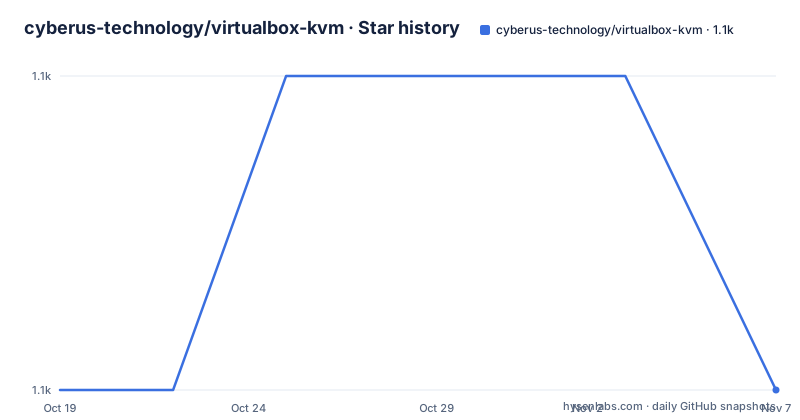
- cyberus-technology/virtualbox-kvm1,120 ★ · +0
| Repository | 2026-10-19 | 2026-11-07 |
|---|---|---|
| cyberus-technology/virtualbox-kvm | 1.1k | 1.1k |
0 Stars in the last 19 days, measured from the daily GitHub snapshot. Compare with other projects
Editorial analysis
A patch series rather than a fork
This repository contains a KVM backend for the open source virtualization tool VirtualBox, with Linux KVM used as the underlying hypervisor. The README notes that VirtualBox is a trademark owned by Oracle and that the project has no affiliation with Oracle.
The shape of the deliverable is the thing to understand first. This is not a fork of VirtualBox that you clone and build, it is a set of patches that you apply to the vanilla Oracle source. The repository is essentially the `patches/` directory plus documentation, and the build instructions that follow make the workflow explicit: you unpack the official source, commit it as vanilla code in git, and then apply the patch series on top of it with `git am`.
That has two consequences. The first is that there is no long-lived divergence to merge, because the backend is rebuilt against whatever VirtualBox release you want, and the releases in this repository are labelled with the VirtualBox version they support, with dev-20260930 for VirtualBox 7.2.20 support, dev-20260201 for 7.2.6 and dev-20251103-7.1 for 7.1.14.
The second is that you need the VirtualBox sources to hand. The project does not vendor them and does not build them for you.
Why put KVM under VirtualBox
The benefits are listed in four bullets, and the first is the headline. VirtualBox VMs can run in parallel to QEMU/KVM, so the two tools coexist on the same machine, which matters for a team migrating.
The second is that the VirtualBox kernel driver, `vboxdrv`, is not required. On a distribution with a difficult kernel module story, or with a kernel that does not carry the out of tree module, that is the difference between working and not working.
The third is that modern virtualization features supported by KVM are automatically used, with APICv given as the example. That is a real advantage, because the feature set of the underlying hypervisor becomes the feature set of your virtualisation tool, and VirtualBox's own userspace cannot invent what the kernel does not offer.
The fourth is the most structural. KVM is part of the Linux kernel and therefore always directly available with every kernel update, so there is no module to rebuild when the kernel moves.
The cost is stated in one sentence, and it is the honest counterweight to the list above. Due to the replacement of the underlying hypervisor, there will be differences in the guest performance, and the differences heavily depend on the guest workload. A graphical desktop guest with heavy graphics is the case most likely to feel the change, since that is where the difference between a native hypervisor path and an emulated one is largest.
The build is a git am away
There are no prebuilt packages of the resulting program, and it has to be built from source. The process of building VirtualBox from source is documented on virtualbox.org and only minor adjustments are required to integrate the KVM backend.
The condensed version, from the README, is:
$ # Download the VirtualBox 7.1.6 source package from Oracle.
$ tar xf VirtualBox-7.1.6a.tar.bz2
$ git clone https://github.com/cyberus-technology/virtualbox-kvm vbox-kvm
$ cd VirtualBox-7.1.6
$ git init
$ git add *
$ git commit -m "VirtualBox vanilla code"
$ git am ../vbox-kvm/patches/*.patch
$ ./configure --with-kvm --disable-kmods --disable-docs --disable-hardening --disable-java
$ source ./env.sh
$ kmk
The steps that differ from the official build are two. The `git init` and commit turn the unpacked tarball into a repository so the patches can be applied, and the single noticeable difference in the configure line is the addition of `--with-kvm`.
The prerequisites are given as an apt command for a fresh Ubuntu 22.04, and the reason the list looks the way it does is a compatibility note. Newer GCC versions, 12 and up, might cause build issues, and the command above installs a compatible version on Ubuntu 22.04.
One caveat is worth repeating. These instructions are intended for local building and testing purposes only, there are more considerations when packaging for a distribution, and the project does not advise or recommend its instructions for packaging at this time.
NixOS gets a first class path, everyone else gets a compiler
For NixOS users the switch is a configuration block, which is what you would expect from a project that ships a NixOS package.
virtualisation.virtualbox.host = {
  enable = true;
  enableKvm = true;
  addNetworkInterface = false;
};
You include the relevant settings in the `virtualisation.virtualbox.host` section of your configuration and rebuild the system, and there is a small animated demonstration of it in the repository.
For other distributions the answer is blunt. The project does not provide any packaging for Linux distributions itself, and it points out that there are enthusiasts who create packages, for example for Debian and Arch, with the issue tracker as the place to find the details.
That is a meaningful constraint for evaluation. A VirtualBox user on Fedora or Ubuntu who wants this backend is looking at a source build of VirtualBox, which is a large dependency tree, a long compile and a set of patches to keep in step with each upstream release. The NixOS path avoids all of that, and the fact that the project ships it as a package while leaving the rest to the community is a reasonable division of labour, but it does mean the audience is narrower than the feature list suggests.
The hardware and kernel constraints, including the split lock problem
The known issues list is short and specific, and two of the entries would stop a deployment cold.
Intel x86_64 is the only supported host platform. AMD will most likely work too but is considered experimental at the moment. Processor support for the `XSAVE` instruction is required, which implies a 2nd Gen Core processor or newer. And Linux is required as a host operating system for building and running the KVM backend.
The fourth is the one that catches people out. Starting with Intel Tiger Lake, 11th Gen Core processors, or newer, split lock detection must be turned off in the host system, and it can be achieved using the Linux kernel command line parameter `split_lock_detect=off` or using the `split_lock_mitigate` sysctl.
The reason is in the hardware rather than the project. Split lock detection on those processors interacts badly with the way a userspace hypervisor sets up its own locking, and the fix has to be applied at boot, on the host, before VirtualBox starts. So the checklist for a deployment is: an Intel host of the right vintage, XSAVE support, and a kernel command line change on Tiger Lake and later.
Driverless networking, and what it rules out
The new KVM backend uses the `--driverless` mode of VirtualBox, and the consequence is stated without hedging. Some setups that require kernel module support will not work in this mode and prevent the VM from starting. Specifically, the Bridged adapter and NAT Network modes do not work, and only regular NAT is easily supported. More complex setups need manual configuration, for example using `tun`/`tap` devices.
This is the trade you make when you give up the kernel module, and it is a significant one. Bridged networking is how a virtual machine gets an address on your physical network, and it is the configuration most people build when they want a guest to be reachable from other machines. With it gone, the default NAT is the only thing that works without extra work.
For a developer who wants a VM with a private address behind the host's NAT, that is fine. For a lab where guests talk to each other across a physical network, it is not, and you are into `tun`/`tap` territory by hand.
There is also a separate document for SR-IOV graphics virtualization, in `README.intel-sriov-graphics.md`, for the case where you want the graphics virtualisation features of modern Intel processors, and a short section on nested virtualization with a `VBoxManage modify` command for enabling it.
USB pass-through and the udev rules it needs
USB device pass-through is supported, and the setup it requires is the most detailed part of the README after the build instructions.
Some udev rules are required to trigger the creation of the fitting device nodes. VirtualBox provides the `out/linux.amd64/bin/VBoxCreateUSBNode.sh` script for that, and distribution provided packages will usually take care of the required setup, but the manual steps are spelled out. The first is a group, `vboxusers`, with your user added to it, and the reminder that group changes need a re-login or `newgrp` to take effect:
sudo groupadd -r vboxusers -U <username>The second is placing the script where the system can find it:
sudo mkdir /usr/lib/virtualbox
sudo cp out/release/linux.amd64/bin/VBoxCreateUSBNode.sh /usr/lib/virtualbox
sudo chown -R root:vboxusers /usr/lib/virtualbox
The third is a udev rule file, for example `60-vboxusb.rules`, in `/etc/udev/rules.d/`, with entries that call the script on add and on remove for both the usb and usb_device subsystems:
SUBSYSTEM=="usb_device", ACTION=="add", RUN+="/usr/lib/virtualbox/VBoxCreateUSBNode.sh $major $minor $attr{bDeviceClass}"
SUBSYSTEM=="usb_device", ACTION=="remove", RUN+="/usr/lib/virtualbox/VBoxCreateUSBNode.sh --remove $major $minor"
and then a reload of the rules with `sudo systemctl reload systemd-udevd`.
The documentation is careful about the risk, noting that the configuration steps might differ by distribution and that you should know what you are doing, because this can potentially interfere with existing installations.
Editorial conclusion
Adopt virtualbox-kvm if you want to keep your VirtualBox guests and run them on Linux KVM, for instance because the vboxdrv kernel module is a problem on your distribution or because you want VirtualBox and QEMU running side by side. Do not adopt it if you need bridged networking, NAT Network mode, AMD hosts, or a packaged install, since none of those are supported and no distribution packages are provided. Verify first that you have an Intel x86_64 host with XSAVE support, that you are on Linux, and that your CPU is not a Tiger Lake or newer without split lock detection disabled, because the project requires that setting to be turned off on those parts and a boot without it will not work.
Frequently asked questions
What does the virtualbox-kvm project provide?
A KVM backend for VirtualBox that uses Linux KVM as the underlying hypervisor, delivered as a patch series that is applied to the vanilla VirtualBox source rather than as a fork you maintain. The README states that VirtualBox is a trademark owned by Oracle and that the project has no affiliation with Oracle.
What are the benefits of running VirtualBox on KVM?
VirtualBox VMs can run in parallel to QEMU and KVM, the vboxdrv kernel driver is not required, modern virtualization features supported by KVM are used automatically, for example APICv, and KVM ships in the Linux kernel so it is always available with every kernel update. The cost is that guest performance will differ, and the differences depend heavily on the workload.
How do I build the VirtualBox KVM backend?
There are no prebuilt packages, so you build from source: unpack the Oracle source, initialise a git repository in it, commit it as vanilla code, apply the patches with `git am ../vbox-kvm/patches/*.patch`, then configure with `--with-kvm --disable-kmods --disable-docs --disable-hardening --disable-java`, source the environment script and run `kmk`. The README recommends the virtualbox.org build instructions and supplies an apt command for Ubuntu 22.04 prerequisites.
Which networks work with the VirtualBox KVM backend?
Only regular NAT is easily supported. The backend uses the driverless mode of VirtualBox, so setups that need kernel module support will not start the VM, and specifically the Bridged adapter and NAT Network modes do not work. More complex setups need manual configuration with tun and tap devices.
What are the hardware requirements for the VirtualBox KVM backend?
Intel x86_64 is the only supported host platform, with AMD considered experimental, and processor support for the XSAVE instruction is required, which implies a 2nd Gen Core processor or newer. On Intel Tiger Lake and newer, split lock detection must be turned off with the kernel command line parameter `split_lock_detect=off` or the `split_lock_mitigate` sysctl, and Linux is required as the host operating system.
Official sources
Add this badge to your README
If you maintain this project, the badge below links readers to this analysis and shows its maintenance status from the daily GitHub snapshot. Paste the markdown into your README; add ?metric=license or ?metric=stars to the image URL for a different field.

[](https://hysenlabs.com/projects/cyberus-technology-virtualbox-kvm)Star history chart for your README
[](https://hysenlabs.com/projects/cyberus-technology-virtualbox-kvm)Was this useful?