Cypress documentation: a Docusaurus site that publishes itself for LLMs
Cypress Documentation for the Cypress App, API, Cypress Cloud, UI Coverage and Cypress Accessibility.
At a glance
- What is it?
- The cypress-documentation repository is the source for docs.cypress.io, built with Docusaurus and served from Netlify. Beyond the usual build, start and lint commands it does something unusual: the build reprocesses the corpus into markdown and chunked JSON under /llm, with index files for both LLM readers and machines.
- Who is it for?
- This repository suits anyone who wants to change the Cypress documentation and is willing to work inside a Docusaurus site with its own remark plugin package, its own frontmatter linter and a test suite that runs in Cypress and Vitest, and it does not suit someone looking for a stable API reference mirror, since the content moves with each release of the product it documents.
- Can I use it commercially?
- Yes. MIT is a permissive licence: you can use, modify and sell software built on it, as long as you keep its copyright and licence notices.
- Is it still maintained?
- Yes. The repository received new commits within the last day.
- What is it written in?
- Mainly TypeScript, according to GitHub's language statistics.
Answers come from the project's GitHub data, last synced on November 7, 2026, and from our analysis. They are not legal advice.
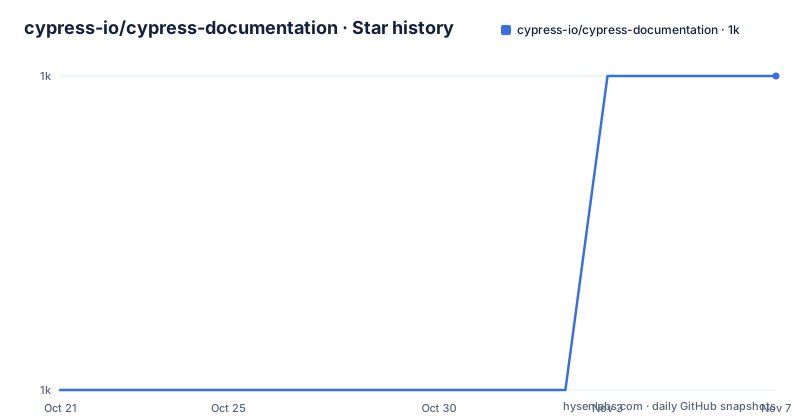
Star history
- cypress-io/cypress-documentation1,049 ★ · +1
| Repository | 2026-10-21 | 2026-11-07 |
|---|---|---|
| cypress-io/cypress-documentation | 1k | 1k |
1 Stars in the last 17 days, measured from the daily GitHub snapshot. Compare with other projects
Editorial analysis
A Docusaurus site with Netlify deploys and a Cypress test suite of its own
The cypress-documentation repository is the source of the Cypress documentation site, covering the Cypress App, the API, Cypress Cloud, UI Coverage and Cypress Accessibility, published at `https://docs.cypress.io`.
The stack is Docusaurus, configured in `docusaurus.config.js` with a `sidebars.js` describing the navigation, Tailwind for styling through `tailwind.config.js`, and TypeScript throughout with a `tsconfig.json`. The site is deployed to Netlify, and the `netlify.toml` and `vercel.json` files show that a Vercel path exists alongside it. The CI badge points at a workflow for the `main` branch, so every change to the documentation is built before it lands.
What is unusual is that the documentation is itself tested with Cypress. The `test` script runs `cypress run`, and there is a `cypress/` directory alongside `cypress.config.ts`. A documentation site with a browser test suite is a reasonable pattern for a project whose pages embed interactive examples, since a broken example is a broken page, and asserting on the rendered result catches template regressions that a link check would miss.
The unit-level tests are split out and run with Vitest, covering the FAQ plugin's structured data, the video component's structured data, the search bar ranking, the Algolia client, and a script that scrapes and compares against the Algolia index. Each of those is a single npm script, so a contributor can run one without running the whole suite.
npm i, npm run start, npm run build, and two scripts that run before them
The documented local workflow is three commands.
$ npm iThat installs the dependencies, and the `postinstall` script runs `patch-package`, which applies the patches held in the `patches/` directory. The presence of a patches directory means some dependencies are modified after installation, which is the kind of thing worth knowing before you wonder why the installed tree differs from the lockfile.
$ npm run startThis starts a local development server and opens a browser window, and most changes are reflected live without a restart. Before it runs, though, the `prestart` script executes `node ./scripts/checkRemarkPluginsBuild.js`, which checks that the remark plugins have been built. That check exists because the plugins are a separate package with their own build step, and the site depends on them.
$ npm run buildThe build command is `docusaurus build --out-dir dist`, and it generates static content into the `dist` directory, which can be served by any static hosting service. The `prebuild` script does the cleanup and preparation: it removes `dist`, runs `build:plugins`, and runs `cypress-favicon` to generate a favicon set from the static assets.
The `build:plugins` step is itself two builds in different directories, `npm --prefix ./plugins/cypressRemarkPlugins run build` and `npm --prefix ./plugins/llm run build`. The site is therefore assembled from a main Docusaurus app plus at least two locally built plugin packages, and a build failure in any of the three stops the pipeline.
The build republishes the corpus as markdown and chunked JSON for LLM readers
The most distinctive feature of this repository is a build step that has nothing to do with rendering web pages.
During the build, the content is reprocessed into both markdown and chunked JSON, published under the `/llm` path. The rationale given is that these formats strip out unnecessary styling and formatting, which is difficult or token-inefficient for a language model to consume. In other words, the same source content that produces the human-facing site also produces a machine-facing edition.
Three files at the site root index the published formats. `/llms.txt` is a link index of every documentation page, following the `llmstxt.org` format. `/llms-full.txt` is the whole corpus concatenated into a single markdown file. `/docs-manifest.json` holds project metadata and a machine-readable list of every format published.
The separate `plugins/llm` package is where the transformation lives, and it has its own build and its own test script, wired into `test:plugins` alongside the remark plugins package. The existence of a dedicated test for the LLM output is the detail that matters for anyone reasoning about the project: the machine-readable edition is treated as a published artefact with its own contract, not as a side effect.
For a reader using an assistant to work with the Cypress documentation, this means the corpus is available in a form that does not require scraping rendered HTML, and the index files tell any client which formats exist.
Markdown and frontmatter are linted, and the FAQ and video plugins are tested
Linting is split into two commands with separate fix variants, and that split is the interesting part.
`lint:markdown` runs `prettier --check '**/*.{md,mdx}'` over every markdown and MDX file in the repository, and `lint:frontmatter` runs `node scripts/lint-frontmatter.js`. Frontmatter, the metadata block at the top of a documentation page, gets its own linter with a `--fix` mode, which implies the frontmatter has a schema that the site enforces rather than a convention that contributors are asked to respect. There is also a `.textlintrc` at the root, so prose is checked as well as structure, and a `.prettierignore` for the paths that are exempt from formatting.
The frontmatter linter matters more than it sounds. In a documentation site, frontmatter drives the sidebar placement, the page title, the description used for search and social previews, and the routing. A site that lints it is protecting the navigation from a typo that would otherwise push a page out of the sidebar without any visible error.
The plugin packages are tested separately. `test:plugins` runs the tests for `cypressRemarkPlugins` and for `llm`, plus `test:faq-plugin` and `test:video-structured-data`. Those last two are named for what they check: the FAQ page's structured data, and the structured data emitted for embedded video, which is what search engines read to surface a video result. The `enrich:plugins` script and the `api:source` script sit alongside them, and the `api:source` name suggests the API reference content is sourced from somewhere rather than hand-maintained, which is worth checking before you edit an API page by hand.
Search, preview cards and a manifest of published formats
A few scripts point at the machinery behind the site rather than at the writing.
Search is Algolia based, and the test list includes `scripts/search/algolia-client.test.mjs` along with `scripts/search/scrape-and-compare-algolia-index.test.mjs`. The second one is the interesting name: it scrapes the site and compares it against the Algolia index, which is a way of catching the case where the search index and the published content have drifted apart. Search ranking itself is tested in `src/theme/SearchBar/searchRanking.test.js`, so the ordering logic is covered separately from the index.
There is a `preview:og` script that opens generated social preview cards, so the Open Graph images are generated rather than uploaded by hand, and `cypress-favicon` does the same job for favicons during the build.
The repository also carries a `context7.json` at the root, alongside `.claude/`, `.cursor/`, `CLAUDE.md`, `AGENTS.md` and `AGENTS_REFERENCE.md`. That set of files is the standard way of giving coding assistants context about a repository, and the `AGENTS_REFERENCE.md` and `CLAUDE.md` files suggest the project keeps a written description of its conventions that an assistant can read. For a documentation repository of this size, where the content is written by many people over many years, that is a reasonable way to encode house style.
The remaining top-level files are the ordinary business of a site build: `babel.config.js`, `cypress.config.ts`, `src/`, `static/`, `docs/`, `scripts/`, `plugins/`, `patches/` and a `.husky/` directory for git hooks.
Where this repository is the wrong thing to reach for
The first case is wanting a readable API reference outside a browser. The site is the canonical form of the documentation, and while the `/llm` formats are a real answer to that need, they are produced by a build step rather than published as a separate artefact you can subscribe to, so the route to a machine-readable copy runs through this repository.
The second case is expecting the content to be stable. This is a documentation site for a shipping product, and it changes with the product. The repository has no GitHub releases, so there is no version of the documentation you can pin, and a page you cite today may describe behaviour that the next release of Cypress changes. If you need a stable reference tied to a specific version of the product, you need the product's own versioned documentation rather than `main`.
The third case is the build environment itself. This is not a small site. The build requires a working `patch-package` step, a separately built remark plugins package, a separately built LLM plugins package, a favicon generation step. On a machine without a browser available for the Cypress test, the full local loop is incomplete even though the development server will start. Contributors are pointed at `CONTRIBUTING.md` for the details, and the `docs/` directory in the repository is where the writing guidance lives.
Licensing is simple: the project is under the MIT licence, with the terms in `LICENSE.md`. The last push to the `main` branch was on 2026-10-15, so the site is being worked on daily, which is the right expectation for documentation of an actively developed tool.
Editorial conclusion
This repository suits anyone who wants to change the Cypress documentation and is willing to work inside a Docusaurus site with its own remark plugin package, its own frontmatter linter and a test suite that runs in Cypress and Vitest, and it does not suit someone looking for a stable API reference mirror, since the content moves with each release of the product it documents. Before contributing, read CONTRIBUTING.md and AGENTS.md, and note that a build runs `patch-package` after install and a pre-start check script, so a plain `npm i` followed by `npm run start` is the shortest path to seeing a change live.
Frequently asked questions
How do I run the Cypress documentation site locally?
Run `npm i` to install dependencies, then `npm run start` to launch the local development server, which opens a browser window and reflects most changes live. The `prestart` script checks that the remark plugins have been built first.
Does the Cypress documentation site publish an LLM-friendly version?
Yes. The build reprocesses the content into markdown and chunked JSON published under `/llm`, with `/llms.txt` as a link index in the llmstxt.org format, `/llms-full.txt` as the concatenated corpus, and `/docs-manifest.json` listing every published format.
How are the Cypress docs tested?
The `test` script runs `cypress run`, and the plugin packages and components have their own Vitest suites, including tests for FAQ structured data, video structured data and the Algolia search index compared against a scrape of the site.
What licence is the Cypress documentation under?
The project is licensed under the terms of the MIT license, with the text in `LICENSE.md` at the root of the repository.
Official sources
Add this badge to your README
If you maintain this project, the badge below links readers to this analysis and shows its maintenance status from the daily GitHub snapshot. Paste the markdown into your README; add ?metric=license or ?metric=stars to the image URL for a different field.

[](https://hysenlabs.com/projects/cypress-io-cypress-documentation)Star history chart for your README
[](https://hysenlabs.com/projects/cypress-io-cypress-documentation)Was this useful?