D3plus v4 compiles charts to a scene graph you can repaint on Canvas
A javascript library that extends D3.js to enable fast and beautiful visualizations.
At a glance
- What is it?
- D3plus is a TypeScript monorepo that extends D3 with ready-made chart types and handles tooltips, color and labels for you. The architectural change in v4 is a serializable scene graph plus a pluggable renderer, with Canvas as an opt-in alternative to the default SVG, and the package boundary in @d3plus/render is where that lives.
- Who is it for?
- Teams that want chart types working in a day rather than a week, and who can accept D3plus choosing the visual defaults, should take the modular packages and configure only what differs. Anyone who needs a chart shape D3plus does not ship, or who needs precise control over every mark, is better served writing D3 directly, since D3plus is a layer above it rather than a replacement.
- Can I use it commercially?
- Yes. MIT is a permissive licence: you can use, modify and sell software built on it, as long as you keep its copyright and licence notices.
- Is it still maintained?
- Yes. The repository received new commits within the last day.
- What is it written in?
- Mainly JavaScript, according to GitHub's language statistics.
Answers come from the project's GitHub data, last synced on October 23, 2026, and from our analysis. They are not legal advice.
Star history
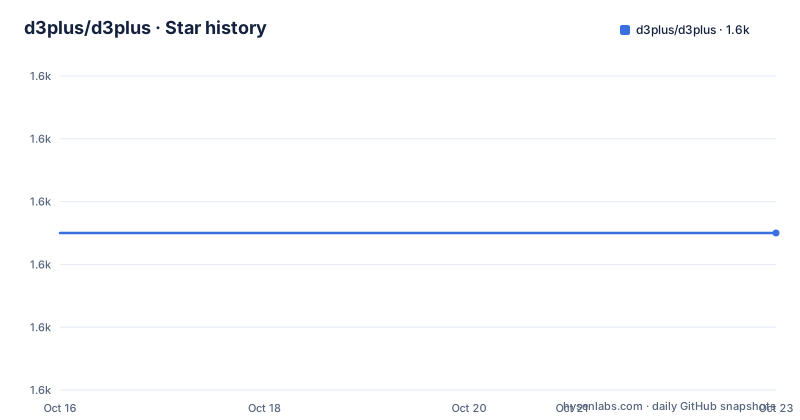
- d3plus/d3plus1,615 ★ · +0
| Repository | 2026-10-16 | 2026-10-23 |
|---|---|---|
| d3plus/d3plus | 1.6k | 1.6k |
0 Stars in the last 7 days, measured from the daily GitHub snapshot. Compare with other projects
Editorial analysis
A scene graph between your config and the DOM
The structural news in D3plus v4 is that each visualization compiles to a serializable scene graph which is then painted by a pluggable backend. That indirection is the reason the Canvas option exists.
SVG is the default. For a chart with a few hundred shapes it is the right default, because the DOM does the layout and you get inspection and accessibility for free. But a scatter plot with tens of thousands of points, or a treemap with very many small cells, turns into tens of thousands of DOM nodes, and that is where the browser stops coping. The Canvas backend paints dense, high-shape-count charts more efficiently:
new d3plus.BarChart().data(data).renderer("canvas").render();That is a per-instance opt-in rather than a global switch, so you can mix renderers across a dashboard if one panel needs it and the rest do not.
The package boundary makes the split explicit. `@d3plus/render` is the scene graph renderer and it owns the SVG and Canvas backends, while `@d3plus/core` holds the charts, components and shapes. If you are writing a chart type of your own, `@d3plus/render` is the layer you build against, not `@d3plus/core`.
For upgrading users the README keeps it short: the public API is unchanged for typical usage, and `MIGRATION.md` and `CHANGELOG.md` are the files to read.
Install only the packages you use
D3plus is a modular monorepo and the README's framing is explicit about it: install only what you need. Twelve packages are listed, and they split along fairly clean lines.
`@d3plus/core` is the main engine with charts, components and shapes. `@d3plus/react` wraps every chart type as a React component. `@d3plus/render` is the scene graph renderer described above. Then there are the utilities: `@d3plus/color` for color scales, defaults and utilities, `@d3plus/data` for loading, filtering and manipulation, `@d3plus/dom` for DOM and browser helpers, `@d3plus/export` for SVG and image export, `@d3plus/format` for number and date formatting, `@d3plus/locales` for translation dictionaries, `@d3plus/math` for math and geometry, `@d3plus/text` for text measurement, wrapping and fitting, and `@d3plus/types` for the unified TypeScript definitions.
The narrow example the README gives makes the point better than the table does. If all you need is abbreviated number formatting:
import {formatAbbreviate} from "@d3plus/format";There is one detail in the typing story worth copying. React component types live in a separate entry so that non-React projects do not pull React into their bundle:
import type {Treemap} from "@d3plus/types";
import type {D3plusComponentProps} from "@d3plus/types/react";
The development side is a pnpm workspace: `pnpm-workspace.yaml` and `pnpm-lock.yaml` at the root, a `packageManager` field pinning `[email protected]`, and scripts that fan out with `pnpm -r --if-present run test`. The root manifest is `private: true`, so it is never published; only the packages under `packages/` are.
Two ways in: a React component or a CDN script
The React path is a config object passed as a prop. A treemap needs three keys to be meaningful, and the README's example is the whole thing:
import {Treemap} from "@d3plus/react";

const config = {
  data: [
    {id: "alpha", value: 29},
    {id: "beta", value: 10},
  ],
  groupBy: "id",
  size: "value",
};

<Treemap config={config} />;
`groupBy` names the field that determines hierarchy and `size` the field that determines area. That is the contract across chart types, and learning it once transfers.
Configuration merges in two layers. A `D3plusContext` Provider supplies a global config, and per-component `config` props override it key by key via deep merge. The provider setup looks like this:
import ReactDOM from "react-dom/client";
import {D3plusContext} from "@d3plus/react";

const globalConfig = {
  title: "Shared Title for All Visualizations",
};

ReactDOM.createRoot(document.getElementById("viz")).render(
  <React.StrictMode>
    <D3plusContext.Provider value={globalConfig}>
      <App />
    </D3plusContext.Provider>
  </React.StrictMode>,
);
The deep merge behaviour is what makes a shared theme workable: set your palette, fonts and title once in the provider and override only the keys a given chart differs on.
The no-build route is a single script tag and a global namespace, which is useful for a quick embed or a page that has no bundler:
<script src="https://cdn.jsdelivr.net/npm/@d3plus/core"></script>
<script>
  new d3plus.Treemap()
    .config({
      data: [
        {id: "alpha", value: 29},
        {id: "beta", value: 10},
      ],
      groupBy: "id",
      size: "value",
    })
    .render();
</script>
Note the chaining shape: `.config()` then `.render()`, and elsewhere `.data(data).renderer("canvas").render()`. The method chain is the vanilla API, and the React wrapper is a layer over the same object.
Accessibility is automatic, which is unusual for a chart library
D3plus states that it is built with accessibility in mind, and the specific claim is that every visualization automatically includes ARIA attributes, semantic roles and contextual screen reader labels tailored to each chart type. That last part matters more than the first two: a generic ARIA label on a chart is close to useless, and a per-chart-type description is not.
The supporting features are listed as optional SVG `<title>` and `<desc>` elements, inline data tables for assistive technology, color contrast utilities, and localized accessible text. The inline data table is the interesting one for D3 specifically, because an SVG chart is otherwise opaque to a screen reader; emitting the underlying values as real table markup converts a picture into data.
A full WCAG 2.1 AA conformance summary is at the Accessibility documentation page on d3plus.org.
One caveat is worth stating: none of this applies to the Canvas backend in the same way. Canvas is a bitmap, so what the accessibility features can attach to depends on what the renderer emits alongside it. The README does not describe how the Canvas path handles the inline data table or the ARIA labelling, and if accessibility is a requirement you will want to check that before switching a chart to `.renderer("canvas")`.
Release pace, tooling floors and where D3plus is the wrong layer
Activity is high and recent. v4.7.0 shipped on 2026-10-07, v4.6.0 on 2026-10-02 and v4.5.0 on 2026-09-28, and the last push was on 2026-10-16. Three releases in ten days is the pace of an actively maintained v4 line rather than a stable plateau.
The floors are worth noting. The root manifest sets `engines.node` to `>=22`, uses pnpm 11.10.0 as the package manager and is ESM only with `"type": "module"`. Contributors are expected to have Node 22 or newer. Documentation is generated by `node scripts/docs/docs.js` and its tests run under mocha, and linting is configured through `eslint.config.js` with a `.prettierrc` for formatting. An `AGENTS.md` at the root is a sign that agent tooling is part of the workflow.
The wrong-tool case is straightforward. D3plus sits above D3 and removes decisions from you: tooltips, color assignment and label placement are all handled for you, which is the feature and the limitation at the same time. If you need a chart type D3plus does not ship, you are writing D3 directly. If you need to control every pixel of every mark, the defaults you are fighting are the reason the library exists. The rule of thumb is that D3plus earns its place when your charts are standard and your time is better spent elsewhere.
There is also a bundle consideration for the CDN route: `@d3plus/core` is the main engine, so loading it from a script tag pulls the chart set rather than one chart. The per-package imports are the way to keep a payload small.
The licence is MIT, and the documentation with live examples is at d3plus.org.
Editorial conclusion
Teams that want chart types working in a day rather than a week, and who can accept D3plus choosing the visual defaults, should take the modular packages and configure only what differs. Anyone who needs a chart shape D3plus does not ship, or who needs precise control over every mark, is better served writing D3 directly, since D3plus is a layer above it rather than a replacement. Before upgrading from v3, read MIGRATION.md and CHANGELOG.md, and note that the root manifest requires Node 22 or newer and pnpm 11.10.0 for development.
Frequently asked questions
How do I install D3plus?
For React, npm install @d3plus/react. For vanilla use, load @d3plus/core from a CDN such as jsdelivr. The project is a modular monorepo, so you can install only @d3plus/format or @d3plus/data if that is all you need.
When should I use the Canvas renderer in D3plus?
For dense, high-shape-count charts. SVG is the default, and switching is a per-instance opt-in with .renderer("canvas"), which the README says paints dense charts more efficiently.
How do I share configuration across D3plus charts in React?
Wrap your app in the D3plusContext Provider. Per-component config props then override the global values key by key through a deep merge.
Does D3plus v4 break v3 code?
The README says the public API is unchanged for typical usage when upgrading from v3, and points to MIGRATION.md and CHANGELOG.md for the details.
Does D3plus support accessibility features?
Yes. Every visualization automatically includes ARIA attributes, semantic roles and screen reader labels tailored to the chart type, with optional SVG title and desc elements, inline data tables, contrast utilities and localized accessible text.
Official sources
Add this badge to your README
If you maintain this project, the badge below links readers to this analysis and shows its maintenance status from the daily GitHub snapshot. Paste the markdown into your README; add ?metric=license or ?metric=stars to the image URL for a different field.

[](https://hysenlabs.com/projects/d3plus-d3plus)Star history chart for your README
[](https://hysenlabs.com/projects/d3plus-d3plus)Was this useful?