dapr/docs is the Hugo repository behind docs.dapr.io
Dapr user documentation, used to build docs.dapr.io
At a glance
- What is it?
- The dapr/docs repository holds the markdown, the Hugo configuration and the theme settings that produce the Dapr documentation site, and it uses a branching model where each branch is named after a Dapr runtime release rather than a master branch. It is a documentation codebase, so the interesting parts are the release branching, the local build setup and the checks that run on a pull request.
- Who is it for?
- dapr/docs suits a developer who wants to contribute to the Dapr documentation, or who needs the exact wording the Dapr team publishes for a given runtime version rather than a paraphrase. It is the wrong repository for reading about Dapr in a hurry, since the site is the readable form and the repository is the source of it.
- Can I use it commercially?
- Yes. Apache-2.0 is a permissive licence: you can use, modify and sell software built on it, as long as you keep its copyright and licence notices.
- Is it still maintained?
- Yes. The repository last received commits 1 day ago.
- What is it written in?
- Mainly SCSS, according to GitHub's language statistics.
Answers come from the project's GitHub data, last synced on November 6, 2026, and from our analysis. They are not legal advice.
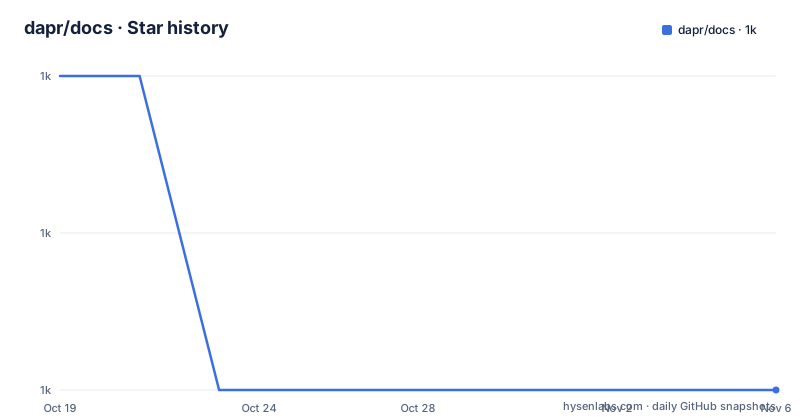
Star history
- dapr/docs1,016 ★ · -2
| Repository | 2026-10-19 | 2026-11-06 |
|---|---|---|
| dapr/docs | 1k | 1k |
-2 Stars in the last 18 days, measured from the daily GitHub snapshot. Compare with other projects
Editorial analysis
The site is generated from a Hugo project in daprdocs/
The repository contains the markdown files that generate the documentation website, and the project description is explicit that the readable version lives at docs.dapr.io.
The build stack is Hugo with the Docsy theme, hosted on an Azure Static Web App. The `daprdocs/` directory holds the Hugo project itself, the markdown files and the theme configuration, and the `hugo.yaml` file at the repository root is the entry point for the build.
The repository also has a Go module file, which is unusual for a documentation repository and worth understanding. It declares the module as `github.com/dapr/docs` on Go 1.24.4 with a single requirement on `github.com/google/docsy` at version 0.12.0. That is the Docsy theme consumed as a Hugo module, and the Go file is how its version is pinned, rather than anything the documentation itself compiles.
The remaining top level directories give a sense of the scope. `sdkdocs/` holds the SDK reference material, `translations/` holds the translated versions of the documentation, `scripts/` holds repository scripts, and there is a `.devcontainer/` directory, a `.vscode/` directory and a `CONTRIBUTING.md`.
The audience is split between readers, who should be on the website, and contributors, who work here. The README opens by sending explorers to the site and reserves the rest of the document for contribution.
Branches are named after runtime releases
The branching model is the first thing a contributor has to understand, and the project documentation says the docs handle branching differently than most code repositories. Instead of a `master` or `main` branch, every branch is labelled to match the major and minor version of a runtime release.
The table of maintained branches is short:
| Branch | Website | Description | | --- | --- | --- | | v1.18 (primary) | https://docs.dapr.io | Latest Dapr release documentation, where typo fixes, clarifications and most documentation goes | | v1.19 (pre-release) | https://v1-19.docs.dapr.io | Pre-release documentation, for updates that only apply to v1.19 and later |
The consequences for a contribution are concrete. A change that fixes a typo or clarifies existing text belongs on the primary branch. A change that documents behaviour that only exists in v1.19 belongs on the pre-release branch, and only becomes part of the main documentation later. The repository's own update flow spells this out: submit the pull request to the upstream branch for the correct version you are targeting, and a staging site is created automatically and linked to the pull request for review.
This is more demanding than a single branch, because a fix may need to be backported, and it puts the cost of version accuracy on the contributor. It also means the site a reader sees is tied to a runtime version, which is the right behaviour for a project whose API surface moves with the release.
Two ways to get a local server running
There is a devcontainer path and a manual path, and the devcontainer is the one the project puts first.
The repository ships a `.devcontainer/devcontainer.json` configuration that automatically installs the required dependencies and the VSCode extensions needed to build and run the docs. The prerequisites for that route are Docker Desktop and VSCode, and the flow is to fork and clone the repository, open it in VSCode, and accept the Reopen in Container prompt. The same container works through GitHub Codespaces entirely in the browser. Other IDEs that support devcontainers can be used, but the documentation notes they will not have the extensions preconfigured and are likely to behave differently in performance.
The manual route needs the Hugo extended version and Node.js. After forking and cloning, the setup is to make sure you are in the repository root, which is where `hugo.yaml` is, then initialise the submodules and install the npm packages.
git submodule update --init --recursivenpm installThe local server then comes from a single command, and the site is served on the Hugo default port.
hugo serverThe result is at `http://localhost:1313/`. The package manifest wraps the same thing as `npm run serve`, which runs the development build with `--minify serve --renderToMemory`, and `npm run build:production` produces the minified production output with a cleaned destination directory.
The link checker script is marked as pending
One entry in the package manifest deserves a note rather than a summary, because it is the kind of thing that surprises a contributor.
The link checking step is wired into the build as a postbuild hook, both for the preview and the production build, and the `test` script runs it. The implementation of the check itself, however, is a placeholder. The `_check:links` script echoes `IMPLEMENTATION PENDING for check-links` and returns, and the `check:links:all` script sets an empty `HTMLTEST_ARGS` and calls the same thing.
So the pipeline expects to verify links with htmltest, the package manifest's cSpell ignore list includes htmltest among other names, and there are precheck scripts that run a build first, but the actual check does not happen. The consequence for a contributor is that a broken link will not be caught by the local tooling, which puts the burden on the reviewer or on the hosting pipeline instead.
The rest of the script set is more conventional. There are scripts for building the preview with a base URL taken from `DEPLOY_PRIME_URL` when it is set, a `clean` script that removes the public and resources directories, a `make:public` script that initialises a git repository in the public directory with a main branch, and the update scripts.
Those update scripts are where the pinning story lives. `update:hugo` installs the latest hugo-extended with an exact version save, `update:dep` refreshes autoprefixer and postcss-cli, and `update:pkgs` runs npm-check-updates. The current pin in the manifest is hugo-extended at exactly 0.147.8, which is a deliberate choice in a site where a Hugo release can change the output.
Translations and SDK reference share the tree
Three content areas live in the repository alongside the main documentation.
`sdkdocs/` is the SDK reference, which is a different kind of document from a guide. Reference material is generated or maintained against API surfaces, so it changes with the release, and the branch model above is what keeps a reference page from describing a method that the running runtime does not have.
`translations/` holds the translated documentation. A translation is a maintenance liability of a particular kind, because a change to the English source has to be propagated, and the branching model multiplies that work across versions. The presence of the directory in the tree tells you the project treats translation as a first class concern rather than an afterthought, and it is also where a contributor who writes in another language can do useful work without touching the English sources.
The `scripts/` directory holds repository level scripts, and the `.github/` directory holds the workflow and template configuration. There is also a `package-lock.json`, so the npm dependency tree is pinned, which matters for a build that has to produce identical output on a hosting platform.
One small detail in the manifest shows how the theme is customised. The `local` script runs through `cross-env` with `HUGO_MODULE_WORKSPACE=docsy.work`, which points Hugo at a module workspace directory so the Docsy theme can be edited locally without vendoring it into the repository. That is the escape hatch for anyone who needs to change the theme, and it keeps the theme out of the commit history in the normal case.
When the repository is the wrong place to look
There is an obvious point to make about this project, and it is worth making plainly. The documentation website is the artefact anyone actually wants. The repository is the source of that artefact, with the branch structure, the staging site behaviour and the contribution workflow attached to it.
That distinction matters for a reader who is trying to learn Dapr. The site has a curated structure with a quickstart and reference, and the repository has markdown files, a theme configuration and a translation tree. Reading the repository to understand how to use Dapr is slower and less coherent than reading the site, and the site is what the project asks you to do first.
There is a second reason to prefer the site. Version accuracy. On the site, the documentation you read matches the runtime version it is published for, because the branch and the deployment are tied together. In the repository, a file is whatever is on the branch you happen to be reading, and a search of the tree will happily return a page for a version that no longer ships.
Where the repository is the right place is when you need to change the documentation, when you want to see exactly how a topic is described so you can raise an issue against a specific page, or when you are contributing a translation. The contributing section in the docs is the required reading before a first pull request, and the branch guidance document linked from the README covers the versioning in more detail.
Editorial conclusion
dapr/docs suits a developer who wants to contribute to the Dapr documentation, or who needs the exact wording the Dapr team publishes for a given runtime version rather than a paraphrase. It is the wrong repository for reading about Dapr in a hurry, since the site is the readable form and the repository is the source of it. Check first which branch carries the version you care about, because the v1.18 branch serves the current site and the v1.19 branch serves the pre-release site, and note that the link checking script in the package manifest is marked as pending implementation.
Frequently asked questions
What is the dapr/docs repository and what is in it?
It holds the markdown files, the Hugo project and the theme configuration that generate the Dapr documentation site at docs.dapr.io. The `daprdocs/` directory is the Hugo project, `sdkdocs/` holds the SDK reference, `translations/` holds the translated documentation, and the site is built with Hugo and the Docsy theme.
How does the dapr/docs branching model work?
There is no master or main branch. Every branch is named after a major and minor runtime release, with v1.18 as the primary branch serving docs.dapr.io and v1.19 as the pre-release branch serving v1-19.docs.dapr.io. Pull requests go to the branch matching the version the change targets.
How do I run the Dapr docs site locally?
With the devcontainer you need Docker Desktop and VSCode, and you reopen the repository in the container when prompted. Without it you need the Hugo extended version and Node.js, then run `git submodule update --init --recursive`, `npm install` and `hugo server`, then open http://localhost:1313/.
Does the build check for broken links?
Not currently. The package manifest wires a link check into the postbuild steps and the test script, but the implementation of the `_check:links` script is a placeholder that echoes `IMPLEMENTATION PENDING for check-links`, so the check does not actually run in the local build.
Official sources
Add this badge to your README
If you maintain this project, the badge below links readers to this analysis and shows its maintenance status from the daily GitHub snapshot. Paste the markdown into your README; add ?metric=license or ?metric=stars to the image URL for a different field.

[](https://hysenlabs.com/projects/dapr-docs)Star history chart for your README
[](https://hysenlabs.com/projects/dapr-docs)Was this useful?