vulkan-diagrams: a visual reference for Vulkan objects and their relationships
Diagrams showing relationships between Vulkan objects and how they're used.
At a glance
- What is it?
- vulkan-diagrams is a set of diagrams, most in PNG and SVG, that show which Vulkan objects are involved in a task and how they relate, covering boilerplate setup, render passes, vertex buffers, descriptor sets, push constants, barriers and ray tracing. It is a reading aid, not a library, and it deliberately simplifies names.
- Who is it for?
- Adopt vulkan-diagrams as a reading aid when you are learning Vulkan or when the relationship between objects stops fitting in your head, and keep it open next to the specification while you work through the render pass, vertex input and barrier sections. Do not adopt it as a reference for the API itself, since the names are simplified and members are omitted, and do not expect working code from it, because the repository contains images and prose only.
- Can I use it commercially?
- Yes. MIT is a permissive licence: you can use, modify and sell software built on it, as long as you keep its copyright and licence notices.
- Is it still maintained?
- Activity is slowing. The repository last received commits 6 months ago.
- What is it written in?
- GitHub does not report a main language for this repository.
Answers come from the project's GitHub data, last synced on November 6, 2026, and from our analysis. They are not legal advice.
Star history
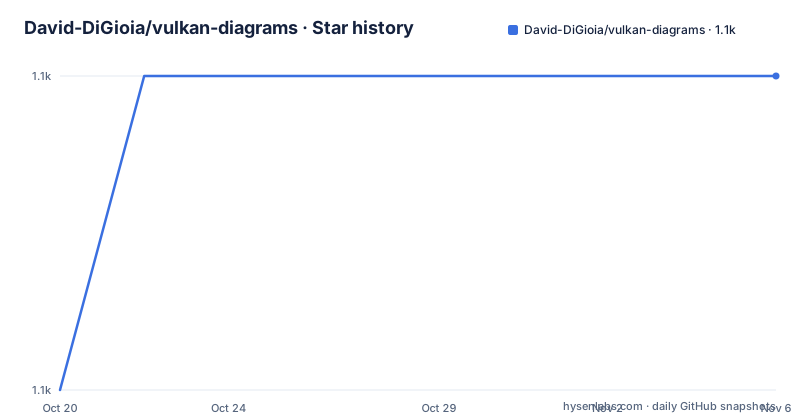
- David-DiGioia/vulkan-diagrams1,095 ★ · +1
| Repository | 2026-10-20 | 2026-11-06 |
|---|---|---|
| David-DiGioia/vulkan-diagrams | 1.1k | 1.1k |
1 Stars in the last 17 days, measured from the daily GitHub snapshot. Compare with other projects
Editorial analysis
One picture per task, showing the objects and the edges between them
The collection is described as a set of diagrams designed to serve as a quick reference for various topics in Vulkan, and the defining feature is that each diagram shows the Vulkan objects needed to accomplish a common task and the relationships between them. Creating a vertex buffer is the example given, and the same treatment applies to the rest.
The table of contents lists ten topics: boilerplate, render pass and swapchain, vertex buffer creation, vertex input and multiple bindings, descriptor sets, push constants, pipeline barriers, pipeline stages and access types, render loop, and ray tracing. The ray tracing topic is the only one split into several images, with separate diagrams for building the bottom level acceleration structure, building the top level one, and the shader binding table, which is a sensible way to break down a pipeline that does not fit on one page.
There is also a fence synchronization diagram in the file listing, which the table of contents does not list, so the repository is slightly larger than its own index suggests. The repository is a mix of images and prose, with no code and no build system, and the primary language is recorded as unknown because there is no source code in it at all.
Every diagram ships as both PNG and SVG
The file listing shows a consistent pattern. boiler_plate.png sits next to boiler_plate.svg, and the same holds for barrier, descriptor_sets, push_constants, render_loop, render_pass_swapchain, vertex_buffer and vertex_input. The ray tracing images are the exception: ray_tracing.svg has no PNG counterpart, and ray_tracing_build_blas.png, ray_tracing_build_tlas.png and ray_tracing_sbt.png have no SVG. The images are linked in the README with the ?raw=true query and a title attribute, which is the way GitHub serves the original file rather than a rendered page.
The dual format is a small decision with real consequences for how you use the collection. The SVG is the one to open when you want to zoom into a relationship, because a diagram of Vulkan objects has labels, arrows and boxes that become unreadable when a raster version is scaled to a screen that does not match the original resolution. The PNG is the one to drop into a document or a chat message.
MIT licensing with a LICENSE file at the root means the diagrams can be reused in slides and internal documentation, and the fact that the only artefacts are images means there is nothing to install, nothing to build and nothing to keep up to date.
The boilerplate diagram starts from one specific GPU
The first diagram uses example values from the author's own hardware, an NVIDIA GeForce GTX 1080, and the accompanying text points at the most useful thing in it. Memory heap 2 on that machine is both DEVICE_LOCAL and HOST_VISIBLE, which the text calls good for GPU accessible memory that needs frequent updates from the CPU, because it can be updated directly without a staging buffer. The catch is stated too: on that machine the heap is only 224 MB, while on machines with resizeable bar, which the text notes is AMD's marketing term for Smart Access Memory, the heap will be significantly bigger.
That single detail is the kind of thing the diagrams exist to convey. A reader new to Vulkan sees a list of heaps and memory types and has no intuition for which combination to aim for, and the answer turns on whether the CPU writes to the buffer often and how much of it there is.
The text is also honest about what the picture leaves out, naming the three enumeration functions that are not shown, for instance extensions, instance layers and device extensions. Three external tools are named for the surrounding work: vulkaninfo prints the specifications of your GPU as Vulkan sees them, gpuinfo is the resource for looking up other GPUs, and Vulkan Configurator can temporarily override validation layer settings. The text also points at vk-bootstrap as a library that handles the Vulkan boilerplate, which is the practical answer to the whole first diagram.
Render passes, subpasses and whether the swapchain owns the attachment
The render pass and swapchain diagram illustrates a design choice that the text states as a rule: use multiple subpasses instead of multiple render passes whenever possible. The reason given is specific. If a pass only needs to read from the corresponding fragment in a previous pass, that previous subpass can be used as an input attachment and no additional render pass is needed. If you need random access to a previous pass, for example to implement a gaussian blur, then multiple render passes are the appropriate tool.
The diagram shows a single render pass per command buffer with multiple subpasses inside it, and it also shows that one of the frame buffer attachments has an image owned by the swapchain, with the text noting that this is not mandatory. The alternative given is to create your own VkImage with the usage flags VK_IMAGE_USAGE_COLOR_ATTACHMENT_BIT combined with VK_IMAGE_USAGE_SAMPLED_BIT, so it can be written as a colour attachment and then sampled from in a shader.
This is the kind of guidance a specification does not give you. The spec tells you what a subpass and an input attachment are, and it is the diagrams that show you the shape of a frame that works.
Vertex input, binding rates and the format table
The vertex input diagram covers VkPipelineVertexInputStateCreateInfo, which the text describes as an array of VkVertexInputAttributeDescription and an array of VkVertexInputBindingDescription. The relationship between the two is where the confusion usually lives, and the text is precise about it.
There is one binding description per binding, and the input rate on that binding decides how the data is stepped through. In the example, binding 0 has VK_VERTEX_INPUT_RATE_VERTEX, so it increments to the next set of data stride apart for every vertex, while binding 1 has VK_VERTEX_INPUT_RATE_INSTANCE, so it steps stride apart only for every instance. The number of instances and vertices to draw is given in vkCmdDraw.
The attributes then follow the struct layout. Binding 0 has three vertex attributes because the buffer bound to it is a buffer of Vertex structs with position, normal and texCoord members, and binding 1 has only two because InstanceData has two members. The format of each attribute is determined by its size and type, and the list that follows starts like this:
float:	VK_FORMAT_R32_SFLOAT
vec2:	VK_FORMAT_R32G32_SFLOAT
vec3:	VK_FORMAT_R32G32B32_SFLOAT
vec4:	VK_FORMAT_R32G32B32A32_SFLOAT
The vertex buffer diagram goes back one step further, covering the allocation objects themselves. The text there quotes an NVIDIA article on Vulkan memory management, which recommends making big allocations with big buffers and sub-allocating resources from them, and reproduces the definitions of heap, memory type, memory property flags, memory, resource and sub-resource. Vulkan Memory Allocator is named as a library that handles the allocations.
Where a diagram set is the wrong tool
The first wrong-tool case is treating the pictures as the specification. The README states the simplification plainly: some members of Vulkan objects are omitted and some names are slightly simplified, with the example of changing VK_IMAGE_LAYOUT_SHADER_READ_ONLY_OPTIMAL to SHADER_READ_ONLY_OPTIMAL. A name that has been shortened in a diagram is a name that will not compile, and a member that is missing is a member you have to look up.
The second is expecting working code. There is none in the repository. The ray tracing diagrams in particular show structure, with the acceleration structures and the shader binding table laid out, but they do not tell you which extension enables the feature, which structures to create in which order, or what the limits of your device are. Someone who needs that has to read the specification and the extension documentation.
The third is a specific hardware question. The heap example is one machine, an NVIDIA GeForce GTX 1080, and a reader with a different GPU has a different memory layout, different limits and different available extensions. The tool that answers the question for your own card is vulkaninfo, which the README points at, and gpuinfo for other cards.
MIT, a May 2026 commit, and no releases to track
The project is MIT licensed, with the LICENSE file at the root of the repository. The repository is not archived, and the last push was on 2026-05-10, and there are no GitHub releases at all, which is the right shape for a collection of images, where a release tag would carry nothing that a commit does not.
The consequence for a reader is that there is no version to pin and no changelog to read. Whether a diagram has been corrected is visible only by looking at the commit history, which for a reference collection is a mild drawback if you are relying on one diagram in particular.
The documentation sits in the README itself, and the project leans on external references rather than duplicating them. The NVIDIA memory management article, the Sascha Willems post on input attachments and subpasses, the LunarG documentation for vulkaninfo and Vulkan Configurator, and the two library projects it recommends, vk-bootstrap and Vulkan Memory Allocator, are all linked from the relevant sections. The result is a small, readable repository that shows one part of the Vulkan documentation and sends you to the rest.
Editorial conclusion
Adopt vulkan-diagrams as a reading aid when you are learning Vulkan or when the relationship between objects stops fitting in your head, and keep it open next to the specification while you work through the render pass, vertex input and barrier sections. Do not adopt it as a reference for the API itself, since the names are simplified and members are omitted, and do not expect working code from it, because the repository contains images and prose only. Before you rely on a diagram, check the object and flag names against the Vulkan specification, and remember the diagrams were drawn around one machine, an NVIDIA GeForce GTX 1080, so the heap layout shown is an example rather than a rule.
Frequently asked questions
What does vulkan-diagrams contain?
A set of diagrams showing the Vulkan objects needed for common tasks and the relationships between them, covering boilerplate, render pass and swapchain, vertex buffer creation, vertex input, descriptor sets, push constants, pipeline barriers, pipeline stages and access types, the render loop and ray tracing.
Are the vulkan-diagrams accurate to the Vulkan specification?
They are deliberately simplified. The README states that some members of Vulkan objects are omitted and some names are slightly simplified, with VK_IMAGE_LAYOUT_SHADER_READ_ONLY_OPTIMAL shortened to SHADER_READ_ONLY_OPTIMAL as the example.
In what format can I use the vulkan-diagrams images?
Most diagrams are committed as a PNG and an SVG pair, so you can zoom into the vector version when the labels stop being readable and use the raster version in documents. The ray tracing images include separate diagrams for building the bottom level and top level acceleration structures and the shader binding table.
Should I use subpasses or multiple render passes?
The README advises using multiple subpasses instead of multiple render passes whenever possible, using a previous subpass as an input attachment when the pass only needs to read the corresponding fragment from an earlier pass. Multiple render passes are appropriate when you need random access to a previous pass, for example for a gaussian blur.
How do I find out the memory heaps and memory types on my own GPU?
The README points at vulkaninfo, which prints specifications about your GPU that are queryable in Vulkan, and gpuinfo as a resource for other GPUs. The diagram itself uses values from an NVIDIA GeForce GTX 1080, so it is an example rather than your machine's layout.
Official sources
Add this badge to your README
If you maintain this project, the badge below links readers to this analysis and shows its maintenance status from the daily GitHub snapshot. Paste the markdown into your README; add ?metric=license or ?metric=stars to the image URL for a different field.

[](https://hysenlabs.com/projects/david-digioia-vulkan-diagrams)Star history chart for your README
[](https://hysenlabs.com/projects/david-digioia-vulkan-diagrams)Was this useful?