dhax/go-base: a Go API template whose login email goes to stdout by default
Go RESTful API Boilerplate with JWT Authentication backed by PostgreSQL
At a glance
- What is it?
- go-base is a chi and bun based REST boilerplate with passwordless JWT auth, a cobra command set, migrations and email delivery. Its defining default is that with no SMTP configured, login tokens are printed to stdout, and its own README points readers at a paid alternative for something production ready.
- Who is it for?
- Adopt go-base if you want a starting skeleton rather than a framework: you want chi routing, bun migrations, passwordless JWT login and a cobra command set in one repository that you will edit into something else. Do not adopt it expecting a finished service, since the README calls it a very basic template and points at a paid product for production use.
- Can I use it commercially?
- Yes. MIT is a permissive licence: you can use, modify and sell software built on it, as long as you keep its copyright and licence notices.
- Is it still maintained?
- Yes. The repository last received commits 73 days ago.
- What is it written in?
- Mainly Go, according to GitHub's language statistics.
Answers come from the project's GitHub data, last synced on October 23, 2026, and from our analysis. They are not legal advice.
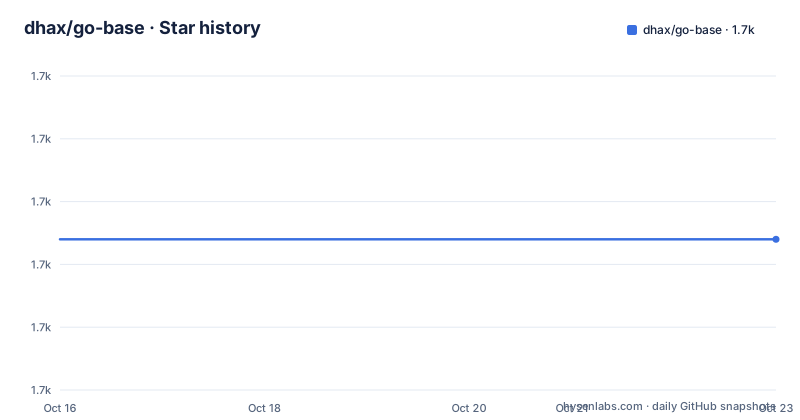
Star history
- dhax/go-base1,694 ★ · +0
| Repository | 2026-10-16 | 2026-10-23 |
|---|---|---|
| dhax/go-base | 1.7k | 1.7k |
0 Stars in the last 7 days, measured from the daily GitHub snapshot. Compare with other projects
Editorial analysis
What the template actually wires together
The dependency list is the architecture. chi/v5 handles routing and middleware, following the chi rest example layout the README names. bun provides the PostgreSQL layer with the pgdialect and pgdriver, plus bundebug for query logging. viper reads configuration, cobra provides the commands, logrus does structured logging.
Authentication is the notable part. JWT handling uses lestrrat-go/jwx/v2 for the tokens and go-chi/jwtauth/v5 for the HTTP middleware, which is an unusual pairing: two JWT libraries rather than one. go-chi/render handles response encoding and ozzo-validation handles request data validation.
Email is the least obvious dependency. go-mail (wneessen) sends the HTML mail, go-premailer inlines the CSS into it, html2text produces the plain text alternative, and goquery and cascadia come along as parsing dependencies for those two. So mail delivery here is a four library chain, which is why a template that claims to be minimal still carries a sizeable indirect list.
The repository layout follows that structure with directories for api, auth, cmd, database, email, logging, models, public and templates, plus routes.md, dev.env and a docker-compose.yml at the root.
Passwordless login, and the stdout default you must not ship
The auth surface is four routes:
| Path | Method | Required JSON | Header | Description | | /auth/login | POST | email | | the email you want to login with | | /auth/token | POST | token | | the token you received via email | | /auth/refresh | POST | | Authorization: Bearer refresh_token | refresh JWTs | | /auth/logout | POST | | Authorization: Bearer refresh_token | logout from this device |
The design is a two step login: you post an email address, the server mails a token, and you post that token back to receive your JWTs. There is no password anywhere in the flow.
Here is the behaviour to know about. If no valid email SMTP settings are provided, the outgoing email containing the login token is printed to stdout. So with the default configuration, anyone who knows a registered email address can log in as that user by reading the server log. That is a deliberate development convenience, and it is exactly the kind of default that survives into production if nobody reads dev.env.
The other SMTP behaviour is stricter: if EMAIL_SMTP_HOST is set but the host cannot be reached, the application exits immediately at start rather than degrading silently.
Three commands, and the order matters
Locally, after cloning and creating a PostgreSQL database and adjusting dev.env, the sequence is:
go run main.go
go run main.go migrate
go run main.go serve
Running the bare command first prints the available commands, which is how you discover the surface rather than reading the source. migrate executes everything in the database/migrate folder, and serve starts the API.
With Docker Compose the order is different, and the difference is not cosmetic. The database starts alone first, because migrations need it:
docker compose up -d postgres
docker compose run server ./main migrate
docker compose up
The compose file maps port 3000 and points the server at postgres:5432 with a DSN using sslmode=disable, which is fine inside a compose network and wrong if you adapt it. The compose file also ships the literal placeholder `AUTH_JWT_SECRET: CHANGE-ME` with a comment showing how to generate a real one with `openssl rand -base64 64`. Change that before anything listens on a network.
viper reads dev.env by default, and it holds the application defaults whenever no environment variables are set, so dev.env is the file to diff between environments.
Two route families and a generated route list
Beyond /auth, the example API provides two main families: /api for regular requests and /admin, which requires the caller to be logged in as an administrator by presenting the relevant JWT in the Authorization header.
routes.md at the repository root is a generated overview of the routes, and the go.mod shows why: go-chi/docgen is a dependency. The route list is produced from the code rather than maintained by hand, so it can be regenerated after you add handlers and committed to the repository as your API reference.
Testing coverage is narrow and honest about it. The README points at package auth/pwdless for the example API tests, which run against a mocked database using httpmock:
go test -v ./...A mocked database means those tests verify request and response shapes without Postgres, which is fast but does not prove your migrations or constraints are correct.
CORS is off until you turn it on, and the demo client is archived
The server serves a Progressive Web App client from ./public. This repository only puts an example index.html there, so out of the box you get the API and nothing else.
Because the client is same-origin, CORS is not needed by default. If you serve a client from a different host, which is what happens with a development live reloading server, you must set ENABLE_CORS=true on the server first. The compose file already sets it to true, which is convenient for the demo and one more thing to think about before production.
The demo client is a Vue.js PWA in a separate repository, go-base-vue, and the README marks it as archived. That is the shape of the thing to watch: the API template is maintained, the example front end for it is not. You can build that client and drop the output into ./public, but you are starting from archived code.
The Dockerfile reveals what the binary needs
The build is a two stage image. The builder compiles with CGO disabled:
FROM golang AS builder
WORKDIR /src
COPY go.mod go.sum /
RUN go mod download
COPY . .
RUN CGO_ENABLED=0 go build -o main .
The production stage is Alpine with ca-certificates added, and then it copies three things: the binary, the templates directory and the public directory. Those last two copies are the point. The application reads email templates and frontend assets from disk at runtime, so the binary alone is not a complete deployment, and a distroless or scratch image would fail unless those directories are copied in the same way.
The entrypoint is the binary with the serve subcommand, so a container started without arguments serves, while the migrate step in the compose flow overrides it with the migrate subcommand. Port 3000 is exposed.
The module declares go 1.25.0, which sets the toolchain floor for anyone building from source.
Where this template stops
The README is unusually direct about the ceiling. It calls itself a very basic template to get you started, and it points readers who want something more production ready at goilerplate.com, an affiliate link under the author's own referral. That tells you both the intended audience and the author's position on the project at the same time.
What you get is a coherent choice of libraries that work together and a structure you can delete most of. What you do not get is anything specific to your problem: no observability setup, no rate limiting, no queue, no multi-tenancy, no audit log, and no production deployment manifests beyond a Dockerfile. The absence of a GitHub release means you track the master branch, so there is no version to pin and no upgrade notes to read.
Compared with writing the same skeleton from scratch, the value is the boring integration work already done: viper to cobra to bun to chi wired consistently, migrations that run, and a passwordless flow with working token refresh and per-device logout. Compared with a paid boilerplate, you own the code and there is no licence to expire.
The licence is MIT, so nothing in it constrains what you ship.
Editorial conclusion
Adopt go-base if you want a starting skeleton rather than a framework: you want chi routing, bun migrations, passwordless JWT login and a cobra command set in one repository that you will edit into something else. Do not adopt it expecting a finished service, since the README calls it a very basic template and points at a paid product for production use. Before you build on it, change AUTH_JWT_SECRET from CHANGE-ME in both dev.env and docker-compose.yml, and set the SMTP variables, because an unset EMAIL_SMTP_HOST makes every login token land on stdout instead of in a mailbox.
Frequently asked questions
How do I start the dhax/go-base API?
After creating a PostgreSQL database and adjusting dev.env, run go run main.go to list the commands, go run main.go migrate to apply the migrations in database/migrate, and go run main.go serve to start the API on port 3000.
What happens if I do not configure SMTP with go-base?
Outgoing emails containing the login token are printed to stdout instead of being sent, which means anyone who knows a registered email can log in by reading the server output. If EMAIL_SMTP_HOST is set but the host is unreachable, the application exits immediately at start.
How does passwordless login work in go-base?
POST /auth/login with an email address, then POST /auth/token with the token you received. POST /auth/refresh and POST /auth/logout both take a Bearer refresh_token in the Authorization header, with logout scoped to the current device.
Can I run go-base with Docker Compose?
Yes. Change AUTH_JWT_SECRET in docker-compose.yml, start the database alone with docker compose up -d postgres, initialise it with docker compose run server ./main migrate, then bring the whole stack up with docker compose up.
How do I enable CORS in go-base?
Set ENABLE_CORS=true on the server. It is only needed when the client is served from a different host than the API, since the server also serves a PWA client from ./public on the same origin.
Official sources
Add this badge to your README
If you maintain this project, the badge below links readers to this analysis and shows its maintenance status from the daily GitHub snapshot. Paste the markdown into your README; add ?metric=license or ?metric=stars to the image URL for a different field.

[](https://hysenlabs.com/projects/dhax-go-base)Star history chart for your README
[](https://hysenlabs.com/projects/dhax-go-base)Was this useful?