Extempore: live coding for real-time audio
A cyber-physical programming environment
At a glance
- What is it?
- Extempore combines s7 Scheme with xtlang, a statically typed Lisp compiled to LLVM IR at runtime. It suits developers and performers who need to modify music and audio code while a program remains active.
- Who is it for?
- Adopt Extempore when live modification of music or audio is central to the work and its platform requirements fit. Do not choose it for routine offline processing or a minimal deployment.
- Can I use it commercially?
- Not without permission. GitHub finds no licence file in the repository, and without a licence all rights are reserved by default: you may read the code but not reuse it. Check the README, or ask the authors, before using it.
- Is it still maintained?
- Yes. The repository last received commits 2 days ago.
- What is it written in?
- Mainly C, according to GitHub's language statistics.
Answers come from the project's GitHub data, last synced on November 7, 2026, and from our analysis. They are not legal advice.
Star history
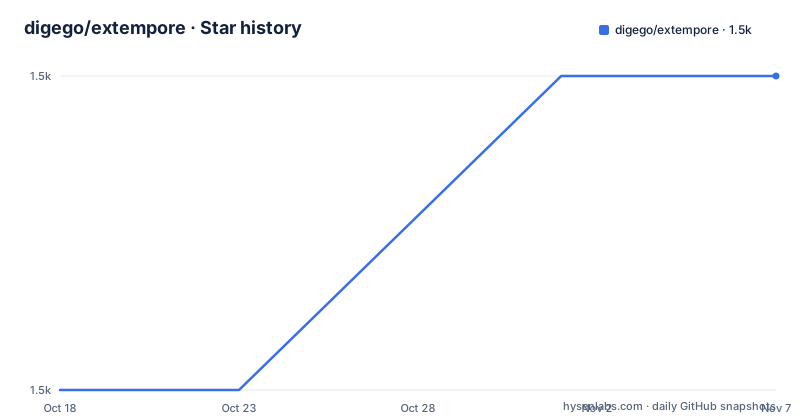
- digego/extempore1,468 ★ · +1
| Repository | 2026-10-18 | 2026-11-07 |
|---|---|---|
| digego/extempore | 1.5k | 1.5k |
1 Stars in the last 20 days, measured from the daily GitHub snapshot. Compare with other projects
Editorial analysis
Why Extempore exists
Extempore is intended for changing a music or audio program while it is still running. That requirement differs from ordinary application development, where source changes normally pass through compilation, linking, process replacement, and initialization. Extempore places a Scheme interpreter and a runtime compiler inside the working environment so that a change can be evaluated without stopping the complete program.
The users most directly served are live coders, electronic musicians, developers of interactive sound systems, and researchers working with audiovisual or cyber-physical programs. These users need immediate feedback and may want a performance to respond to code changes in real time. A conventional audio framework can process samples well, but it does not necessarily provide the combination of Scheme evaluation, typed Lisp, and runtime compilation that Extempore documents.
The project calls itself a cyber-physical programming environment, while the README narrows its primary purpose to music and audio. Its supported runtimes also include OSC and WebGPU graphics bindings, so it extends beyond sample generation. Still, the clearest adoption case is a live sound system. An engineer who only needs a conventional plugin, media player, or batch audio converter would acquire a large compiler stack without using its defining feature.
How Scheme reaches LLVM IR
Extempore combines s7 Scheme with xtlang. The README describes xtlang as a statically typed Lisp that compiles to LLVM IR at runtime. Its current stack uses LLVM 22.1.6 with the ORC JIT, replacing the legacy MCJIT, and a constraint-based type inference engine. This creates a runtime path in which source expressions are type checked and compiled for execution while the surrounding environment remains active.
Scheme and xtlang serve different roles. The s7 interpreter supplies the interactive session and the language used in the first audio example. xtlang provides typed code compiled through LLVM. Extempore also exposes primitives through FFI mechanisms, including audio DSP, OSC, timing, and graphics. Version 0.11.0 states that every Scheme FFI primitive is registered with its real name and arity, allowing an incorrect invocation to become a Scheme error rather than causing a segmentation fault.
That architecture is directly tied to Extempore's purpose. Runtime compilation is useful when the program is expected to change. It also expands the amount of machinery between a source expression and the machine: an interpreter, type inference, LLVM, the ORC JIT, a C++20 runtime, native libraries, and external callbacks. The README's reported fixes to the zone allocator, OSC send path, IFF chunk scanner, and fixed buffers show that this boundary is implementation-sensitive. Live coding is convenient, but source evaluation is not isolated from native runtime behavior.
Installing Extempore and producing the first tone
The easiest documented installation is to download the latest binary release for the platform and unzip it. Keep the extracted folder together. The executable is named `extempore`, except on Windows where it is `extempore.exe`. A release looks for `runtime/`, `libs/`, and `examples/` beside the binary, so it can be moved to another location and run from another working directory.
On macOS, the README says the binaries lack an Apple Developer ID signature. It documents this command for removing the quarantine attribute from the extracted directory:
xattr -dr com.apple.quarantine /path/to/extemporeReplace `/path/to/extempore` with the actual path. The README also says the old VSCode extension command named `Extempore: Download binary` has not been updated for current releases, so manual download is the documented option.
A source build requires a C++ compiler, Git, CMake 3.28 or newer, and Ninja. The documented build command is:
git clone https://github.com/digego/extempore && cd extempore && cmake --preset default -DASSETS=ON && cmake --build buildThis command configures a Ninja Release build with tests enabled. The README says the first build takes approximately 10 to 30 minutes because LLVM is built from source. `ASSETS=ON` downloads approximately 250 MB and enables many examples. Without those assets, some examples may not work. Run an in-tree build as `build/extempore`.
With Extempore running and an editor connected to port 7099, evaluate the following callback:
(bind-func dsp:DSP
  (lambda (in time chan data)
    (* 0.5 (sin (* STWOPI 440.0 (/ (i64tof time) SRf))))))
(dsp:set! dsp)
According to the README, this should produce a 440 Hz tone. The callback receives `in`, `time`, `chan`, and `data`, calculates the waveform from elapsed time and `SRf`, and installs itself with `dsp:set!`. The complete example is `examples/core/hello-sine.xtm`.
What changed in Extempore v0.11
The v0.11.0 release fixes a security boundary that matters for any Extempore deployment with a reachable OSC server. The README says incoming OSC addresses were previously inserted into Scheme source without escaping. A host able to reach the OSC server could therefore evaluate arbitrary code in the active session. The change is not a reason to avoid OSC by itself, but it makes network reachability and server exposure part of the deployment review.
Loading behavior also became stricter. The README says `sys:load` previously swallowed every error in a loaded file, which could make a broken library appear to compile successfully. It now reports each failing form and returns `#f`. Scripts that inspect the result or expect errors to remain hidden may need revision. This is a meaningful improvement because a live-coding session should expose broken source rather than presenting a false success.
Several compatibility changes remain on the upgrade checklist. The README lists the removal of `io:osc:set-integer-64bit?` and `io:osc:send-from-server-socket?`. It also states that `pcg32_boundedrand` now matches reference PCG32, which changes seeded streams, and that `topclock` no longer starts its network loop when `*topclock-autostart*` is `#f`. Projects should check these exact cases before moving existing sessions to v0.11.
Where Extempore is the wrong tool
Extempore is a poor fit when runtime modification is incidental. A small command-line audio converter, an offline renderer, or a conventional desktop media application may need only a library and a fixed build. Adopting Extempore would bring in an interpreter, a runtime compiler, LLVM, native runtime components, and release-specific operating-system constraints. In that situation, the central capability of Extempore would add deployment weight without a corresponding benefit.
Platform support is bounded. The README lists Linux x86_64 and aarch64, macOS Apple Silicon, and Windows x86_64. The interactive `--repl` is documented for Linux and macOS only. Graphics now uses WebGPU bindings through `wgpu-native` and requires the `-DEXTERNAL_SHLIBS_GRAPHICS=ON` build option; the old OpenGL stack has been retired. A project that depends on the retired graphics path therefore requires source changes rather than a routine upgrade.
Binary distribution also needs attention. macOS artifacts are unsigned, so users must remove quarantine attributes after download according to the README. A source build is more involved and has the documented LLVM compilation time. The repository metadata does not identify a license, and the README does not state one. Engineers need to resolve licensing in the repository before redistribution or integration. This absence does not answer the licensing question, but it is a concrete item to verify before adoption.
Maintenance state and day-to-day operating cost
The repository is not archived, its default branch is `master`, and the last push was on 2026-09-24. Recent releases include v0.11.2 on 2026-09-22, v0.11.1 on 2026-09-21, and v0.11.0 on 2026-09-10. That is evidence of recent project activity, although it does not guarantee compatibility for a particular session.
Daily operation requires accepting the characteristics of a live environment. Source is evaluated into an active process, DSP callbacks are installed dynamically, and editor connectivity is part of the basic workflow. Performance code that works as an ordinary function may also need attention to callback shape, timing, audio configuration, and the process state surrounding evaluation. The README does not document rollback procedures, so an upgrade plan cannot assume one. It directs developers to `CHANGELOG.md` and asks for a minimal reproducible example when reporting breakage.
The practical cost is highest at integration points. Teams must locate uses of removed OSC settings, adapt scripts that relied on silent `sys:load` failures, and review seeded random behavior. They must also keep release directories intact, configure an editor for port 7099, and account for source-build requirements. Extempore is therefore manageable for a team prepared to work with a specialized real-time stack, but it is not a drop-in runtime with only download and execution costs.
Editorial conclusion
Adopt Extempore when live modification of music or audio is central to the work and its platform requirements fit. Do not choose it for routine offline processing or a minimal deployment. Verify first whether a binary release supports your platform, whether your editor can connect to port 7099, and whether v0.11 changed any OSC, loading, random-number, or `topclock` code you use.
Frequently asked questions
How do I install Extempore on Linux?
The easiest documented option is to download and unzip the latest Linux binary release while keeping the extracted folder together. A source build uses Git, CMake 3.28 or newer, Ninja, and a C++ compiler, and the first build compiles LLVM from source.
How do I make my first sound with Extempore?
Connect an editor to port 7099 and evaluate the `dsp:DSP` callback from the README. It defines a 440 Hz sine wave and installs it with `dsp:set!`, producing an audible tone when audio output is configured.
Does Extempore support Linux arm64 and macOS?
The README states support for Linux x86_64 and aarch64, macOS on Apple Silicon, and Windows x86_64. It documents the interactive `--repl` only for Linux and macOS.
What changed in Extempore v0.11.0?
The README describes an OSC security fix, stricter `sys:load` error reporting, runtime and memory-safety changes, relocatable installs, PCRE2 and networking updates, and several compatibility removals. It also documents changed PCG32 behavior and changed `topclock` autostart behavior.
Official sources
Add this badge to your README
If you maintain this project, the badge below links readers to this analysis and shows its maintenance status from the daily GitHub snapshot. Paste the markdown into your README; add ?metric=license or ?metric=stars to the image URL for a different field.

[](https://hysenlabs.com/projects/digego-extempore)Star history chart for your README
[](https://hysenlabs.com/projects/digego-extempore)Was this useful?