lilliput: Discord's Go image resizer backed by C libraries, with a Linux and OSX ARM64 restriction
Resize images and animated GIFs in Go
At a glance
- What is it?
- lilliput resizes and transcodes JPEG, PNG, WebP, AVIF and animated GIFs in Go by wrapping C libraries via CGo, minimizing heap allocation at the cost of a CGo build dependency. The platform restriction to Linux and OSX ARM64 is the first thing to check.
- Who is it for?
- Use lilliput when you need high-throughput in-memory image resizing in a Go service running on Linux or OSX ARM64 and can accept a CGo dependency. The platform restriction rules it out for Windows and macOS Intel environments, and the CGo build requirement will break CI pipelines configured for pure Go.
- Can I use it commercially?
- Check first. The repository uses a licence we do not classify automatically, so read its LICENSE file before any commercial use.
- Is it still maintained?
- Yes. The repository last received commits 9 days ago.
- What is it written in?
- Mainly C++, according to GitHub's language statistics.
Answers come from the project's GitHub data, last synced on October 23, 2026, and from our analysis. They are not legal advice.
Star history
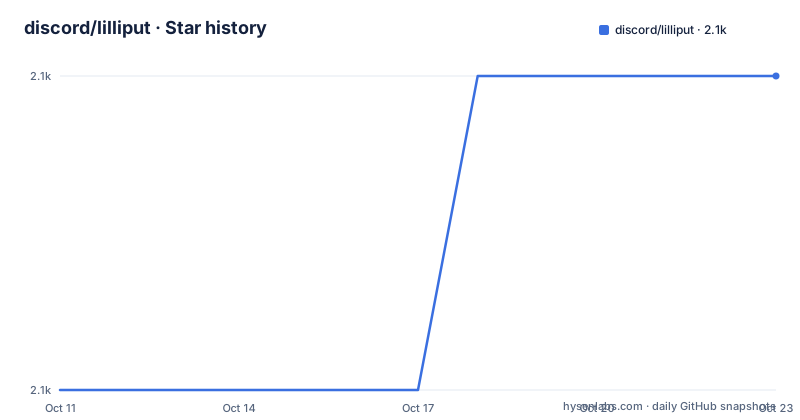
- discord/lilliput2,060 ★ · +1
| Repository | 2026-10-11 | 2026-10-23 |
|---|---|---|
| discord/lilliput | 2.1k | 2.1k |
1 Stars in the last 12 days, measured from the daily GitHub snapshot. Compare with other projects
Editorial analysis
CGo bridges Go orchestration to C libraries for decompression, resize and compression
The Go layer in lilliput is thin. Pixel operations happen in C: the source tree contains avcodec.cpp, opencv.cpp, giflib.cpp, webp.cpp and avif.cpp, each paired with a Go wrapper. All pixel manipulation, from decoding to scaling to encoding the final output, stays in C. Go code drives those C functions through CGo and manages the buffer lifecycle. Heap pressure stays low because callers pass pre-allocated byte slices in and get the result back in the same region, rather than creating new Go-side buffers on every call.
The practical consequence for callers is a CGo build requirement. A C++ compiler must be present at compile time. The deps/ directory in the repository holds the bundled C library sources, so the library does not depend on system-installed versions of those libraries, but building from source still requires a C++ toolchain.
The Go module path is github.com/discord/lilliput. The go.mod file at the repository root sets go 1.16, meaning that is the minimum Go version. The project homepage links to a Discord engineering blog post that explains the scale that motivated lilliput's design: 150 million images resized per day.
JPEG, PNG, WebP, AVIF and animated GIF supported; MOV and WEBM for first-frame extraction only
The ImageOps API covers seven input types: JPEG, PNG, static WebP, animated WebP, static AVIF, animated AVIF, and animated GIF. Setting a different FileType in ImageOptions when calling Transform() is how cross-format conversion works: a JPEG decoded from one buffer can be encoded as WebP into the dst buffer, and animated WebP input can produce animated WebP output at new dimensions.
Video is a narrower story. For MOV and WEBM inputs, a single preview frame is what the API provides. The scope ends there: full video processing or multi-frame extraction is outside what lilliput is designed for.
One API gap worth checking for animated content: GIF animations contain per-frame timing, but Duration() does not surface that information. Calling Duration() on a GIF Decoder returns 0, which the README documents as the defined behavior for that format. Applications that need the total animation length cannot get it through that method.
Platform restriction: OSX ARM64 and Linux only, Windows not supported
Linux and OSX ARM64 are the two environments where lilliput compiles and runs; the README marks this in bold. Windows is absent, and macOS Intel (x86_64) is also absent. Any service that must run on Windows, or a development environment on a macOS Intel machine, cannot use lilliput without porting work the project has not done.
This restriction stems from the precompiled C libraries in deps/. Those binaries target specific platforms, and the project has not compiled them for Windows or macOS Intel. Build infrastructure would need to be added for those platforms before the library could work there.
For teams running entirely on Linux for production and OSX ARM64 for development, this restriction is not a barrier. For teams with mixed environments or Windows deployments, it is the primary reason to evaluate a different library. ImageMagick's Go bindings (imagick) and the bimg package, which wraps libvips, both support a broader set of platforms, though with different memory and performance trade-offs than lilliput describes for its own use case.
Adding lilliput to a module and running the bundled command-line example
Fetch the package with:
go get github.com/discord/lilliputThen add the import in Go source:
import "github.com/discord/lilliput"A standalone command-line demonstration lives under examples/. It has its own go.mod, separate from the library module, so it is a standalone binary. A `go build` inside examples/ produces the binary once the package is fetched. Running the binary with an image path shows metadata about the file and, when given resize or transcode flags, writes a transformed output to disk.
Building the example is a practical first step for confirming that the CGo setup works on the current machine. A clean build means the C++ toolchain found the bundled C libraries in deps/ and linked them correctly. A build failure at this stage, before writing any application code, surfaces the toolchain issue early.
ImageOps is the preferred resize path; DecodeTo gives frame-level access but has a constraint
ImageOps is the recommended path for application code; the README explicitly discourages reaching for DecodeTo in general use. Allocating one ImageOps at initialization and sharing it across many resize calls is the intended pattern: the constructor cost and the memory backing the object both stay fixed, rather than varying per image. The constructor signature is:
func lilliput.NewImageOps(dimension int) *lilliput.ImageOpsThe dimension parameter sets the maximum width and height the object can process. Transform() then takes a Decoder, an ImageOptions struct, and a dst byte slice. The output lands in dst, and the returned []byte slice points to the same region but with a length that marks where the image ends.
The Decoder carries state, so there is a constraint: once the caller has read a frame out of a Decoder with DecodeTo(), that Decoder instance is no longer usable with Transform(). Reading the header first with Header() is allowed and does not put the Decoder into that state.
DecodeTo is the frame-by-frame alternative for cases where per-frame control matters. Each call returns one frame, and the sequence ends with io.EOF. ImageOps.Clear() evicts pixel data from memory; calling it is the caller's choice, not a mandatory step in the resize loop.
ImageOptions fields: FileType, dimensions, ResizeMethod and NormalizeOrientation
Five fields in ImageOptions control the Transform output. FileType is the target format as a file extension string: ".jpeg" and ".webp" are examples. Width and Height are pixel counts for the output image. ResizeMethod is either lilliput.ImageOpsNoResize or lilliput.ImageOpsFit; the Fit variant crops to the target dimensions and keeps the aspect ratio intact, matching the cropping logic in Framebuffer.Fit().
When NormalizeOrientation is true, Transform() reads the Orientation tag in JPEG metadata and rotates the output pixels to the standard display position. The README notes that ImageHeader.Orientation() can be called on all image types, but currently detects orientation only in JPEG; an orientation value of 1 means no rotation or mirroring. For WebP or PNG, NormalizeOrientation has no documented effect.
EncodeOptions takes a map[int]int to control output quality, accepting the same integer keys as Encoder.Encode(). The specific keys are not listed in the README and would need to be found in the source under ops.go. After Transform() returns, the output []byte points to the same backing array as the dst argument but with a shorter length, indicating where the image ends within that buffer.
License: README says MIT, GitHub cannot classify it, and third-party-licenses/ covers the bundled C code
GitHub classifies the license as 'Other', meaning it cannot parse it as a standard identifier. The README describes the project's own code as MIT-licensed, with a LICENSE file at the root. The gap is explained by the bundled C library code: a third-party-licenses/ directory at the repository root documents the individual license terms for each external library that ships in deps/. Redistributing lilliput means carrying those third-party terms as well.
v1.5.0 is the latest release, published on 2025-06-24. Prior releases were v1.4.0 on 2025-01-13 and v1.3.1 on 2024-12-02. The last push was on 2026-08-18 and the repository is not archived.
No CHANGELOG appears in the top-level repository entries listed, so the GitHub releases page is the primary record of what changed between versions. An application pinned to a specific version of the bundled C libraries in deps/ should verify those contents after any update, since the C library versions are part of what ships.
Editorial conclusion
Use lilliput when you need high-throughput in-memory image resizing in a Go service running on Linux or OSX ARM64 and can accept a CGo dependency. The platform restriction rules it out for Windows and macOS Intel environments, and the CGo build requirement will break CI pipelines configured for pure Go. Before adopting, confirm your build environment has the required C++ toolchain, review third-party-licenses/ against your redistribution requirements, and test with your actual image formats since animated and static WebP and AVIF are handled as separate codecs.
Frequently asked questions
What is discord/lilliput?
lilliput is a Go library for resizing and transcoding images in memory using C libraries via CGo. It supports JPEG, PNG, WebP, AVIF and animated GIFs, and runs only on Linux and OSX ARM64.
What platforms does lilliput support?
lilliput is limited to two build targets: Linux and OSX ARM64. Windows and macOS Intel are absent from the documented platform list.
How do I install lilliput in a Go project?
Run go get github.com/discord/lilliput and then add import "github.com/discord/lilliput" to your Go source. A C++ toolchain is required at build time because lilliput uses CGo.
What is the lilliput license?
The README says lilliput is released under MIT, but GitHub cannot classify the license. Bundled third-party C libraries have their own licenses documented in the third-party-licenses/ directory at the repository root.
Should I use DecodeTo or ImageOps with lilliput?
ImageOps is the recommended path for most callers because a single instance can handle many images in sequence, keeping allocation overhead low. DecodeTo gives frame-by-frame access but must not have been called on a Decoder before that Decoder is passed to ImageOps.Transform().
Official sources
Add this badge to your README
If you maintain this project, the badge below links readers to this analysis and shows its maintenance status from the daily GitHub snapshot. Paste the markdown into your README; add ?metric=license or ?metric=stars to the image URL for a different field.

[](https://hysenlabs.com/projects/discord-lilliput)Star history chart for your README
[](https://hysenlabs.com/projects/discord-lilliput)Was this useful?