rust_serialization_benchmark: what the numbers are actually measuring
Benchmarks for rust serialization frameworks
At a glance
- What is it?
- The Rust serialization benchmark project measures serialize, deserialize, borrow, buffer size and compression cost across a long list of Rust serialization crates, and publishes the results as an interactive site. It is maintained by three volunteers, the README is generated, and the published numbers come from one machine with four cores.
- Who is it for?
- rust_serialization_benchmark fits a team choosing a serialization crate for a Rust service, because it measures the properties that decide the choice, including the size cost of compression and the price of a borrowing deserializer, on one consistent machine and one data set.
- Can I use it commercially?
- Not without permission. GitHub finds no licence file in the repository, and without a licence all rights are reserved by default: you may read the code but not reuse it. Check the README, or ask the authors, before using it.
- Is it still maintained?
- Yes. The repository last received commits 3 days ago.
- What is it written in?
- Mainly Rust, according to GitHub's language statistics.
Answers come from the project's GitHub data, last synced on November 7, 2026, and from our analysis. They are not legal advice.
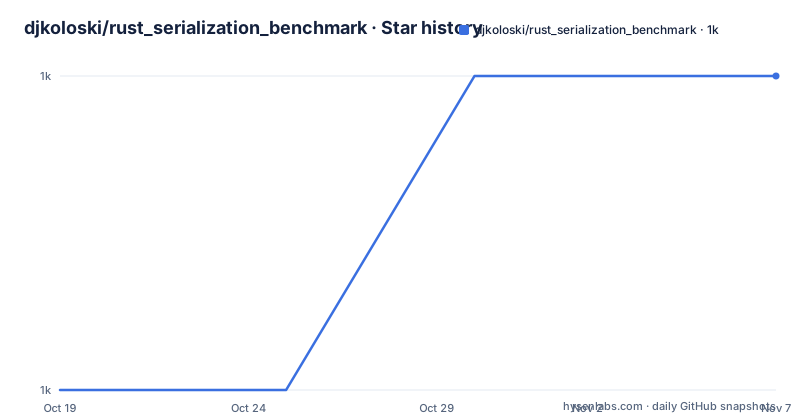
Star history
- djkoloski/rust_serialization_benchmark1,021 ★ · +1
| Repository | 2026-10-19 | 2026-11-07 |
|---|---|---|
| djkoloski/rust_serialization_benchmark | 1k | 1k |
1 Stars in the last 19 days, measured from the daily GitHub snapshot. Compare with other projects
Editorial analysis
A table, a site, and a pipeline that produces both
The goal of this project is stated in one line, to provide thorough and complete benchmarks for various Rust serialization frameworks. The output is a benchmark table and an interactive site, both generated from the same runs.
The site is at djkoloski.github.io/rust_serialization_benchmark, and it calculates the number of messages per second that can be sent and received with various serialization frameworks and compression libraries. The README is itself generated, with a comment at the top saying it is automatically generated and that the source to edit is README.md.template rather than the README itself, and a per-site documentation file in pages/README.md.
The repository is a Cargo workspace with the members listed explicitly.
[workspace]
members = [
    "pages",
    "protobuf4-generated",
    "tools/bencher",
    "tools/formatter",
    "tools/parser",
    "tools/schema",
]
The shape of that list is the architecture. tools/bencher runs the measurements, tools/schema and tools/parser handle the schema and the parsing of results, tools/formatter turns the raw output into the table, pages/ is the interactive site, and it is a Yew application with wasm-bindgen and web-sys in the workspace dependencies, which is why the site is a web app rather than a static page. The results themselves live in benchmark_results/, there is a prebuilt/ directory, the benchmarks are in benches/, and a pinned rust-toolchain.toml keeps the toolchain consistent between runs.
A file called how_to_profile.md sits at the root, which tells you the project treats profiling as part of the method rather than an afterthought.
Seven measurements, and three more for the zero copy libraries
Every framework is measured on the same properties, and the README states them precisely.
Serialize is serializing data into a buffer, and deserialize is deserializing a buffer into a normal Rust object. Borrow is deserializing a buffer into a Rust object that borrows string data from the input, with a lifetime, which is the operation that only libraries with a zero copy design can offer. Size is the size of the buffer when serialized. Zlib is the size of the buffer after zlib compression, Zstd is the size after zstd compression, and Zstd Time is the time taken to compress the serialized buffer with zstd.
That last one is the most useful and the most often missing. A framework that produces a compact buffer can be the slower choice once the wire is involved, and a table that only reports throughput hides that entirely. Measuring compression time separately from compression size separates the two questions.
Zero copy libraries get an additional set of benchmarks, because the access pattern is different. Access is accessing a buffer as structured data, Read is running through a buffer and reading fields out of it, and Update is updating a buffer as structured data.
For the time measurements the table reports time per iteration, and for size it reports bytes, and lower is better in both cases. There is also a separate framing in the site, which presents results as messages per second, so the same run can be read either as latency per operation or as throughput.
The footnotes are where the interesting variants hide
Some benchmark results in the table are italicised and followed by an asterisk, and hovering over them gives details about what situation was benchmarked. The README explains the common terms, and there are two.
Populate means copying or converting from the regular input type to the type generated by the library. Convert means copying or converting back from the library's generated type to the regular input type after deserializing. Other footnotes are located at the bottom of the page.
This is the detail that decides whether a number is meaningful. A library that deserializes into its own generated type and then needs that type converted into yours has a cost that a naive comparison hides, and the populate and convert variants expose it. The same applies to a serialization format that supports a packed encoding, where the table shows both variants side by side.
The practical reading rule is simple. If you are going to use a framework's generated types directly, the plain figure is the right one. If you are going to convert them into your own domain types, the variant that includes the conversion is the number that describes your program. The table gives you both, but only if you notice the italics.
The log data set and what its numbers say
The published results are organised by data set, and the first one is named log. The README describes it as HTTP request logs that are small and contain many strings, and that is a deliberately unflattering shape for a serializer, since a body full of short strings is exactly where encoding choices and per-field overhead show up.
The table for that data set covers the crates with their versions, and the numbers vary by a wide margin. Reading the serialize column, bitcode at 0.6.9 is listed at 146.23 µs, bilrost at 0.1016.1 at 474.26 µs in its plain form and 424.95 µs in the variant marked with the asterisk, borsh at 1.8.1 at 538.00 µs, and capnp at 0.27.2 at 614.45 µs, with 1.4923 ms for the packed variant.
The size column is just as uneven. capnp is listed at 1443216 bytes for the log set, bin-proto at 0.12.9 at 1045784, borsh at 885780, bilrost at 804955, and bitcode at 703710. After zstd compression the same entries compress to 426532, 311553, 286248, 284849 and 227322 respectively, and the compression time column ranges from 2.4072 ms for bitcode to 6.2052 ms for capnp.
Two observations follow from the table itself. First, the ranking on size and the ranking on speed are not the same, so there is no single winner to point at. Second, the margin between the fastest and the slowest in the serialize column is several times over, which is a bigger spread than most people expect from a choice that feels cosmetic.
One machine, one compiler, and a timestamp on every run
A benchmark is only as good as the environment it was measured in, and this project publishes that environment in full, under a collapsed runtime information section at the bottom of the README.
The compiler was a nightly, and the README records the exact version and host.
rustc 1.101.0-nightly (282215592 2026-10-04)
binary: rustc
host: x86_64-unknown-linux-gnu
release: 1.101.0-nightly
LLVM version: 23.1.3
The machine is an AMD EPYC 7763, and the runtime information lists four CPUs, two cores per socket with two threads per core, along with the cache sizes and the mitigation status of the various speculative execution issues. The last updated line sits above that block and reads 2026-10-05 23:16:23.
This transparency is the most valuable thing in the README. A nightly compiler on a four core virtualised AMD part is not a typical developer laptop, and a nightly compiler is not a typical production toolchain, and a reader who knows that can discount the absolute numbers while still using the relative ones. What they cannot do is treat the table as a statement about their own machine, and the site does not claim otherwise.
The repository is not archived and the last push was on 2026-10-06.
Which crates are covered, and who keeps it honest
The Cargo manifest pins the versions of every framework under test, which is what makes the results reproducible rather than a moving target. Among them are bilrost at 0.1016.1, bin-proto at 0.12.9, bitcode at 0.6.9, borsh at 1.8.1, buffa at 0.9.2, capnp at 0.27.2, cbor4ii at 1.2.3, ciborium at 0.2.2, flatbuffers at 25.12.19, flexbuffers at 25.12.19, flexon at 0.4.9, minicbor at 2.3.0 and others further down the list, with feature flags set per crate, for example serde1 for cbor4ii and simd for flexon.
The protobuf case is handled differently, through a protobuf4-generated/ workspace member rather than a published crate, so the protobuf implementation is generated inside the project.
The project is explicit about its own status. The README says these benchmarks are still being developed and that pull requests to improve benchmarks are welcome, and it says they are maintained by a small group of volunteers, naming djkoloski, mumbleskates and finnbear with links to their profiles.
The licence in the workspace manifest is MIT with publish set to false, since this is a benchmark harness rather than a library anyone should depend on. The repository metadata does not list a licence, so the manifest is the place to look.
There are no GitHub releases, which is consistent with a project whose artefacts are the site and the generated table.
Editorial conclusion
rust_serialization_benchmark fits a team choosing a serialization crate for a Rust service, because it measures the properties that decide the choice, including the size cost of compression and the price of a borrowing deserializer, on one consistent machine and one data set. It does not fit a team that needs results for its own payloads, since the published figures come from a generic log data set on a four core AMD EPYC machine with a nightly compiler, and the project itself calls the work in progress. Verify three things before you act on a number: the timestamp under it, since the results are regenerated periodically and the latest update was on 2026-10-05, whether the variant you care about is the one being quoted, because the italicised rows are different scenarios rather than different crates, and the footnote attached to a zero copy library, since the access, read and update figures only exist for libraries that support them.
Frequently asked questions
Which Rust serialization crates does the benchmark cover?
The manifest pins versions for bilrost 0.1016.1, bin-proto 0.12.9, bitcode 0.6.9, borsh 1.8.1, buffa 0.9.2, capnp 0.27.2, cbor4ii 1.2.3, ciborium 0.2.2, flatbuffers 25.12.19, flexbuffers 25.12.19, flexon 0.4.9 and minicbor 2.3.0 among others. Protobuf is handled by a generated workspace member called protobuf4-generated rather than by a published crate.
What does the Borrow measurement mean in these benchmarks?
Borrow is deserializing a buffer into a Rust object that borrows string data from the input, with a lifetime. It is reported for frameworks that support zero copy deserialization, and where it exists the frameworks also get the Access, Read and Update measurements for accessing, reading and updating a buffer as structured data.
What do the populate and convert footnotes mean?
Populate is copying or converting from the regular input type to the type generated by the library, and convert is copying or converting back from the library's generated type to the regular input type after deserializing. Results marked with an asterisk are these variants rather than the plain case, so you should read the figure that matches how you actually use the framework.
When were the published benchmark results generated?
The README carries a last updated line reading 2026-10-05 23:16:23, and the runtime information records rustc 1.101.0-nightly built on 2026-10-04 with LLVM 23.1.3, running on x86_64-unknown-linux-gnu on an AMD EPYC 7763 with four CPUs. The repository was last pushed to on 2026-10-06.
Is the rust_serialization_benchmark project finished?
No, and it says so. The README states that the benchmarks are still being developed and that pull requests to improve them are welcome, and that they are maintained by a small group of volunteers. The README itself is generated from a template, and the results are regenerated on a periodic basis.
Official sources
Add this badge to your README
If you maintain this project, the badge below links readers to this analysis and shows its maintenance status from the daily GitHub snapshot. Paste the markdown into your README; add ?metric=license or ?metric=stars to the image URL for a different field.

[](https://hysenlabs.com/projects/djkoloski-rust-serialization-benchmark)Star history chart for your README
[](https://hysenlabs.com/projects/djkoloski-rust-serialization-benchmark)Was this useful?