wtf: whitespace cleanup that can edit your commit without touching your files
Whitespace Total Fixer
At a glance
- What is it?
- wtf, the Whitespace Total Fixer, is a single Python script with no dependencies beyond the standard library that strips trailing spaces, blank lines at end of file, missing final newlines, and mixed line endings. It ships two Git pre-commit hooks, and the difference between them is whether your working tree gets modified.
- Who is it for?
- wtf suits a repository where whitespace noise has already become a habit and you want it enforced rather than remembered, since the fix, report, and ignore flags let you adopt it one issue at a time instead of all at once. Skip it if your project deliberately uses trailing whitespace or mixed line endings, because the defaults are aggressive and there is no configuration file, only flags.
- Can I use it commercially?
- Yes, with conditions. GPL-3.0 is a copyleft licence: if you distribute software that includes it, you must release that software's source code under the same licence. Running it internally without distributing it does not trigger that obligation.
- Is it still maintained?
- Probably not. The repository last received commits 48 months ago, on October 29, 2022.
- What is it written in?
- Mainly Python, according to GitHub's language statistics.
Answers come from the project's GitHub data, last synced on October 21, 2026, and from our analysis. They are not legal advice.
Star history
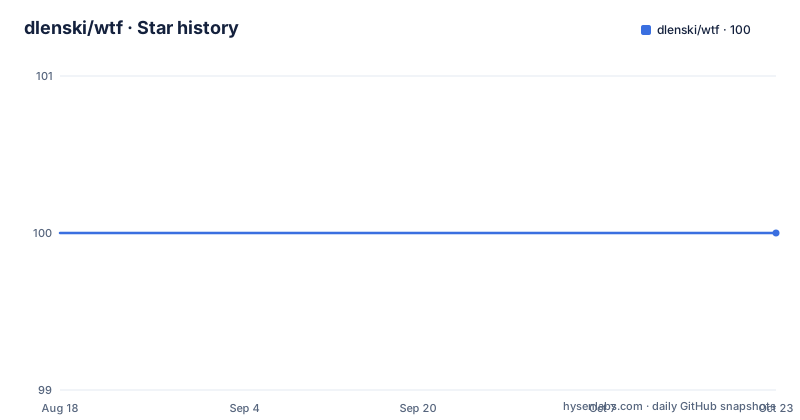
- dlenski/wtf100 ★ · +0
| Repository | 2026-08-18 | 2026-10-21 |
|---|---|---|
| dlenski/wtf | 100 | 100 |
0 Stars in the last 64 days, measured from the daily GitHub snapshot. Compare with other projects
Editorial analysis
Every issue gets three flags: fix, report, or ignore
The option design is the thing to understand before anything else, because it is what makes the tool adoptable in stages. Most of the issues it addresses offer three possible command-line options enabling the user to fix, report, or ignore the issue. That pattern repeats across the whole option set. Trailing spaces are -t and --trail-space to fix, -T and --report-trail-space to report, and -It and --ignore-trail-space to ignore. Blank lines at the ends of files are -b, -B, and -Ib. A newline at the end of the file is -n, -N, and -In. Mixed leading tabs and spaces have the same triplet in -s, -S, and -Is. So for any given problem you can turn it on, turn it into a warning, or turn it off, without giving up the others, which is what makes it possible to adopt the tool for the two issues you agree with and leave the rest alone for a while.
Trailing spaces, end blanks, and the final newline are fixed by default
Three of the issues are on by default, and they are the least controversial ones. Trailing spaces at the ends of lines are removed by default. Blank lines at the ends of files are removed by default. And it is ensured that a newline character appears at the end of the file, also by default. With defaults set to fix, running the script with no options does something rather than nothing, which matters for the pipeline use case the tool is built around: a program generates a text file, the file goes into a commit, and nobody has to remember to clean it first. The example in the documentation pipes generated output straight through to a clean file with dump_database_schema piped into wtf.py writing clean_output.sql, and for files already on disk the -i flag edits in place while -I.bak does the same and leaves a backup beside each file.
Line endings follow the first line unless you force one
End of line markers get their own set of flags because the behaviour is subtler than the others. The tool makes sure that all lines have matching EOL markers, that is, no mixing of lf and crlf. By default it fixes non-matching EOL characters by making them all the same as the first line of the file. That default is a heuristic rather than a rule, and it has a consequence worth noticing: if a file opens with a stray carriage return, every line inherits it. The desired marker can also be set to a specific value, either lf, crlf, or native, in which case all lines will unconditionally receive this marker. Those forms are -E ENDING with --coerce-eol ENDING and -e ENDING with --expect-eol ENDING, and -Ie is --ignore-eol.
Leading whitespace is left alone unless you ask twice
The two leading whitespace options are the conservative ones, and their interaction is the subtle part. There is a check for spaces followed by tabs in the whitespace at the beginning of a line, exposed as -s and --tab-space-mix, with -S to report and -Is to ignore, and the default for that check is to report and warn rather than fix. Separately, -x SPACES with --change-tabs SPACES changes tabs in the leading whitespace to a specified number of spaces, and the default is not to change tabs at all. -y SPACES with --change-spaces SPACES does the reverse, and its default is not to change spaces at all. Both state the same caveat: they will not touch leading tabs when they are mixed with spaces unless --tab-space-mix is also specified. That coupling is deliberate rather than an oversight, because in a mixed run the tool cannot tell which half of the leading whitespace the indentation author intended to change.
The careful hook rewrites the commit and leaves your working tree alone
There are two pre-commit hooks and the difference between them is the important design decision. The careful version will run wtf with the default options on all the to-be-committed text files, and you can use it as is by creating a symlink into your hooks directory:
ln -s /path/to/wtf/source/pre-commit.careful .git/hooks/pre-commitIts first feature is the important one: this hook only modifies your commits, and does not touch Git's working tree. The documentation connects that to Git's index, the staging area, and says it will play nicely with git add --patch. Second, it skips files marked as binary or non-text according to your repository's gitattributes. Third, there is a stated side effect to be aware of: when a file changes in your commit but remains unchanged in your working tree, the file will be marked modified by git status immediately after the commit. If you would rather write your own hook than symlink the supplied one, create the file at .git/hooks/pre-commit and make sure it is executable with chmod +x.
The simple hook edits the working tree too, and that breaks patch staging
The simple version does the same job with a different blast radius. This version modifies Git's working tree as well as your commits, and the README states in bold that it will not play nicely with git add --patch. It runs wtf -i with any other options you add to wtf_options on all the to-be-committed text files, so they are cleaned in the commit and in the working tree. The script is short enough to read in full:
#!/bin/sh
wtf_options=''

# get a list of to-be-committed filepaths, EXCLUDING files considered
# by Git to be binary
committees=$(git diff --cached --numstat --diff-filter=ACMRTU|egrep -v ^-|cut -f3-)

# Run Whitespace Total Fixer in-place, and re-add files modified by it
for committee in $committees
do
	wtf -i $wtf_options "$committee" || git add "$committee"
Either way the hook can be bypassed with git commit and the --no-verify or -n flag.
The install line saves wtf.py while both hooks invoke wtf
The quick install is a single curl pipeline that writes the script into your bin directory and sets the mode:
curl https://raw.githubusercontent.com/dlenski/wtf/master/wtf.py > ~/bin/wtf.py && chmod 0755 !#:3Two things are worth noticing in that line. The trailing chmod argument is a zsh glob qualifier that applies the mode to the third match of the redirect, which is a shell-specific trick rather than portable syntax. And the file it writes is wtf.py, while the simple pre-commit script invokes a command called wtf. The repository ships both names, a wtf file and a wtf.py file, so the discrepancy is resolvable within the project rather than a bug, but it does mean the documented one-line install and the documented hooks do not line up by name.
No dependencies, Python 2.7 or 3.x, and a last push in October 2022
The portability claim is specific and is the reason the tool is easy to drop into an existing environment. wtf.py is a simple Python script with no dependencies beyond the standard Python library, and it should run correctly with either Python 2.7 or 3.x. In a category of tools that usually drags in a runtime or a linter, that is the main argument for using it. The tree matches the claim, with .gitignore, .travis.yml as continuous integration configuration, LICENSE, README.md, pre-commit.careful, a tests/ directory, and the two script files. The licence is GPL-3.0. The tagged releases are sparse, v0.4 in 2015 which added the -0 dry run option and cleaned up the README, and v0.7.1 in 2016 which improved the git pre-commit scripts. There are no GitHub releases beyond that, and the last push to master is dated 2022-10-29.
Editorial conclusion
wtf suits a repository where whitespace noise has already become a habit and you want it enforced rather than remembered, since the fix, report, and ignore flags let you adopt it one issue at a time instead of all at once. Skip it if your project deliberately uses trailing whitespace or mixed line endings, because the defaults are aggressive and there is no configuration file, only flags. Before you install either hook, choose between the two deliberately: the careful one edits only the commit and is compatible with git add --patch, while the simple one also rewrites your working tree and is not. And note that the install line saves the script as wtf.py while both hooks invoke a command named wtf.
Frequently asked questions
How do I install wtf?
Fetch the script with curl into ~/bin/wtf.py and set the mode, using the documented one-line command with chmod 0755. It has no dependencies beyond the standard Python library and runs on either Python 2.7 or 3.x.
What does the careful pre-commit hook do that the simple one does not?
The careful hook only modifies your commits and does not touch Git's working tree, so it plays nicely with git add --patch, and it skips files marked binary or non-text in gitattributes. The simple version also modifies your working tree and will not play nicely with git add --patch.
Can wtf report whitespace problems without changing files?
Yes. Each issue has a report flag, such as -T and --report-trail-space, and an ignore flag such as -It. The -0 option summarizes a bunch of files without editing them, -q silences the per-file summary, and -v adds issue-free files to the report.
Which line endings does wtf use?
By default it makes all lines match the first line of the file so there is no mixing of lf and crlf. You can force a specific value of lf, crlf, or native with -E or --coerce-eol and -e or --expect-eol, and -Ie ignores the issue entirely.
Official sources
Add this badge to your README
If you maintain this project, the badge below links readers to this analysis and shows its maintenance status from the daily GitHub snapshot. Paste the markdown into your README; add ?metric=license or ?metric=stars to the image URL for a different field.

[](https://hysenlabs.com/projects/dlenski-wtf)Star history chart for your README
[](https://hysenlabs.com/projects/dlenski-wtf)