emacs-jupyter: talking to Jupyter kernels from Emacs
An interface to communicate with Jupyter kernels.
At a glance
- What is it?
- The emacs-jupyter package gives Emacs a REPL and an org-mode source block frontend for Jupyter kernels, with inspection, completion and rich output handled by Emacs's own machinery. It suits an Emacs user who wants to drive a Python or Julia kernel without leaving the editor, and it requires an Emacs built with module support because of its ZMQ dependency.
- Who is it for?
- Adopt emacs-jupyter if you live in Emacs and want a Jupyter kernel driven from the editor, with inspection and completion routed through native Emacs commands, rather than a browser notebook or a separate terminal REPL. Skip it if you need the full notebook interface, since that is the job of ein, and expect to build Emacs with module support because the package relies on emacs-zmq.
- Can I use it commercially?
- Yes, with conditions. GPL-3.0 is a copyleft licence: if you distribute software that includes it, you must release that software's source code under the same licence. Running it internally without distributing it does not trigger that obligation.
- Is it still maintained?
- Yes. The repository last received commits 24 days ago.
- What is it written in?
- Mainly Emacs Lisp, according to GitHub's language statistics.
Answers come from the project's GitHub data, last synced on November 6, 2026, and from our analysis. They are not legal advice.
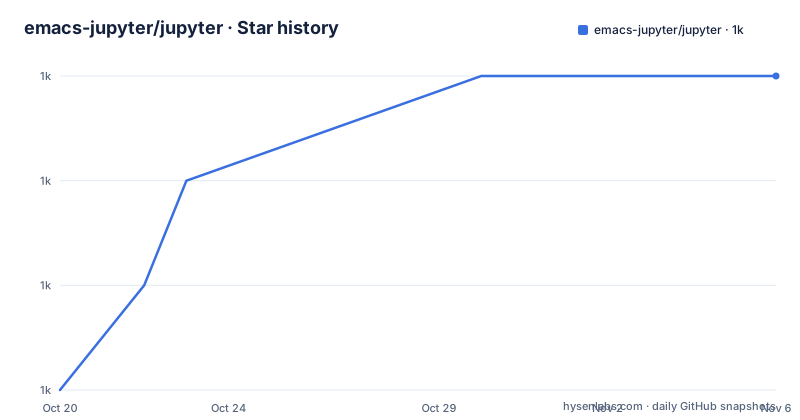
Star history
- emacs-jupyter/jupyter1,037 ★ · +3
| Repository | 2026-10-20 | 2026-11-06 |
|---|---|---|
| emacs-jupyter/jupyter | 1k | 1k |
3 Stars in the last 17 days, measured from the daily GitHub snapshot. Compare with other projects
Editorial analysis
Two frontends, one kernel protocol
The emacs-jupyter package is an interface to communicate with Jupyter kernels in Emacs, and it exposes two frontends. There is a REPL, launched with `M-x jupyter-run-repl` to start a new local kernel and display a REPL buffer, and `M-x jupyter-connect-repl` to connect to an existing kernel using the kernel's connection file, which the user supplies. There is also an org-mode source block frontend, so an org file can be a notebook. The package is written in Emacs Lisp, licensed GPL-3.0, and the project is not archived with the last push on 2026-10-14 and no GitHub releases published. The repository root is a flat list of about thirty Emacs Lisp files with a prefix, and the split of the source tells you the architecture. There is a channel layer in `jupyter-channel.el` and `jupyter-zmq-channel.el` with their IO loop counterparts, a message layer in `jupyter-messages.el`, a client in `jupyter-client.el`, a mime dispatcher in `jupyter-mime.el`, and per-language frontends for Python, Julia, C++ and JavaScript.
Kernel interactions go through Emacs's own features
The design decision that distinguishes this from a terminal REPL bolted onto Emacs is that kernel interactions are integrated with Emacs's built-in features rather than reimplemented. Inspecting a piece of code under point displays the information for that symbol in the `*Help*` buffer, and you can re-visit inspection requests made to the kernel by calling `help-go-back` or `help-go-forward` while in that buffer, which means the kernel's answers are part of the same help history as the rest of Emacs. Code completion uses the `completion-at-point` interface, so it behaves like completion everywhere else. Kernel requests for user input are entered through the minibuffer. And you can search through REPL history with `isearch`. None of that is a small thing. A REPL that treats the kernel as a subprocess with a pipe gives you a prompt and nothing else, whereas this one routes the kernel's capabilities into the editor's own affordances.
The mime type table is the honest capability list
The REPL supports some of the rich output a kernel may send, and the documentation gives a table of the supported mimetypes with their dependencies, which doubles as an accurate description of what will and will not render. `application/vnd.jupyter.widget-view+json` needs websocket and simple-httpd. `text/html` needs an Emacs built with libxml2. `text/markdown` needs markdown-mode, `text/latex` needs org-mode, `image/svg+xml` needs an Emacs built with librsvg2, and `image/png` and `text/plain` need nothing at all. The fallback rule is stated and important: if a dependency is not available for a particular mimetype, a mimetype of lower priority gets displayed instead. So the degradation is graceful rather than a failure, but the output you get depends on how your Emacs was compiled, which is a packaging decision that is easy to forget about.
Installing through MELPA, and the module support catch
The package is on MELPA, and the install is a three-step sequence. First ensure MELPA is in `package-archives`:
(add-to-list 'package-archives '("melpa" . "https://melpa.org/packages/"))Then refresh the package contents with `M-x package-refresh-contents RET`, then install with `M-x package-install RET jupyter RET`. There is a note that comes before all of it, and it is the constraint to check first. This package relies on the emacs-zmq package, which means your Emacs needs to have been built with module support. That is not a preference, it is a build requirement, and if you are on a distribution Emacs without modules the install will fail or the package will not load. The manual installation path is to add the repository directory to your `load-path` and require the package, and the dependency list for that path is markdown-mode as optional, company-mode as optional, emacs-websocket, simple-httpd and zmq.
Building the widget support, which is experimental
Widget support is the part labelled experimental, and it works by relaying rather than rendering. There is limited support for interacting with Jupyter widgets through an external browser, in which case Emacs acts as a relay for passing messages between the kernel and the browser. To try it out you install node, then run a shell command from the top-level directory of the project:
make widgetsAfter that you launch Emacs, connect to a kernel through a REPL, and run some code that creates a widget. The same `make widgets` step is required before attempting to open a widget in the REPL, and the Makefile shows the target is a thin wrapper, `make -C js`, with a `js/` directory at the repository root and a `widget.html` file beside it. So the widget path is JavaScript on the browser side, a small HTTP server served from Emacs, and websocket frames passing between kernel and browser.
Running the tests needs Eldev
The test suite requires Eldev, and the README is explicit that you must have it installed first. From the top-level directory of the project you can run the whole set with `make test`, run tests tagged with org with `make test TAGS=org`, combine tags with `make test TAGS=org,babel`, or select by name pattern with `make test PATTERN=font-lock`. The Makefile shows the mechanics. The `test` target invokes `$(ELDEV) test` with the selectors appended, and the tag and pattern options are turned into ERT selectors, with a tag becoming `(tag org)` and the pattern becoming a quoted string. The `eldev` target errors out with a message to install eldev if the variable is empty, and the same tool drives `compile`. The repository also has an `Eldev` file, a `.ert-runner` file and a `test/` directory holding the test files, plus `appveyor.yml` and `.travis.yml` for continuous integration.
Where ein and ob-ipython sit
The documentation names the neighbouring packages honestly, including the fact that the author has never used one of them. The org-mode source block frontend in emacs-jupyter is similar to what is offered by ob-ipython, and also the scimax version of it. On the other side, ein, the emacs-ipython-notebook package, is a complete Jupyter notebook interface in Emacs with many powerful features for Python kernels. The author notes there is some overlap in the features provided by emacs-jupyter and ein, and says plainly that having never used ein, they cannot speak very much about any similarities or differences. That is a more useful statement than a comparison, because it marks the boundary: emacs-jupyter is an interface to kernels, while ein is a notebook interface, and the second is a different shape of tool with a document model rather than a buffer-based REPL.
Editorial conclusion
Adopt emacs-jupyter if you live in Emacs and want a Jupyter kernel driven from the editor, with inspection and completion routed through native Emacs commands, rather than a browser notebook or a separate terminal REPL. Skip it if you need the full notebook interface, since that is the job of ein, and expect to build Emacs with module support because the package relies on emacs-zmq. Before installing, check that your Emacs has module support and install the optional dependencies you need, since markdown-mode and company-mode are optional and the mime type table shows which output formats depend on which library, from libxml2 for HTML through librsvg2 for SVG to none at all for PNG and plain text.
Frequently asked questions
How do I install the emacs-jupyter package?
Add MELPA to package-archives with `(add-to-list 'package-archives '("melpa" . "https://melpa.org/packages/"))`, run M-x package-refresh-contents, then M-x package-install RET jupyter RET. The package relies on emacs-zmq, so your Emacs must have been built with module support.
How do I start a REPL for a Jupyter kernel in Emacs?
M-x jupyter-run-repl launches a new local kernel and shows a REPL buffer, while M-x jupyter-connect-repl connects to an existing kernel using its connection file that you supply.
Which output formats does the emacs-jupyter REPL render?
text/plain and image/png need no extra dependency, text/html needs an Emacs built with libxml2, text/markdown needs markdown-mode, text/latex needs org-mode, and image/svg+xml needs librsvg2. If a dependency is missing, a mimetype of lower priority is displayed instead.
How do I enable Jupyter widget support in emacs-jupyter?
It is experimental and works by relaying messages between the kernel and an external browser. Install node, run `make widgets` from the top-level directory of the project, then connect to a kernel and run code that creates a widget.
How do I run the emacs-jupyter tests?
Install Eldev first, then from the top-level directory run `make test` for the whole set, `make test TAGS=org` for tests tagged with org, `make test TAGS=org,babel` to combine tags, or `make test PATTERN=font-lock` to match by name.
Official sources
Add this badge to your README
If you maintain this project, the badge below links readers to this analysis and shows its maintenance status from the daily GitHub snapshot. Paste the markdown into your README; add ?metric=license or ?metric=stars to the image URL for a different field.

[](https://hysenlabs.com/projects/emacs-jupyter-jupyter)Star history chart for your README
[](https://hysenlabs.com/projects/emacs-jupyter-jupyter)Was this useful?